Activity Technical exchange LaserMakerdownload mobile phoneAPP 多语言切换 English
release
design project

Present a complete idea, including design specifications, drawing files, parameter settings, etc

design drawings

Display drawing files

post

Technical exchange area, where any questions or doubts can be discussed

LaserMakercommunity-Library usage tutorial

[Copy link]
8101 |2
Published 2024-4-17 09:47:05 | Display all floors |Reading Mode

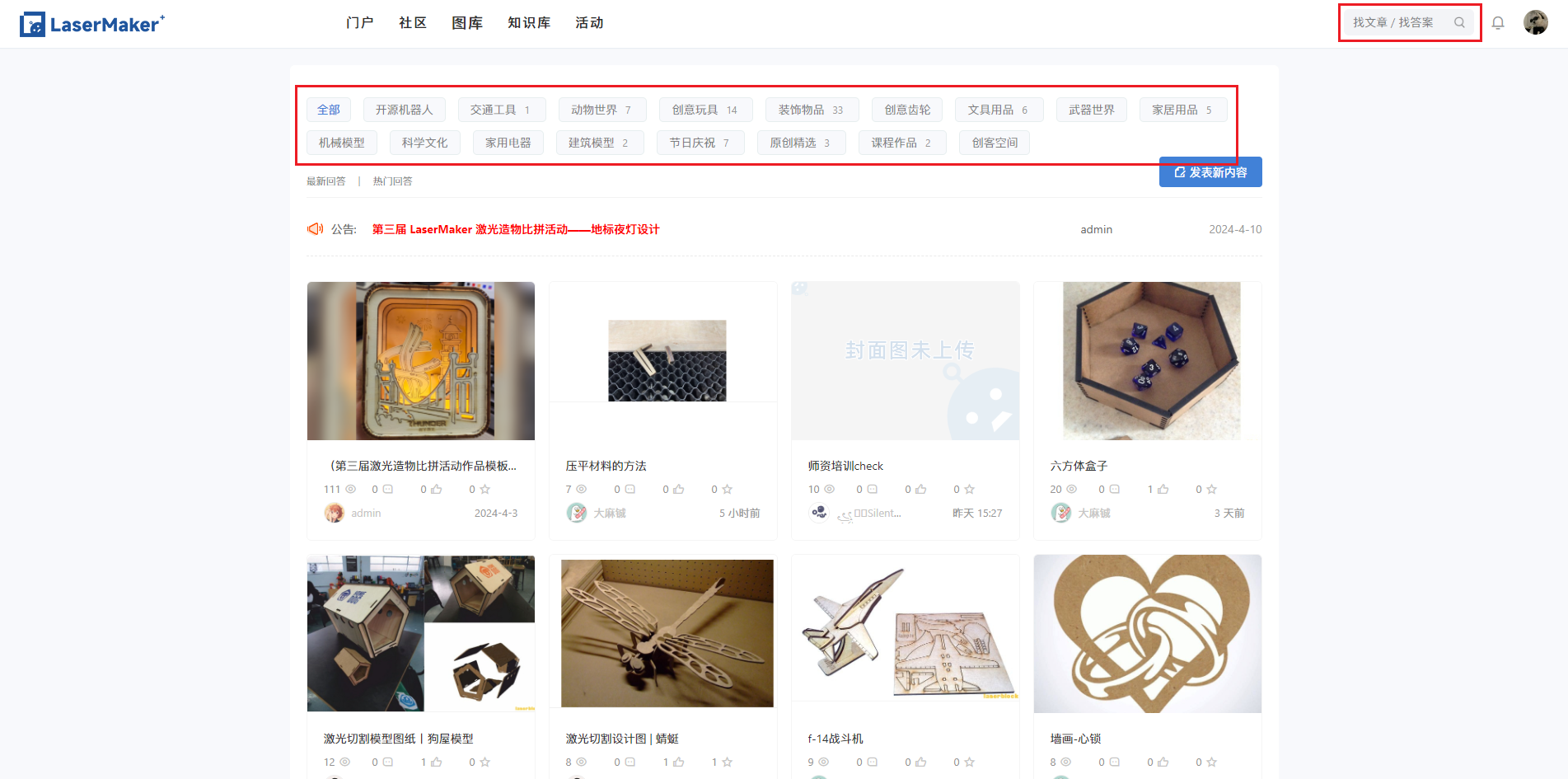
Search for works

Search method:

  1. Enter the drawing you want to search for in the search box in the upper right corner;
  2. Select the category in the gallery and find the drawings that interest you in the category.

1.png

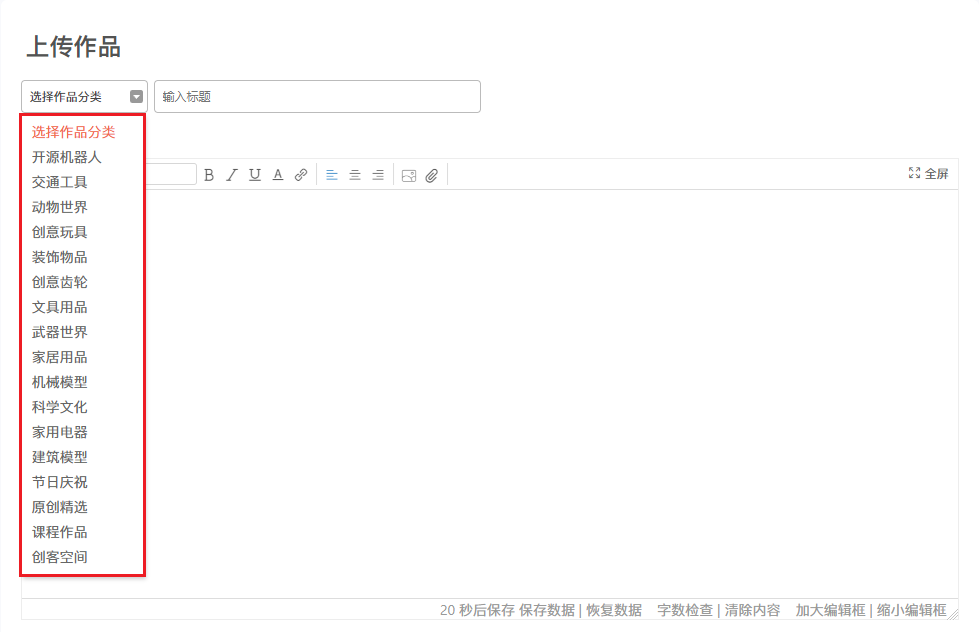
Upload works

Title

  1. Choose a work category, each work can only choose one category and pay attention to entering the appropriate category;
  2. When filling in the title, pay attention to using concise and clear text to summarize your work. Accurate description is necessary for others to search for your work more accurately.

2.png

Work Description

  1. Accurately explain your work introduction, creative inspiration, and the story behind your work;
  2. Supports editing fonts, font sizes, and captions for text, as well as adding links, images, and attachments in various formats.

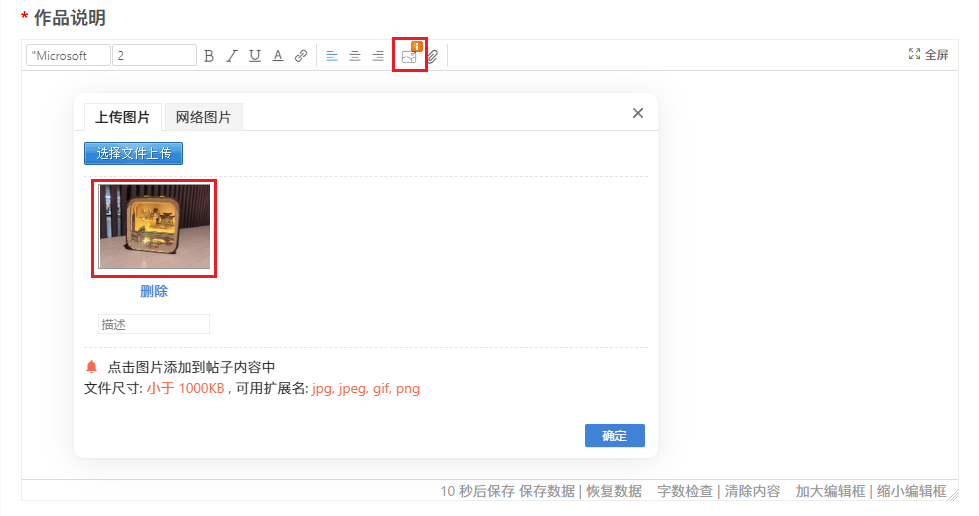
cover

  1. The cover image needs to be uploaded in the "Work Description" section;
  2. The cover of the work needs to display the complete work, with an aspect ratio of4:3The image effect is the best, and a beautiful cover can attract more attention!
  3. After uploading the image, you need to click on it to insert the main text.

3.png

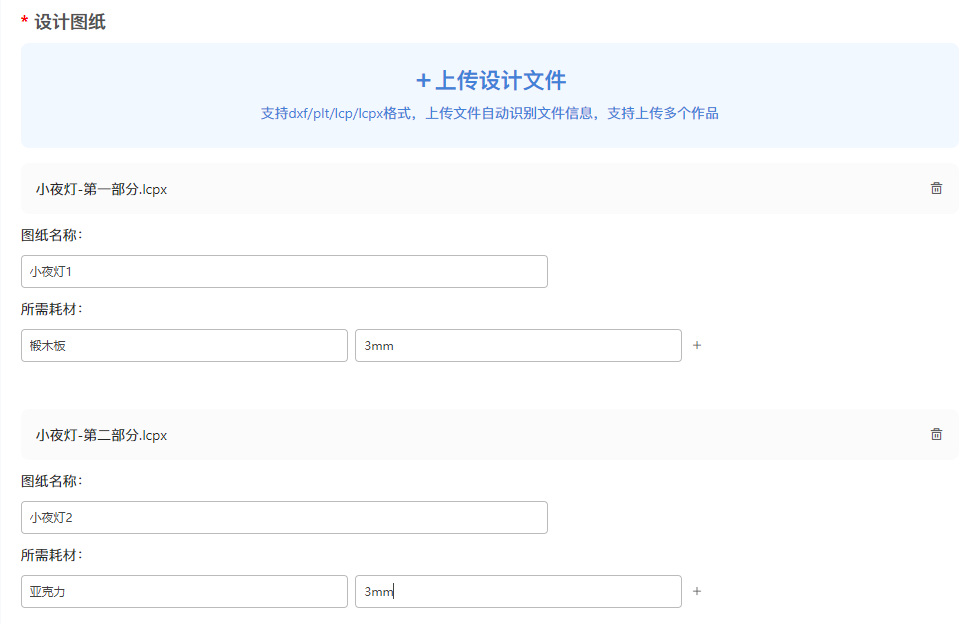
design drawings

  1. support upload.lcpor.lcpxDrawing files, non format drawing files need to be includedLaserMaker2.0Save again;
  2. If the drawing is too large, it can be divided into several drawing files for uploading. It is necessary to clearly label the names of each drawing, the materials used, and the thickness of the materials. The backend will automatically recognize the files and generate drawings.

4.png

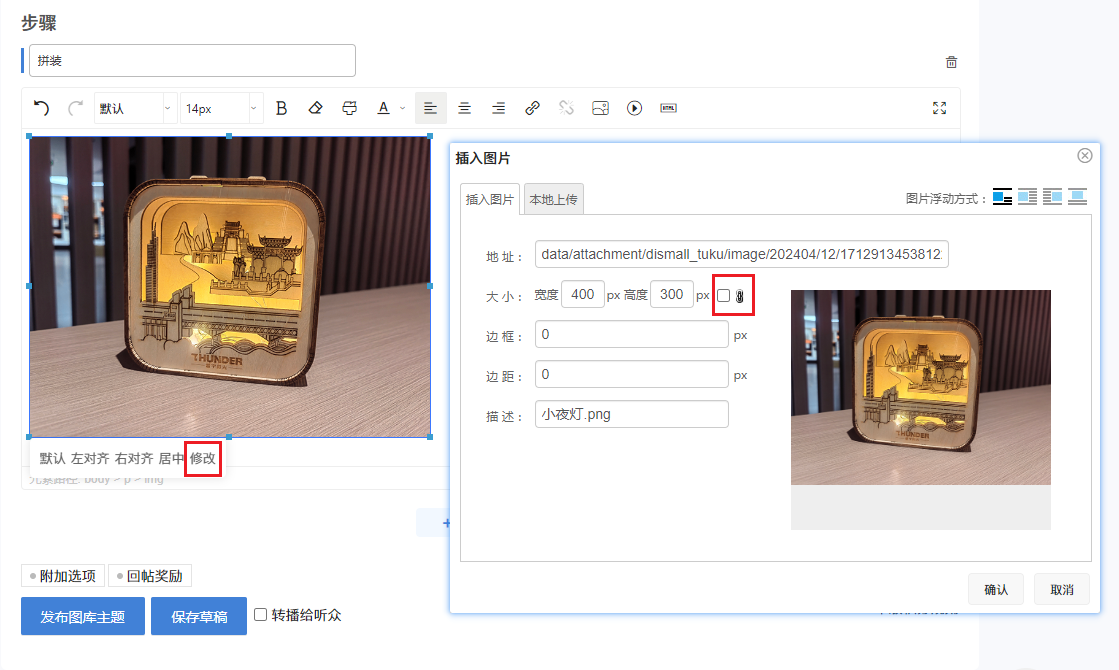
step

  1. Please record your entire process in as much detail as possible, including drawing, processing, assembly, etc. Inserting clear pictures or videos of the corresponding steps in the process, with both text and images, can help stand out among countless works!
  2. Support editing fonts, font sizes, and captions for text, as well as adding links, images, videos, etc., which can be undone or redone;
  3. Click on the image to modify its size (locked)/Unlock the aspect ratio of the image.

5.png

prompt

👀 ️ Before publishing your work, please carefully read the following regulations:

  1. Unauthorized images, videos, fonts, music, and other content shall not be used;
  2. The content of the work shall not contain any illegal infringement, including violence, terrorism, obscenity, superstition, and other content prohibited by laws, administrative regulations, and the state;
  3. Once published, the community will not be held responsible for any copyright issues or losses arising from your work.

This post contains more resources

You need login Can I download or view without an account?Register Now

x
reply

Use items report

Published 2024-6-6 21:06:22 | Display all floors
The introduction is very detailed and better integrated with the software
reply
reply support oppose

Use items report

Published 2025-8-4 14:13:22 | Display all floors
reply
reply support oppose

Use items report

You need to log in before you can reply to the post login | Register Now

This version of the points rules

advertisement
Quick reply Back to list