English
 简体中文
 繁體中文
 Français
 Español
 عربي ،
 русский язык
 Português
 Deutsch

drawing
AISmart desktop fan design project

Drawing Information
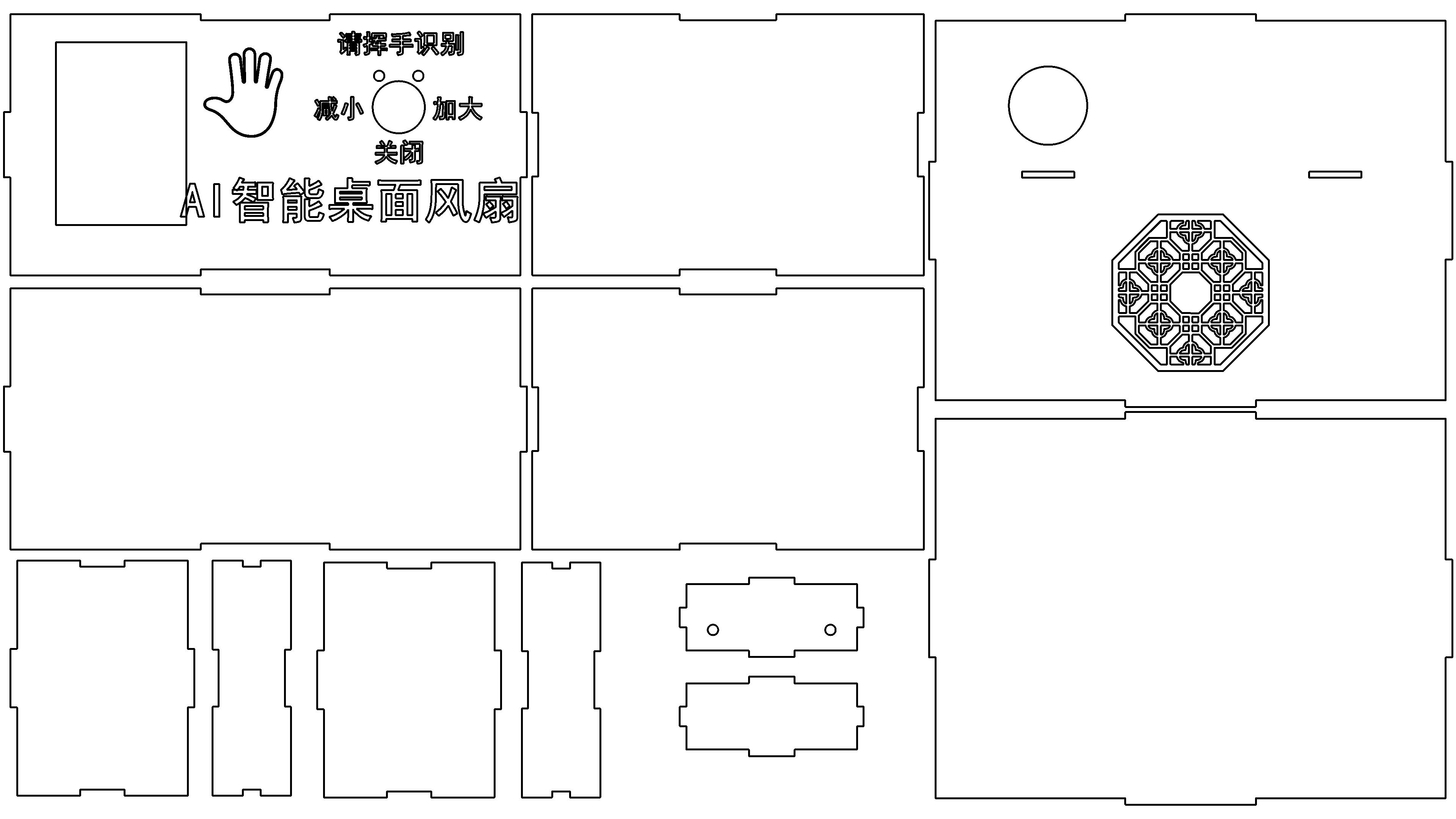
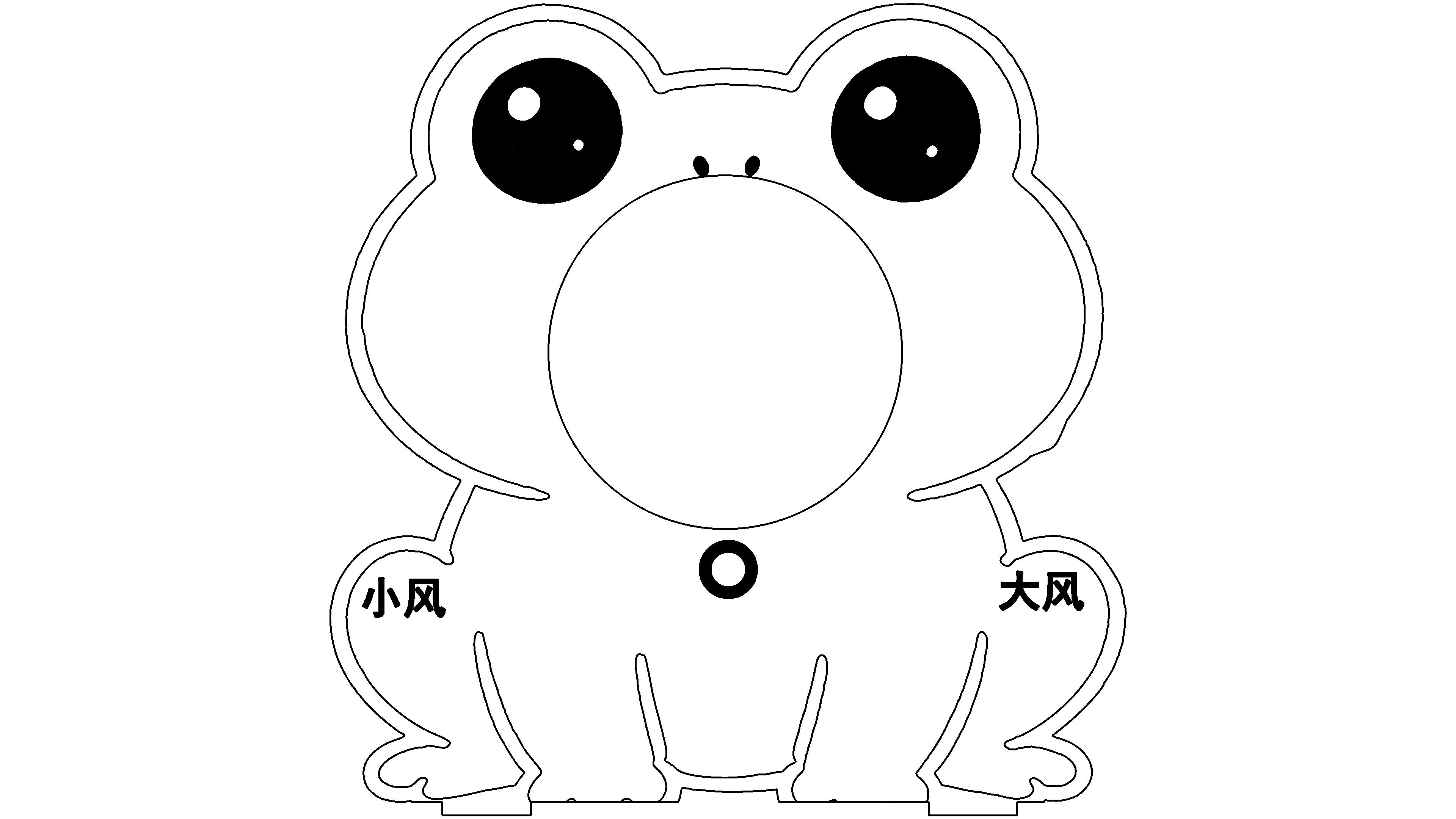
Drawing video
Drawing Description
In the scorching summer, the desktop often requires a small fan to dispel the stuffiness. Traditional fans require manual button operation, which is very inconvenient when hands are wet or holding hot tea. This inspired me to create a touchless fanAIThe idea of a smart desktop fan.
As artificial intelligence technology continues to enter our lives AI Combining facial recognition, gesture recognition, and small fans. You can control the fan with your face and gestures without touching any buttons, freeing up your hands. At the same time, with the help of AI Design the appearance of the drawing tool and then use it LaserMaker Laser cutting creates cute frog shells, combined with programming to implement intelligent logic, turning real-life pain points into a fun and practical scientific and technological creation, allowing technology to serve daily life and giving simple small objects a new intelligent experience.
I made it.AISmart desktop fan, usingAIFacial recognition technology, gesture recognition technology, combined with the use of Doubao artificial intelligence applications for cultural and biological image production, combined withLaserMakerThe latest version of software, combined with programming techniques, completes the design and production of the work.
The work covers three major functions:
1Through facial recognition technology, users can be intelligently identified and automatically customized to adjust to the appropriate wind speed range.
2Using gesture recognition technology, adjusting the wind speed can be achieved with just a wave of your hand.
3Fans can be used for daily blowing and for accelerating the cooling of hot tea and drinks.
related activities
This laser cutting design participated in the activity: Smart Manufacturing Summer,AI Creativity " —— summer AI Special Laser Creation Competition Event
drawing documents
AISmart desktop fan1
Basic Parameters
process parameters
| Processing Technology | processed material | pattern | power(%) | speed(mm/s) | processing times |
|---|---|---|---|---|---|
| Draw lines | 2.3mmplank | Horizontal unidirectional | 15 | 100 | 1 |
| cutting | 2.3mmplank | Horizontal unidirectional | 80 | 20 | 1 |
AISmart desktop fan2
Basic Parameters
process parameters
| Processing Technology | processed material | pattern | power(%) | speed(mm/s) | processing times |
|---|---|---|---|---|---|
| Draw lines | 2.3mmplank | Horizontal unidirectional | 15 | 100 | 1 |
| Shallow carving | 2.3mmplank | Horizontal unidirectional | 20 | 500 | 1 |
| cutting | 2.3mmplank | Horizontal unidirectional | 80 | 20 | 1 |
Base design of the work
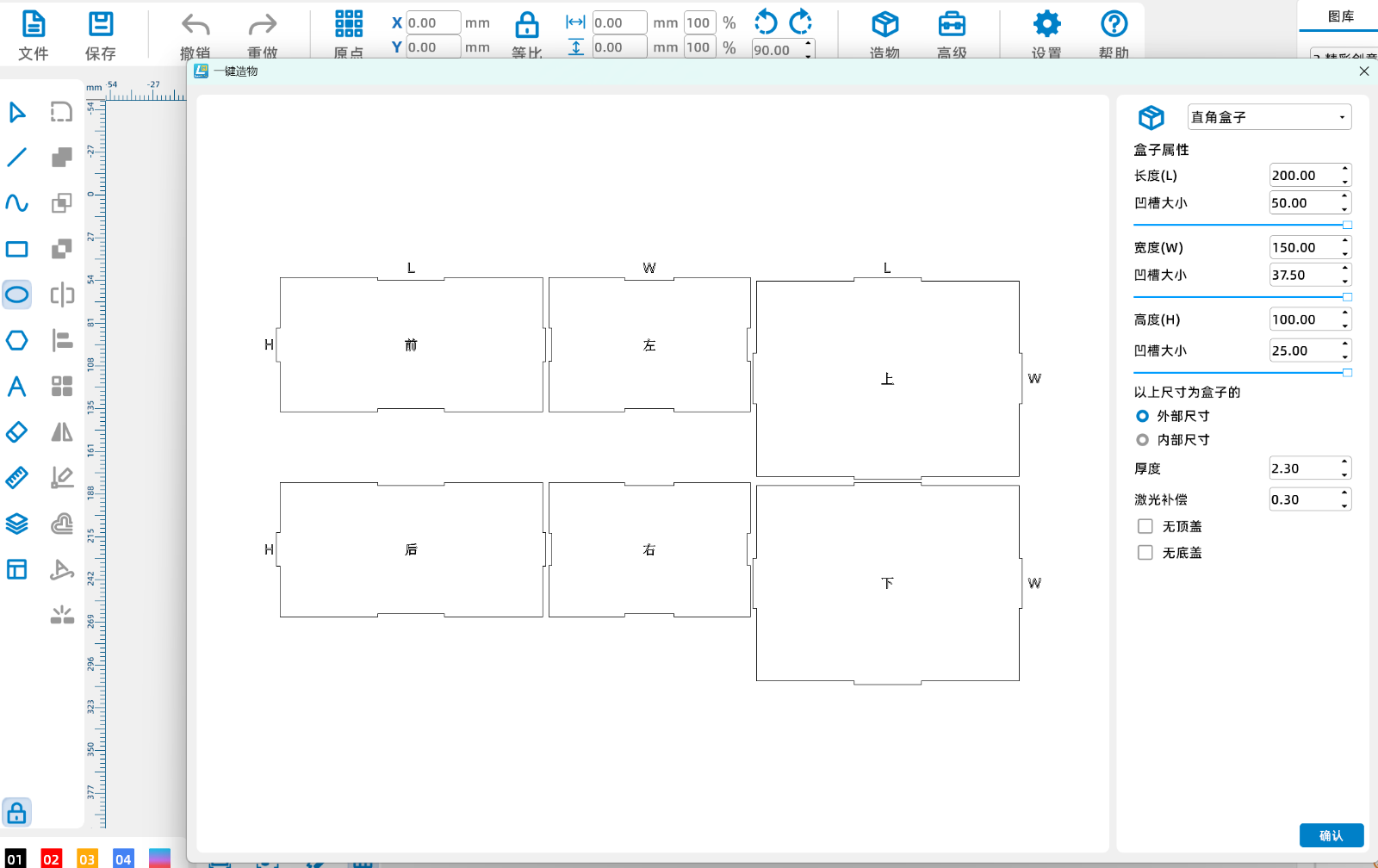
Use one click to create a right angled box, long200mmwide150mmhigh100mmMy board is2.3mmWooden board, if everyone uses it2mmor3mmModify on your own.
WriteAIPrompt words used for image generation
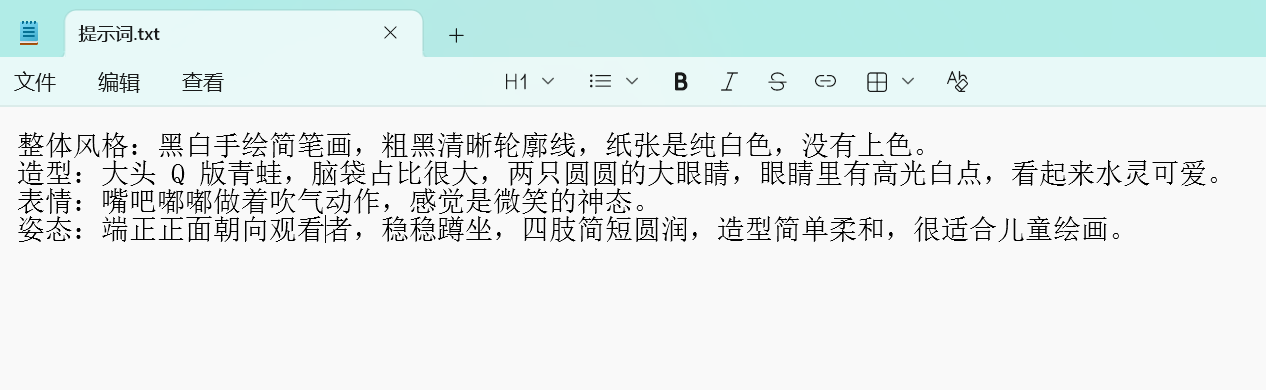
This is the prompt word I wrote myself, usingAIThe tool is a bean bun, which can be considered from four aspects:Overall style, form, expression, posture.
useAITool for generating images from bean buns
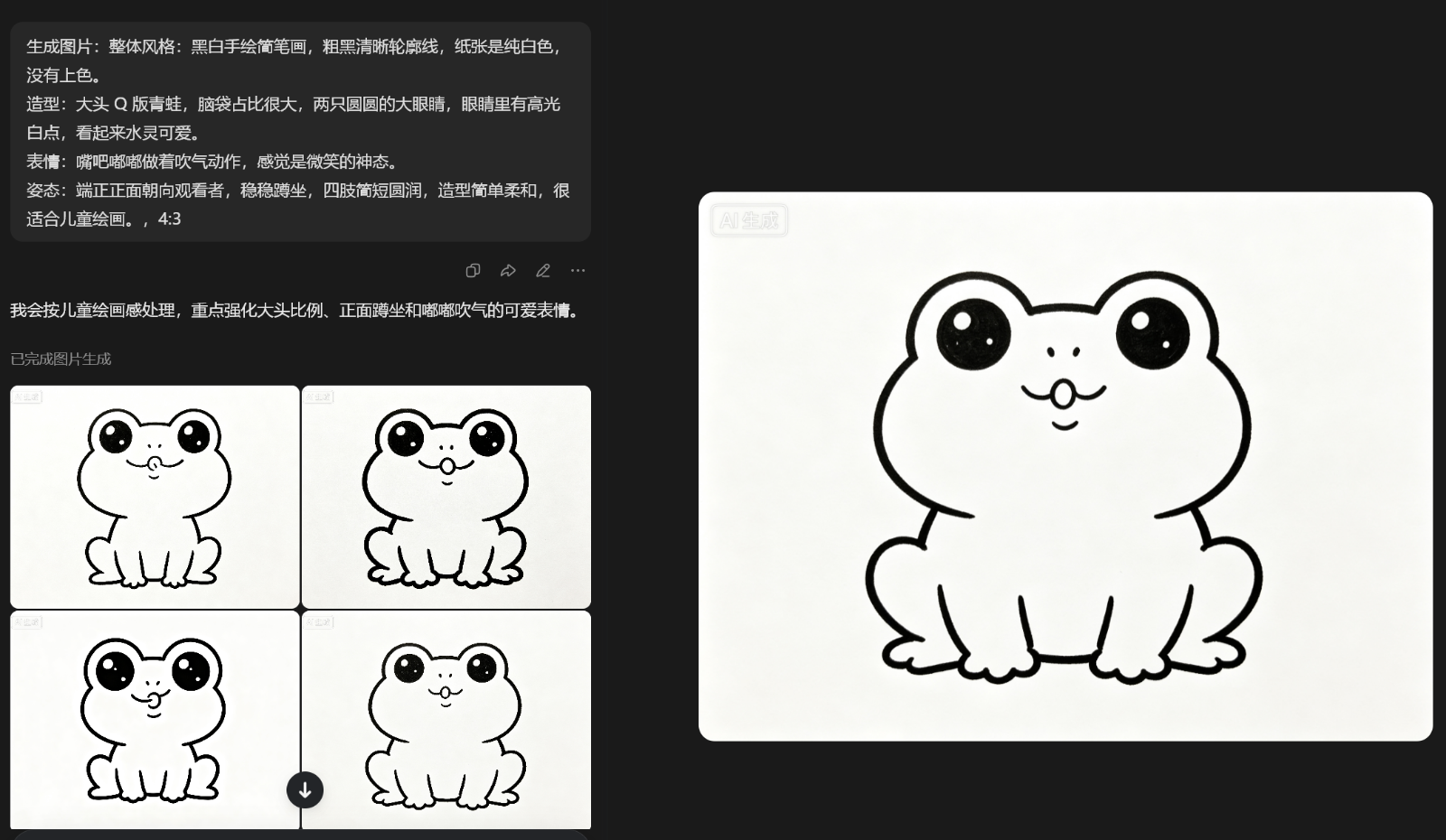
Give the prompt words you have written to Dou Bao, here you must chooseImage GenerationDou Bao will generate multiple images, so you can choose the most suitable one yourself. If you are not satisfied with all of them, you can generate multiple times or modify the prompt words.
Design using images generated from bean buns as materials
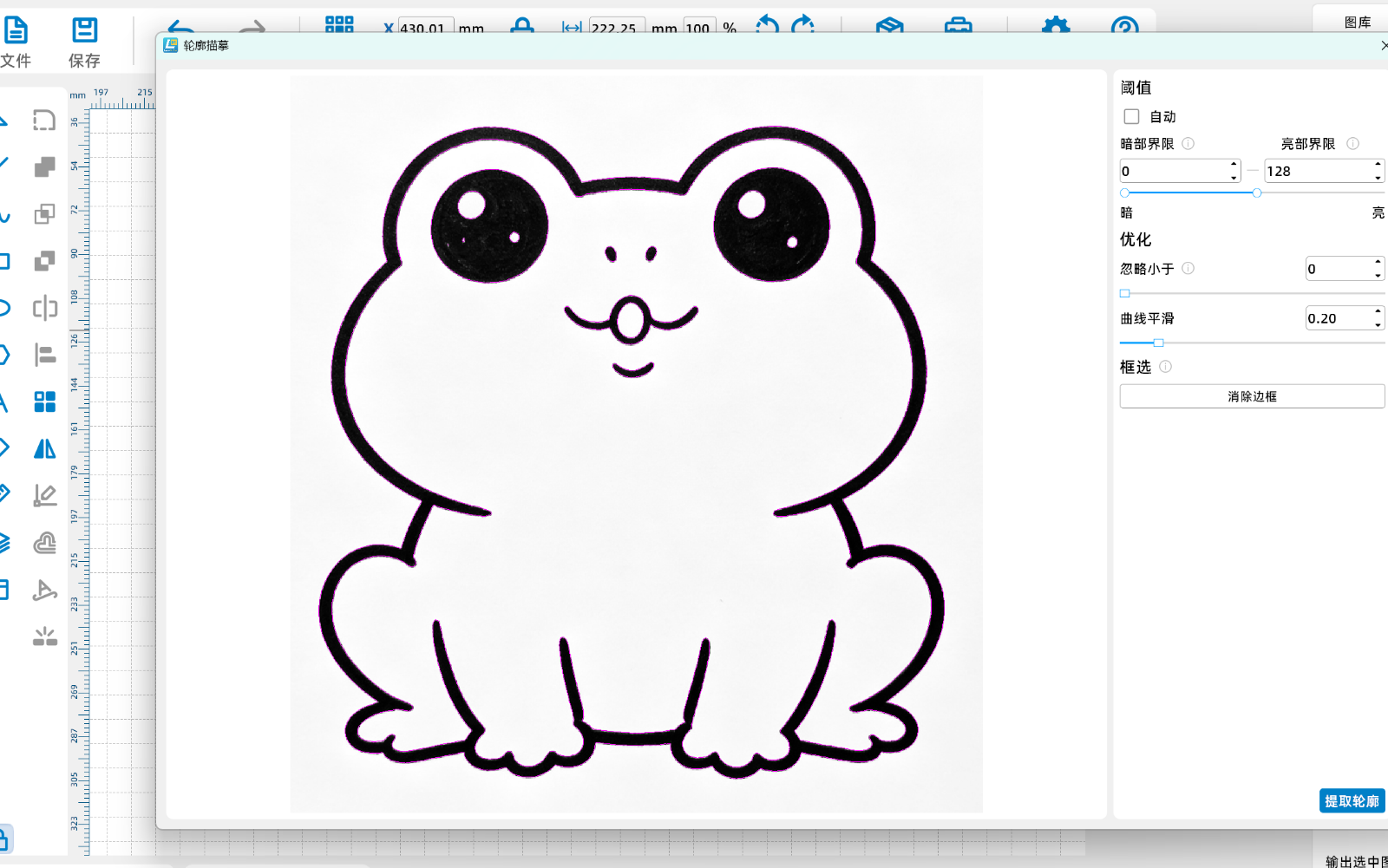
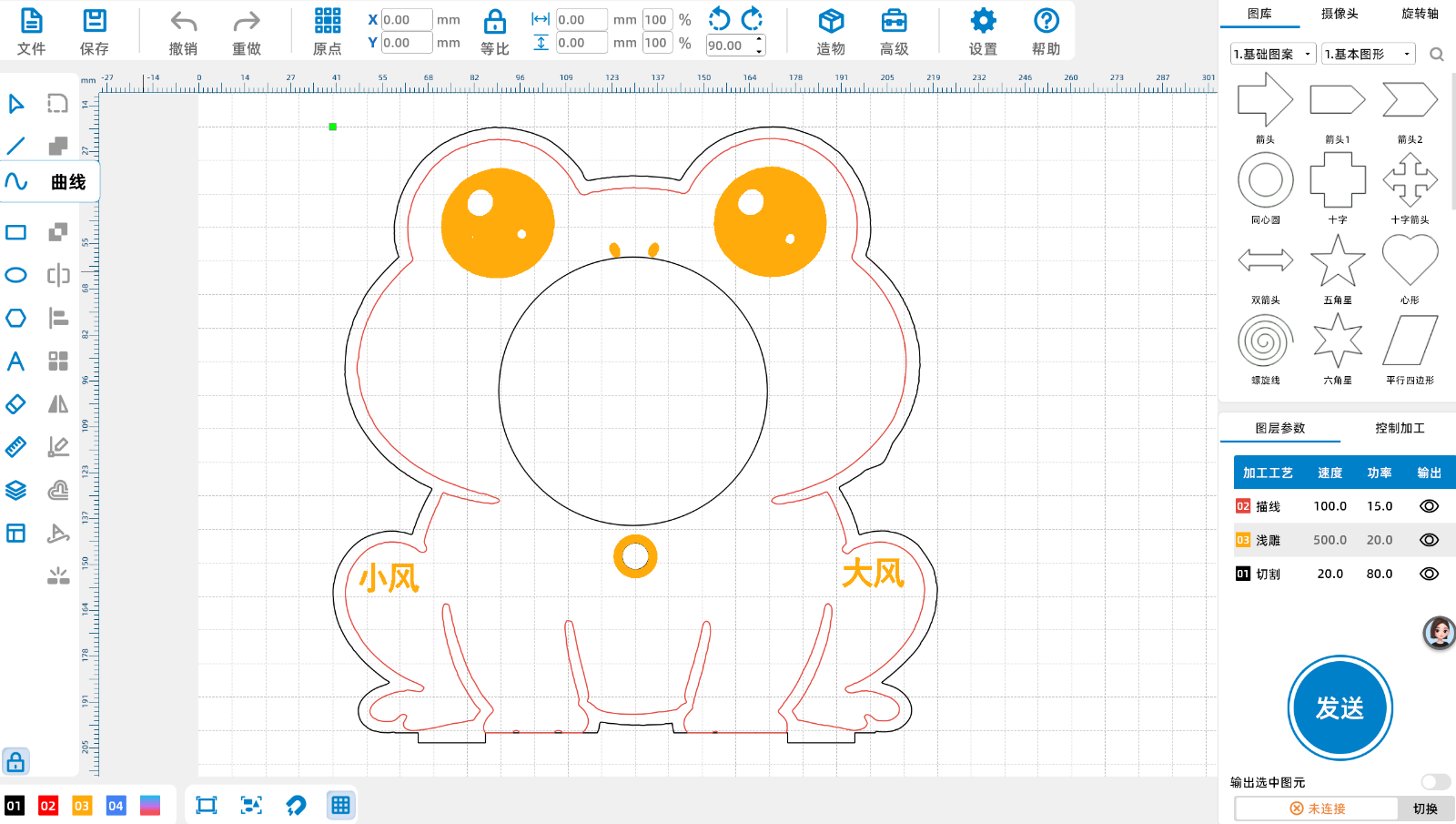
Import images intoLaserMakerHere, proceedExtract contourNow this feature is very comprehensive, usually just use the default values directly. Then proceed with design and processing.
Baidu search for palm material with simple strokes
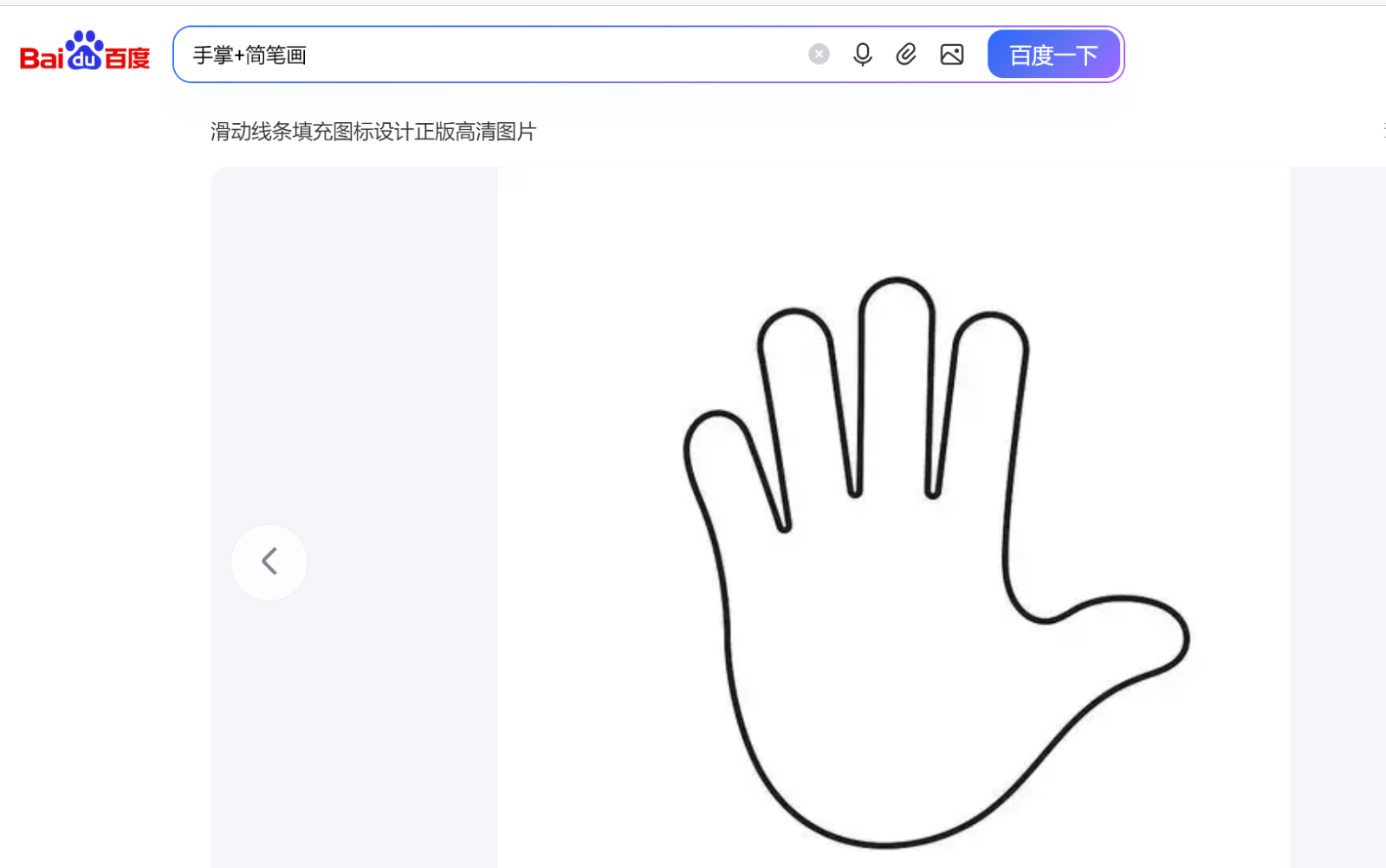
The work uses gesture recognition, directly inBaidu Image Search Palm+stick figureSuitable materials can be used directlylasermakerExtract contours from the middle.
Using software material library patterns as coaster identification
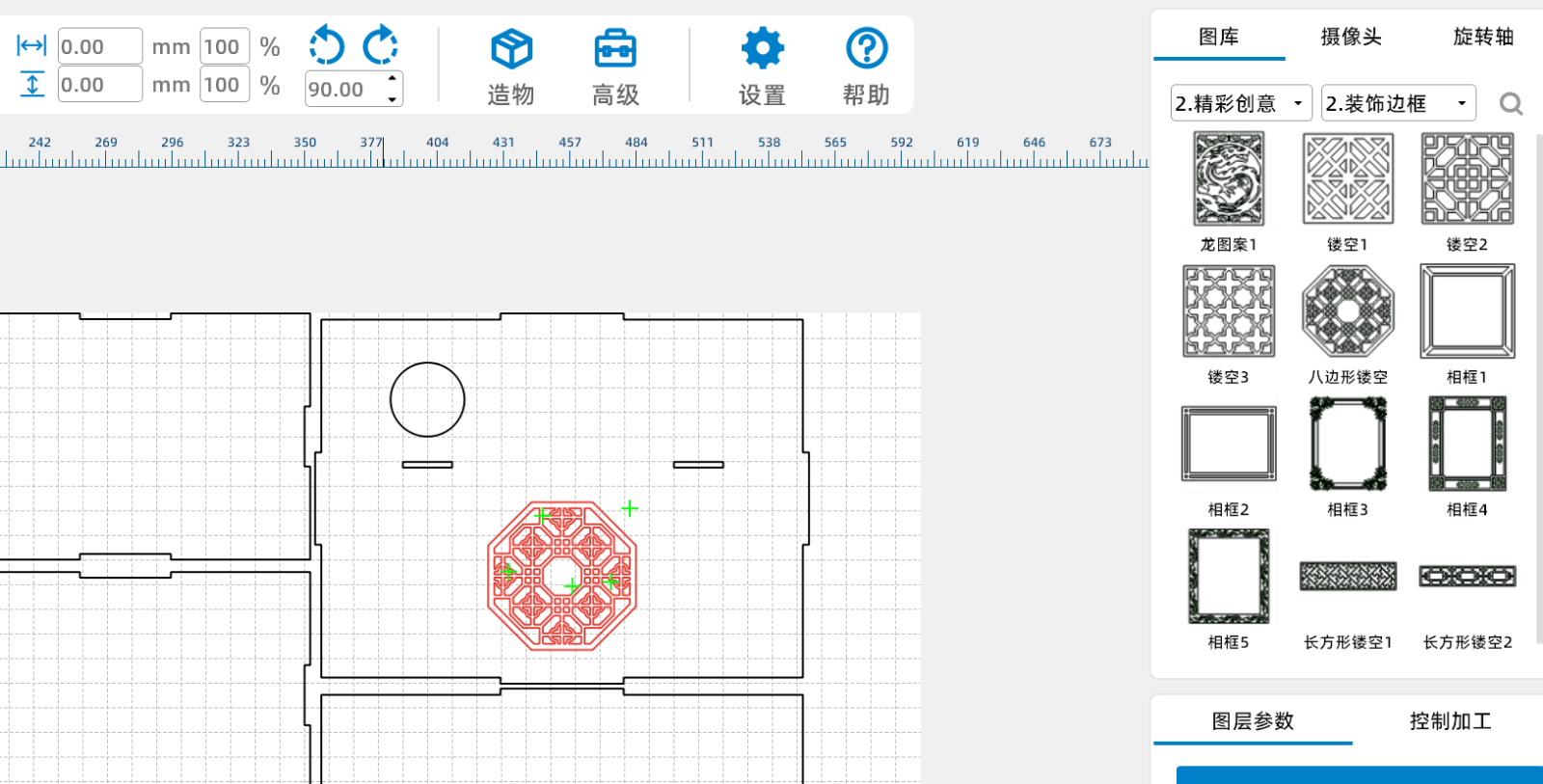
Using the software material library pattern as a coaster logo, I am using the decorative border from Wonderful Creative. Here, you can find your favorite pattern or design it yourself.
Bracket for the fan of the creation box
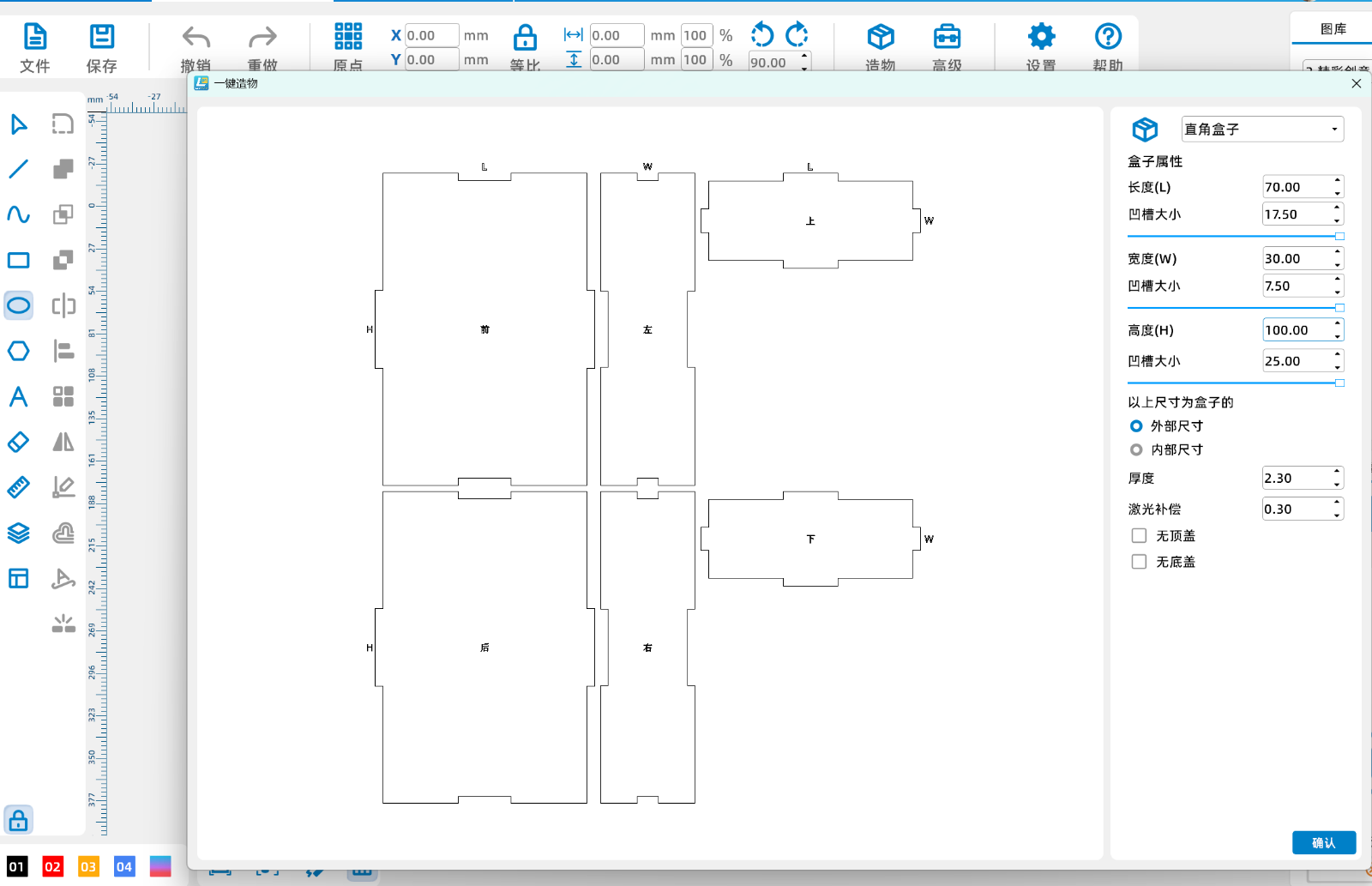
Use one click to create a right angled box, long70mmwide30mmhigh100mmMy board is2.3mmWooden board, if everyone uses it2mmor3mmModify on your own.
Complete the drawing and set the layout processing technology
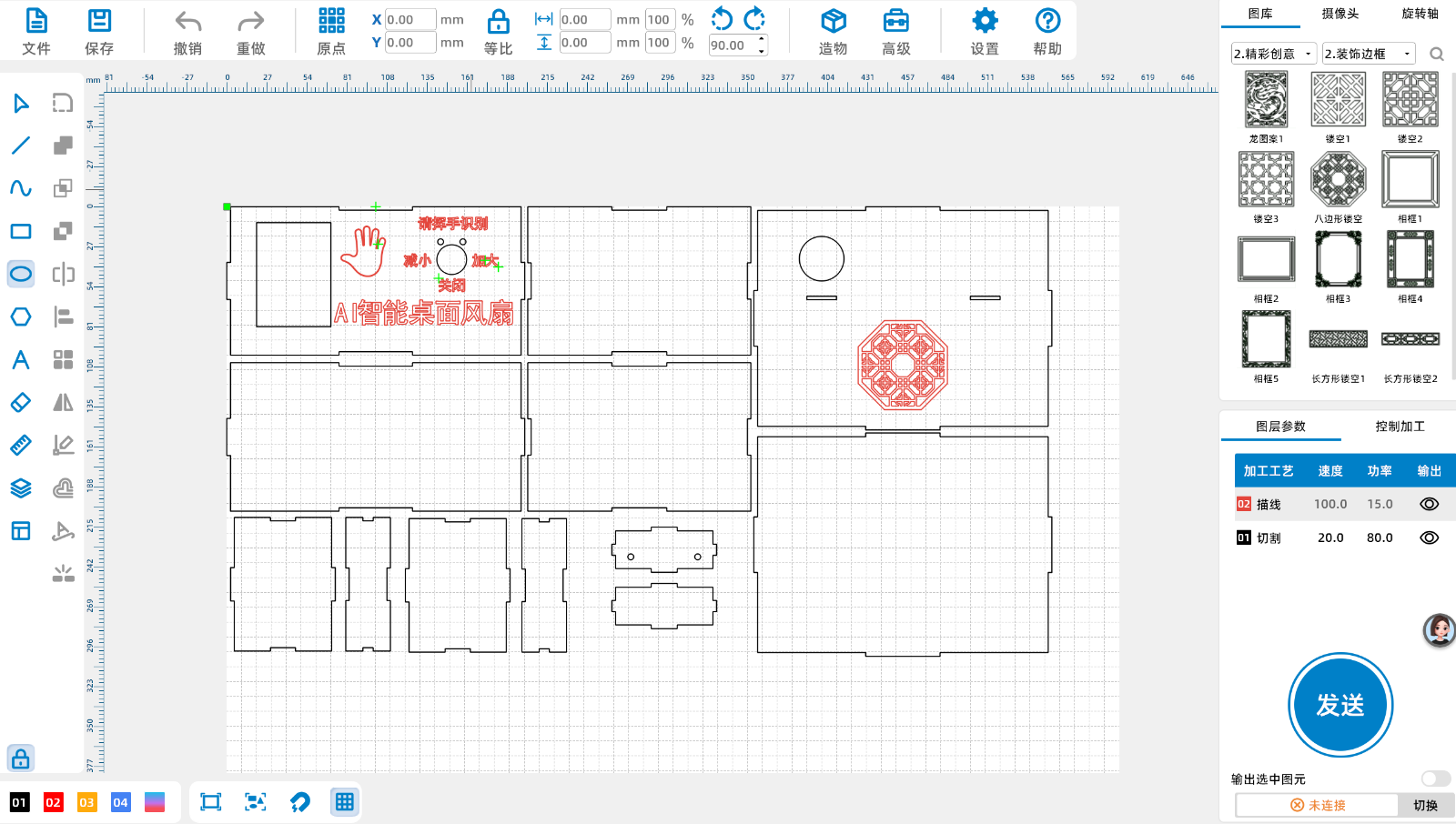
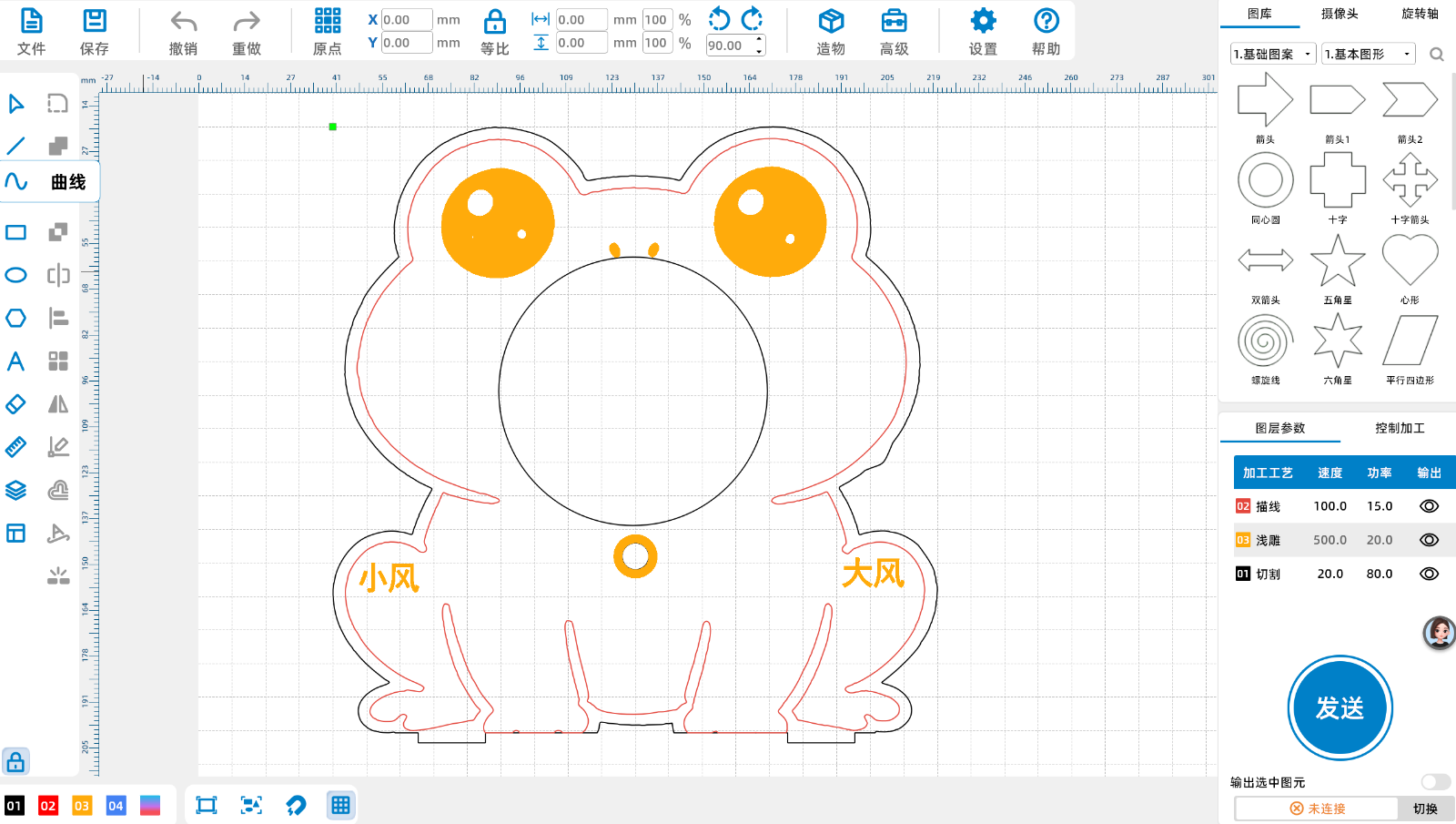
My laser cutting machine is relatively small and cannot fit one version. It can only be split. If everyone's machine is large enough, they can complete one version. Remember to save and modify the processing technology and parameters.
Complete the preparation of materials and tools
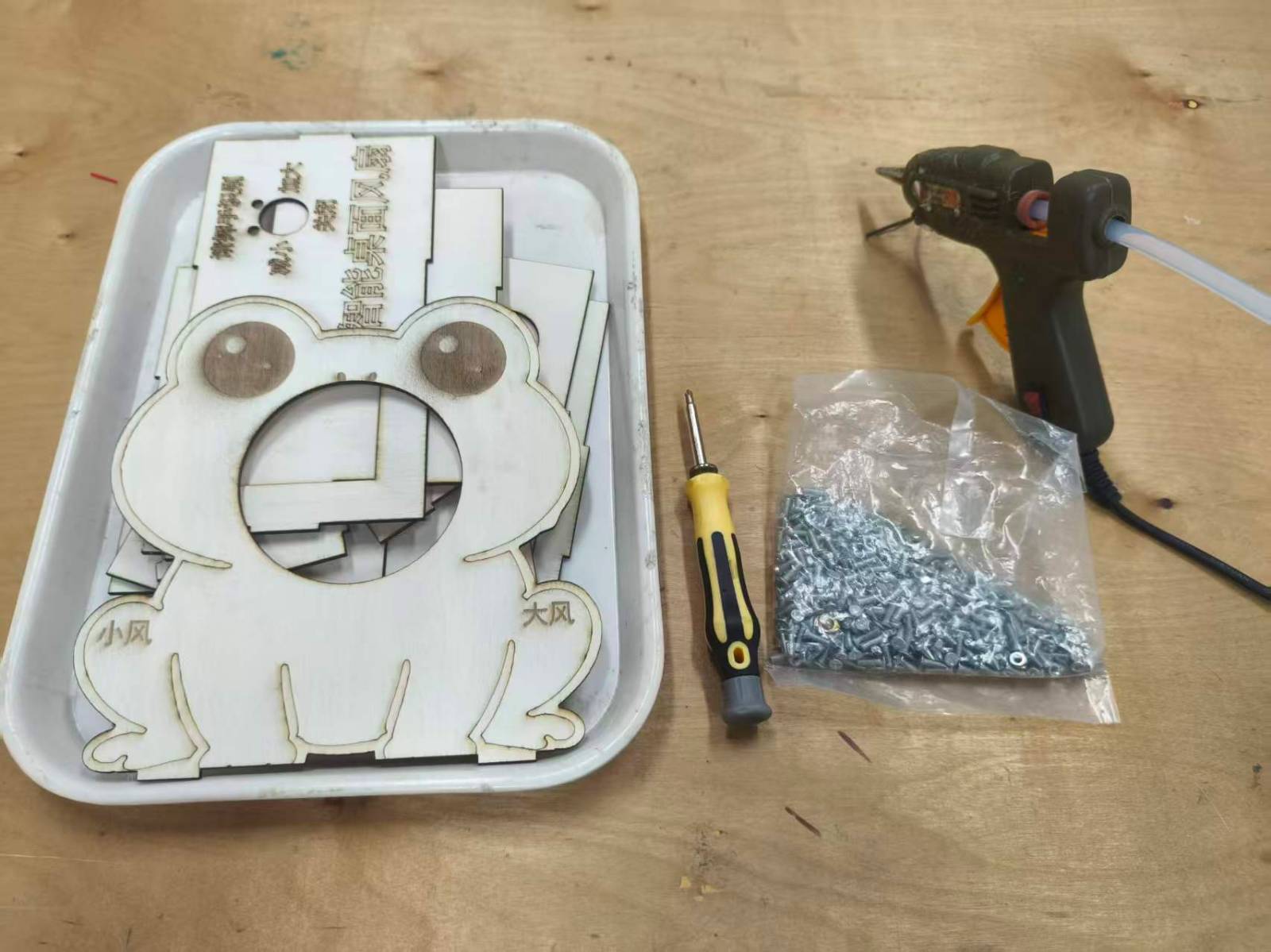
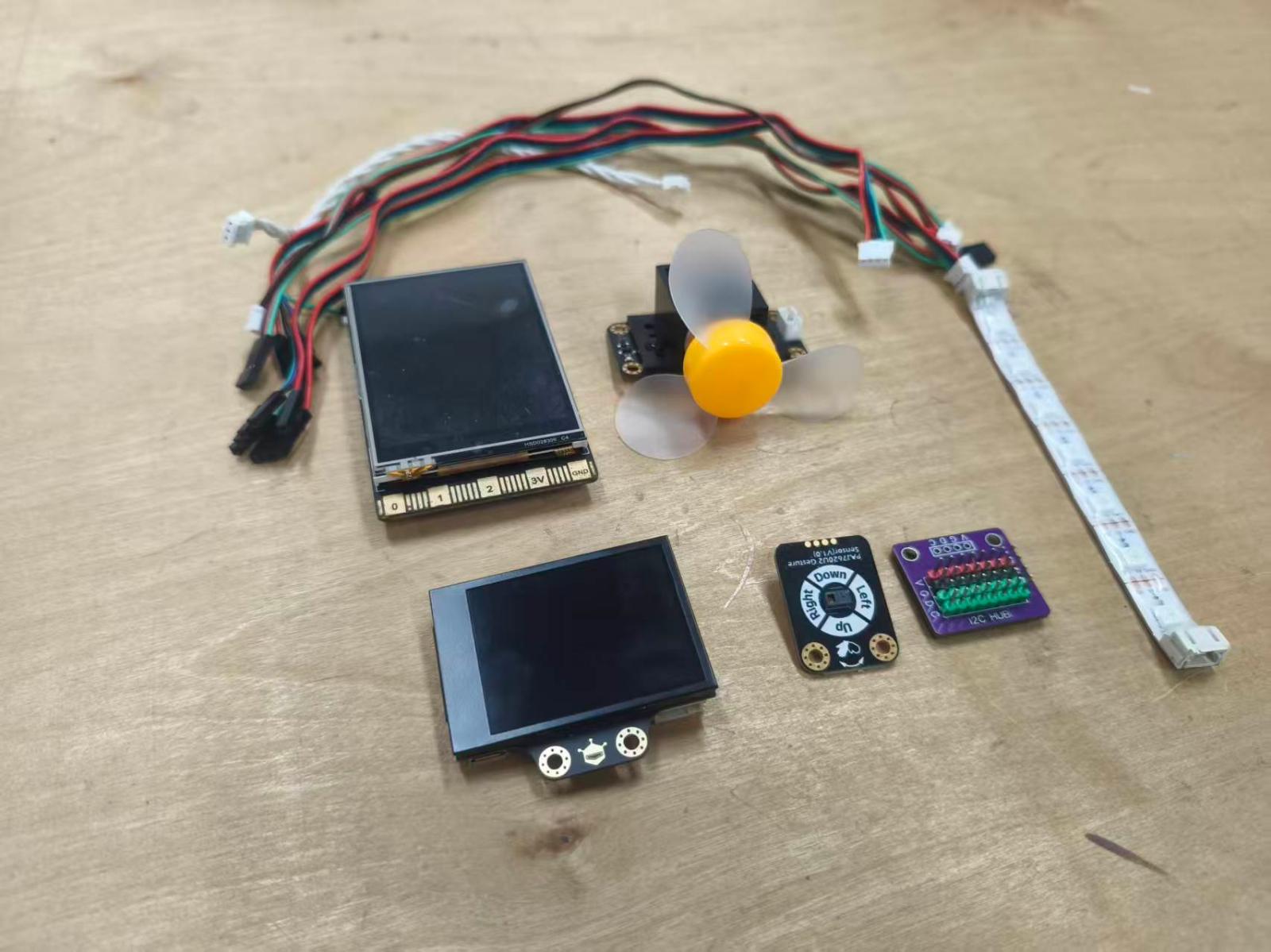
Prepared tools: Hot melt glue gun+Rubber strip, screwdriver+screw
Intelligent hardware: line blank boardunihikerTwo Ha recognition picturesHuskyLens,PAJ7620U2Gesture recognition sensors,WS2812RGBFull color light strip,130DC motor fan module, with several connecting wires, self provided5Vpower supply
usemind+Perform programming
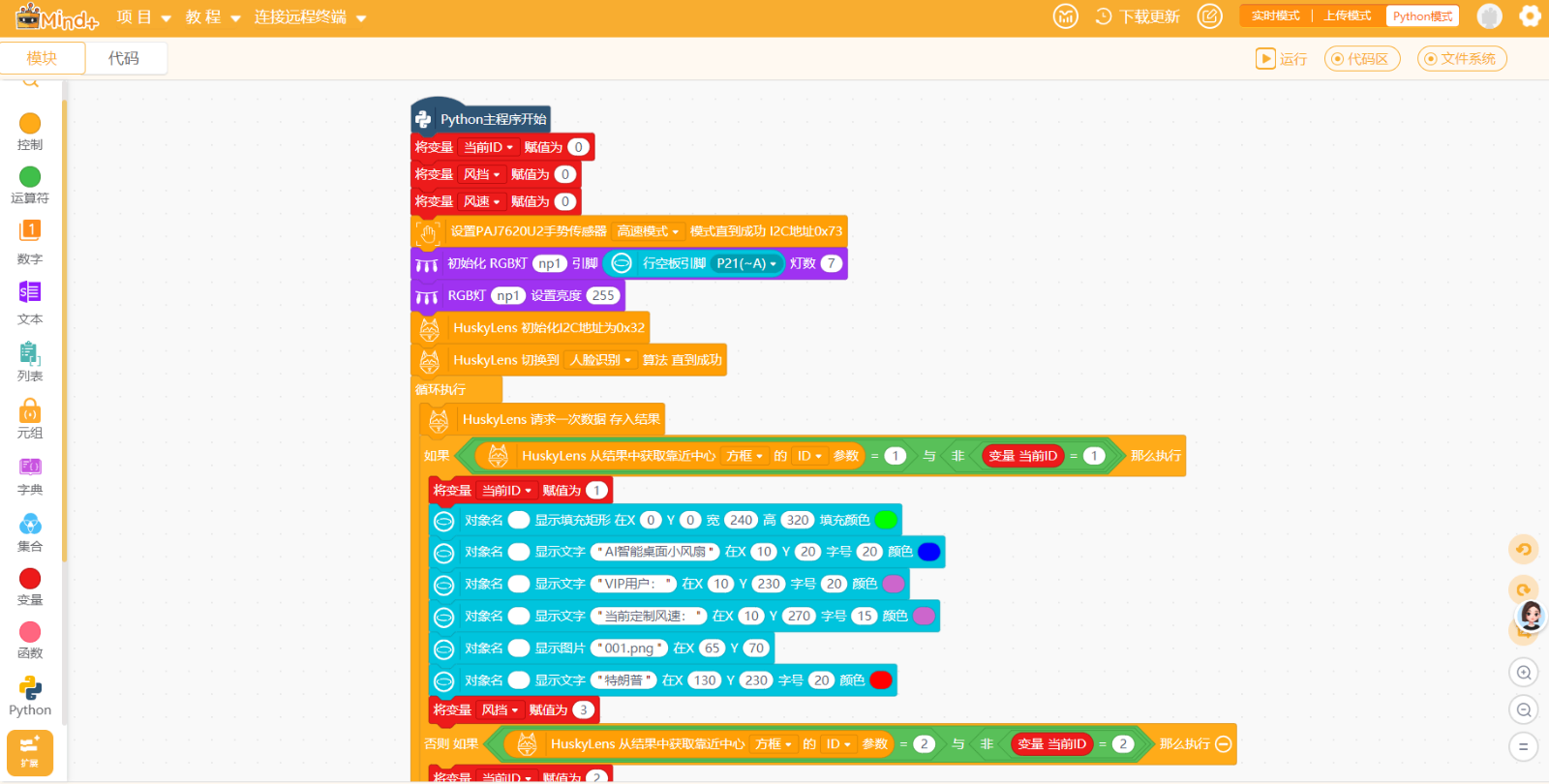
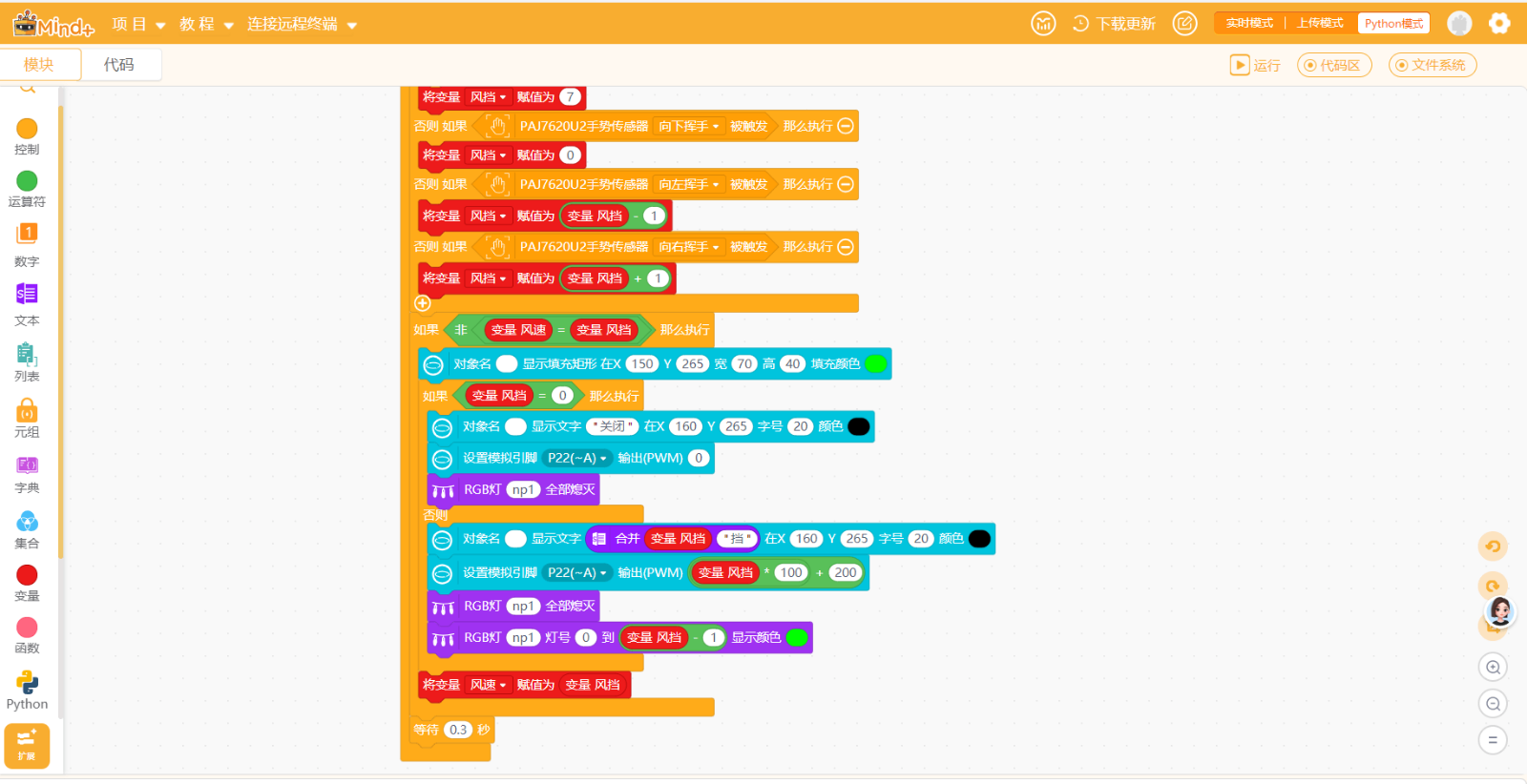
Complete program writing and functional testing, design the functions yourself. The program here is relatively simple and completes the main functions. If you pursue a perfect program, you also need to optimize andBUGCheck.
Precautions during installation process
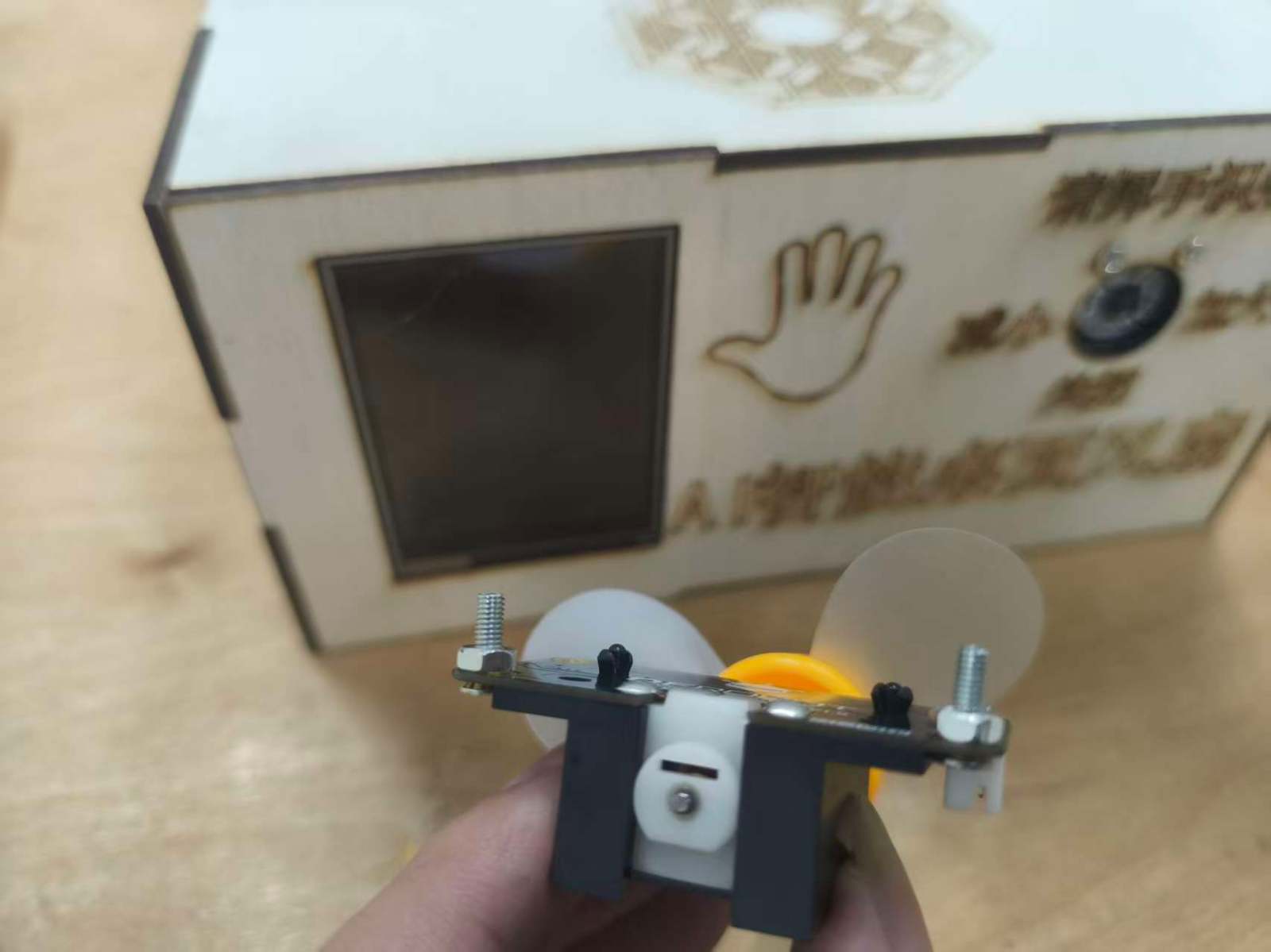
130The DC motor fan module has a protrusion at the bottom, which can be solved by placing a nut underneath or using hot melt adhesive to elevate it. Regardless of the installation method, it can be installed parallel to the front.
Complete the assembly of the work
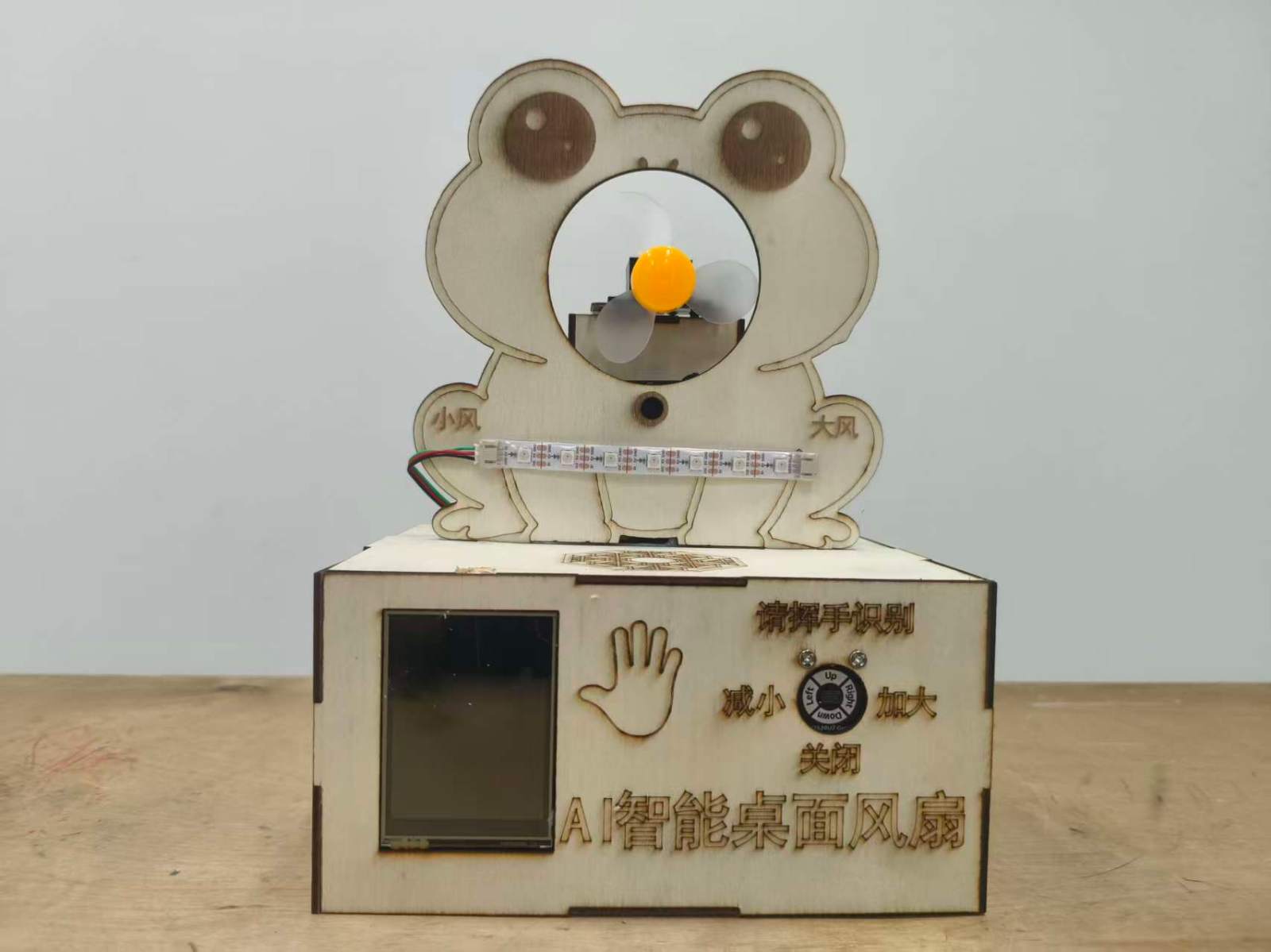
Complete the assembly of the work. Because it's actually just two boxes and one board, assembly is very simple.
PS:The imperfect part of this work is that I happen to not have an expansion board with empty space in my hand, and the power inlet is above the board. Therefore, in order to achieve normal functionality, a hole was dug above the work for power supply. If you have an expansion board in your hand, you can avoid this problem!
Function demonstration of the work (operation video)
Additional notes
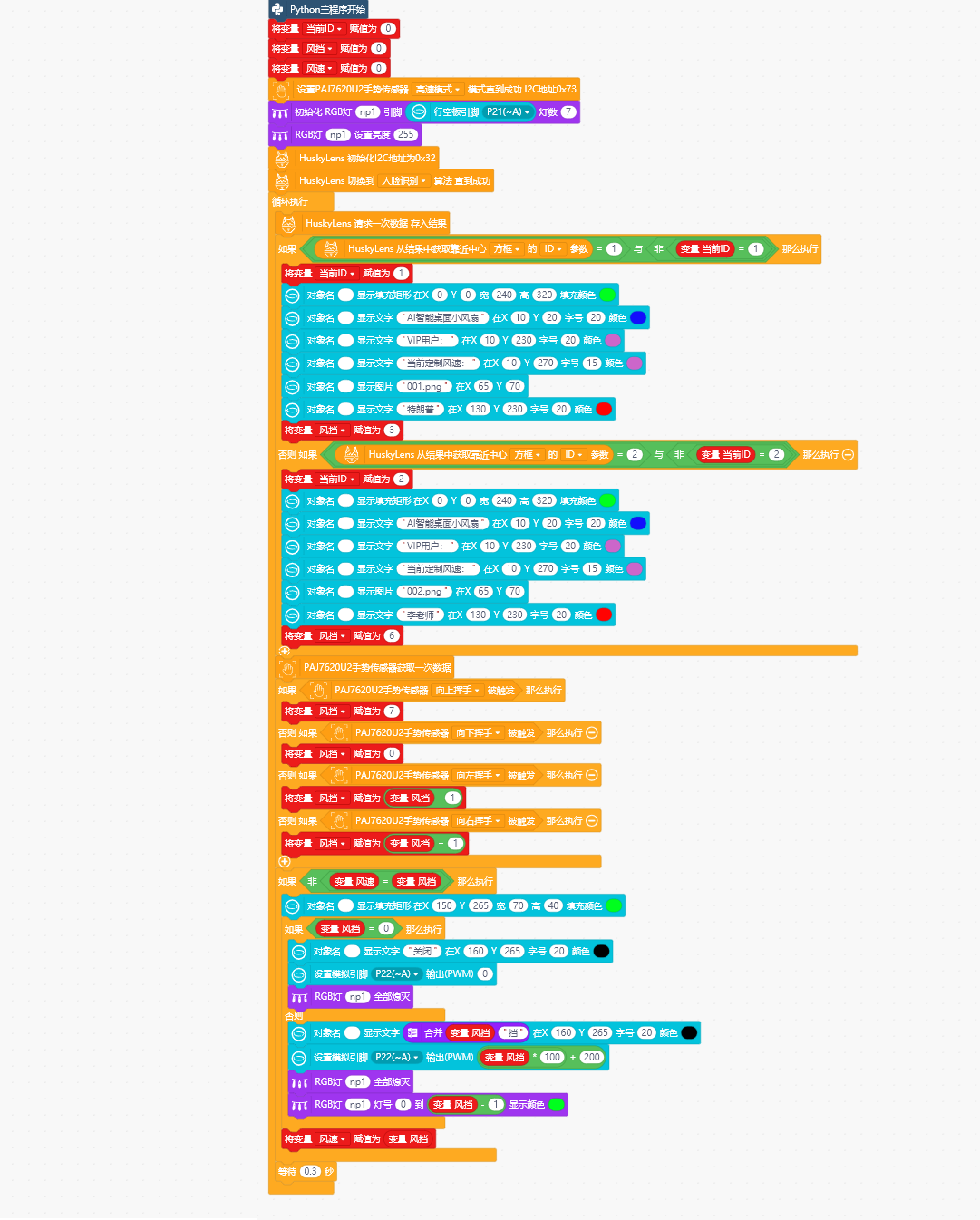
Attached is a picture for convenience1Screenshot of the program leader of the work
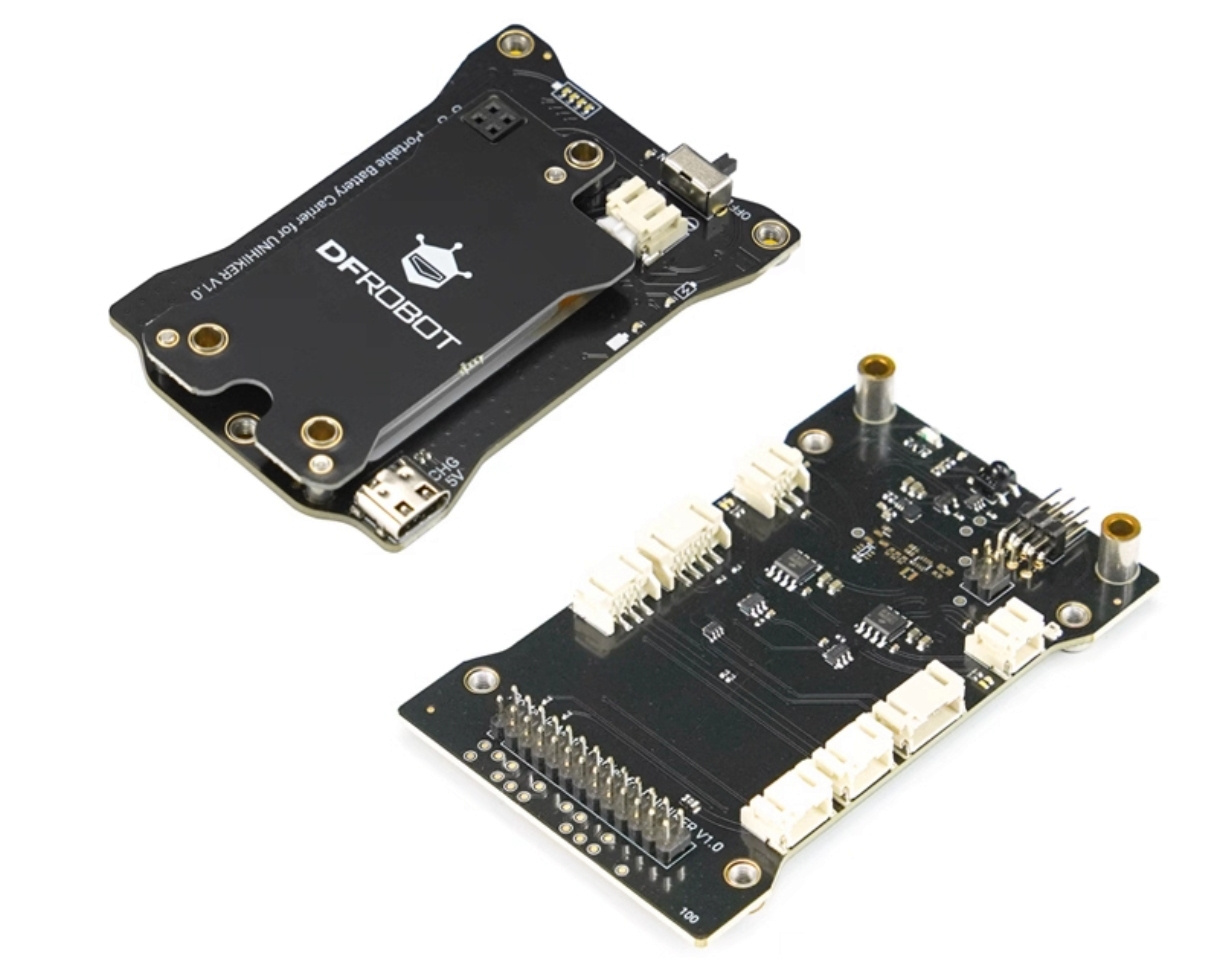
Attach the picture2The expansion version of the empty board has two recommended battery versions
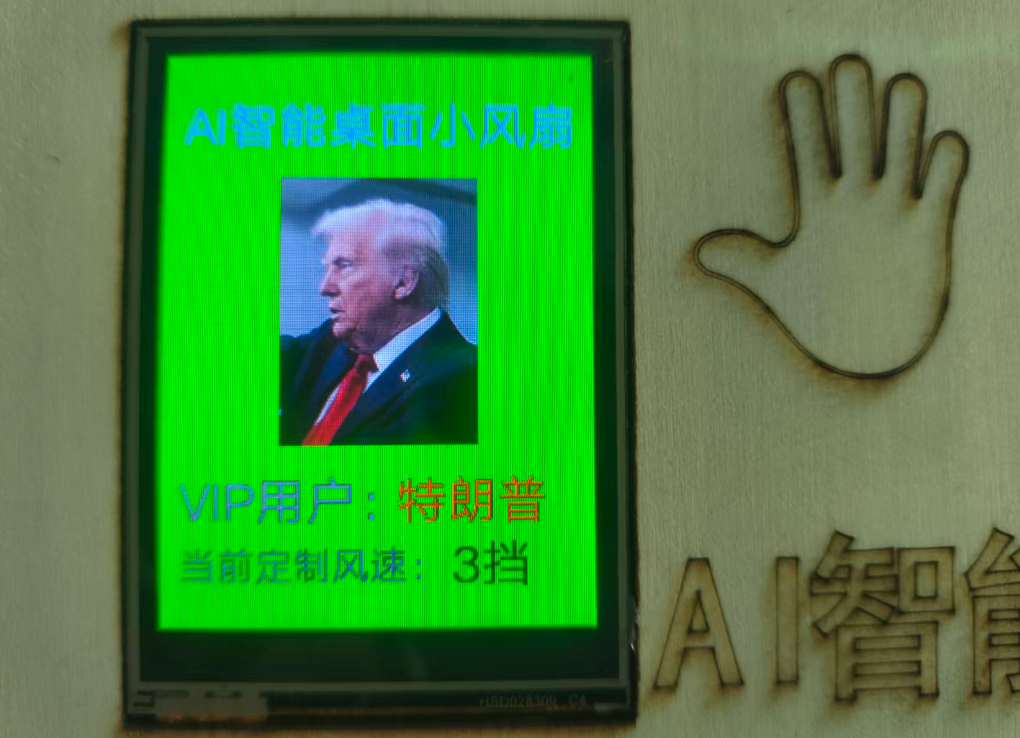
Attach the picture3: Screen interface
comment (0)
-
classification
summerAITheme competition activity -
copyright
open source licenseCC-BY-NCProhibit commercial use; -
Business License
Further information