Laser Creation Beginner Course | Case 11: Car shaking ornament design project

1
2

Drawing Description

Car decorations are a form of culture that conveys blessings and expectations, reflecting the personality and aesthetics of car owners. Car mounted shaking ornaments, as one type, have a unique dynamic beauty that allows car owners to experience a visual sensation of movement while driving, making it easier for them to concentrate. In this issue, Laser Expert brings you the work "Car Moving Head Pendant"!

Headline decorations.png


drawing documents

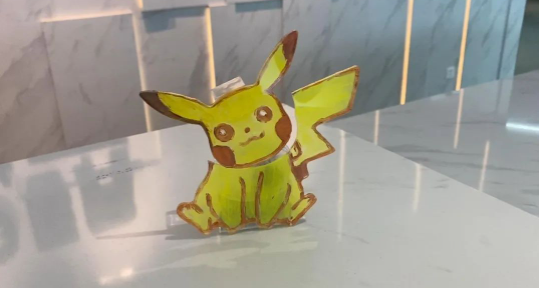
Pikachu car shaking ornament
Drawing Cover - Pikachu car shaking ornament
Basic Parameters
0:11:56

Appearance production

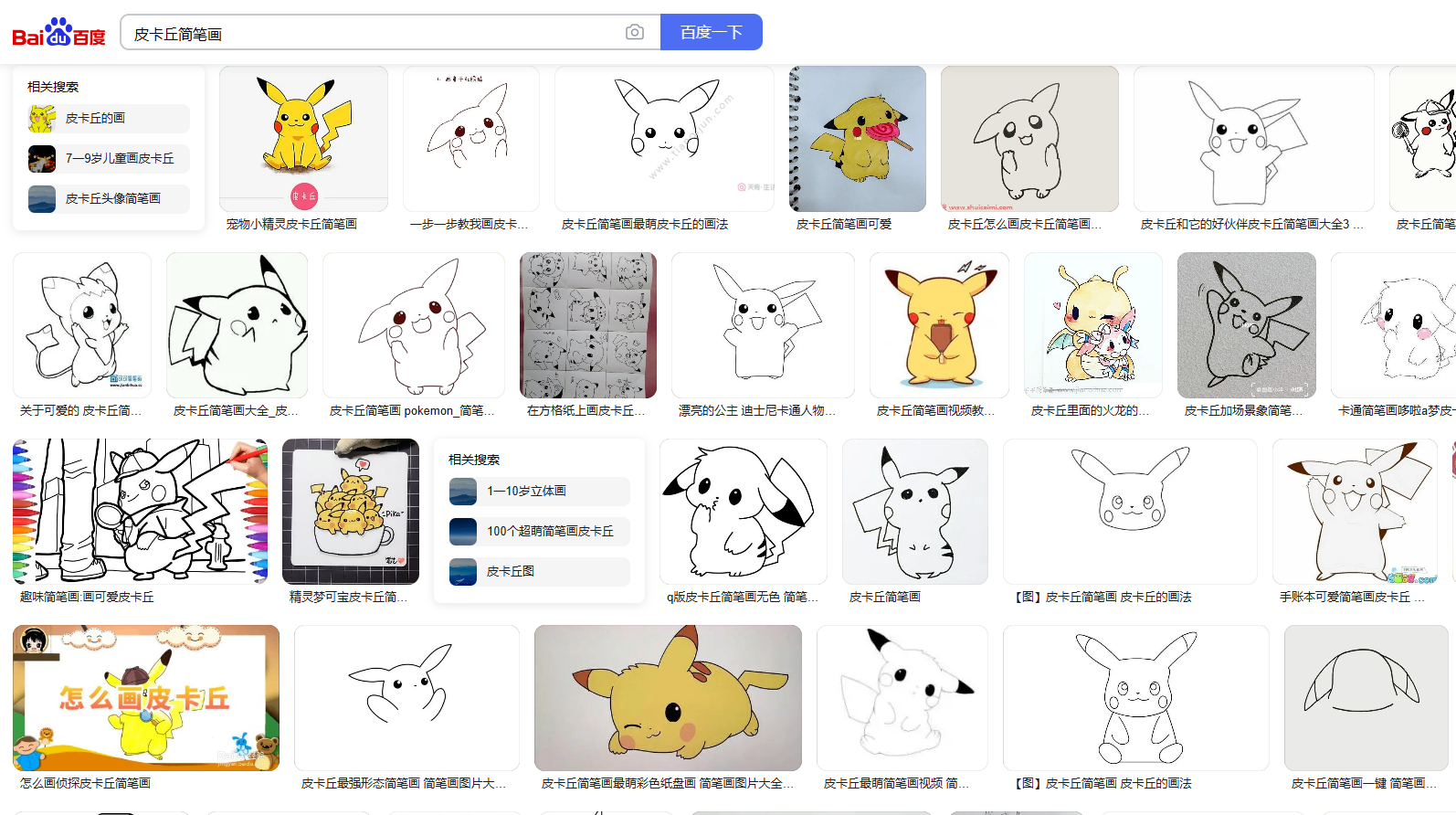
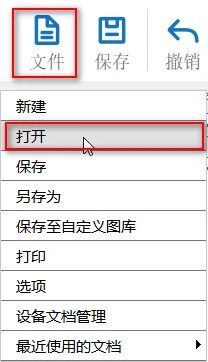
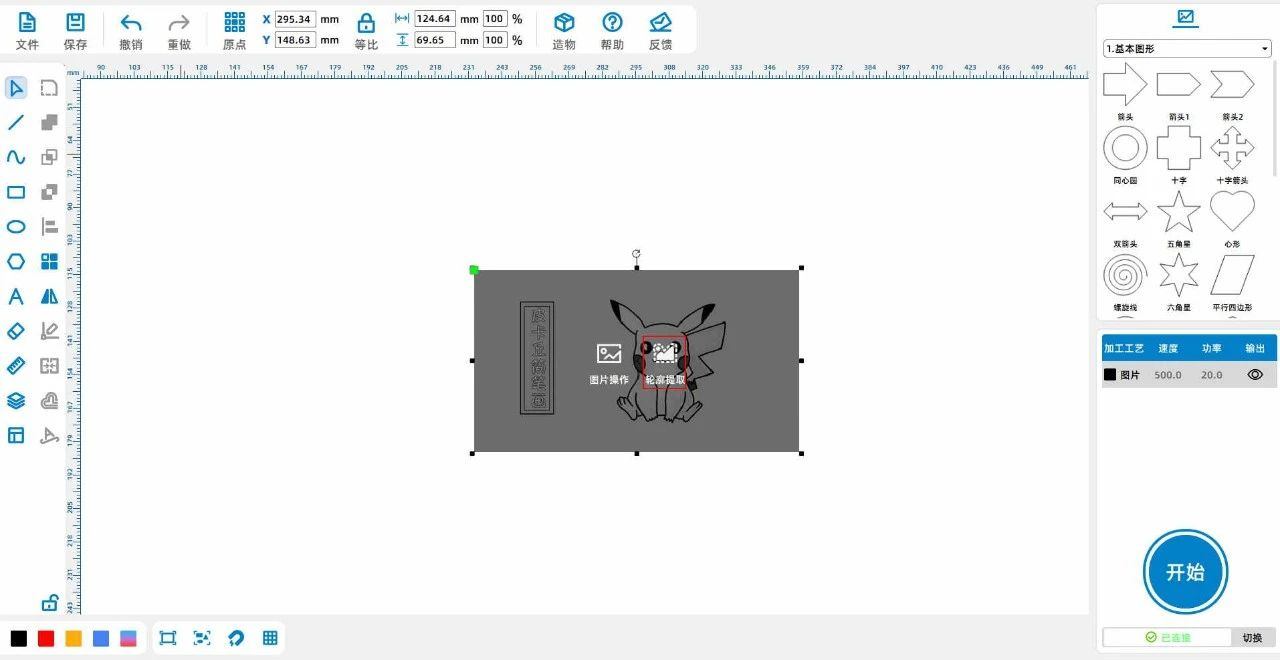
(1)Enter the keyword "Pikachu Sketches" in Baidu and select your favorite image to save; Click on 'File' in the 'Function Area' above, and then click on 'Print'

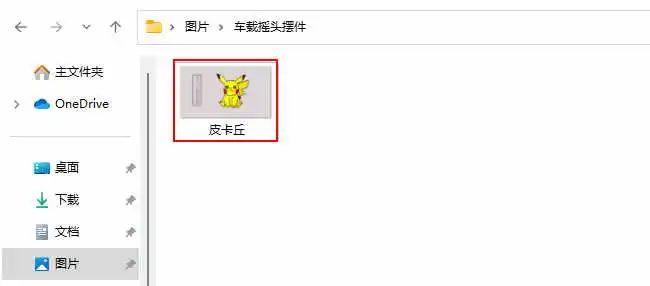
Open, double-click to open the saved Pikachu image, as shown in the following figure:

4d9606ad565e0aa21495771deaeaeb84.png

ba07fae0c7a235a8883199ad1d009603.jpgafe66cb97a867bdae67c208c8b96096c.jpg

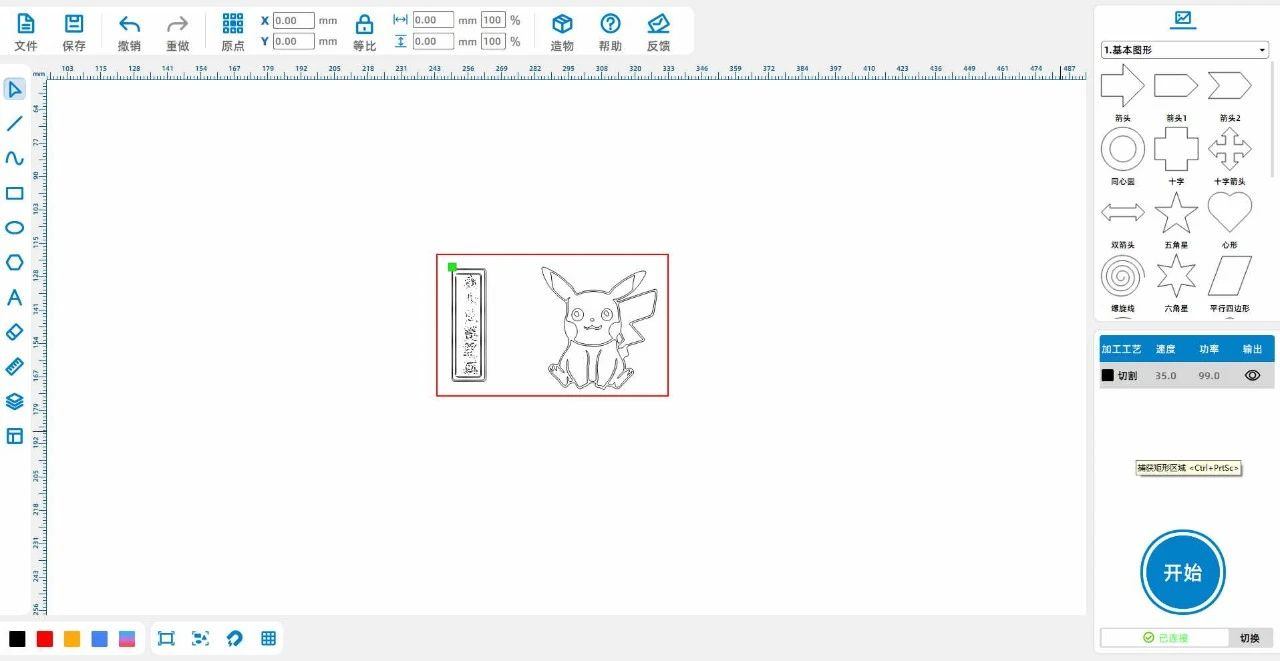
(2) Click the left mouse button on the image and select 'Extract Contour',Obtain a rough line diagram of Pikachu, as shown in the following figure:

a7a60d3a9684a58bb3cd577a3872b0a8.jpg

ad545ba156f981c49ded70e3957275d4.jpg

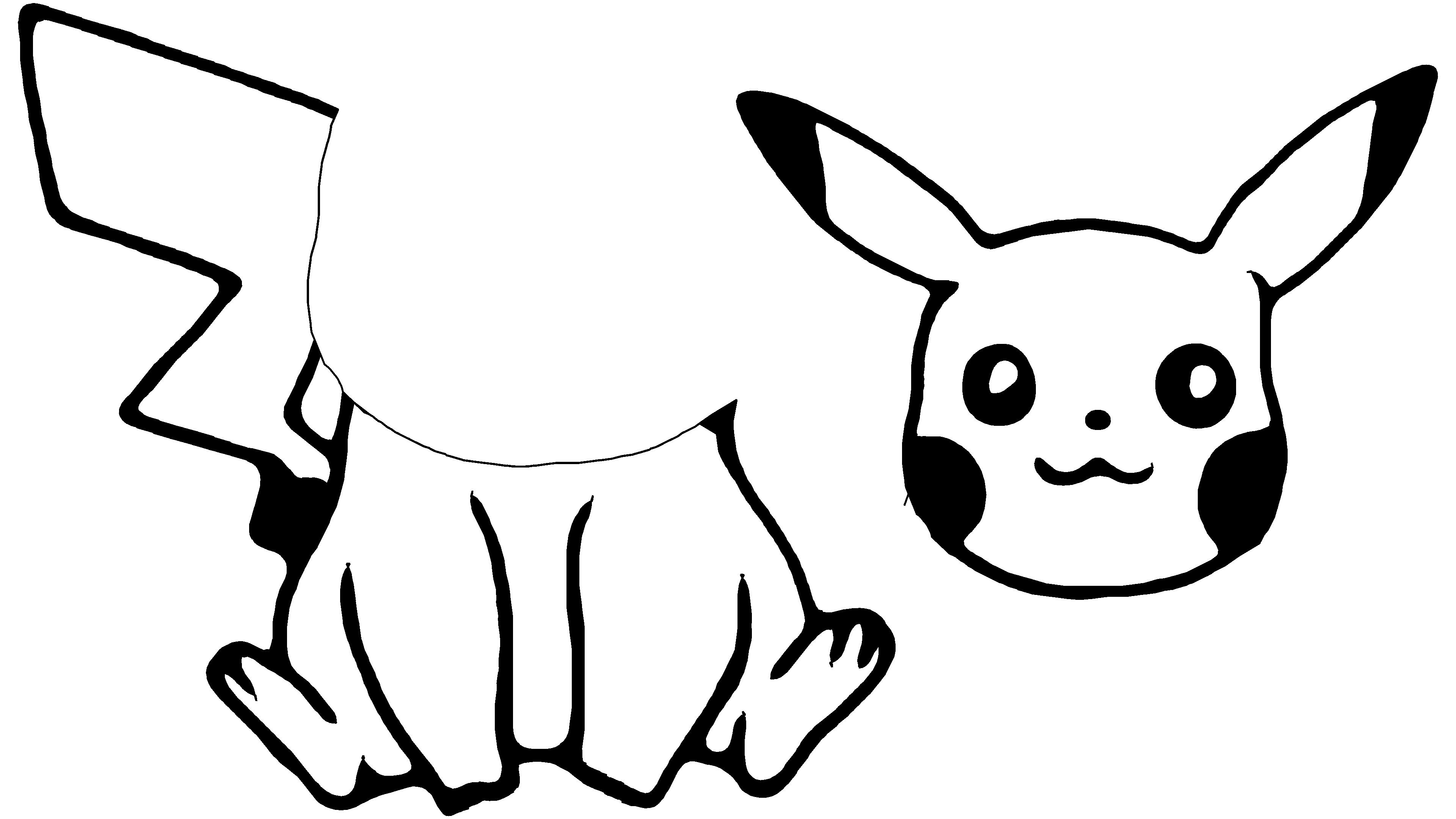
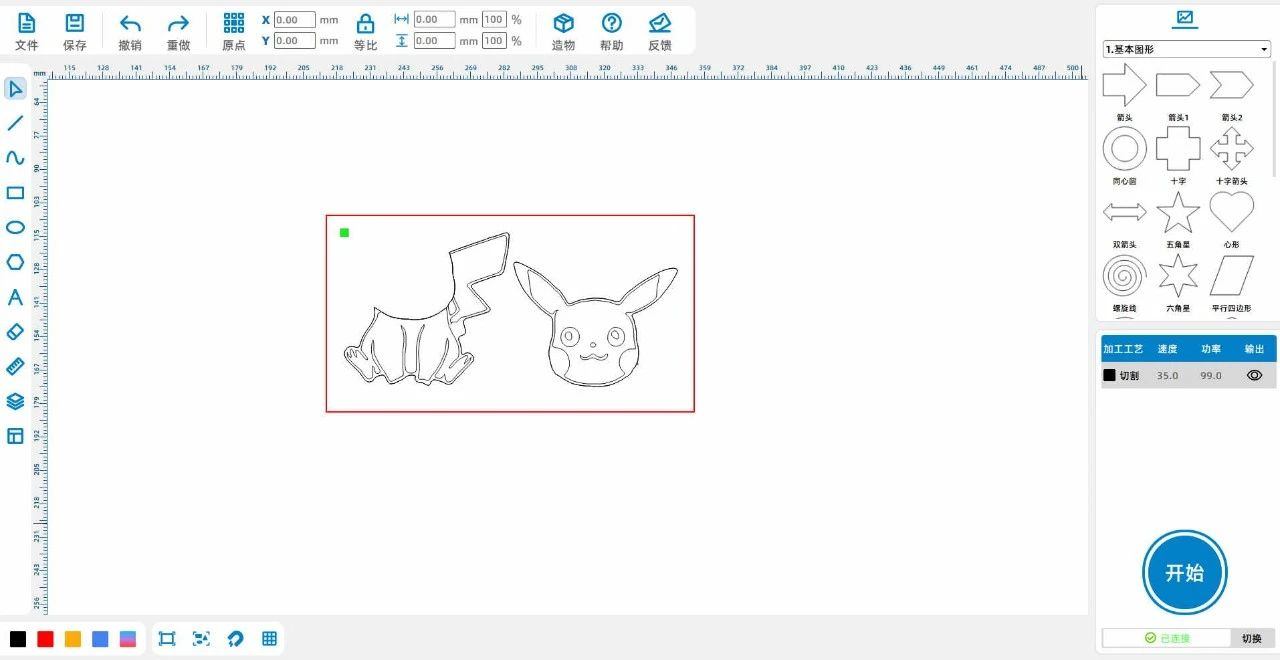
(3)Remove excess lines and background, add some strokes appropriately, and separate Pikachu's head and body into two parts to obtain the Pikachu line diagram, as shown in the following figure:

cb72aa11b454ce5dea00a1087eb4e3e7.jpg

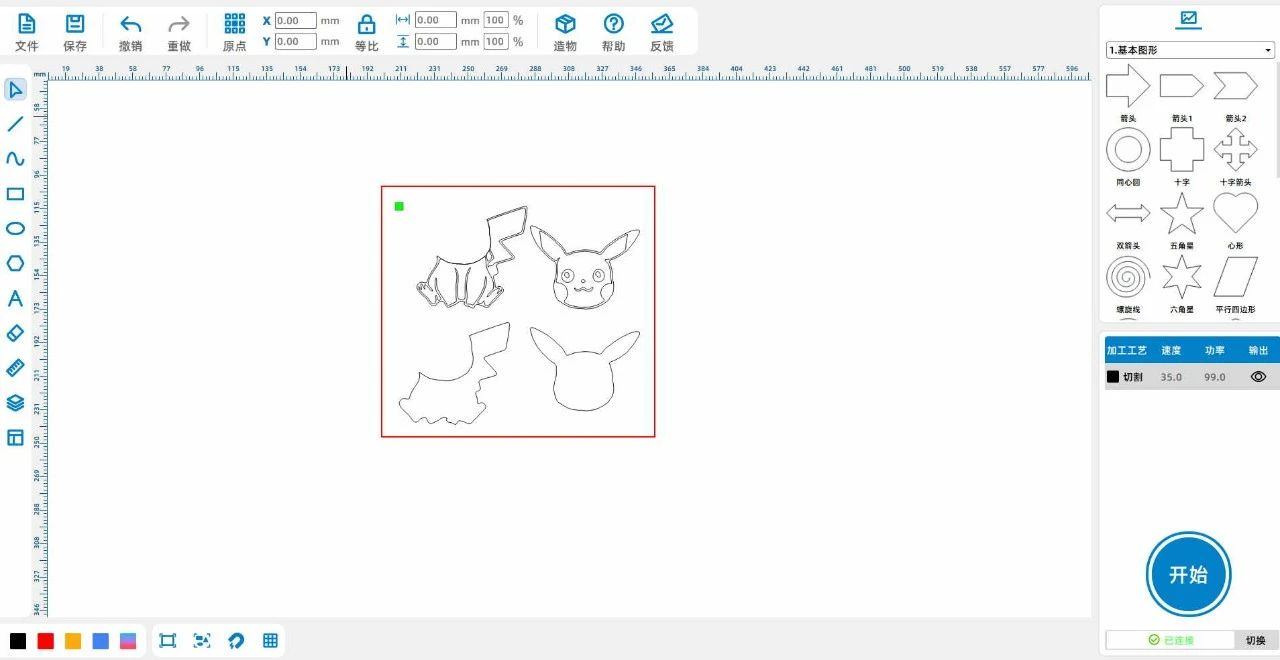
(4) Select the outer contour lines of Pikachu's head and body, respectively,ctrl+cCopy, thenctrl+vPaste to obtain the outline lines of Pikachu. And move it to the original location

The outer contour of Pikachu overlaps, as shown in the following figure:

34dd6f80e5ebd993011c9ffe6b823d46.jpg


Laser processing

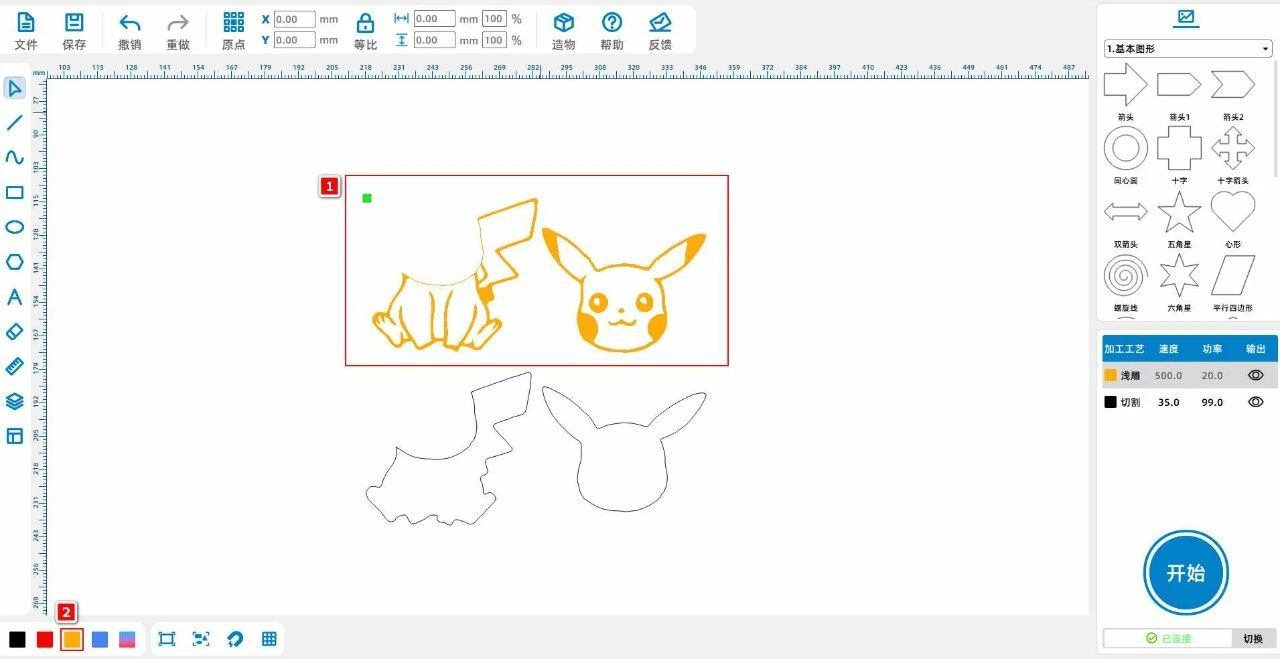
(1)Select 'Pikachu's Head and Body', left click on the layer panel in the lower left corner to change the layer to yellow, as shown in the following figure:
f20461fdc2ab281adcd82daf24346c27.jpg

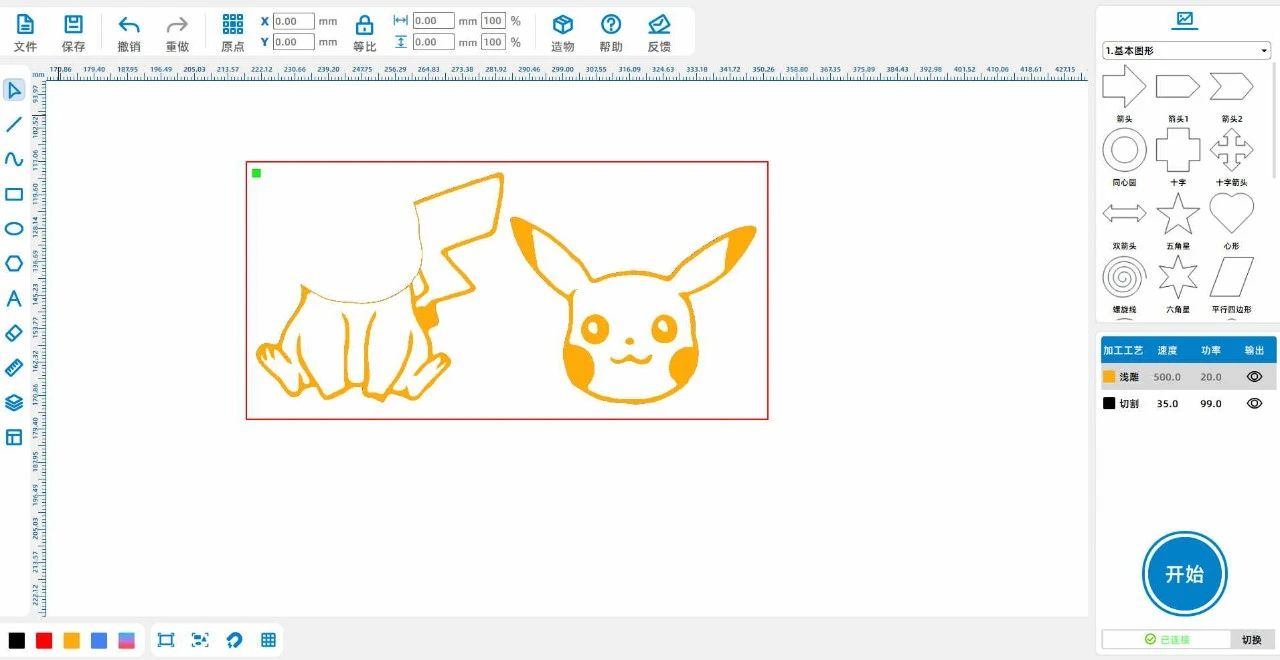
(2)Select the "outer contour line" and move it to coincide with the original Pikachu, as shown in the following figure:
cf60184c1e18a7de728a312b8d7cde14.jpg

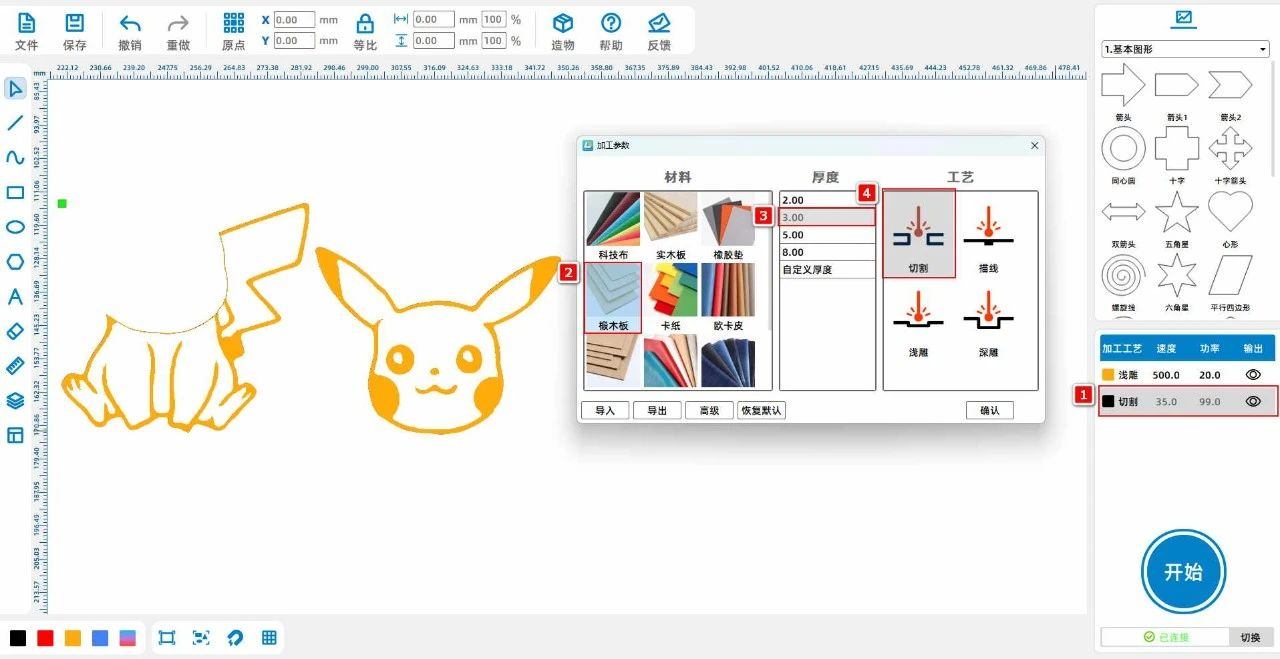
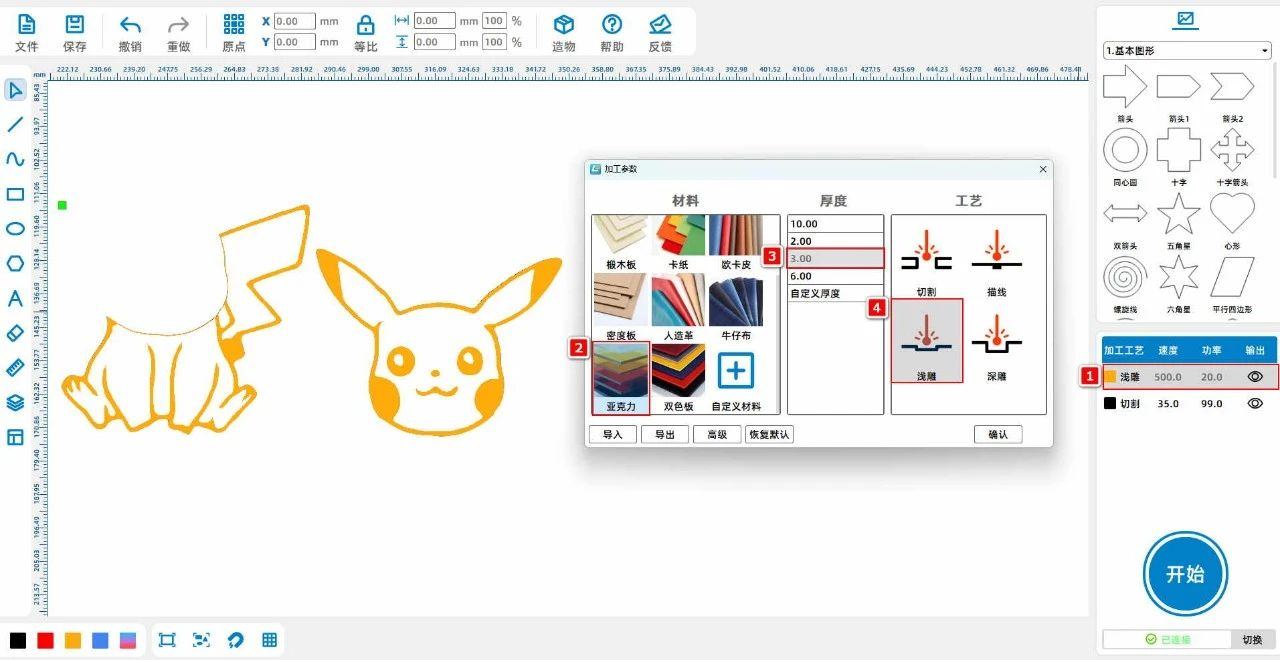
(3)Double click the yellow layer with the left mouse button to set the material, thickness, and process to acrylic3mmShallow carving; Double click the black layer with the left mouse button to separate the material, thickness, and process

Don't set it to acrylic3mmCut, as shown in the following figure:
a5b98357085267e6a4ea342b2bf5a9b1.jpg

8965275b8e2d0a253fba86e9fd7bc960.jpg

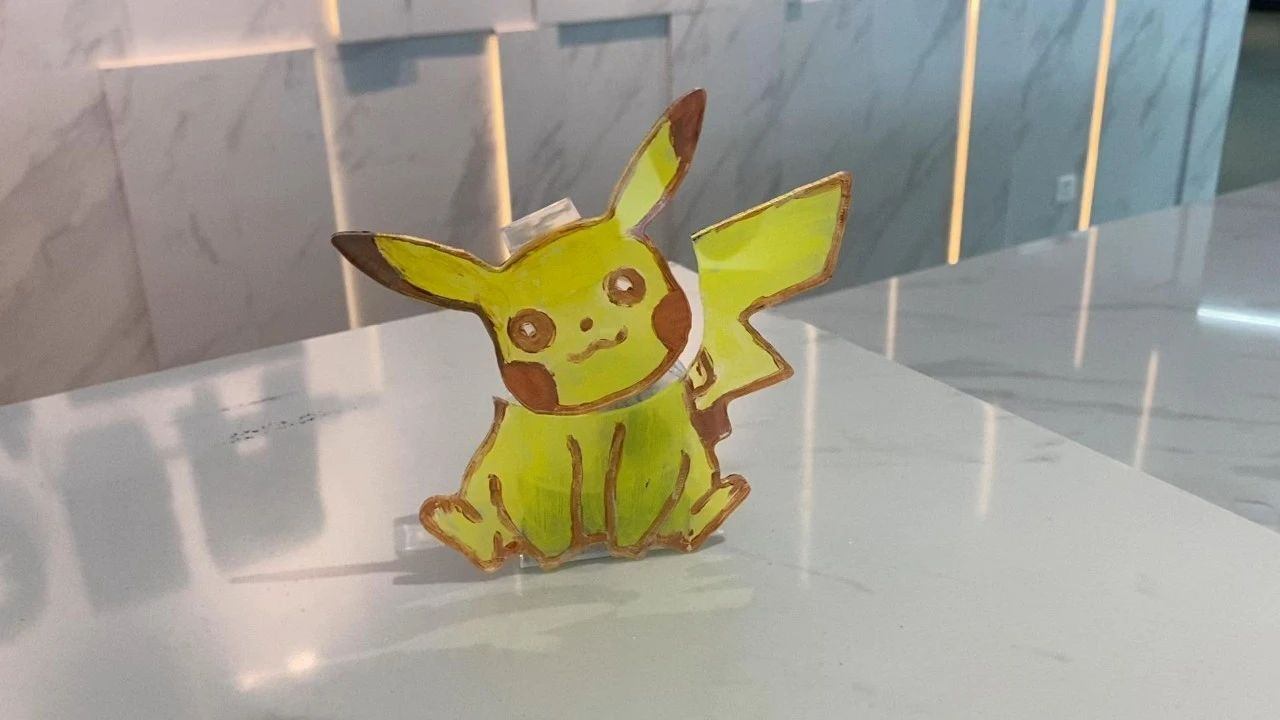
Works Display

ec53ea88eefc07c28b78ca150a0c5cf0.jpg

Summary:

  In the production process of this instance, we need to color Pikachu, but acrylic is difficult to color and can easily make the entire pattern look dirty. To overcome this difficulty,

Just need to be careful and patient, carefully craft during the coloring process, take it slow, and you can get a satisfactory coloring work! Drawing and modeling are not difficult, everyone must try more,

Practice more to become a better little designer!
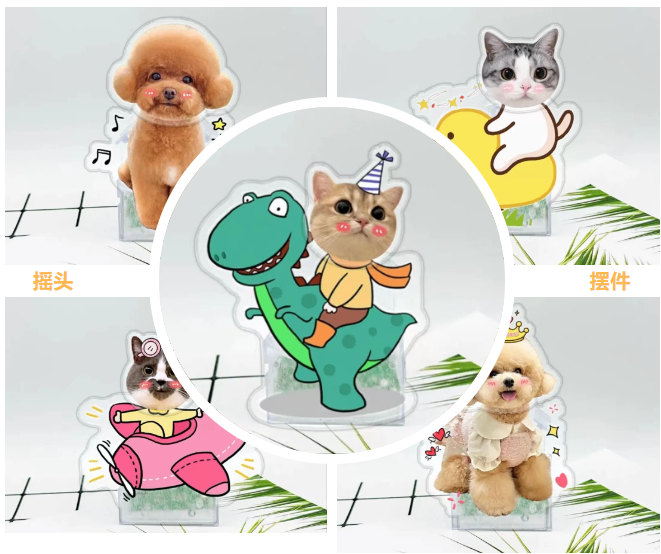
                                    image.png

comment (0)
Most pictures available 10 Zhang · Attachment support dxf/plt/lcp/lcpxAt most 3 a
将图片拖拽到这里或点击“选择图片”上传(支持多张)
Laser Creation Beginner Course | Case 11: Car shaking ornament
drawing ID: SUCAI-19 2024-4-7 14:07
1
2
0
46
0Contribution points
Purchase points
collection
like
Grade discount
Basic Information
Update time 2024-4-7 14:07
advertisement