Thank you to Lei Yu, Xue Xue, and Xie Bao for their guidance throughout the entire process of replacing the "chip" in the Liaocheng machine.
1、 Why do you need to replace the "chip" of my Liaocheng machine?
1.My Liaocheng machine
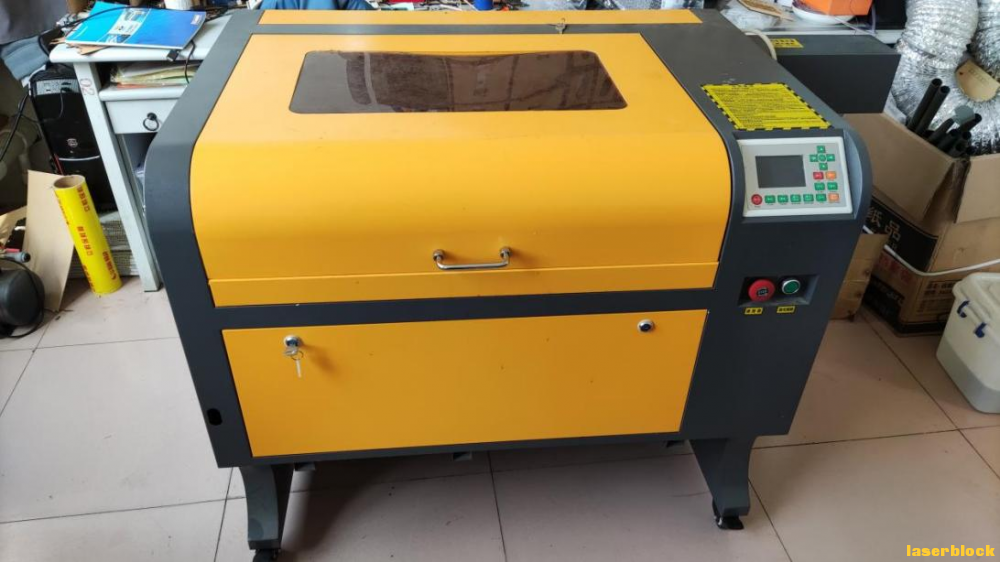
Model:4060Offline high-end version(60W)
softwareRDWorksV8
2.The advantages of using the Leiyu series laser cutting machine
(1)Multiple safety protection designs ensure the safe use of laser cutting machines;
(2)Expert in Drawing - Modeling SoftwareLaserMaker, more suitable for beginners to use;
(3)Rich laser course system, easy to teach;
(4)Laser community with abundant resources.
3.Why do you need to replace the "chip" of my Liaocheng machine?
(1)FromLaserMakerGetting started, deeply experiencingLaserMakerEasy to use, suitable for beginners and students, for simple drawing design. After replacing the "core", you can directlyLaserMakerCut and carve after design to simplify the original operation process(LaserMakerexportplt, ImportRDWorksV8Reset layers, cut and carve.
(2)You can directly use Lei Yu's rich curriculum system, as well aslaserblockAbundant resources in the community.
2、 The process of replacing the "core"
1.Confirm the board model
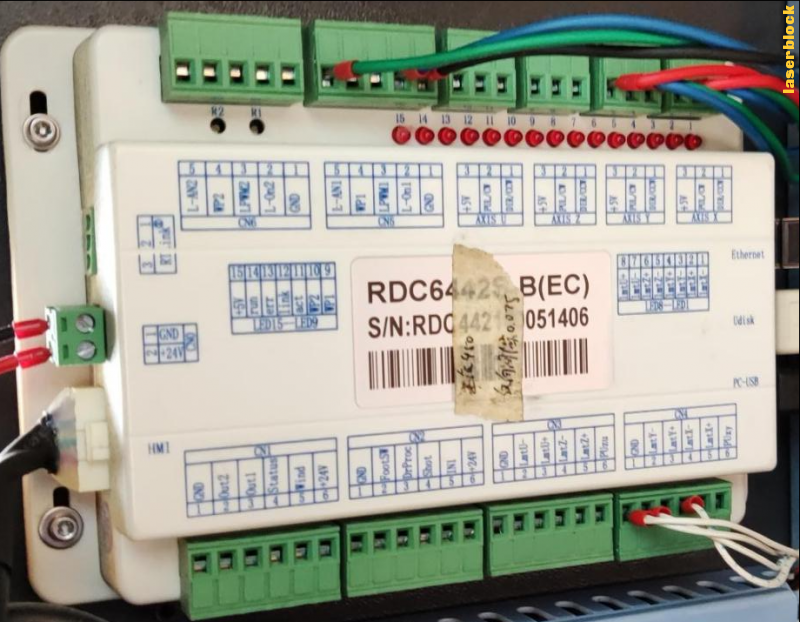
Open the side cover of the laser cutting machine and confirm that the machine board model isRDC6442S-B(EC)
2.The accessories sent by Lei Yu
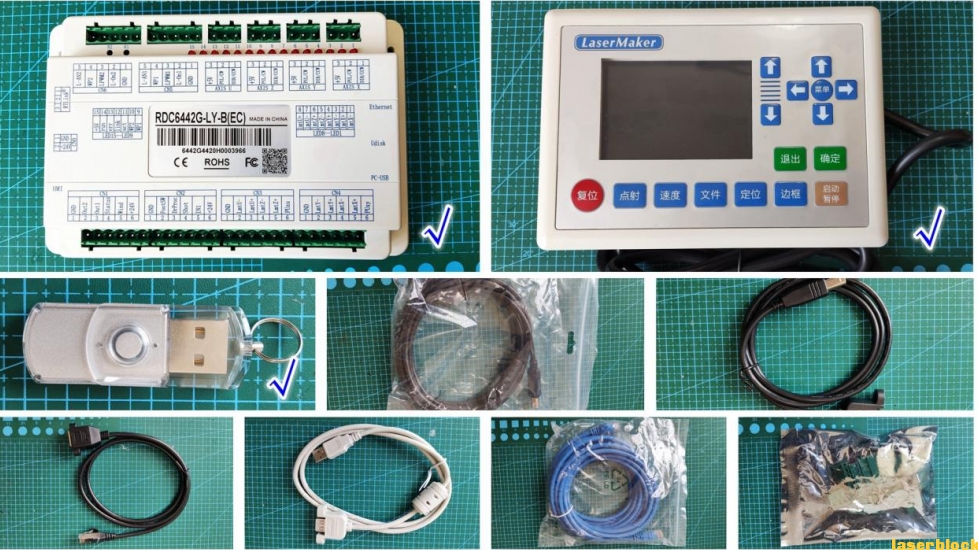
Due to the fact that the Leiyu laser cutting machine sent a customized version of Ruida board(RDC6442G-LY-B(EC))My laser cutting machine uses the same type of board, so replacing the "chip" will become very simple. Just replace the board, replace the operation panel, and use a dongle.
RDC6442G(S)Laser Cutting System Hardware User ManualV1.3Download link:
http://www.rd-acs.com/newsinfo/151065.html?templateId=643416
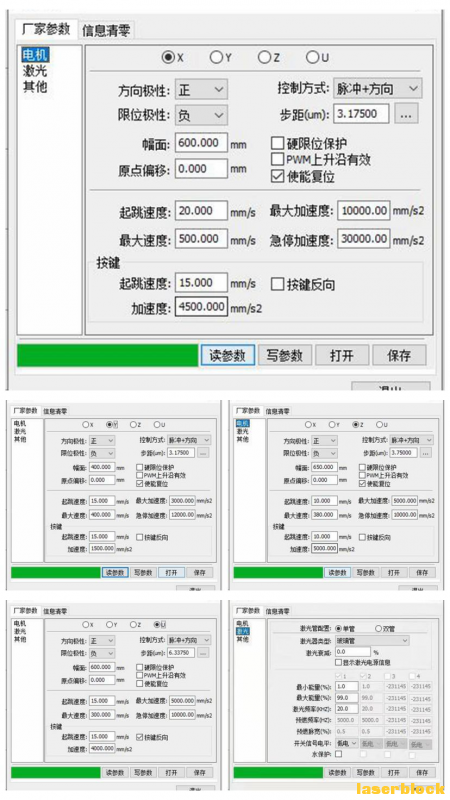
3.Read parameters
openRDWorksV8, file, manufacturer settings (manufacturer password:RD8888)Select the manufacturer parameters, including motor, laser, and other parameters. Click to read the parameters and save a screenshot. Otherwise, the parameters will be incorrect.
4.Replace the control panel
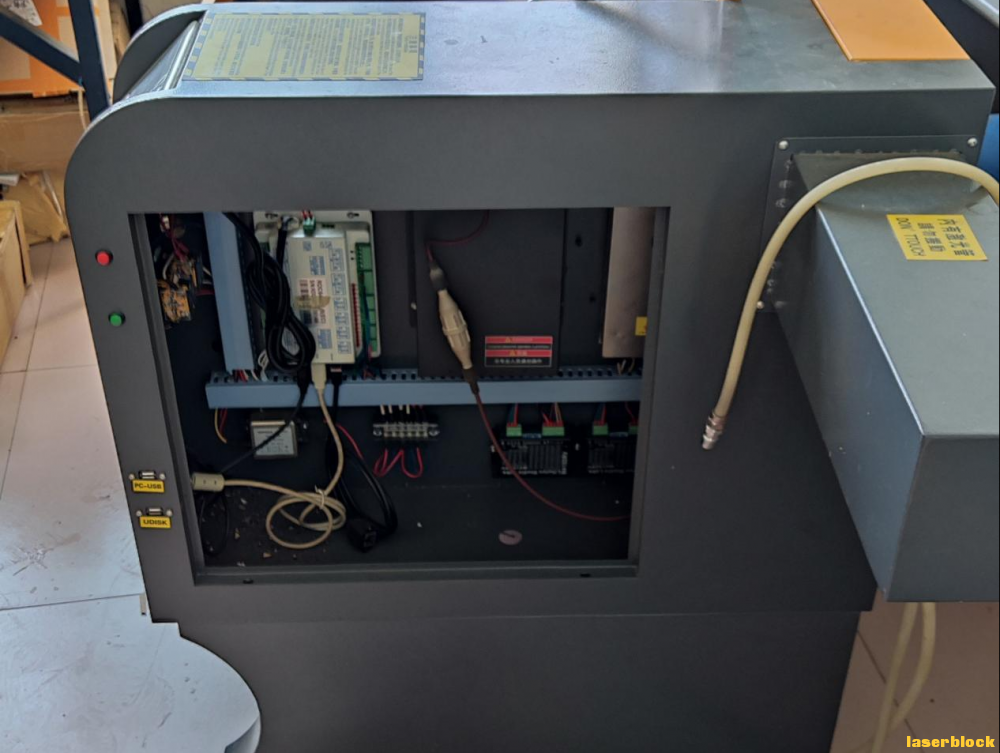
(1)Power off! Remove the side cover;
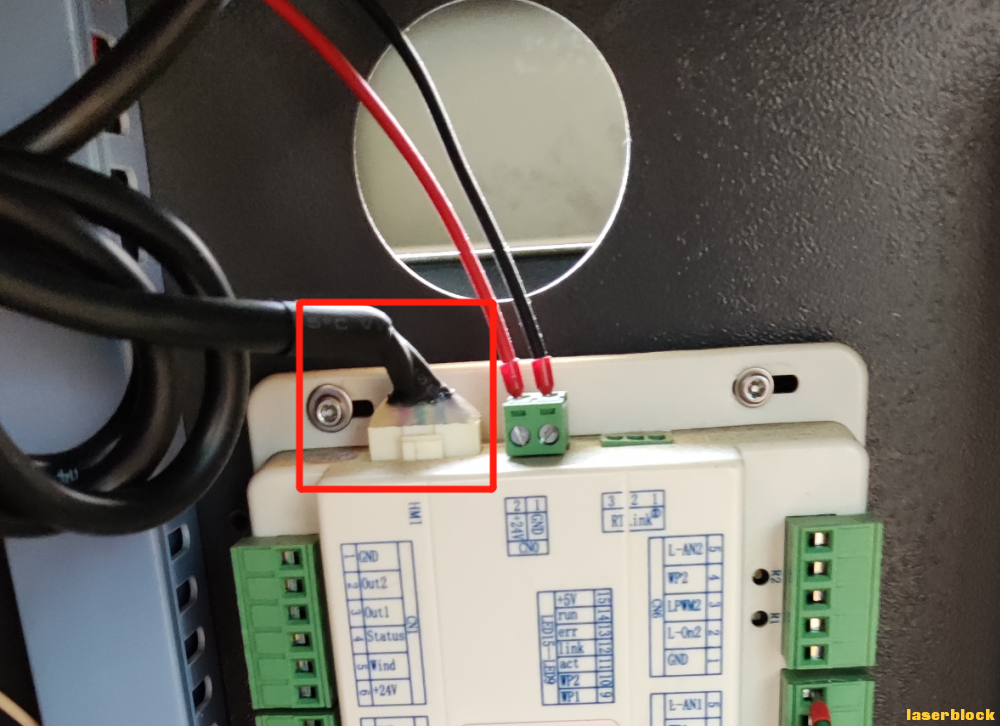
(2)Pull out the connection cable of the control panel;
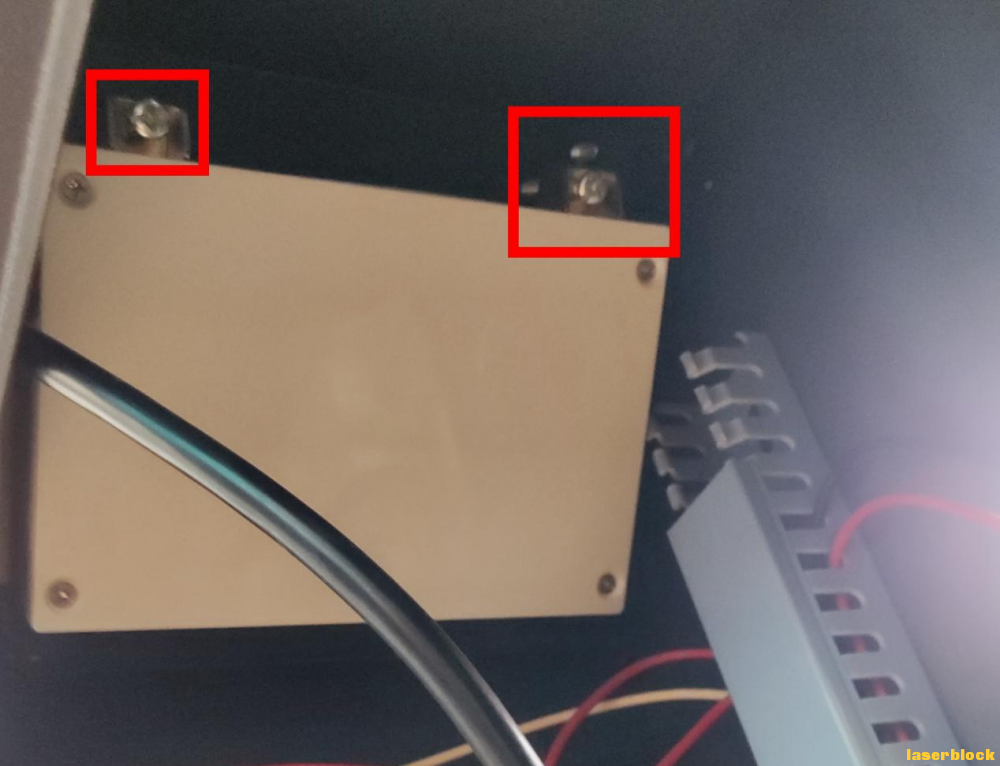
(3)Unscrew the two screws that secure the control panel;
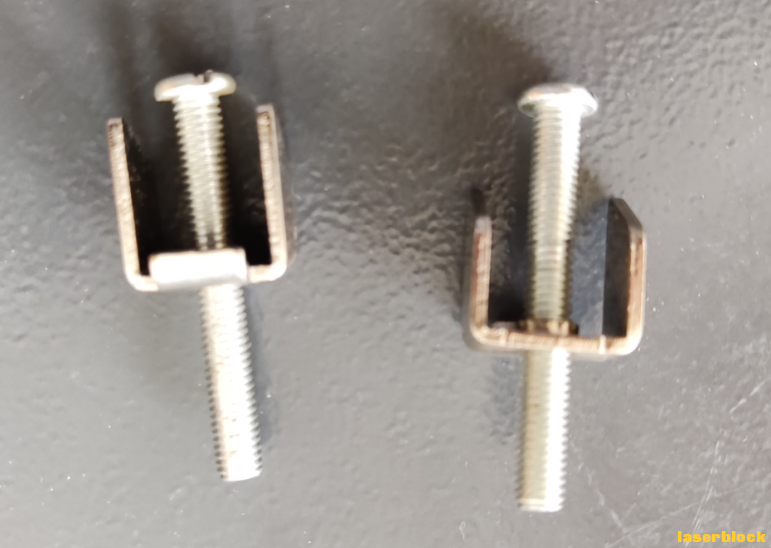
The following picture shows the removed screws, which will be used for replacing the control panel in the future;
(4)Remove the old control panel, the side of the control panel has3A buckle can be used to pry off the control panel with the help of a screwdriver;
(5)Will the(3)Remove the screws and buckles, clip them into the holes on the side of the new control panel, install the control panel, and tighten the screws to secure it in place.
5.Replace the board card
(1)Mark the wiring terminals with labels where there are connections;
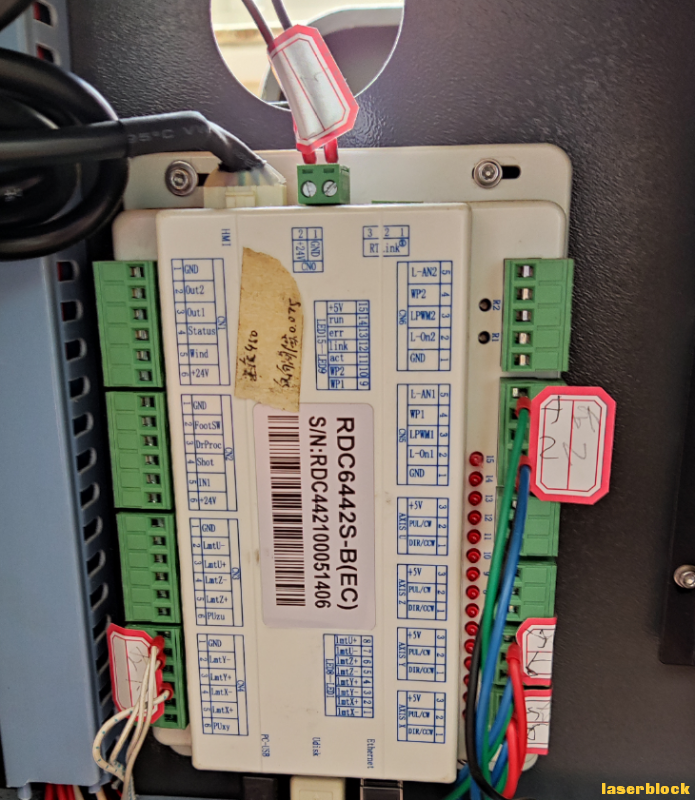
(2)Unplug the wiring terminals and other connecting wires on the board;
(3)Use an Allen wrench to remove the four screws that secure the board;
(4)Fix Lei Yu's board onto the laser cutting machine, exceptAXIS XandAXIS Y(Two wiring terminals in the bottom right corner) Insert the other wiring terminals and connecting wires into the corresponding positions of the board in sequence.
6.debug
(1)Connect the air compressor (air pump) and water pump, connect the power supply, turn on the machine, and turn on the powerLaserMaker, file, manufacturer parameters (password:TL9501)Read the parameters of the motor, laser, and machine in sequence, then modify them according to the parameters read in the previous screenshot and save them to a new board;
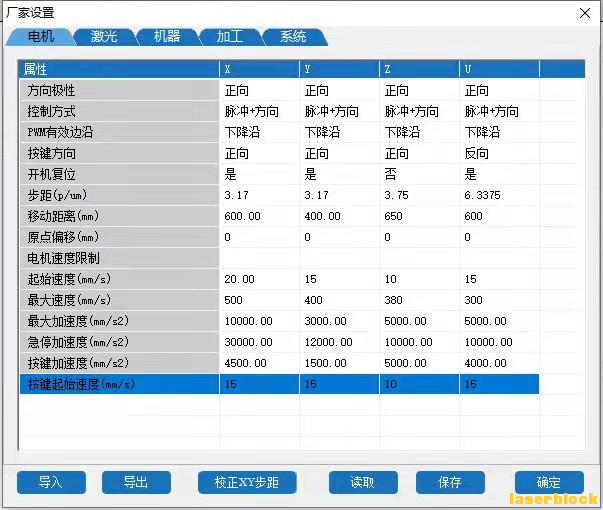
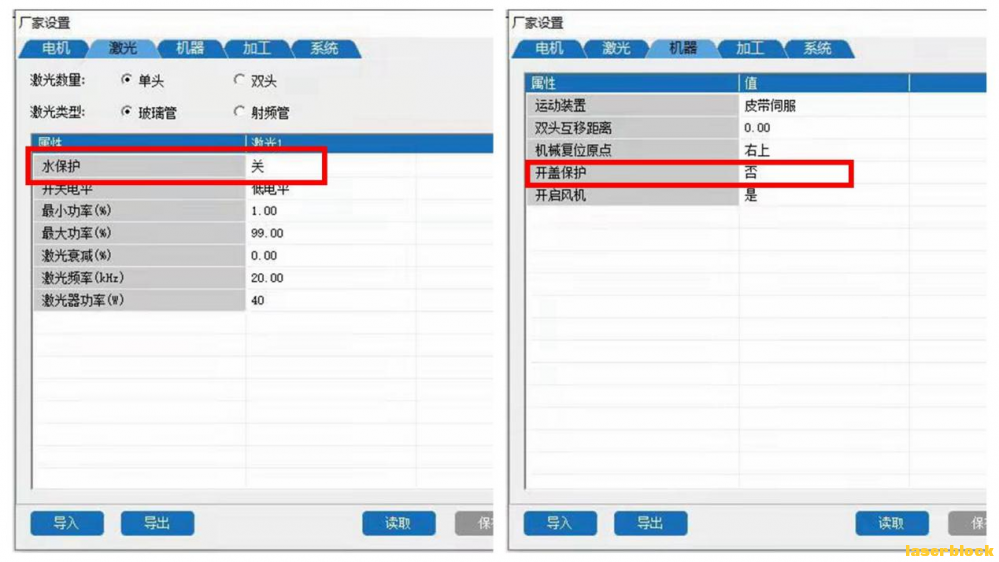
Note: The water protection in the laser parameters should be set to off, and the lid opening protection in the machine parameters should be set to no. According to the actual mechanical reset origin of your laser cutting machine, set the position of the mechanical reset origin. Be sure to read it first, then modify and save it, turn off the machine, and turn off the power.
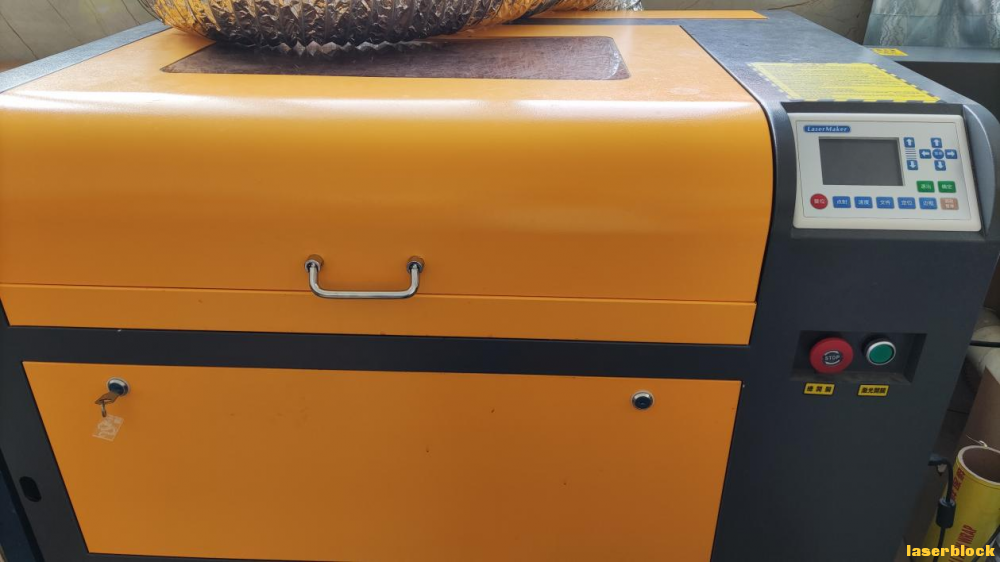
(2)On the boardAXIS XandAXIS YInsert the corresponding wiring terminals into two positions and perform a power on test. Liaocheng machine, Lei Yu "core", as follows:
7.Processing testing
After the positioning, reset, and shooting tests are all normal, cut the object for simple processing testing.
Cut a keytag~
https://www.bilibili.com/video/BV1fb4y1z7HH?t=3.4
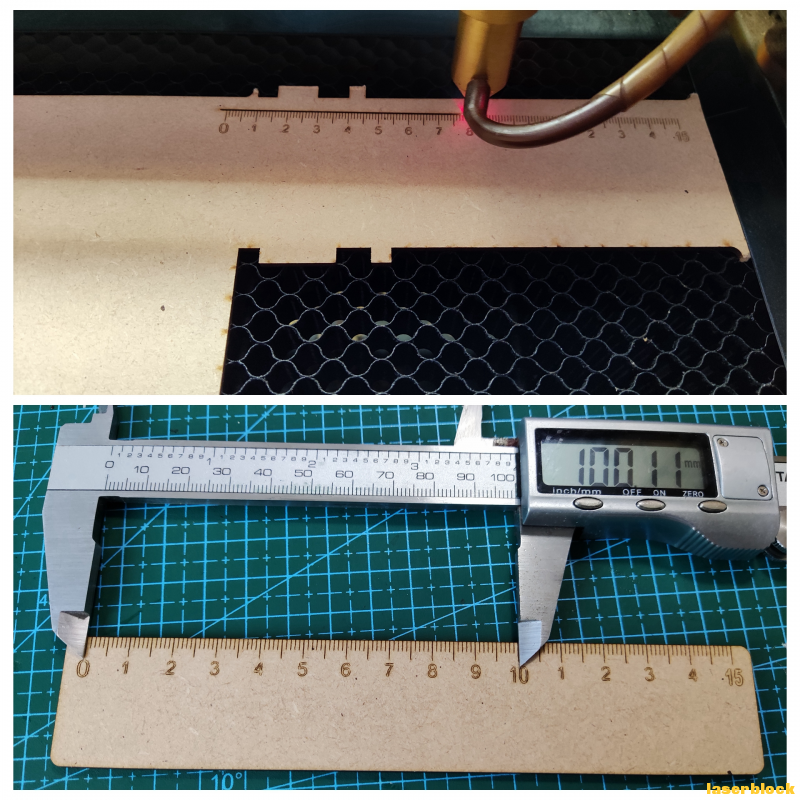
Cut a ruler~
 English
 简体中文
简体中文
 繁體中文
繁體中文
 Français
 Español
 عربي ،
 русский язык
 Português
 Deutsch

 design project









 Guangdong Public Security Backup44196202000110number)


 Register Now
 login
login
 QQlogin
  WeChat login
  Mobile Login