Activity Technical exchange LaserMakerdownload mobile phoneAPP English
release
design project

Present a complete idea, including design specifications, drawing files, parameter settings, etc

design drawings

Display drawing files

post

Technical exchange area, where any questions or doubts can be discussed

📌LaserMakercommunity-Student Account Batch Application Tutorial

[Copy link]
3824 |2
Published 2024-5-10 14:56:48 | Display all floors |Reading Mode

Step One-Register an account

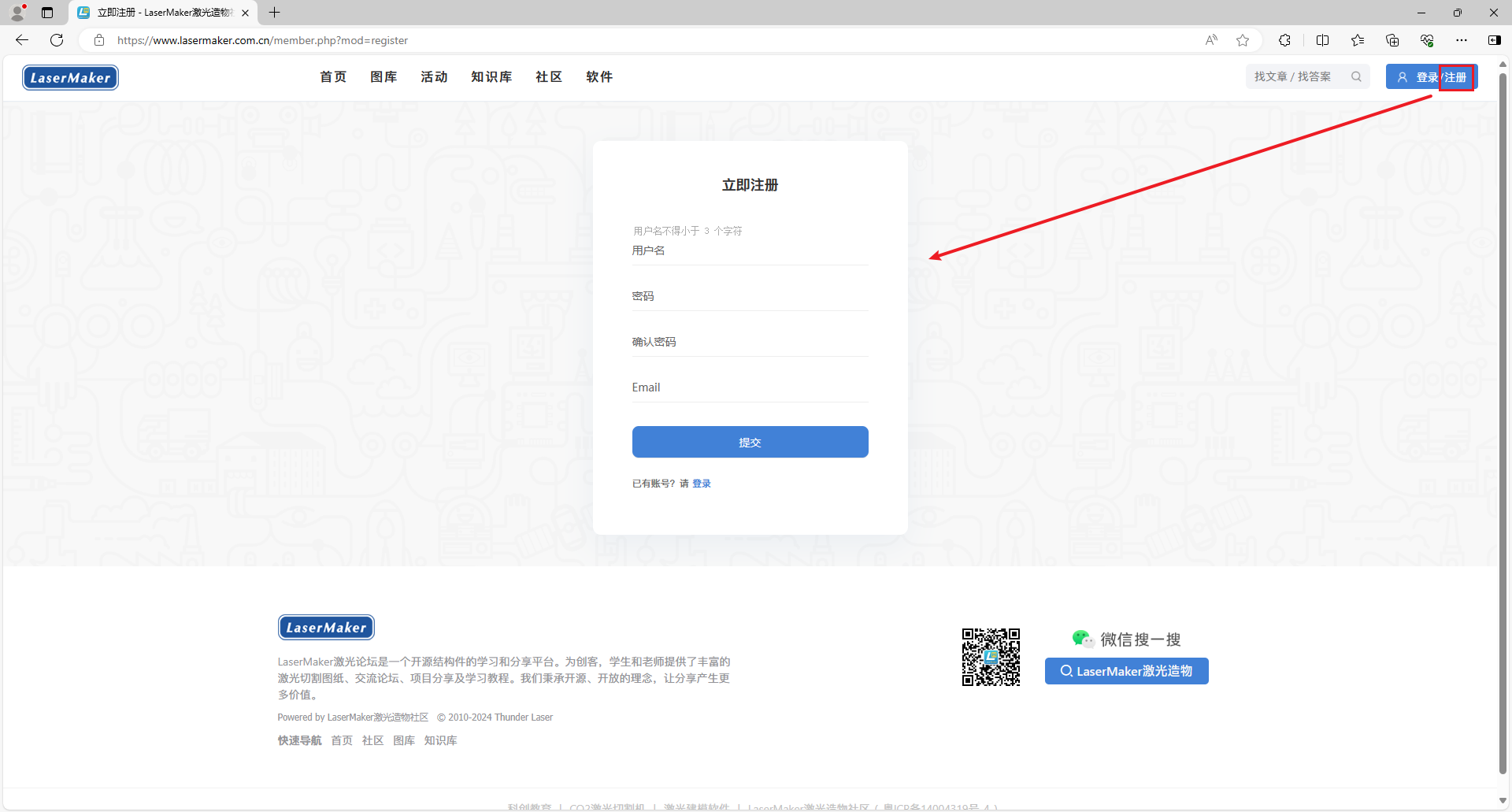
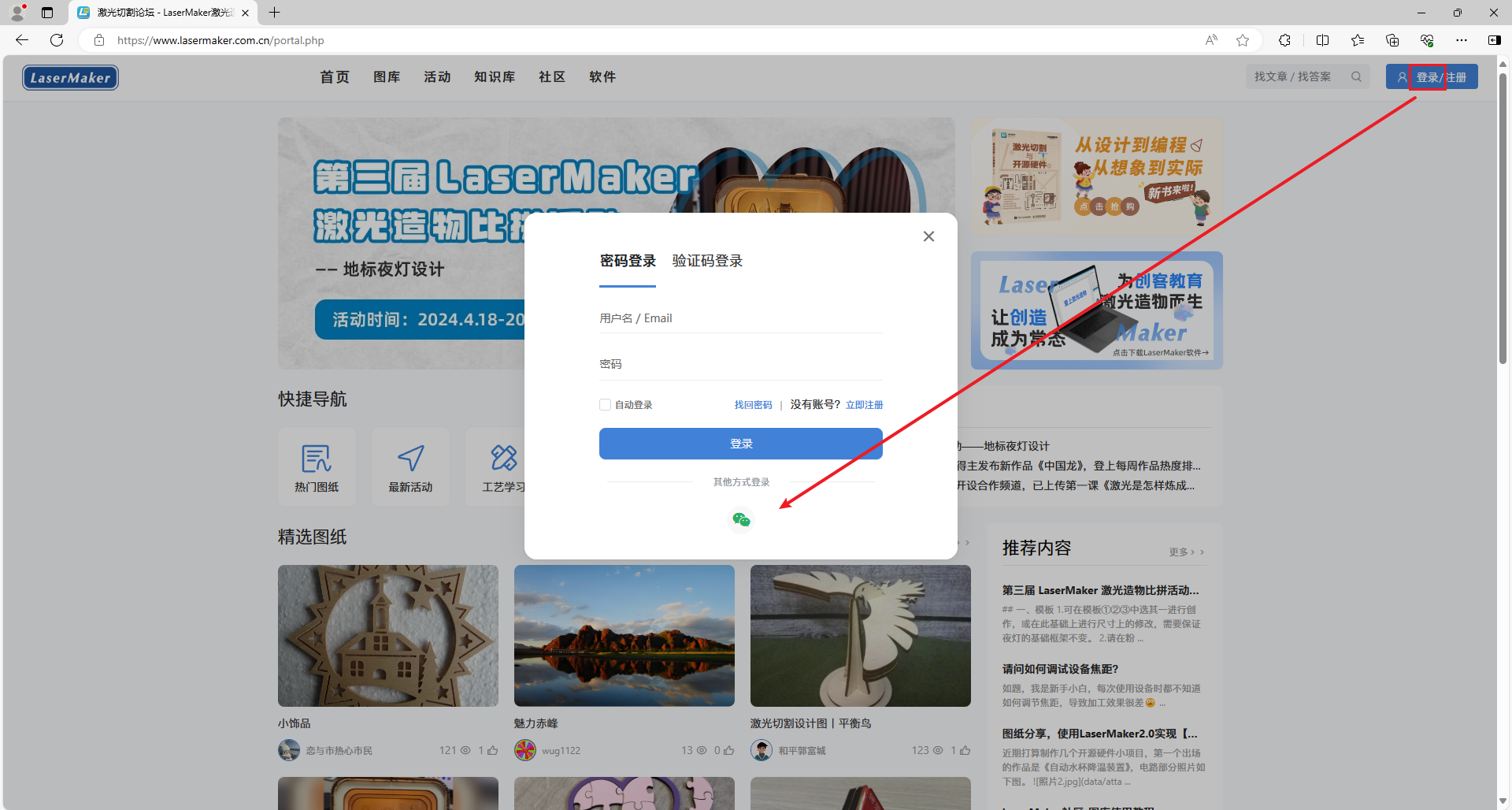
1.Please make sure to firstLaserMakerIf you have an account in the community, you can register through any of the following methods:

① Email Registration

image1.png

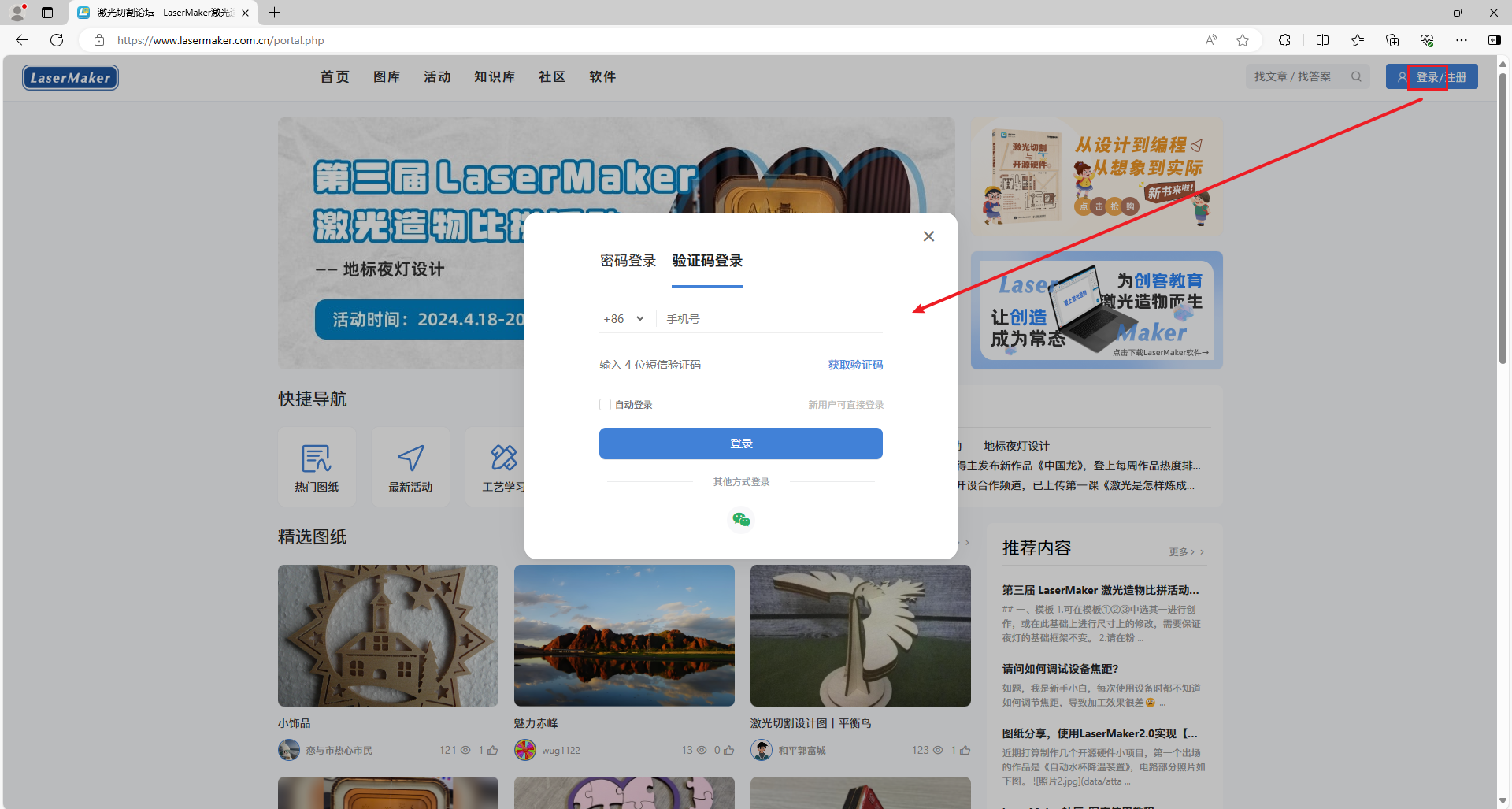
② Mobile verification code registration

image2.png

③ WeChat registration

image3.png

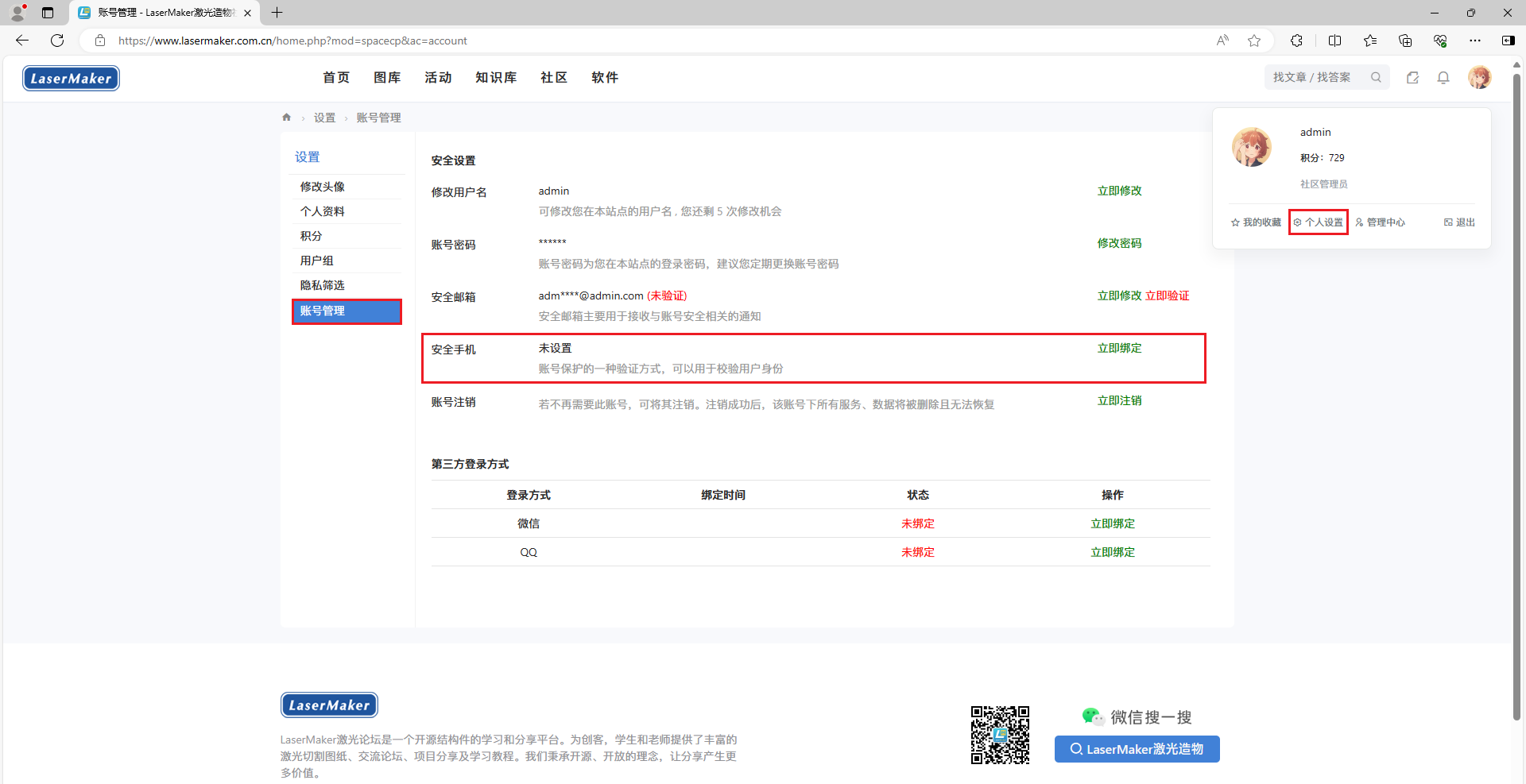
2.After registration, please enter personal settings-Account Management Office, bind your mobile phone number (users registered with a mobile verification code can skip this step)

image4.png

Step two-Contact 'Laser Expert'

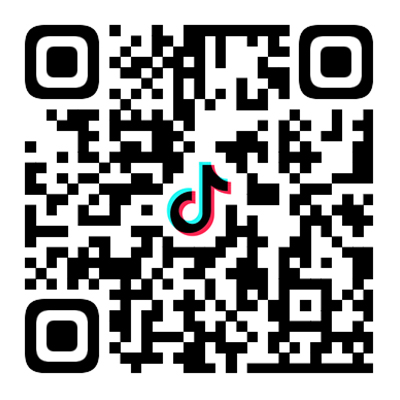
1.Scan the code to add "Laser Expert" and leave a note for "Batch Registration"

Slide16_9-4.png

2.Please provide the following information to the staff for review. The required format is as follows:

Username:

Real name:

Mobile number: (We need to match and confirm your account)

Name of Employment Institution:

Proof of Identity: (Your teacher ID or employment certificate for employment at your school)

Step three-Provide a list of students who can apply in bulk

1.After the review is approved, please provide the staff with a list of students and a unified password (password not less than)6The file format can be:.txt/.doc/.docx

The required format is as follows:

Username1=#=password

Username2=#=password

Username3=#=password

2.The email used for batch registration of accounts is a virtual email randomly generated by the system and cannot be used outside the community. Users can modify it themselves

image.png

3.Please carefully check if the username is provided repeatedly. If a student has a duplicate name, a suffix should be added to distinguish it, for example: Li Hua1Li Hua2If you find that the username has a suffix after obtaining the account, it is because the community has already registered usernames, and later usernames need to be distinguished

⭐ Notes:

1.The staff needs at least one working day to complete the batch account generation. Please arrange the application time reasonably and do not rush to apply when it is urgently needed!

2.Once the account is generated, it belongs to the student and can be modified by the student's own username, email, and password. Please do not hand it over to third parties for reuse!

This post contains more resources

You need login Can I download or view without an account?Register Now

x
reply

Use items report

Published 2024-11-14 13:39:41 | Display all floors
reply
reply support oppose

Use items report

Published 2025-10-31 09:05:58 | Display all floors
very useful
reply
reply support oppose

Use items report

You need to log in before you can reply to the post login | Register Now

This version of the points rules

advertisement
Quick reply Back to top Back to list