1、 Layer
1.Layer inLaserMakerIn the lower right part of the drawing interface, please pay attention to the layer order. Any cut layers must be placed last, with carving and drawing lines before cutting.
2.Different depths of carving, drawing lines, and cutting must be represented by different color layers.
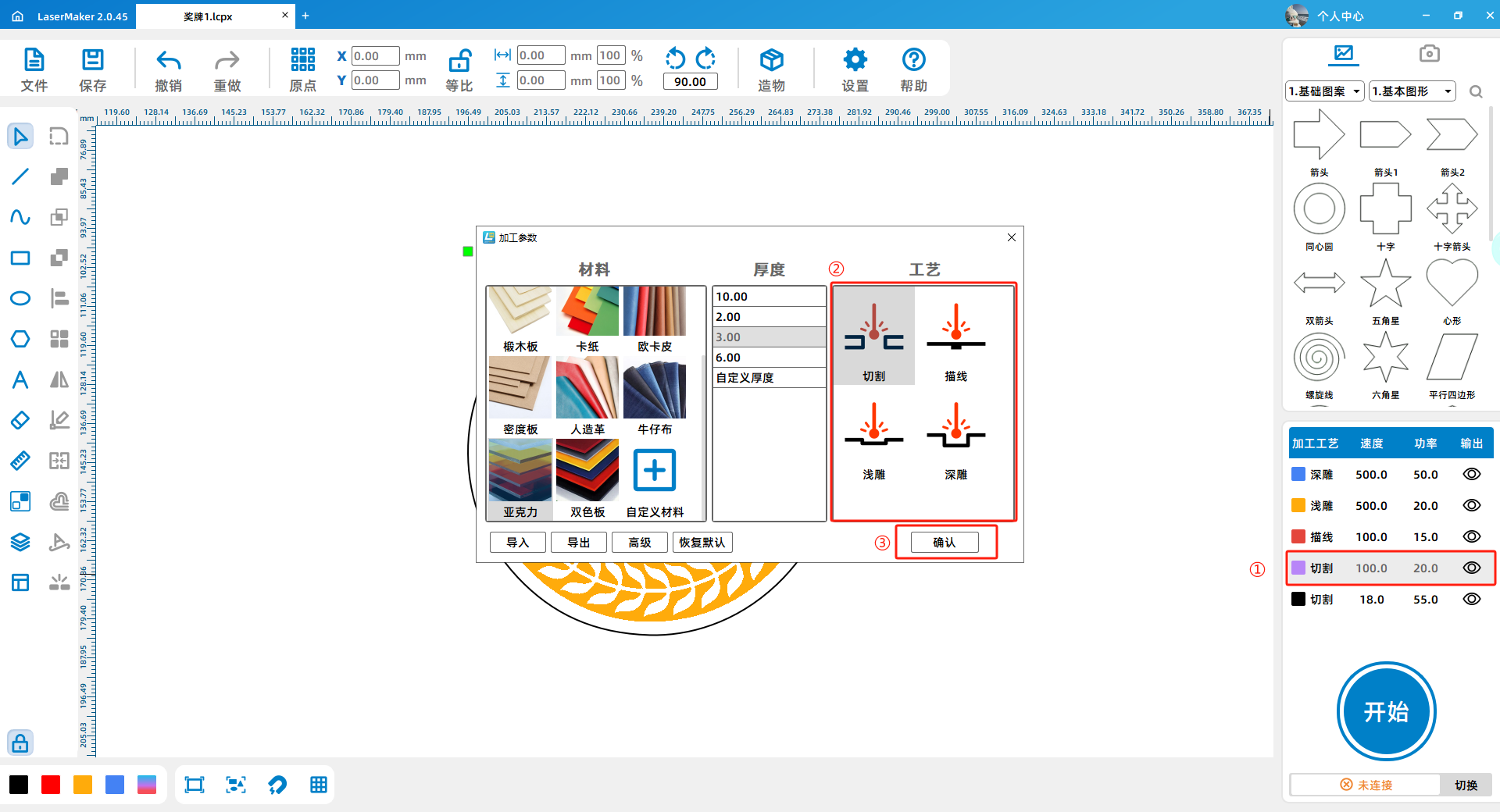
3.LaserMakerThe default layer colors are located in the bottom left corner of the drawing interface (indicated by the red box in the bottom left corner of the image below). Black ① defaults to using cutting techniques, red ② defaults to using tracing techniques, yellow ③ defaults to using light carving techniques, and blue ④ defaults to using deep carving techniques; Please do not modify the default color corresponding to the process.

4.If you have designed a color layer other than the default four color layers, double-click the layer and select the desired process in the "Process" column on the right side of the pop-up window (marked by the red box ② in the figure below). After selecting, click "OK" (marked by the red circle ③ in the figure below).
2、 Materials
1.Participants with laser cutting equipment can process their own works and assemble them into final works, with no restrictions on materials.
2.This competition is provided for participants who require outsourcing processing3or5mmThe oak board3or5mmAcrylic3mmSolid wood panels2.3mmRubber pad0.6mmThe cardboard3mmThe density board0.6or1.8mmArtificial leather1.5mmThe processing material of the two-color board.
3.When uploading drawings, it is necessary to indicate which part of the medal uses which thickness and material. Same drawing(.lcpx)The patterns in are made of the same material with the same thickness, such as:3mmLimestone board; If two or more materials are required (including different types and thicknesses of the same type), they should be stored separately on different drawings(.lcpx)In the middle. As shown in the figure:

3、 Size
1.Participants with laser cutting equipment can process their own works and assemble them into the final product, with no size limit.
2.The dimensions of the drawings that need to be processed on behalf of others must be within100mm×100mmWithin. (Note: Each work can only be processed once!)
3.Suggest that the width of the thinnest part of the component or pattern be greater than or equal to3mmOtherwise, it is easy to break.
4、 Working hours (requirements for outsourced works)
1.Working hours shall not exceed10minute.
The calculation method for working hours is as follows:
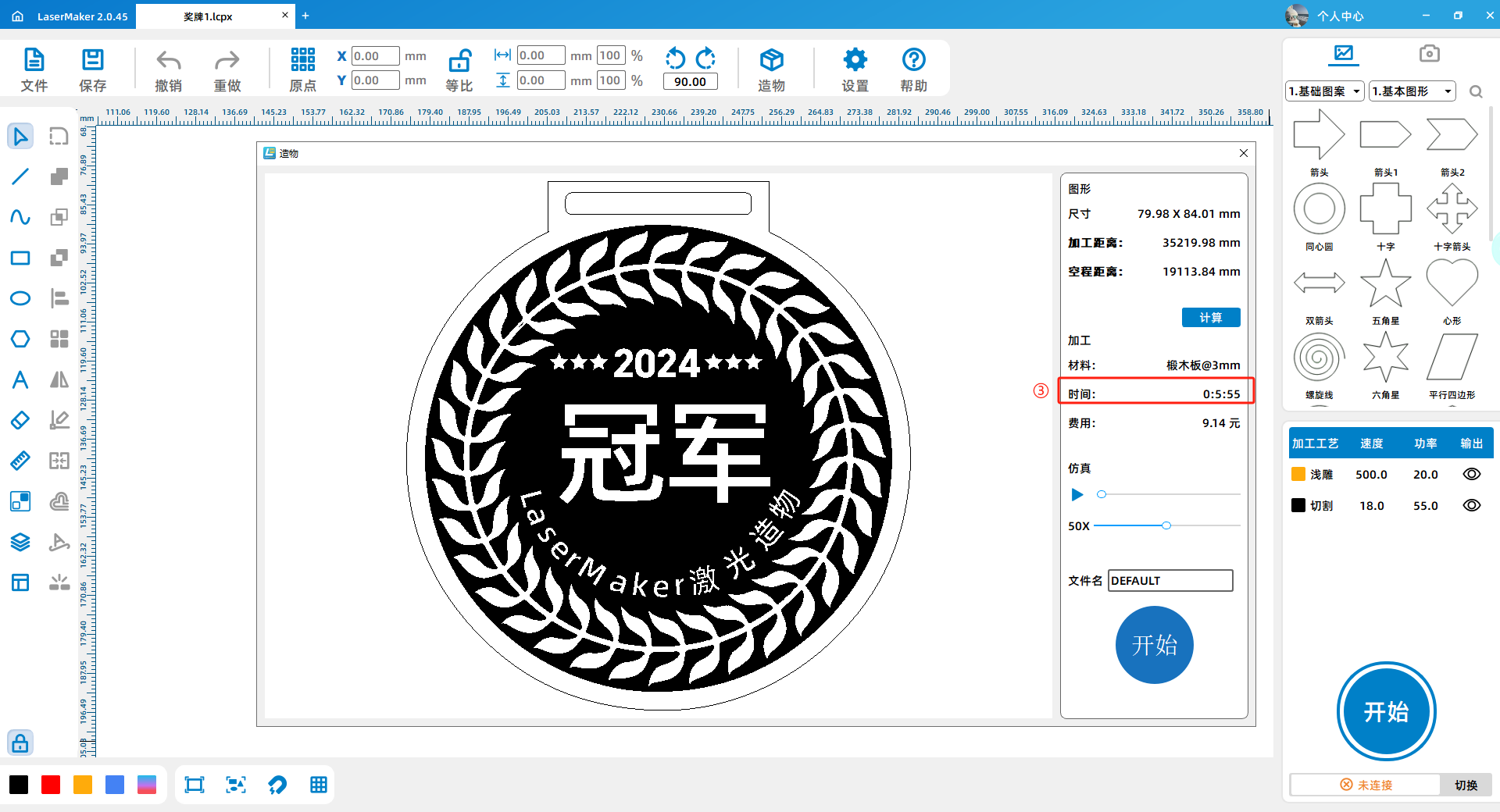
a. Find the blue circular "Start" button in the bottom right corner of the drawing interface (marked by the red box ① in the figure below), and click the "Start" button.

b. After clicking the "Start" button, a small window appears. Find the blue rectangle on the upper right side of the window and press "Calculate" (marked by the red box ② in the figure below). Click the "Calculate" button.

c. After clicking the "Calculate" button, find the "Time" column directly below the "Calculate" button (marked by the red box in Figure 3), and confirm that the time does not exceed10minute.
5、 Shuikou
1.After laser cutting is completed, small parts are prone to falling off and the order of the parts may be disrupted. Suggest adding a water nozzle before processing, with the nozzle size set to0.3mmSuggest setting up small parts3A water outlet can be added appropriately for larger parts.
The method of adding water inlet is as follows:
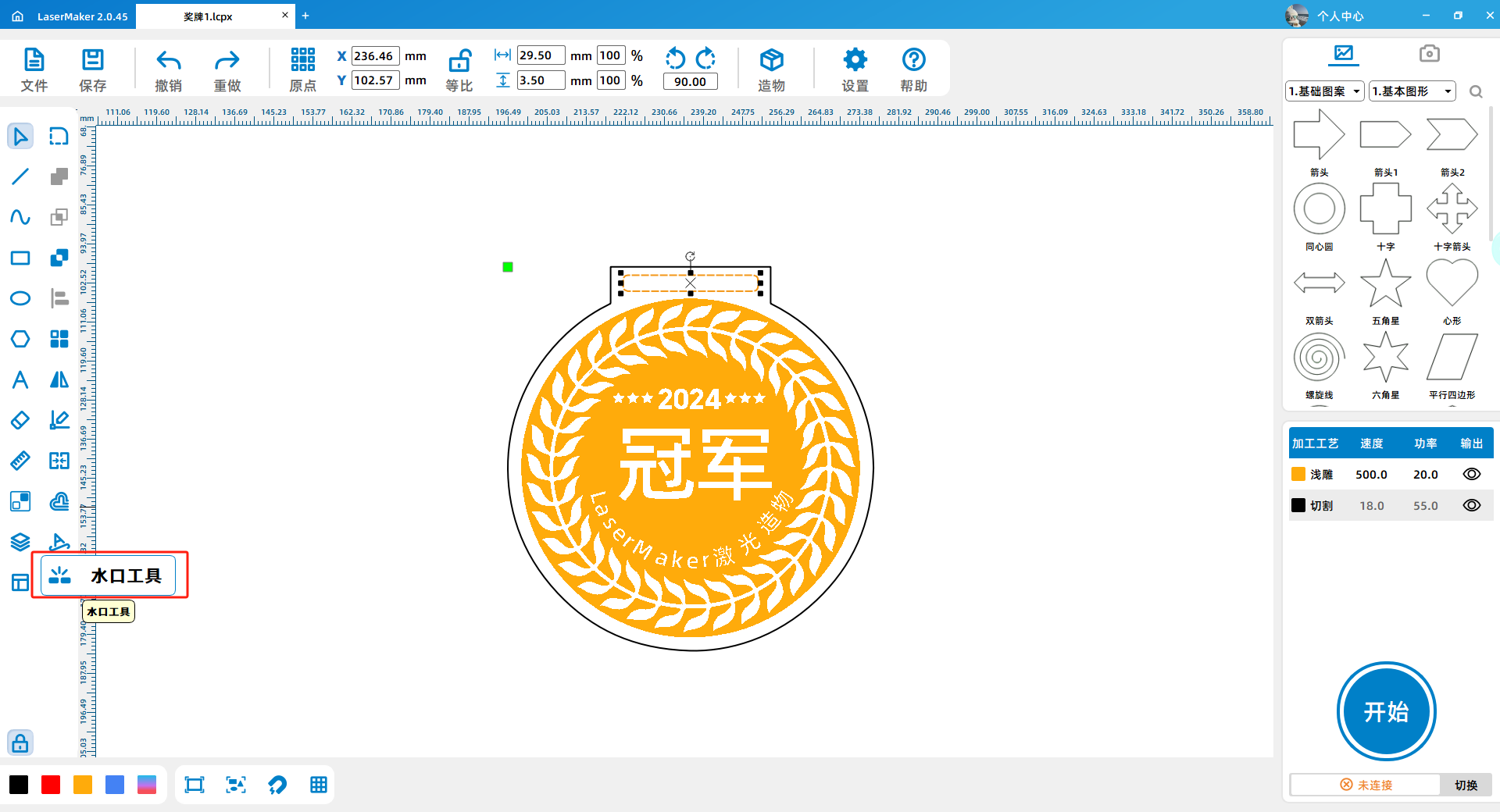
a. Click on the water outlet tool on the left toolbar (circled in red in the figure below).
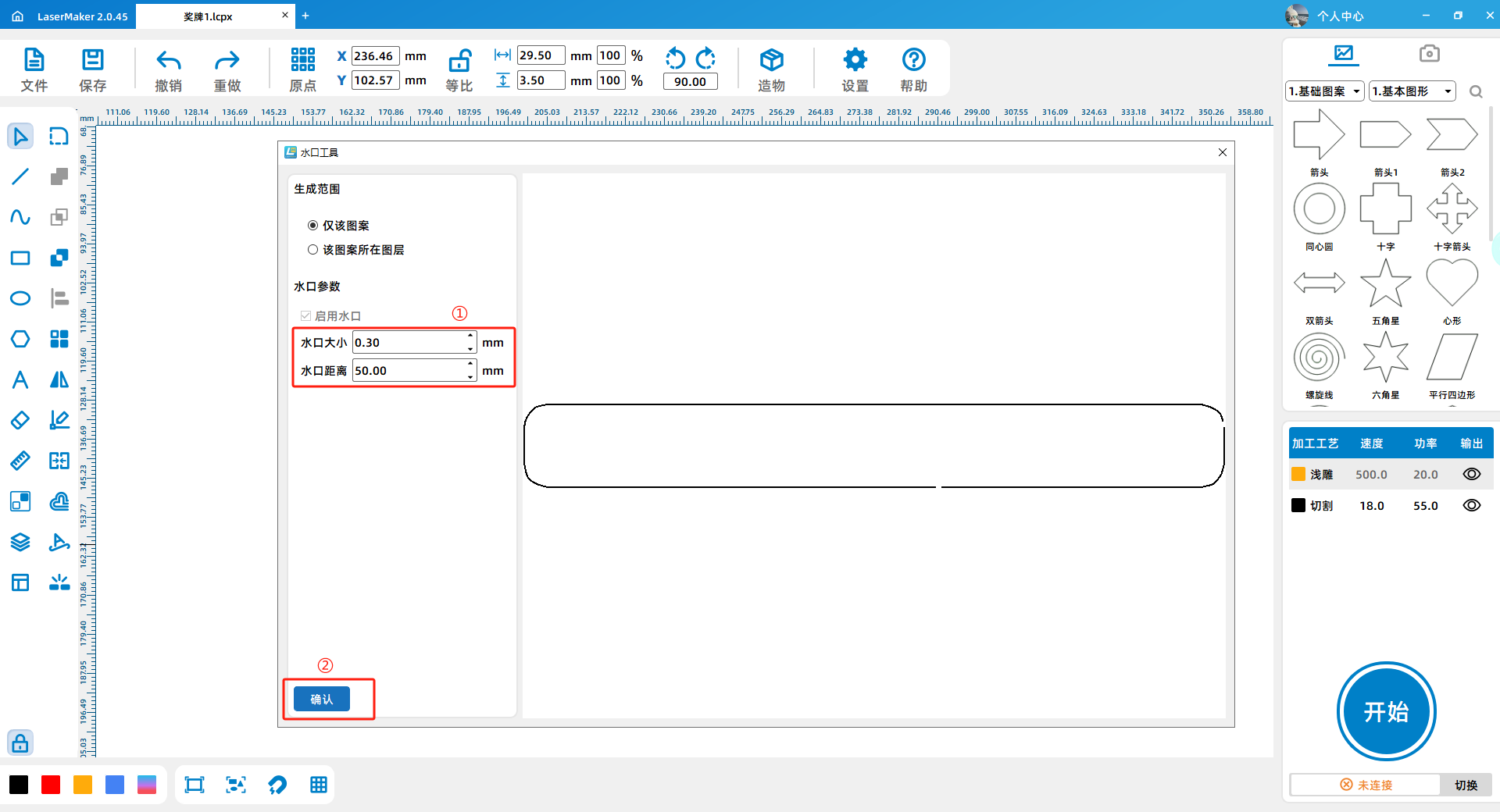
b. Pop up a preview interface. Modify the parameters on the left side of the interface (marked by the red box ① in the figure below), and click the "OK" button after modification (marked by the red box ② in the figure below).
6、 Other
1.Outsourced processing only provides the parts that have been carved, drawn, and cut. Please complete the coloring and assembly on your own after receiving them.
Reminder again:
🚀 ️ This competition provides services for OEM works3or5mmThe oak board3or5mmAcrylic3mmSolid wood panels2.3mmRubber pad0.6mmThe cardboard3mmThe density board0.6or1.8mmArtificial leather1.5mmThe two-color board (please choose materials carefully, the finished product effect is not guaranteed), and the drawing size needs to be within100mm×100mmWithin.
🚀 ️ For the fairness and impartiality of the event, the outsourcing service is limited to one time only, and secondary outsourcing is not allowed. Participants are requested to confirm the drawings before submitting.
 English
 简体中文
简体中文
 繁體中文
繁體中文
 Français
 Español
 عربي ،
 русский язык
 Português
 Deutsch

 design project








 Guangdong Public Security Backup44196202000110number)


 Register Now
 login
login
 QQlogin
  WeChat login
  Mobile Login