Laser Creation Beginner Course | Case 4: Internet celebrity bamboo tube design project

1
2
3
4

Drawing Description

Internet celebrity bamboo tube milk tea is a new rising star in the milk tea industry, characterized by the use of bamboo tubes as packaging containers, giving people a novel and unique feeling. This type of milk tea is usually decorated with cream toppings and freeze-dried strawberry shavings, and has a beautiful appearance that attracts the attention of many consumers.

The creativity and packaging design of bamboo tube milk tea not only adds a sense of ceremony to travel, but also reflects the creative expression of Eastern aesthetics. Bamboo, as a common image of traditional culture, has its own ancient flavor and attracts many young people who love "China-Chic Culture". The popularity of this milk tea also reflects consumers' pursuit of novel, interesting, and culturally meaningful products.
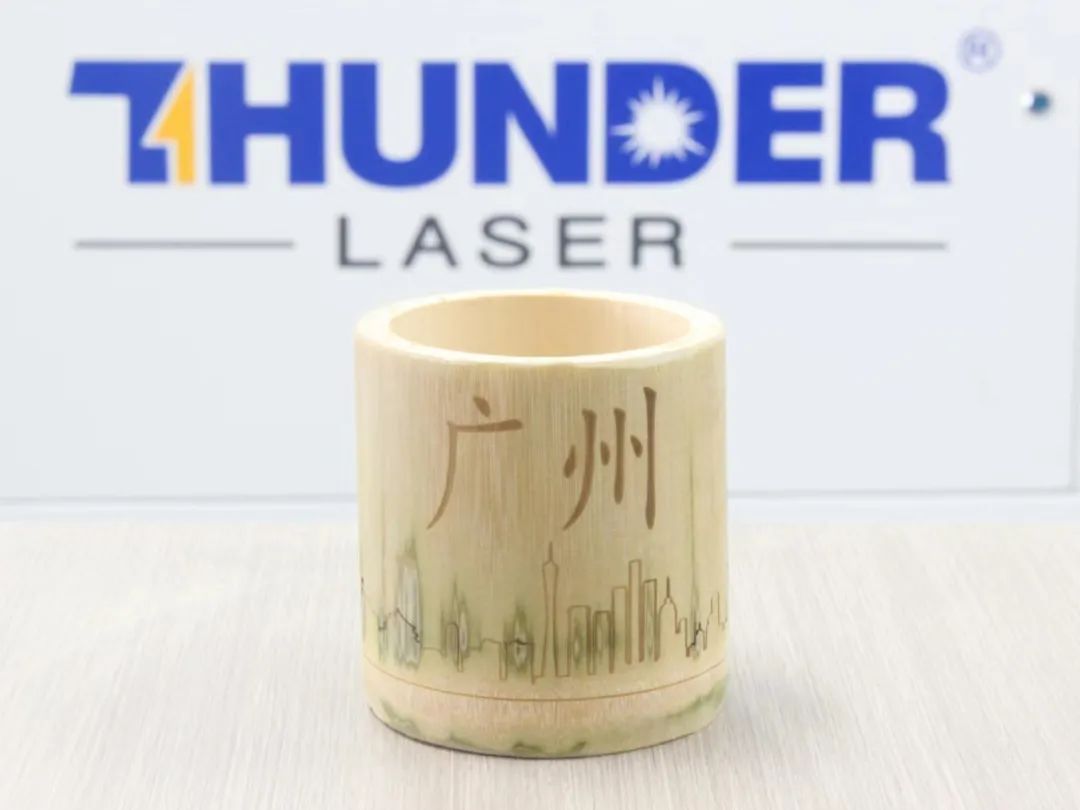
Internet celebrity bamboo tube.jpg


drawing documents

Internet celebrity bamboo tube Guangzhou landmark
Drawing Cover - Internet celebrity bamboo tube Guangzhou landmark
Basic Parameters
0:10:14

Draw graphic elements

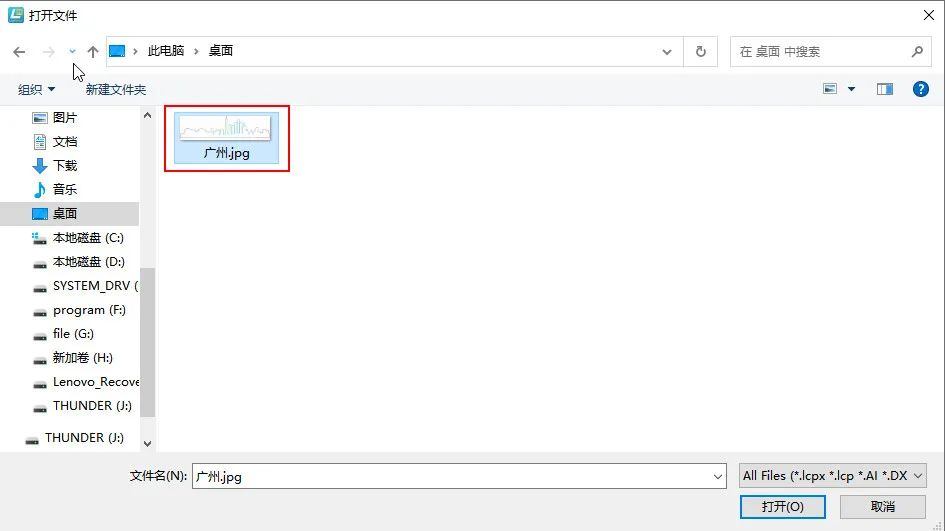
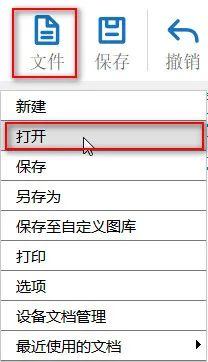
(1)Click on 'File' in the upper 'Function Area', then click on 'Open', double-click to open the image that needs to be carved, as shown in the following figure:

06bf216e324c4dcf1dd255e5572ceff7.jpg92433cd2fb23777787a00585ddd5fc62.jpg

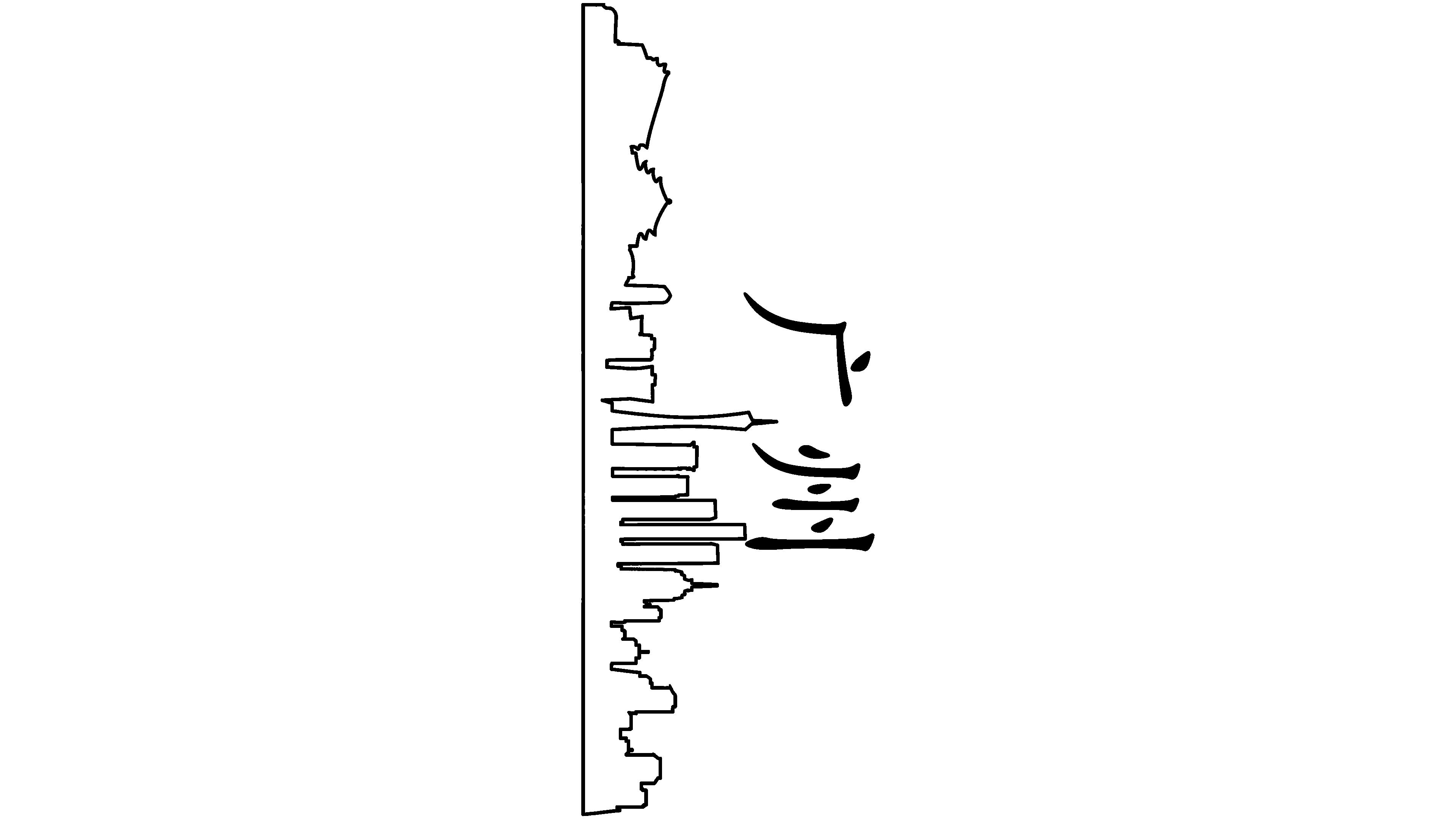
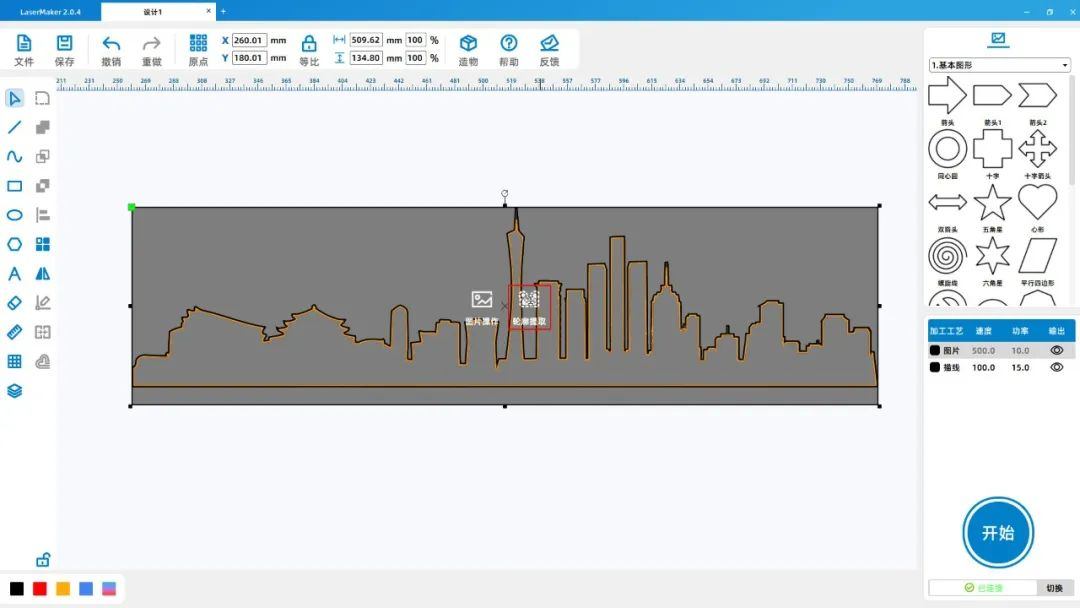
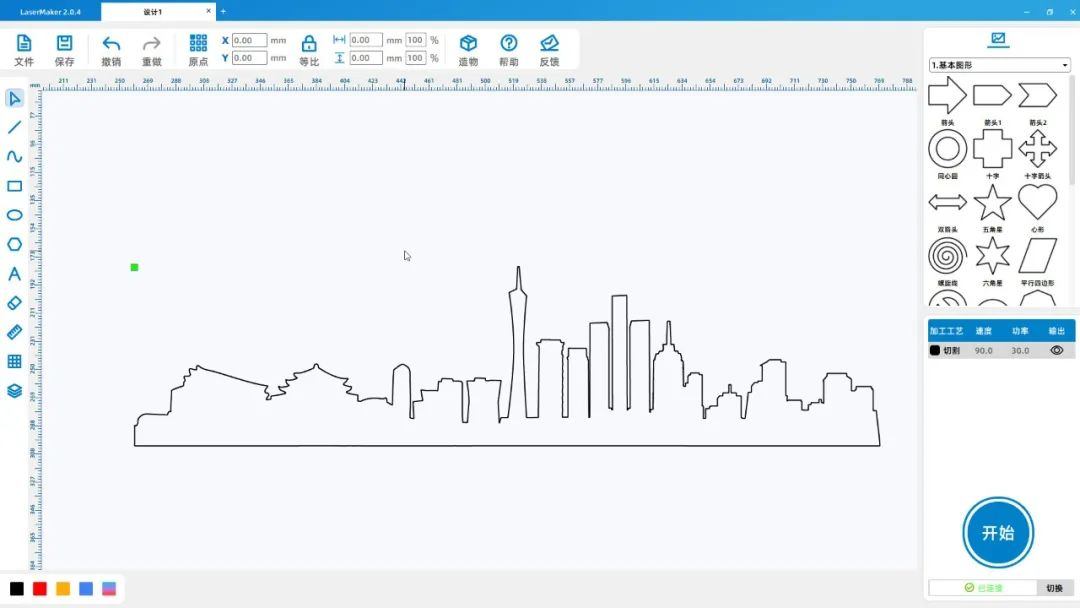
(2)Select the image "Guangzhou", left click on "Contour Extraction" in the graphic, and delete the image and excess graphics to leave only the contour, as shown in the following figure:

031a02a1c387730c3651a4c0ee59c594.jpg

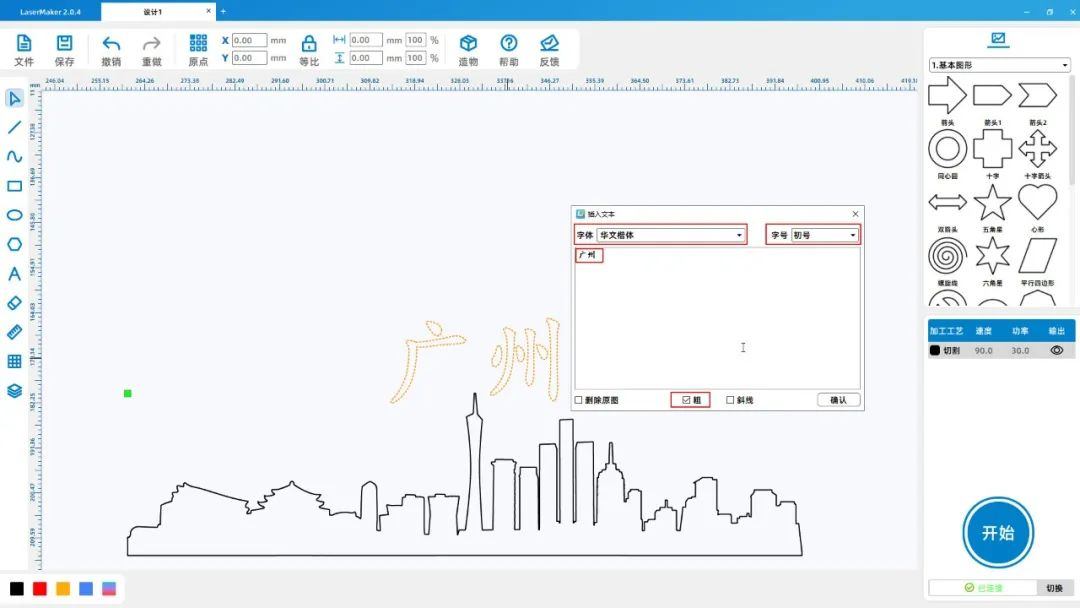
(3)Click on the 'Font' tool from the 'Drawing toolbar' on the left, enter 'Guangzhou', set the font and size to 'Chinese Kai font' and 'Initial number' respectively, and click the check mark with the mouseSelect 'coarse' and drag the font to move it directly above the graphic, as shown in the following figure:

5c9f00eaeb513960d32972f13597d816.jpg

(3)Click on the 'Font' tool from the 'Drawing toolbar' on the left, enter 'Guangzhou', set the font and size to 'Chinese Kai font' and 'Initial font size' respectively, and click to check 'Bold' with the mouse

Select and drag the font to move it directly above the graphic, as shown in the following figure:

ce1e07503daca20e5d82eb415f0718b5.jpg


Laser processing

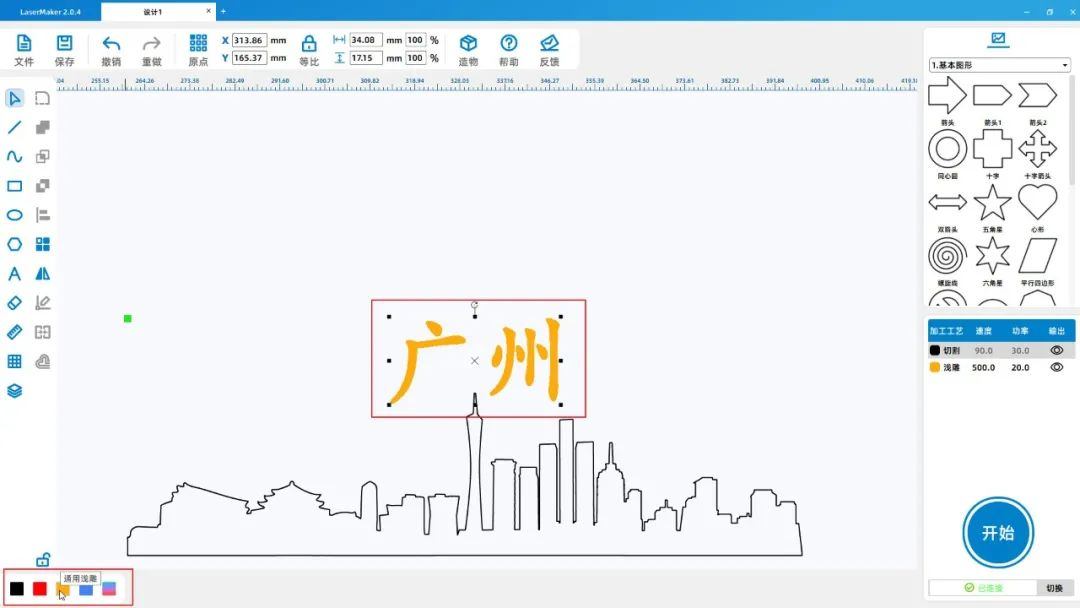
(1)Select the font and left click on the yellow layer in the lower left corner of the 'Layer Color Palette' to set the 'Font' to the yellow layer, as shown in the following figure:

1feafa24b828e2e6b046234ef9a9b6ff.jpg

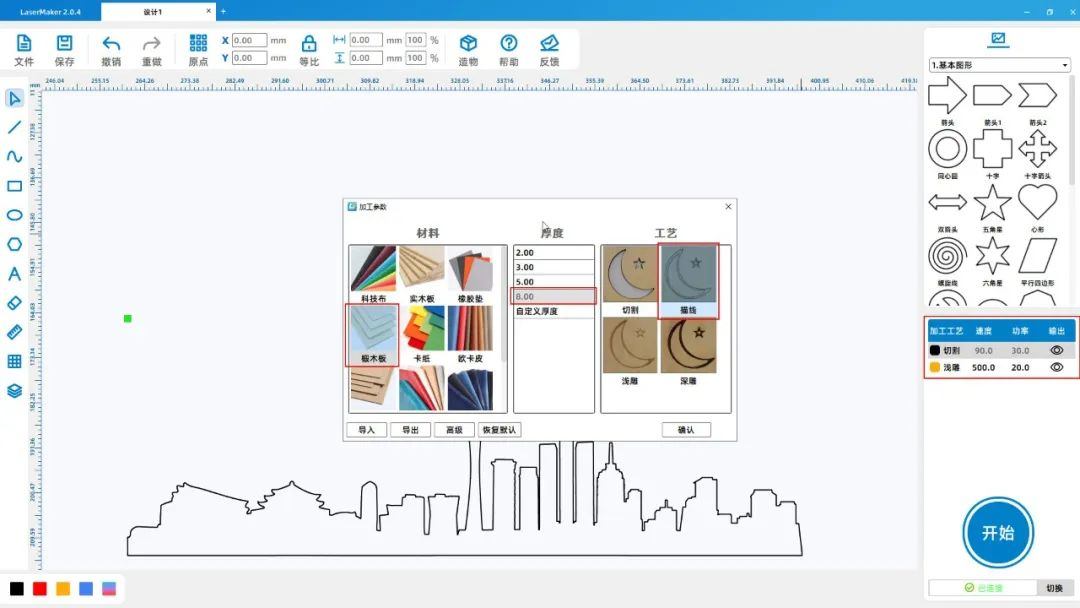
(2)Double click the 'Processing Panel' in the bottom right corner with the mouseYellow layerSet the material, thickness, and process to oak board8mmShallow carving; Translate into EnglishblackcolorlayerMaterials, thickness, and craftsmanship

Set as oak board8mmDraw a line as shown in the following figure:

b2a3d487801449e23428c8719c45114e.jpg

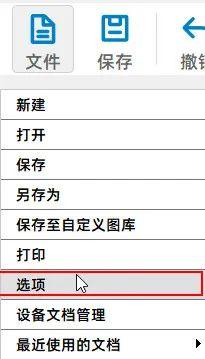
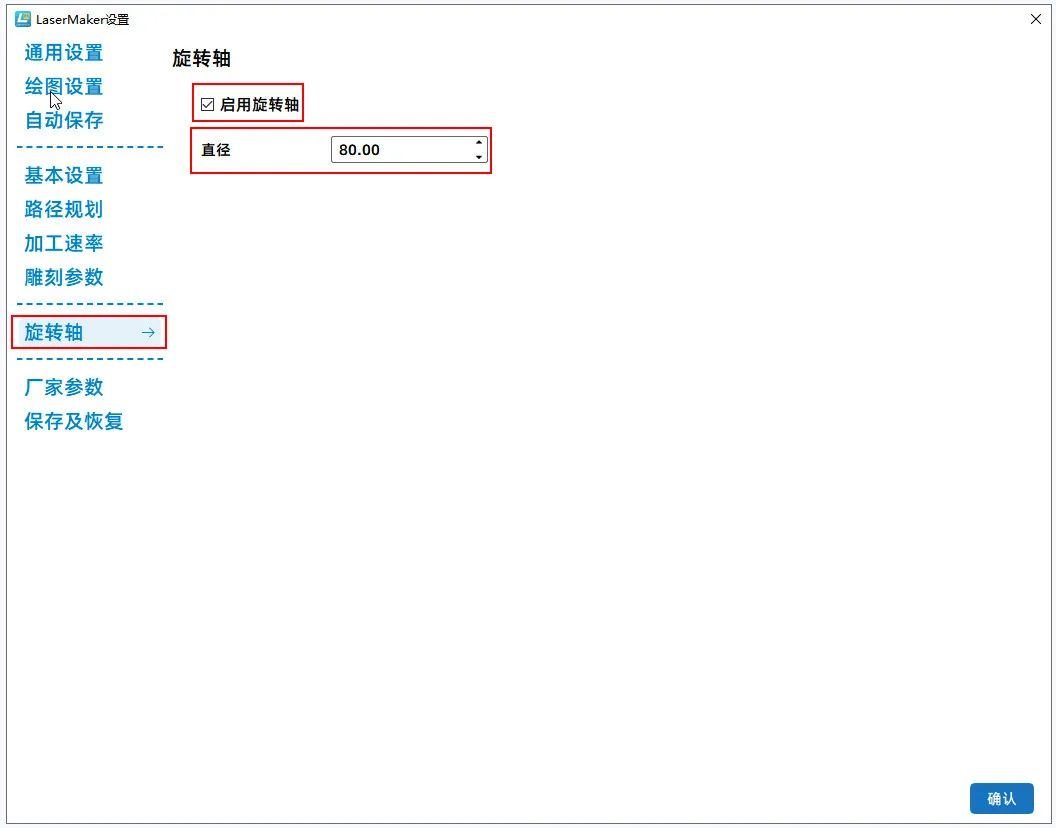
(3)Click on 'File' in the upper 'Function Area', then click on 'Options', select' Rotation Axis' on the page, click on 'Enable Rotation Axis', and change' Diameter 'to80mm. As shown in the following figure

As shown:

58bccfe286401502adc2287648cbbb51.jpg3c2aae54662d68c4da6d8f5f8bbe5cc9.jpg

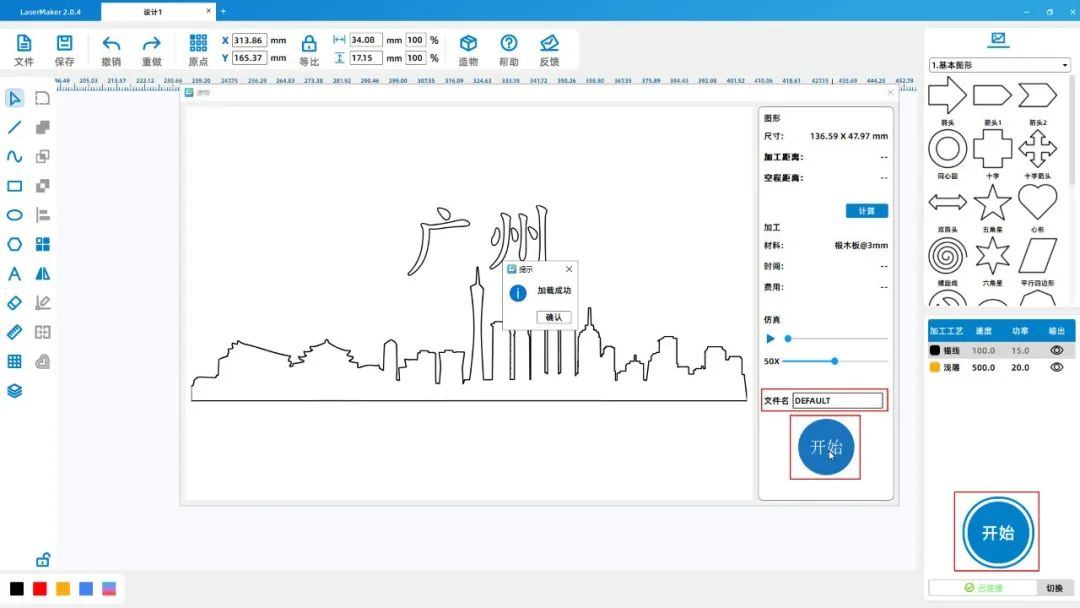
(4)Click on "Start" in the bottom right corner of the "Processing Panel" to upload files to the device, as shown in the following figure:

4b3b84ca9e0713311f39f7f4e1f2ab51.jpg


Introduction and usage of rotation axis

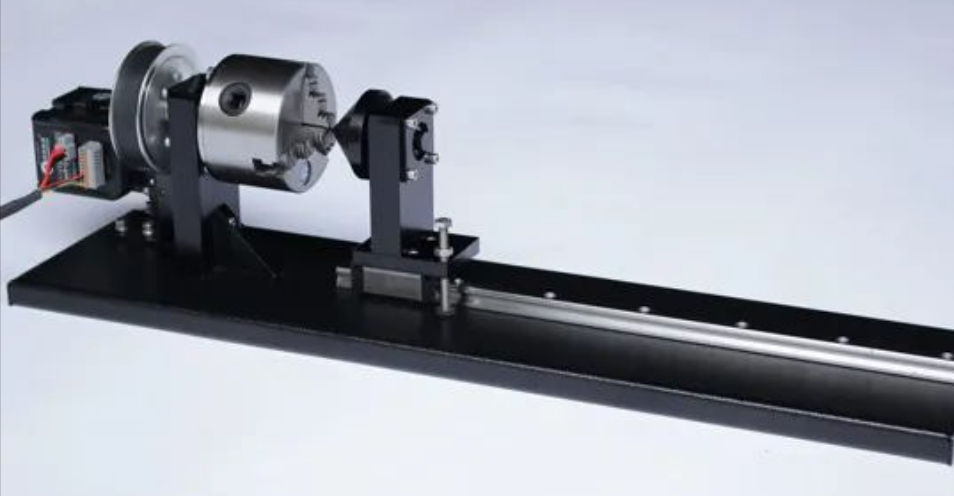
Introduction to Rotation Axis

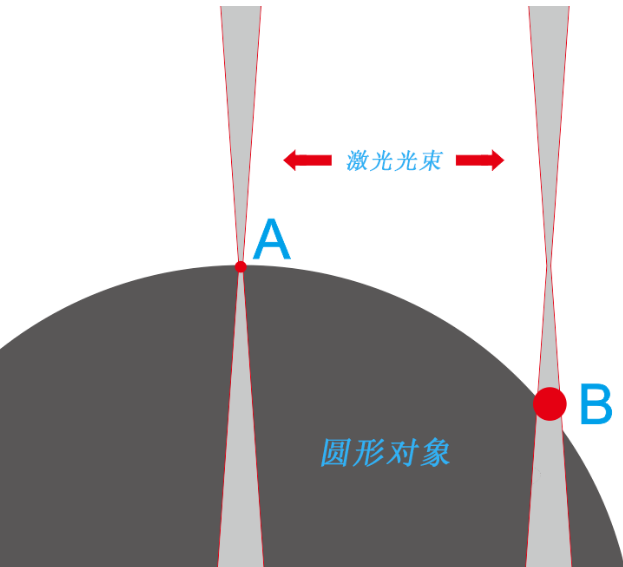
The bamboo tubes processed in this issue are circular objects, and normal processing methods cannot process circular objects properly because standard laser machines can only process on a flat surface, and the laser spot

The size will vary greatly with the curvature of the circular object, resulting in significant differences in the processing effect in different places.

image.png

As shown in the above figure, we can see thatAThe spot of light is very fine, andBThe spot of light is very coarse. fromAClick to move toBDuring the process of pointing, the light spot continuously thickens, resulting in a change in the processing effect

Too large to perform normal processing.

The rotating shaft can precisely solve this problem. The working principle of the rotating shaft is to clamp a circular object on the rotating shaft and cancel it at the same timeYThe movement function of the axis directly drives the circle by rotating the axis

The object rotates to make itself a plane (relative to)XAxis).


image.png


How to use the rotating shaft

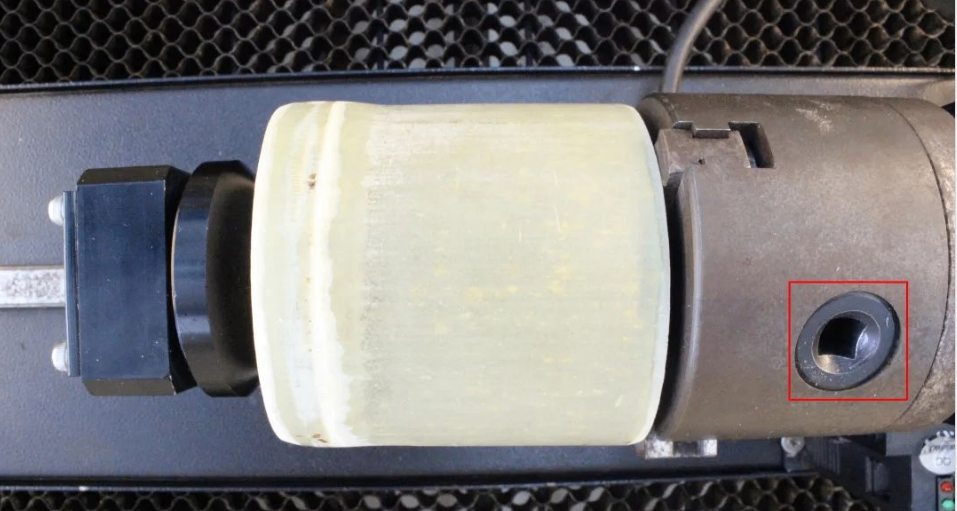
1.Twist the selected hole in the frame and clamp the bamboo tube onto the rotating shaft, as shown in the following figure

image.png

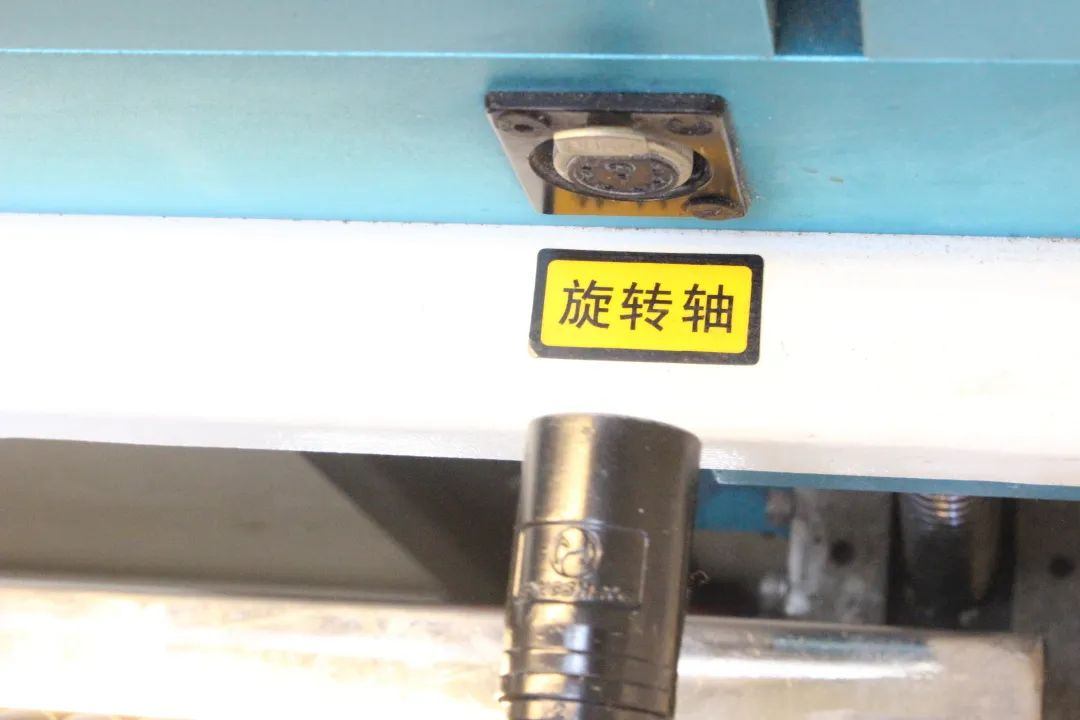
2.Connect the power cord of the rotating shaft to the right side of the deviceYIn the groove of the axis track, as shown in the following figure:

eb4a08ee0ea0fde8fe2b6e3472fc6ffb.jpg


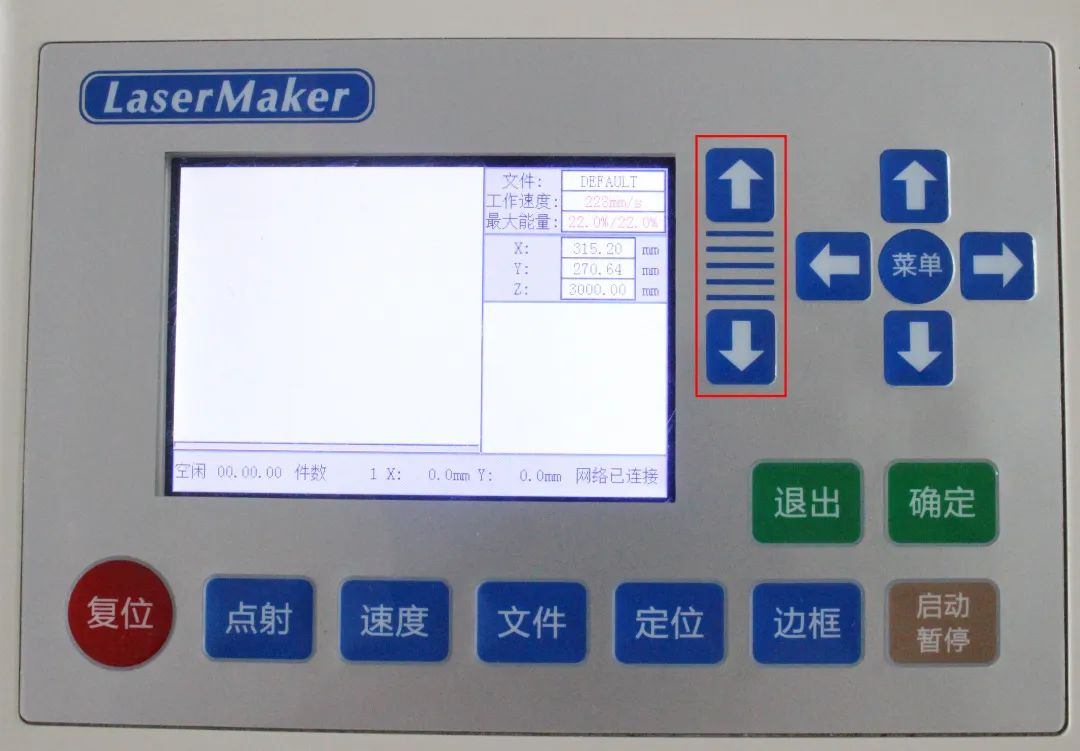
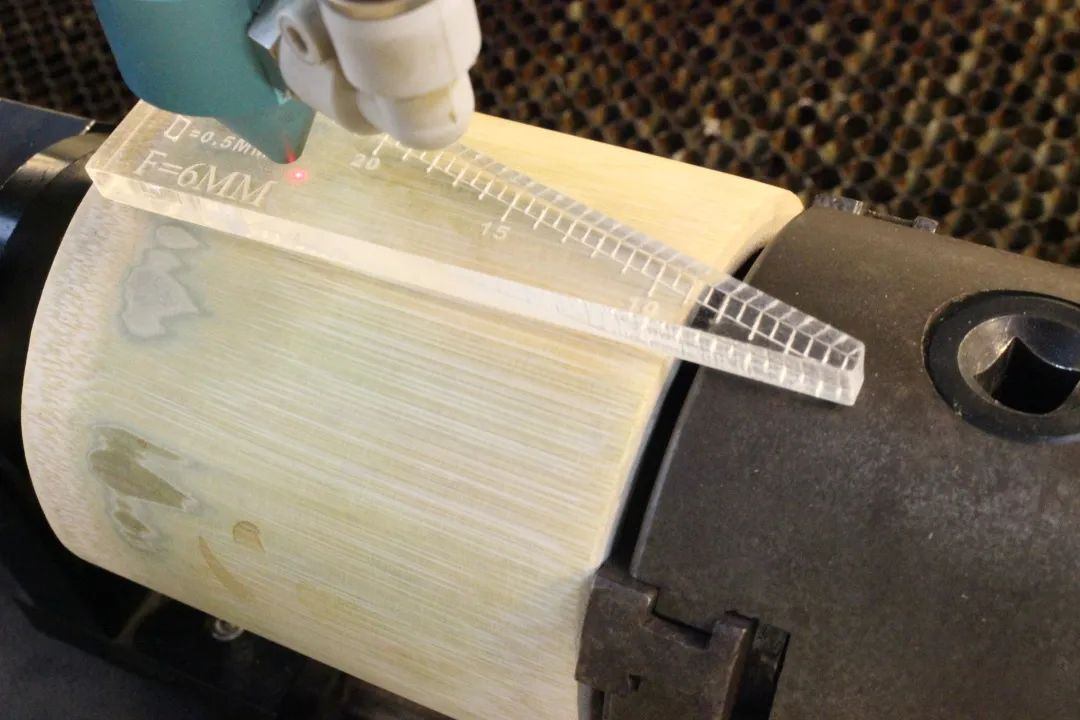
3.Click on the control panelZThe directional keys of the axis control the descent of the processing platform. Move the laser head above the bamboo tube and use a focusing ruler to focus, as shown in the following figure:

946cb9fc57b52ef428ff78d433f0de22.jpg

1b681f9acac333cafc6324508e6e3a78.jpg

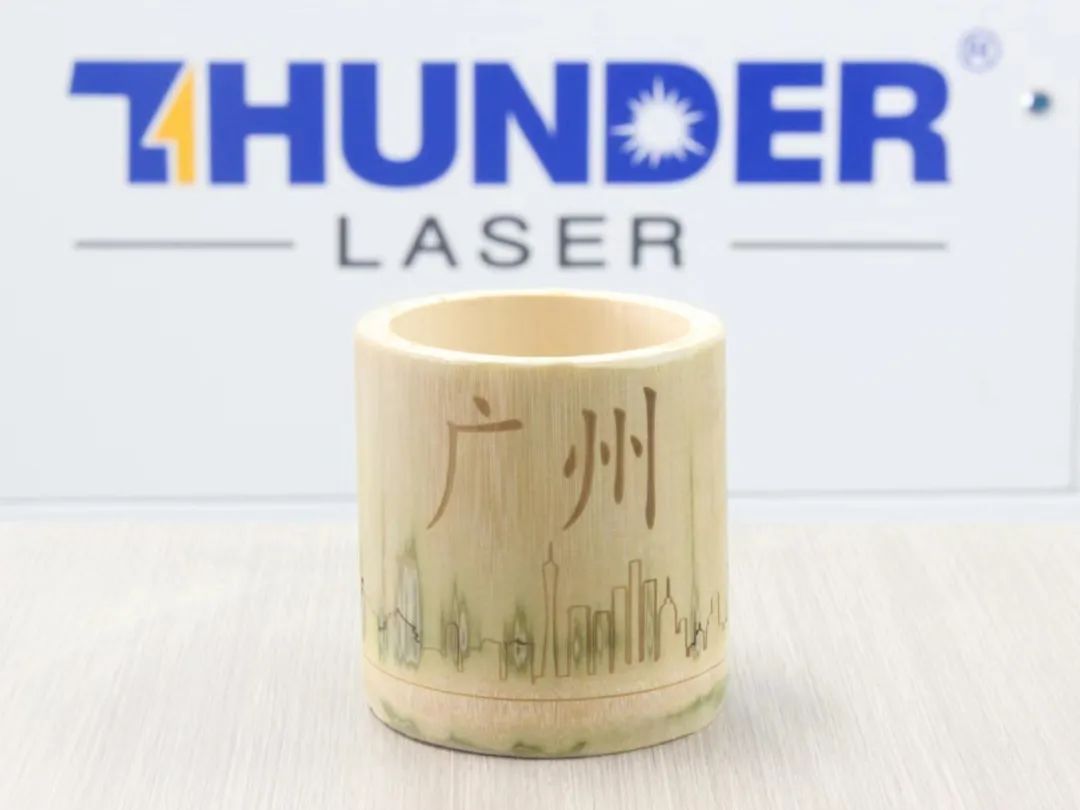
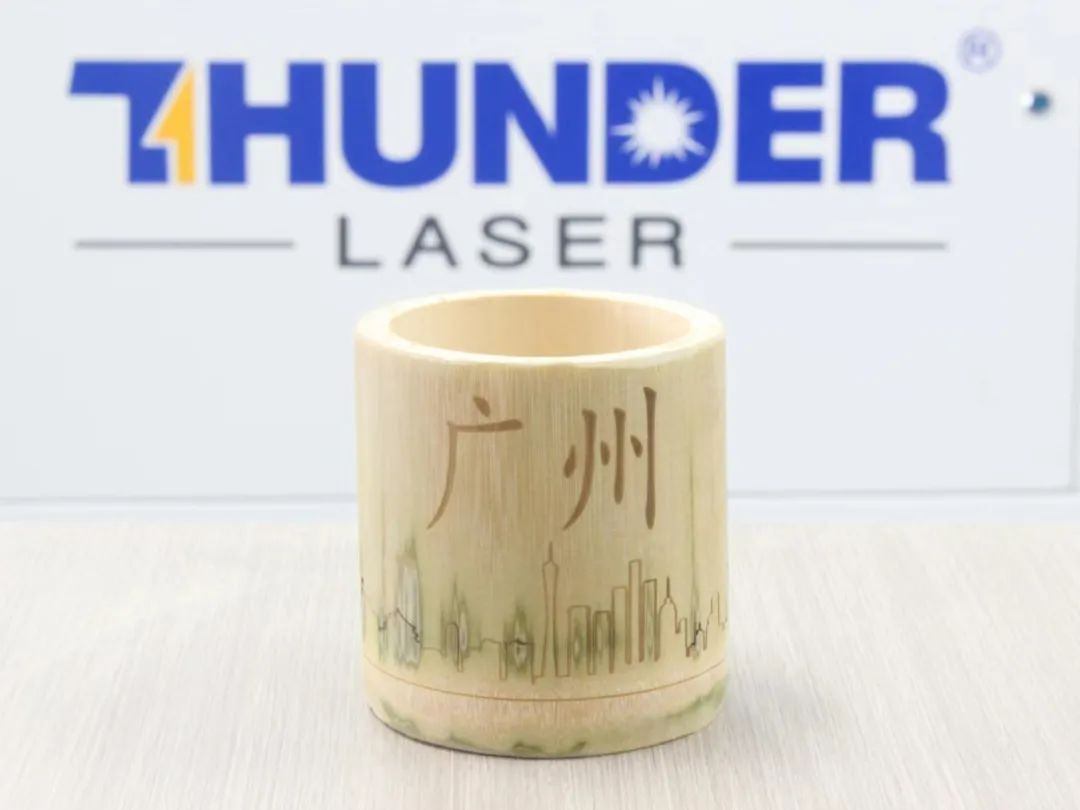
Finished Product Display

1a36bb663d84613e70549253f9a433e6.jpg

Summary:

Looking back at the process of creating this example, we have learnedLaserMakerThe usage method of the software's contour extraction drawing tool and the use of the rotation axis have been learned. Drawing and modeling are not difficult, so everyone must try and practice more!

comment (0)
Support drag and drop upload · most 10 Zhang · single sheet ≤ 3MB
Drag the image here or click "Select Image" to upload (supports multiple images)
Laser Creation Beginner Course | Case 4: Internet celebrity bamboo tube
drawing ID: SUCAI-10 2024-4-2 16:58
0
0
0
6
0Contribution points
Purchase points
collection
like
Grade discount
Basic Information
Update time 2024-4-2 16:58
advertisement