English
 简体中文
简体中文
 繁體中文
繁體中文
 Français
 Español
 عربي ،
 русский язык
 Português
 Deutsch

drawing
【 Reference Example 】 Multi functional key storage wall mounted design project
Drawing Information
Drawing video
Drawing Description
Design concept:
This work is based on The warmth and order of home As the core design concept, it is created using laser cutting technology, perfectly integrating functionality and aesthetics.
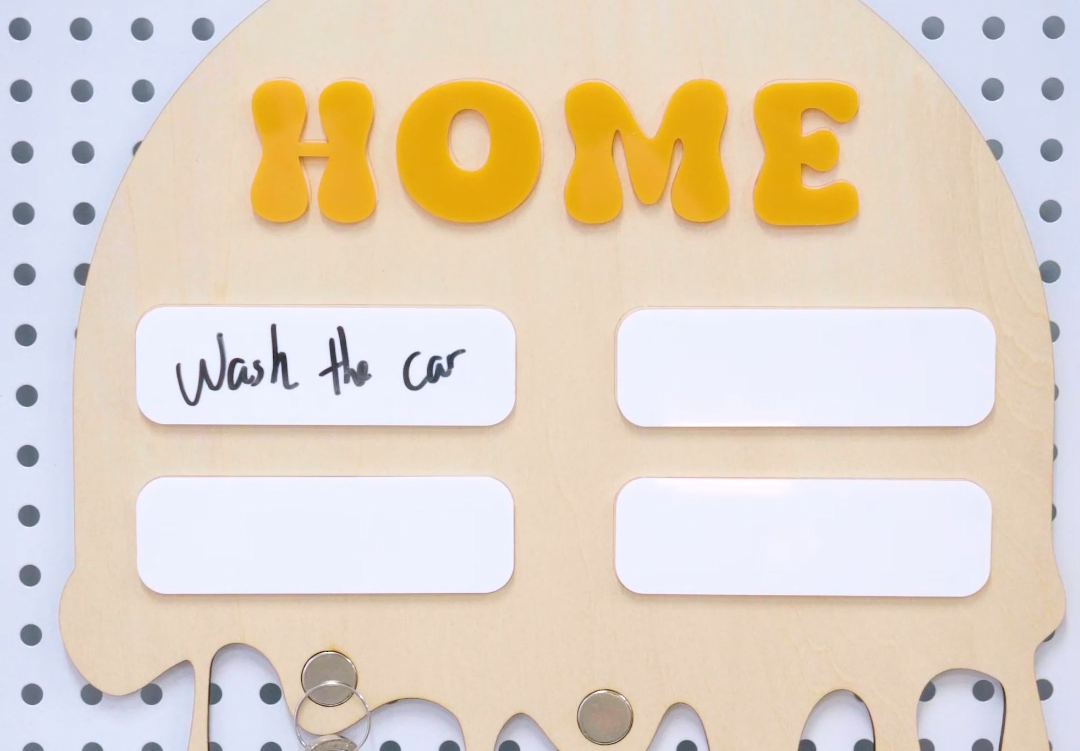
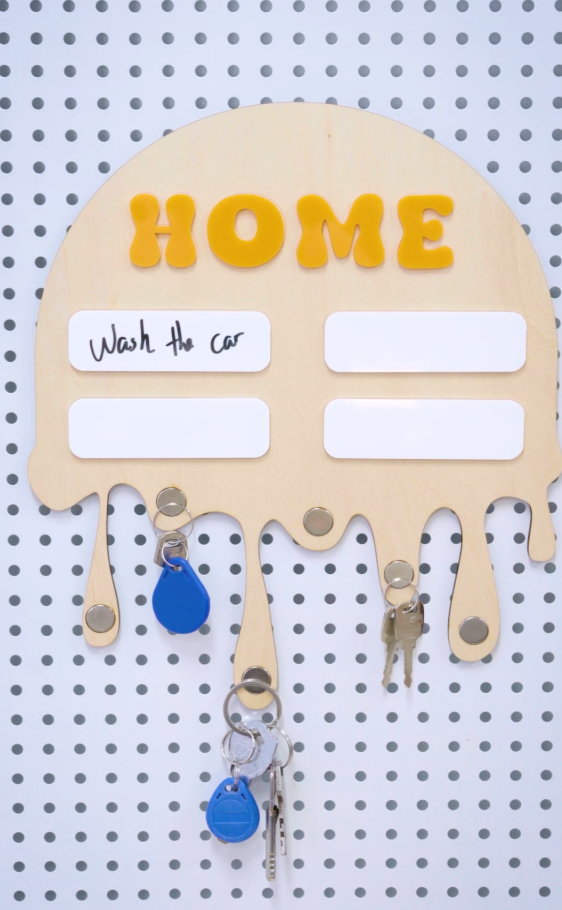
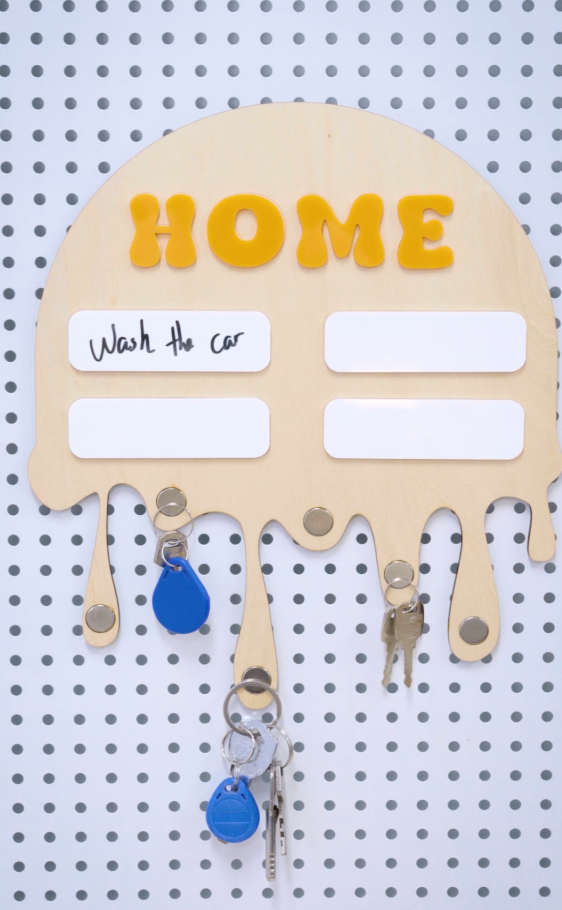
The overall design is based on a rounded semicircle, paired with a dynamic drip shaped hanging arm, which not only weakens the stiffness of the wood, but also gives the work a flowing artistic atmosphere; Top eye-catching “HOME” Stereoscopic letters directly indicate home attributes and convey a sense of healing when returning home.
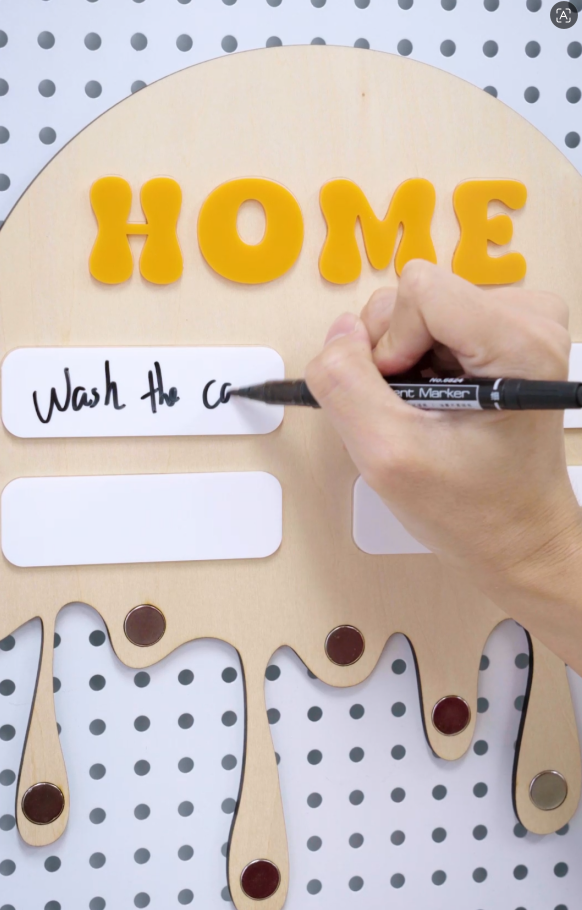
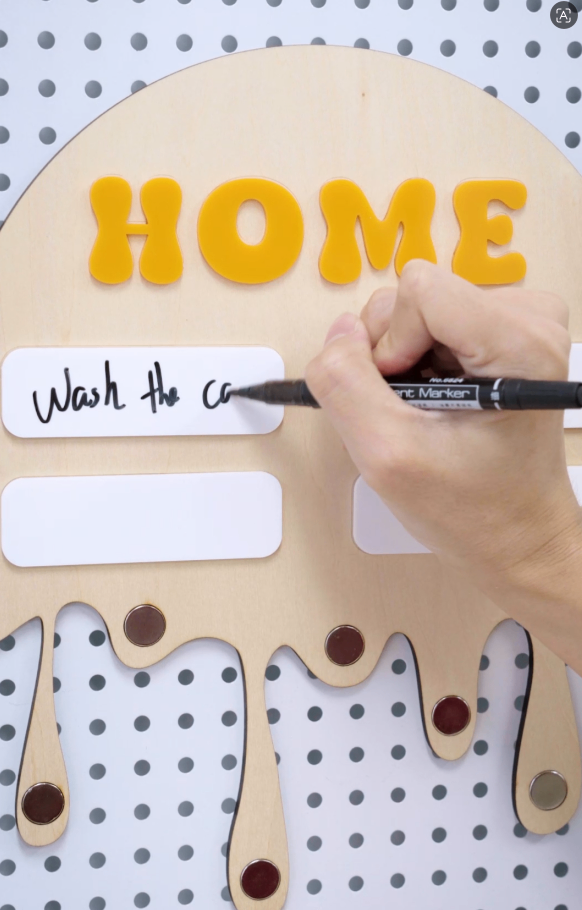
The board is reserved with a erasable message area, which can record to-do items and warm reminders. It is equipped with multiple sets of metal hooks to achieve orderly storage of small items such as keys and access cards, solving the pain point of cluttered household items.
Source of inspiration
Modern people are often annoyed by messy keys and scattered cards, and the design hopes to use a The 'healing system' Form to alleviate this anxiety. The shape of water droplets symbolizes Not a drop of water leaks The sense of order implies managing life in an orderly manner. This work is an innovative practice of laser processing technology in the field of cultural and creative home furnishings The form of flow Create wall storage works that combine practicality and aesthetics for design inspiration.
Special note: When uploading your work, please make sure to choose the correct work category. The selected work category for this competition is' Home Furnishings Theme Competition '.
drawing documents
Key Wall Hanging
Basic Parameters
process parameters
| Processing Technology | processed material | pattern | power(%) | speed(mm/s) | processing times |
|---|---|---|---|---|---|
| Draw lines | 3mmBasswood board | Horizontal unidirectional | 15 | 100 | 1 |
| cutting | 3mmBasswood board | Horizontal unidirectional | 75 | 15 | 1 |
| cutting | 3mmacrylic | Horizontal unidirectional | 80 | 7 | 1 |
Bill of Materials
3mmLimestone board3mmAcrylic (yellow, white), magnet
Processing equipment:Thunder Bolt Pro,30W
design process
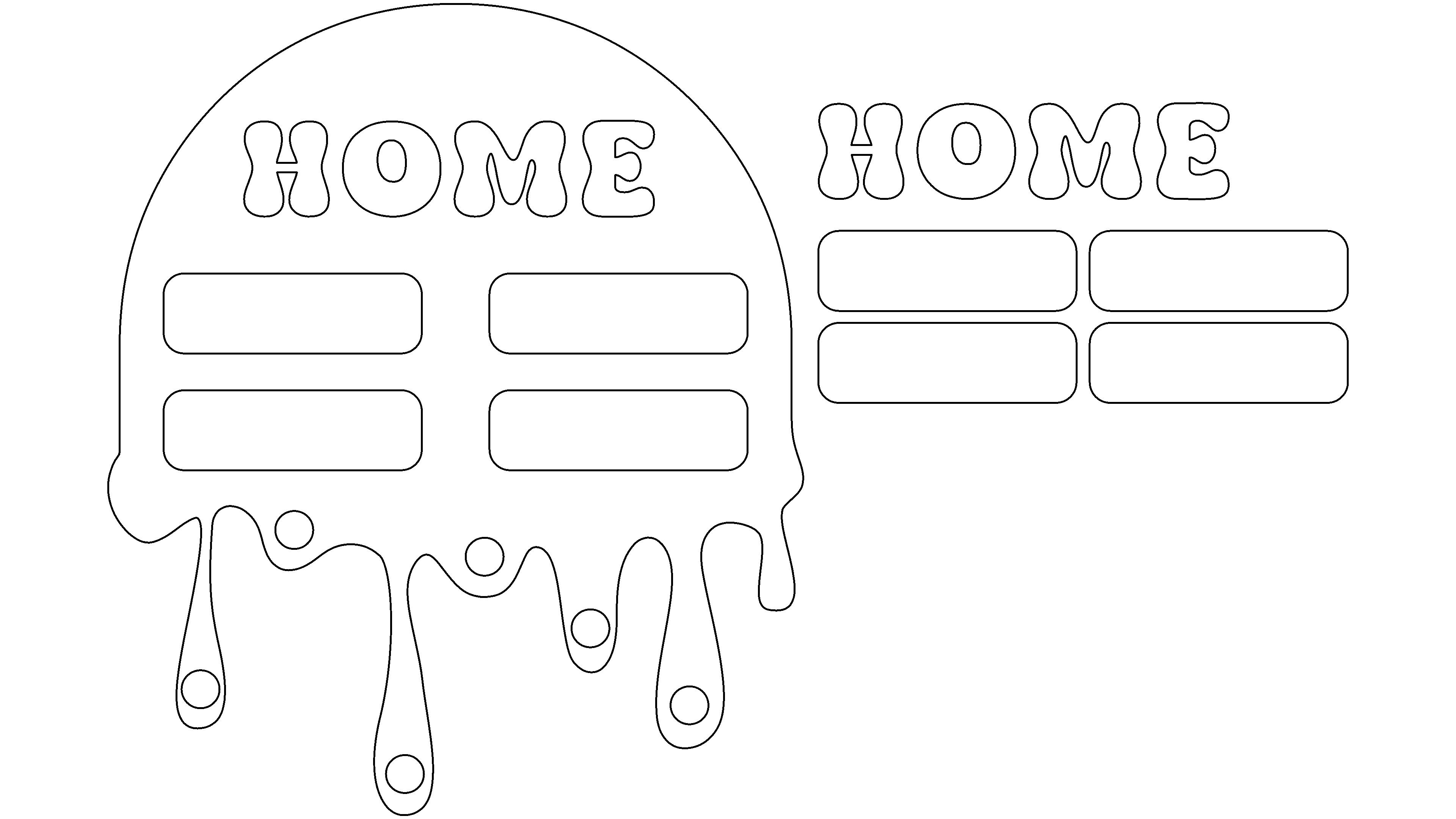
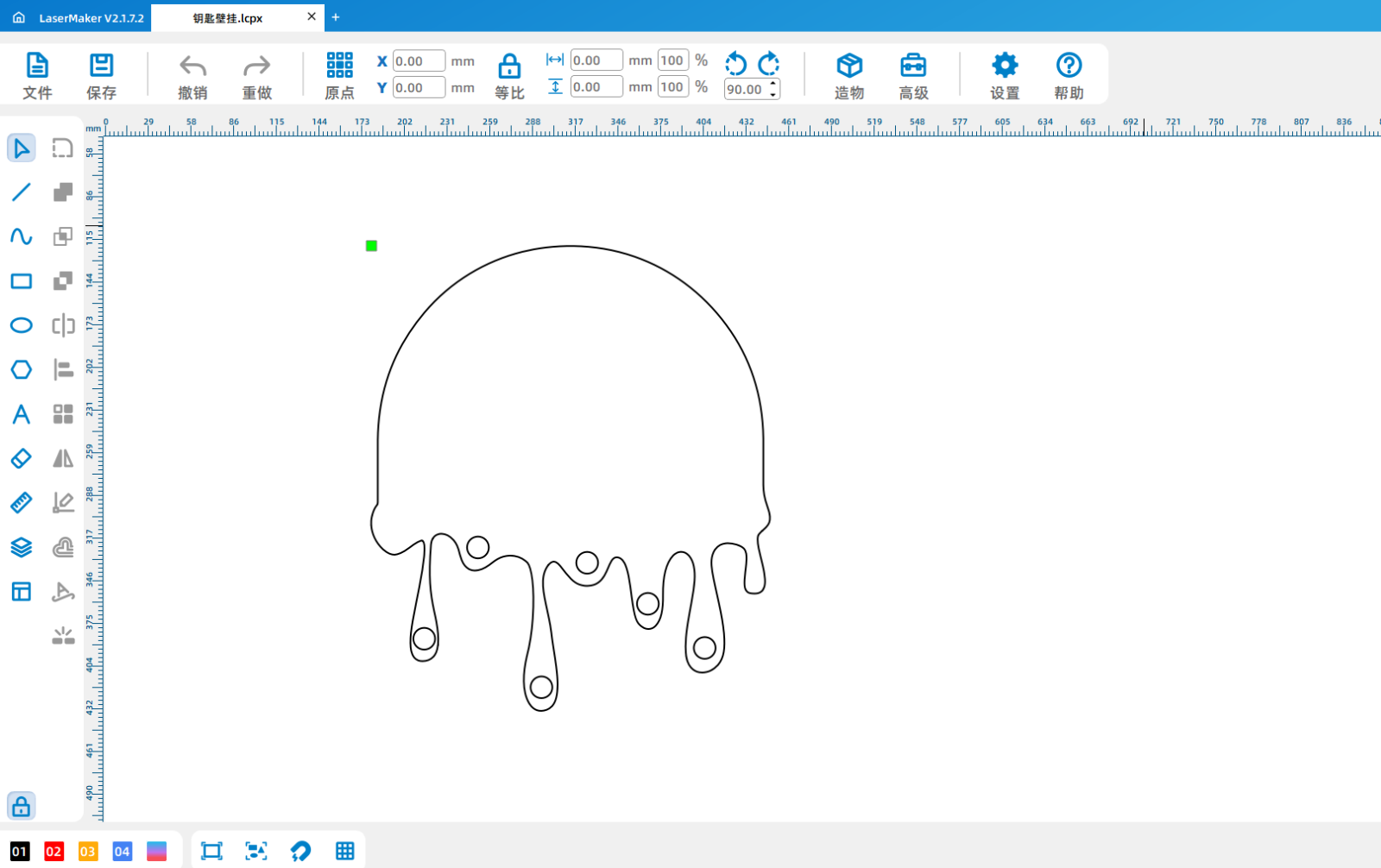
1Use drawing tools to draw the overall appearance shape, use circular tools to draw multiple circles of the same size, and set them as cutting layers.
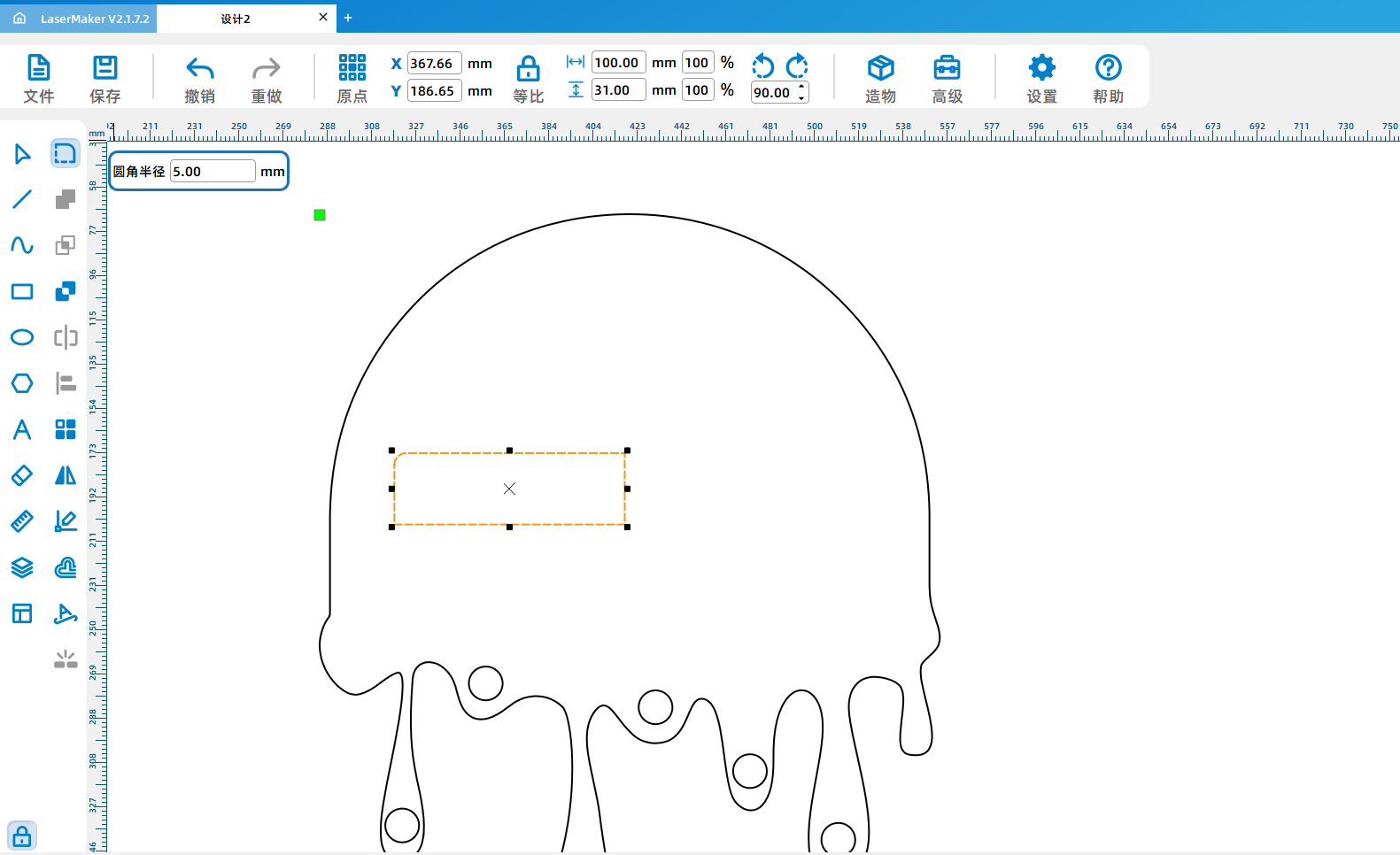
2、 Use the rectangle tool to draw a rectangle, use the fillet tool to make the corners of the rectangle smooth, and set it as the line drawing layer.
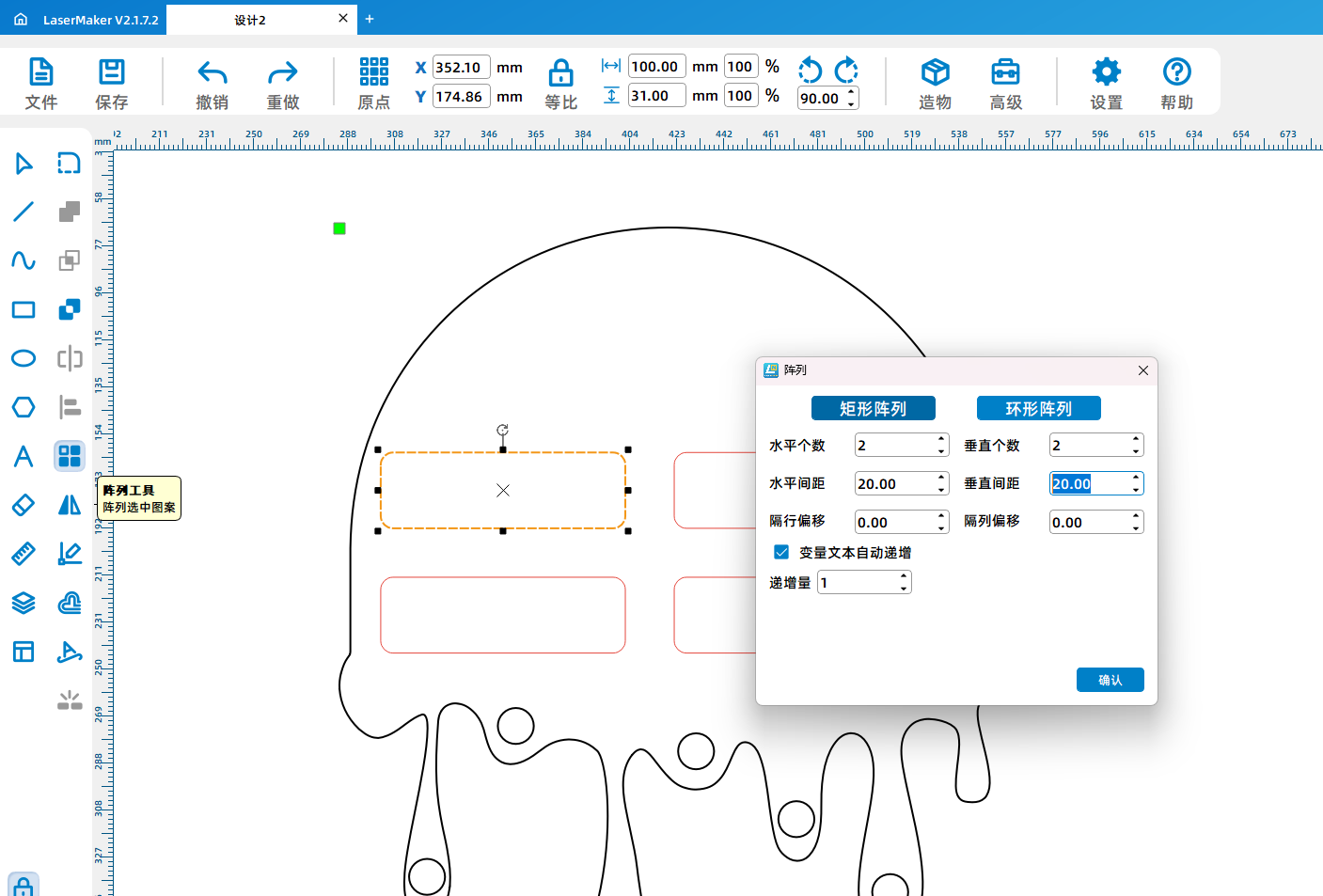
3、 Use array tools to generate multiple identical shapes
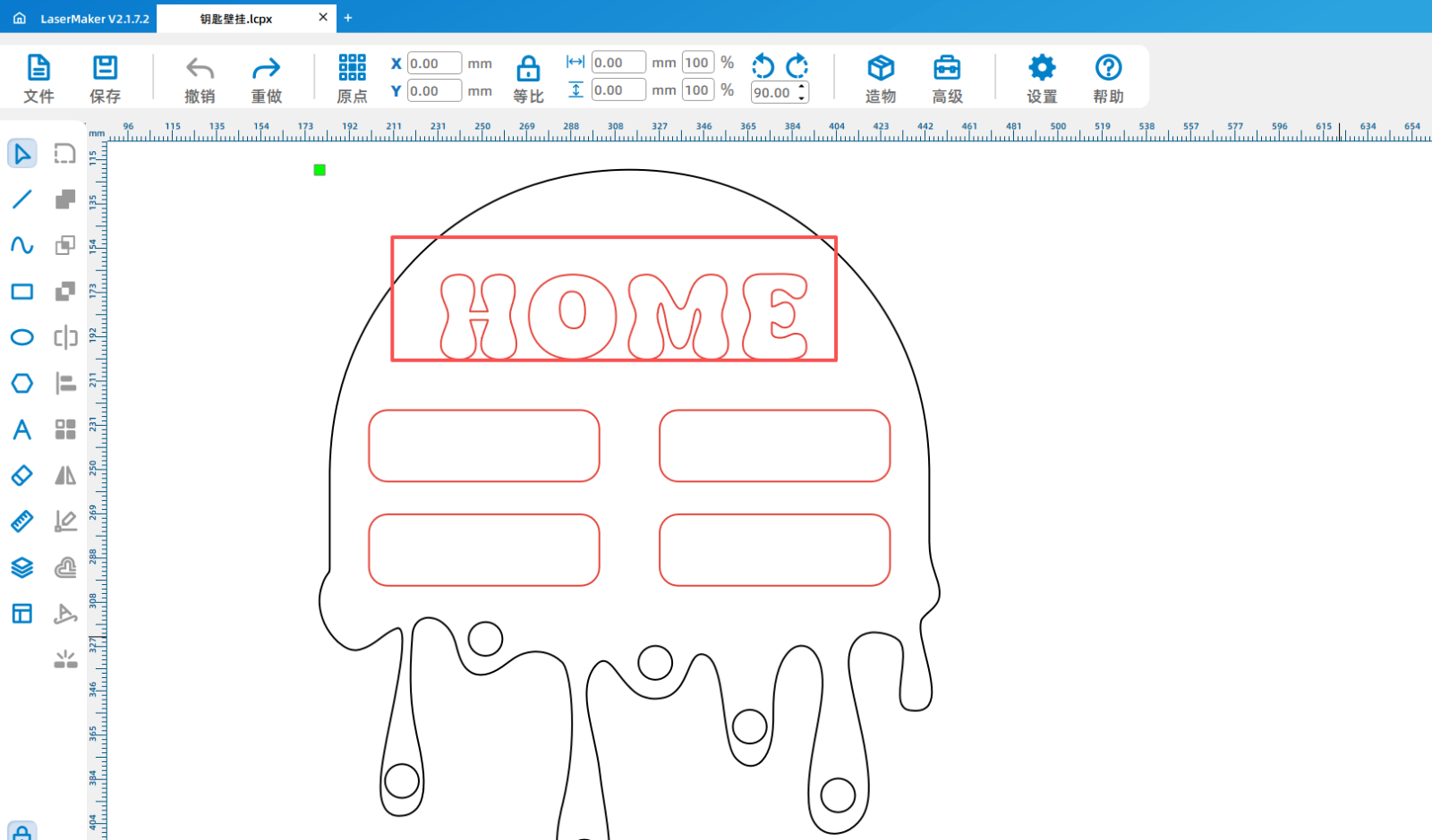
4、 Text can be added freely/Patterns and other materials are also set as line drawing techniques
5、 Copy another pattern and add it separately2A new layer, set as cutting process
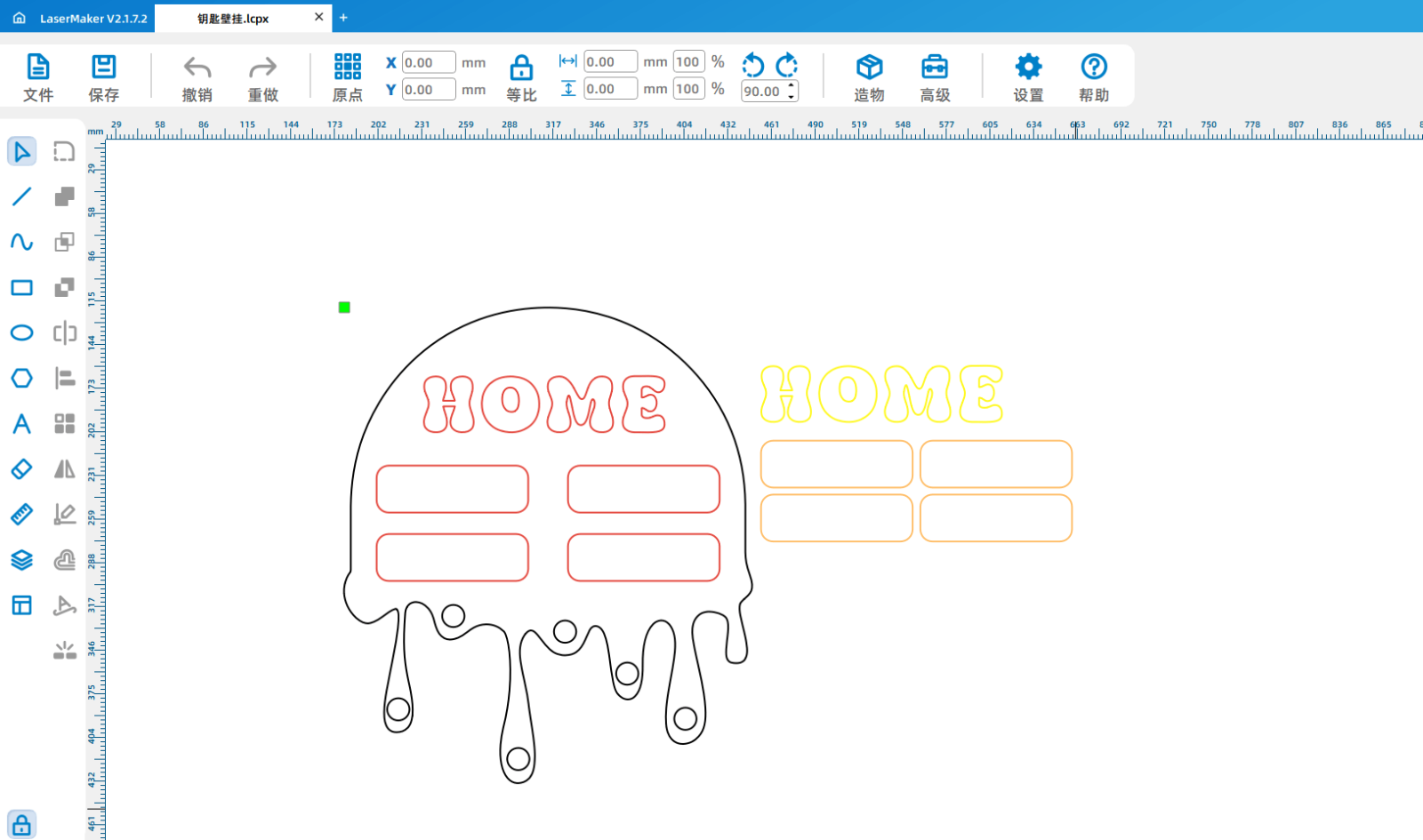
6、 Set processing parameters
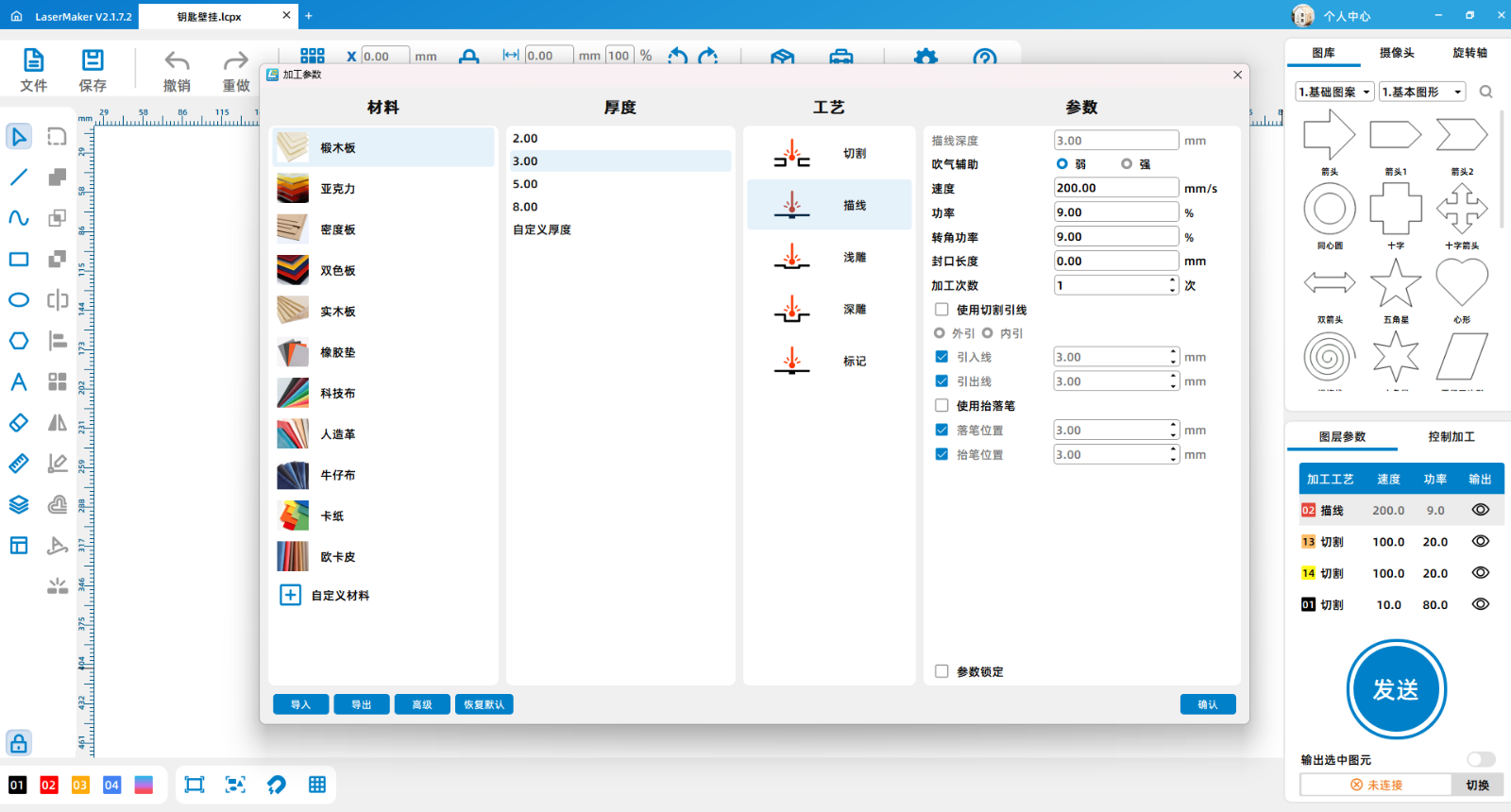
(1)Double click the red tracing layer with the left mouse button and select the oak board,3mmDraw lines and set processing parameters: speed is200The power is9Weakly blowing.
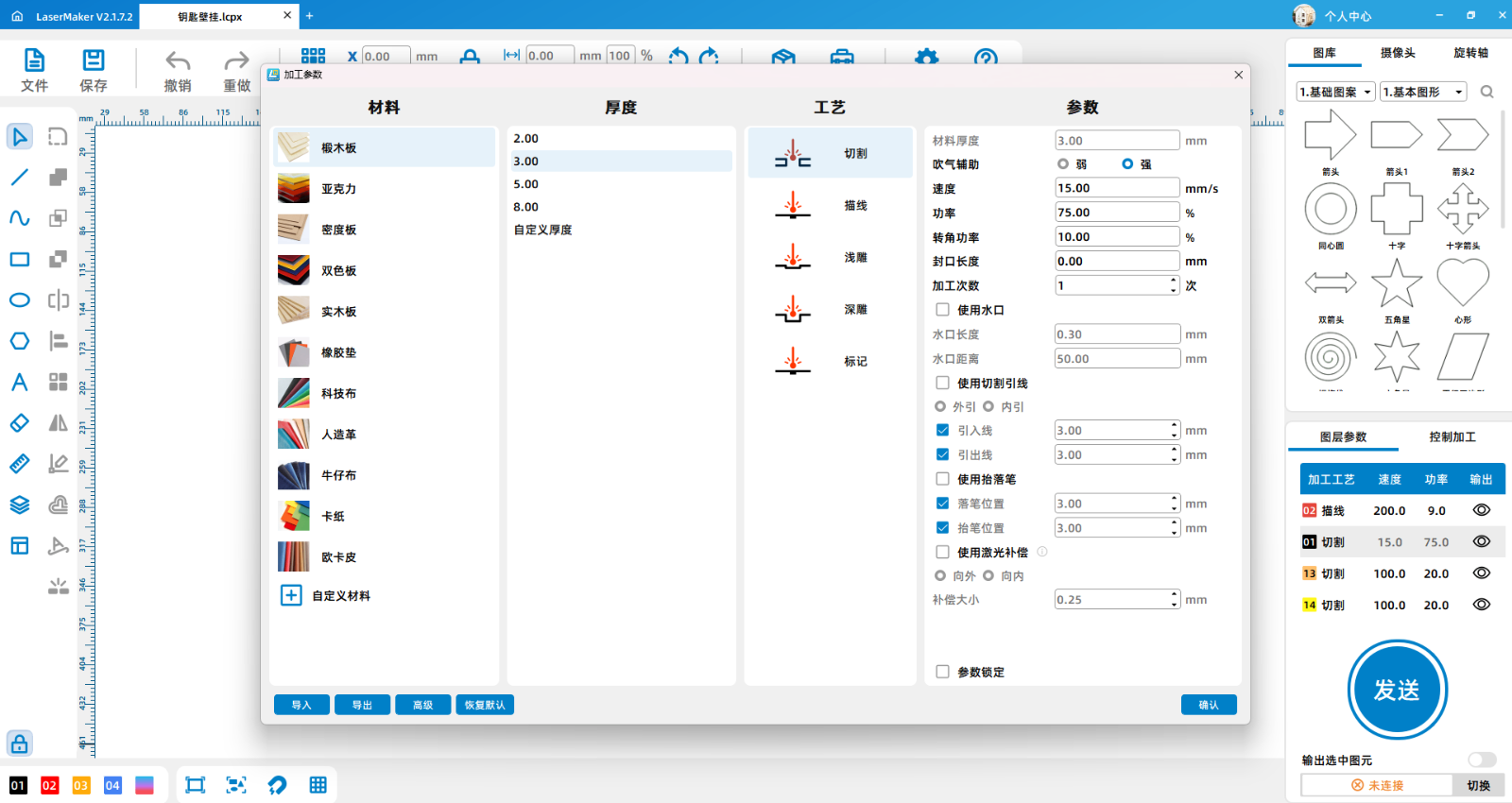
(2)Double click the black layer with the left mouse button and select the oak board,3mmCutting, setting processing parameters: speed is15The power is75Strong blowing.
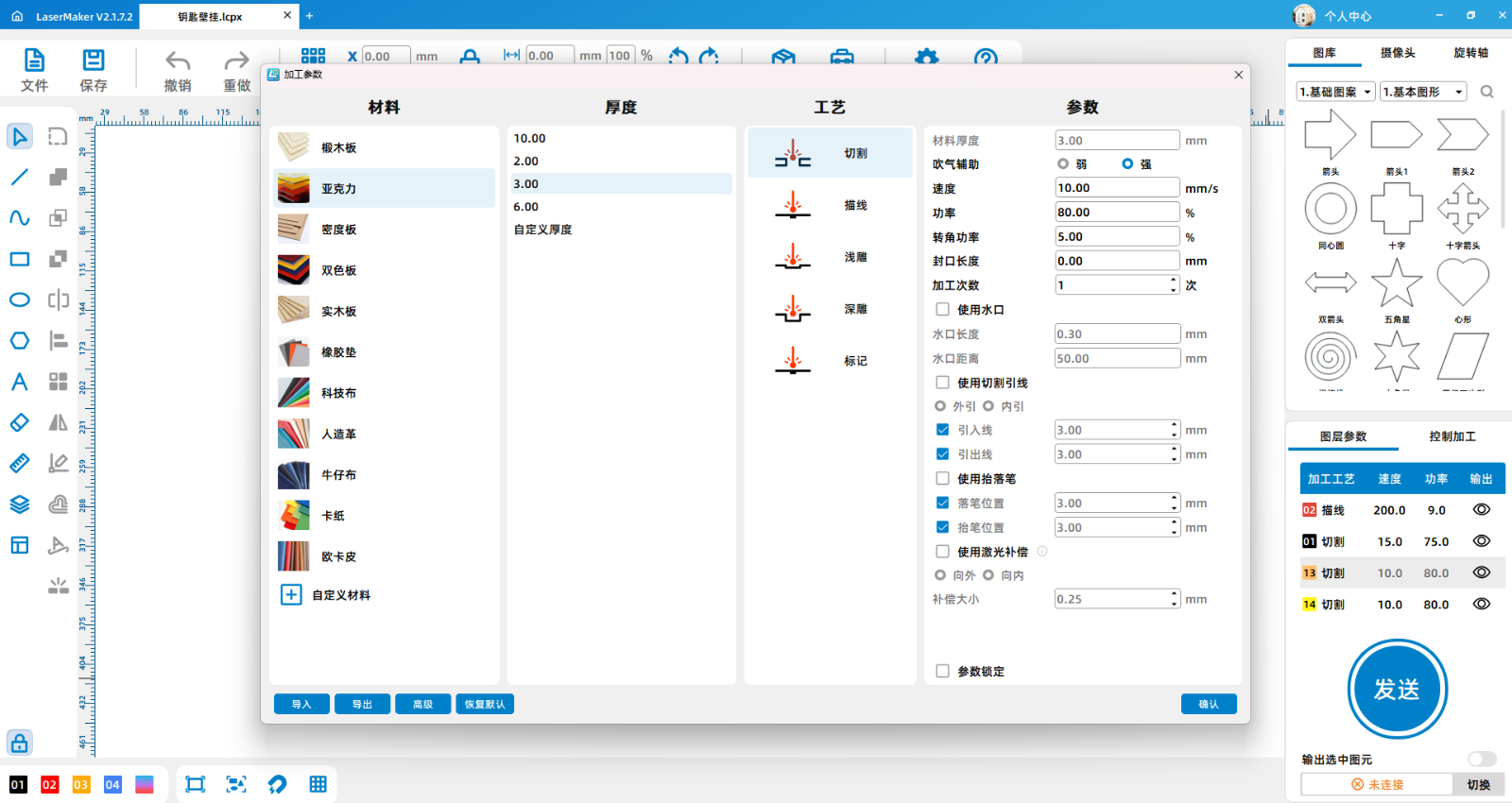
(3)Double click the yellow and orange layers with the left mouse button and select acrylic,3mmCutting, setting processing parameters: speed is10The power is80Strong blowing.
Laser processing
1After setting the processing parameters, the file can be sent to the equipment for processing. Before formal processing, a simulation preview of the processing file can be conducted first.
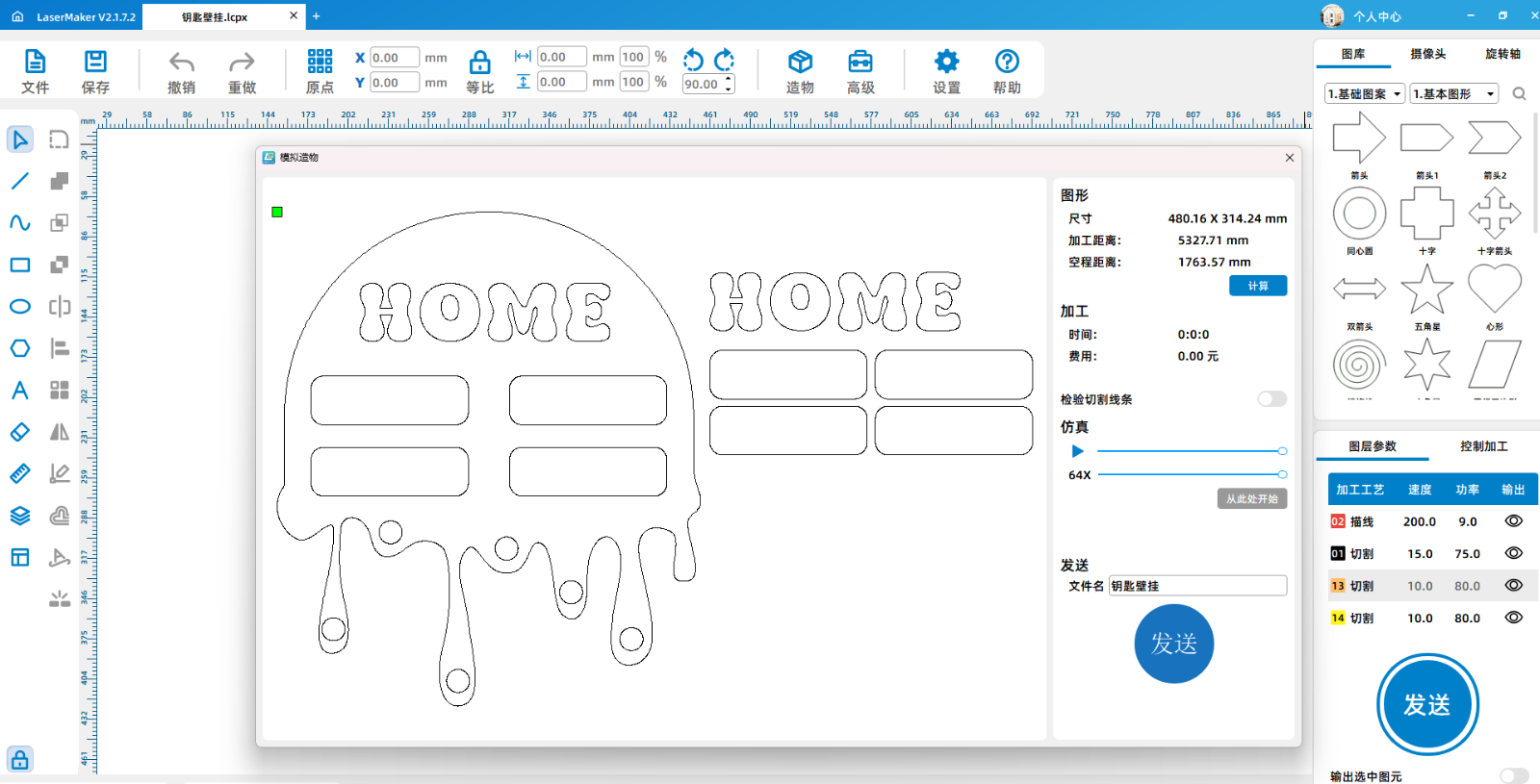
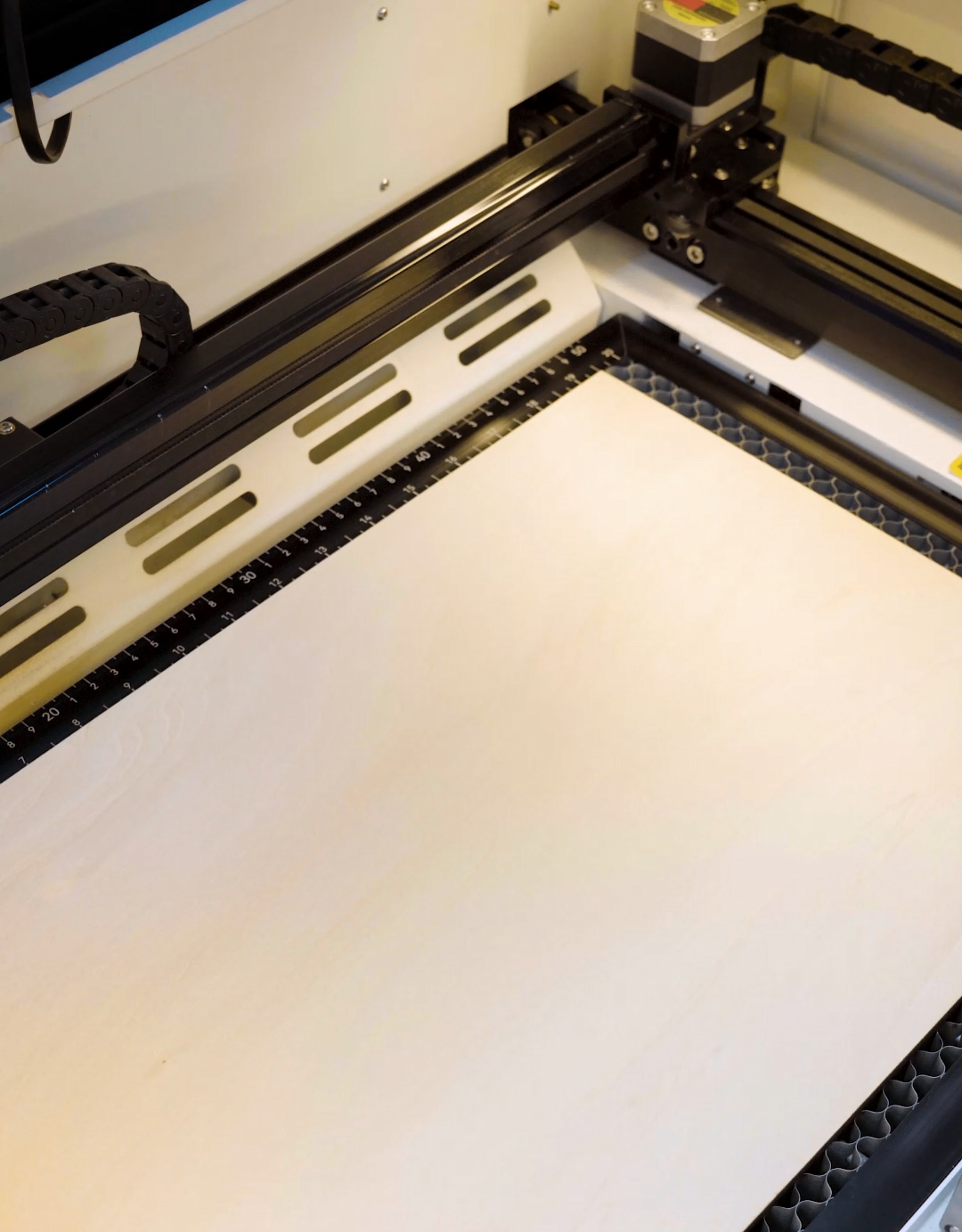
2、 Once you have confirmed that there are no issues with the drawings, you can click [Send] to proceed with the drawing processing. Place the processing material onto the honeycomb board. If the wood is uneven, it is recommended to use a magnet or positioning device to fix the wood.
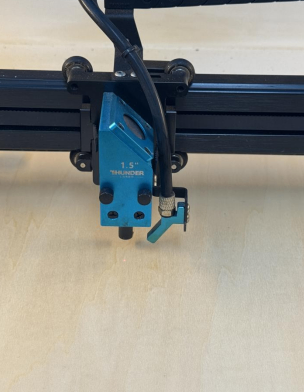
3、 Before processing, focus on the material and preview the border to see if the drawing is within the range of the processed material
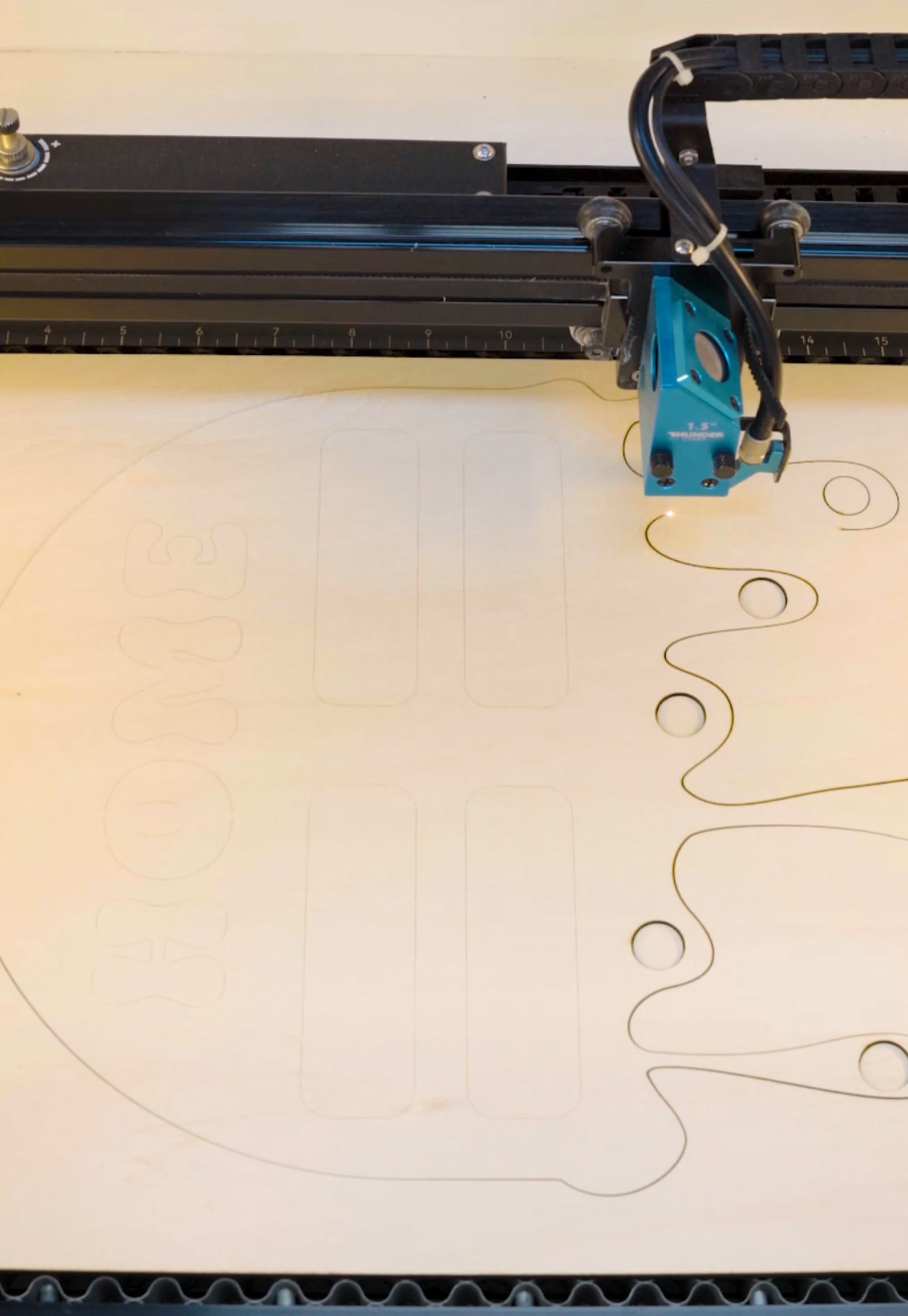
4、 Once the drawings are confirmed to be correct, processing can begin. During the processing, pay attention to observing any abnormal situations.
Finished product assembly
1Disassemble the processed components and assemble them in sequence
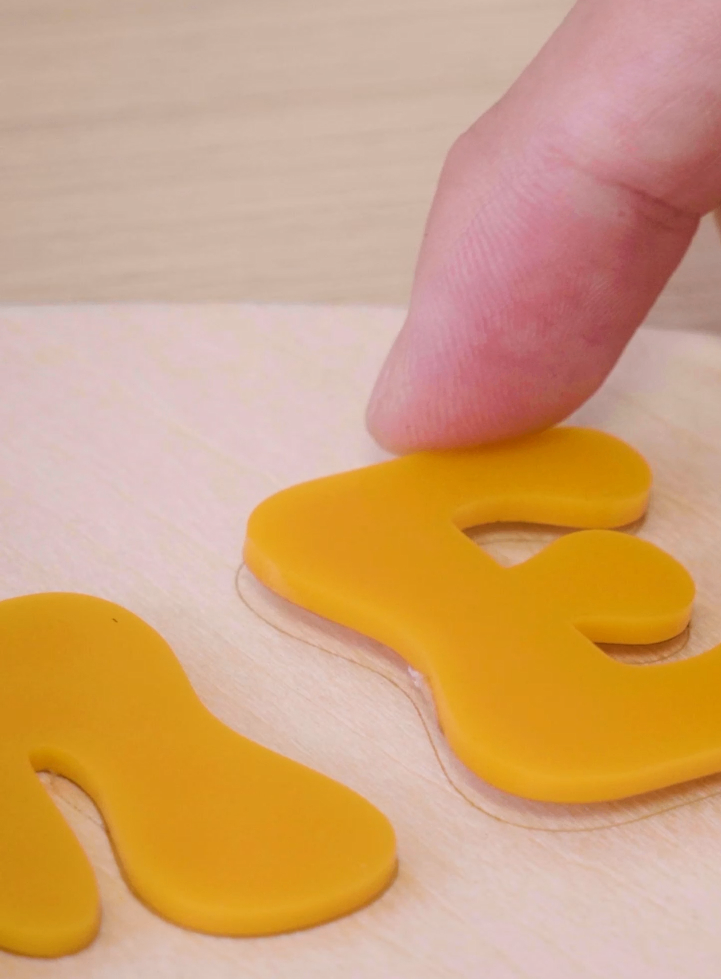
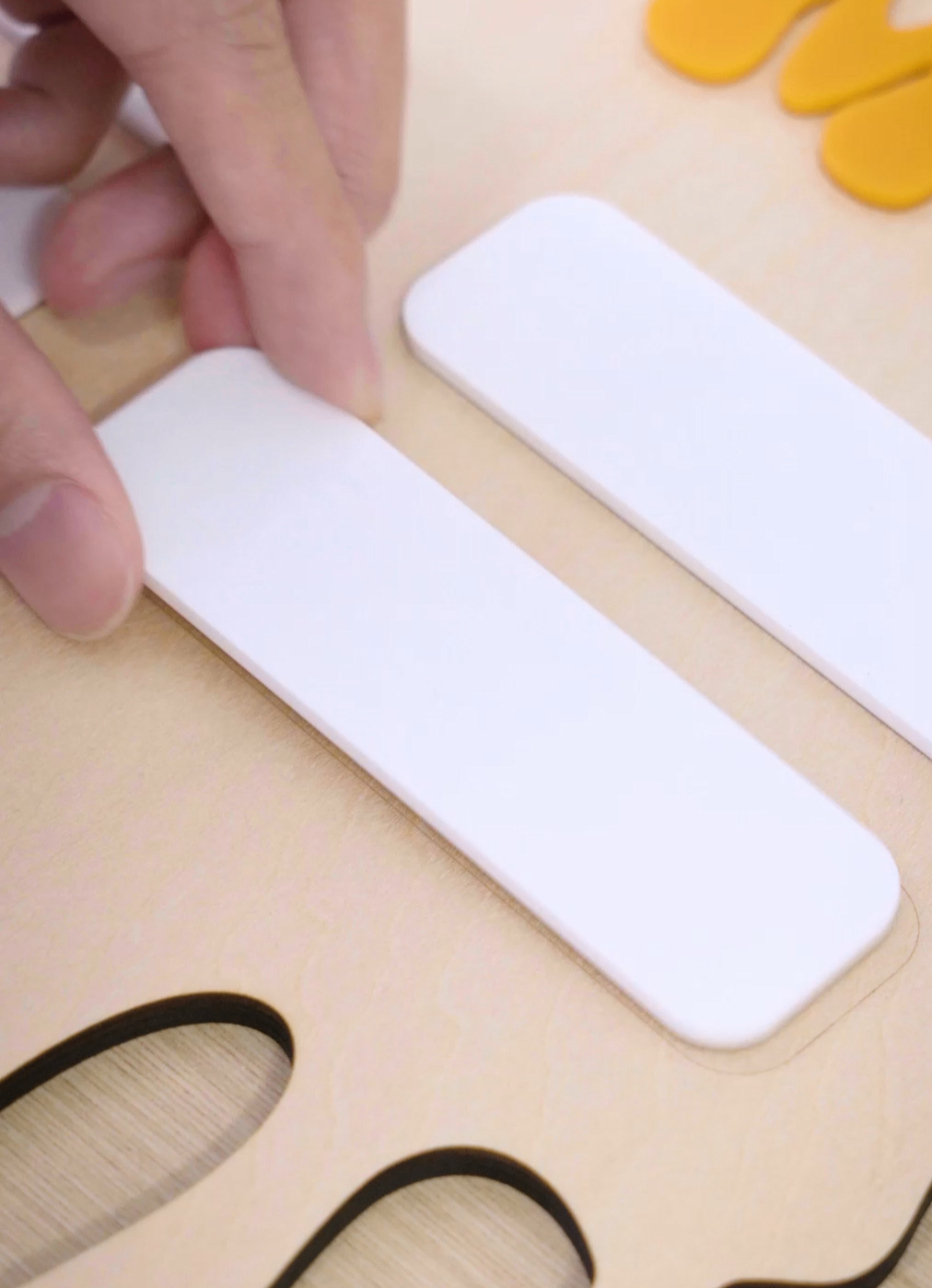
2、 Work completed
More references
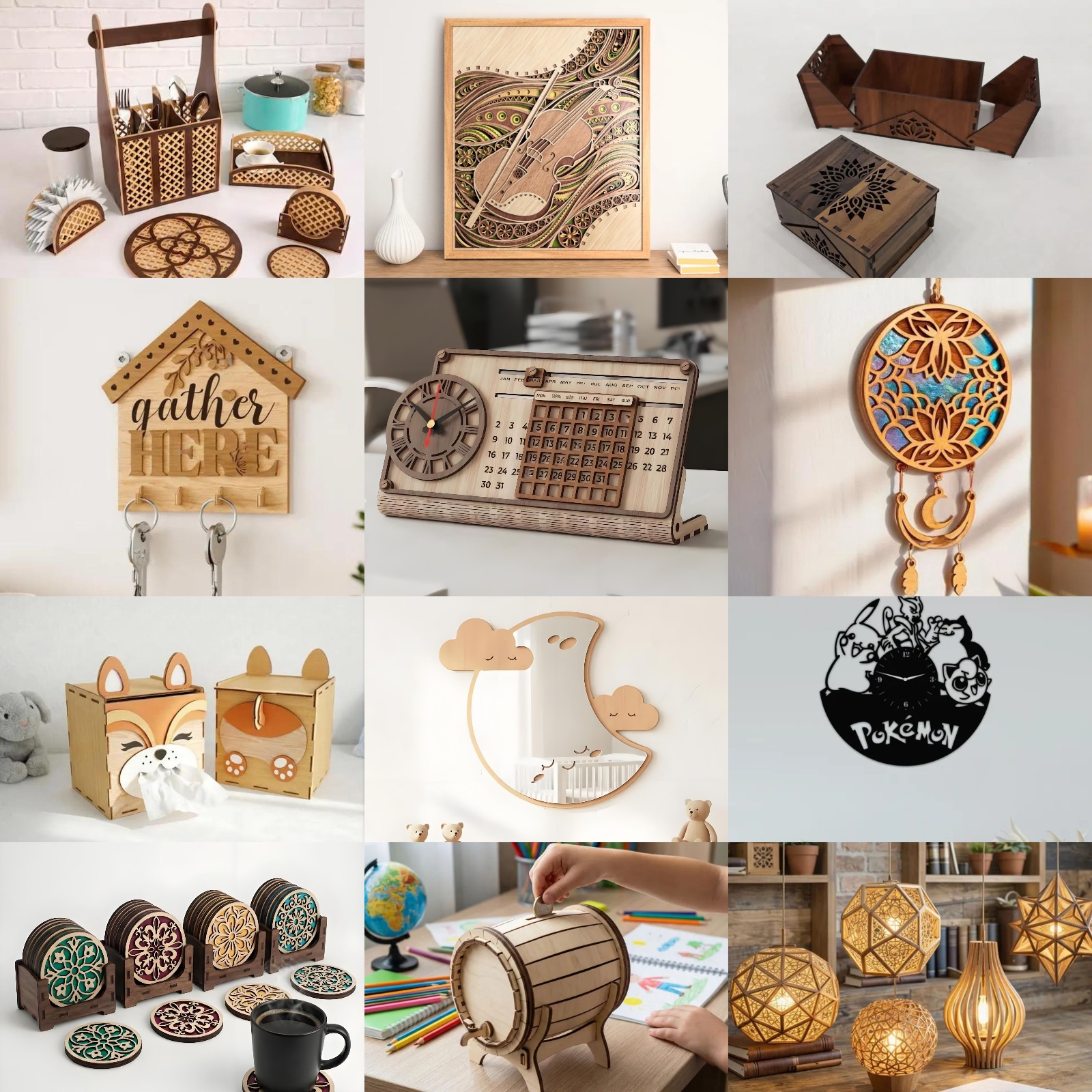
The following is a reference case of "Home Furnishings" themed laser creations. More creativity awaits you to unlock and explore infinite possibilities together!
Related Recommendations


comment (0)

-
classification
Home goods competition activity -
copyright
open source licenseCC-BY-NCProhibit commercial use; -
Business License
Further information