Laser Creation Beginner Course | Case 5: Leaf Carving design project

1
2

Drawing Description

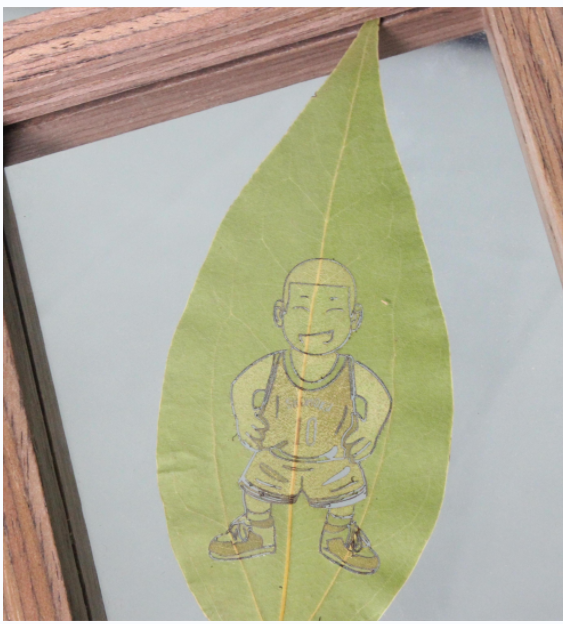
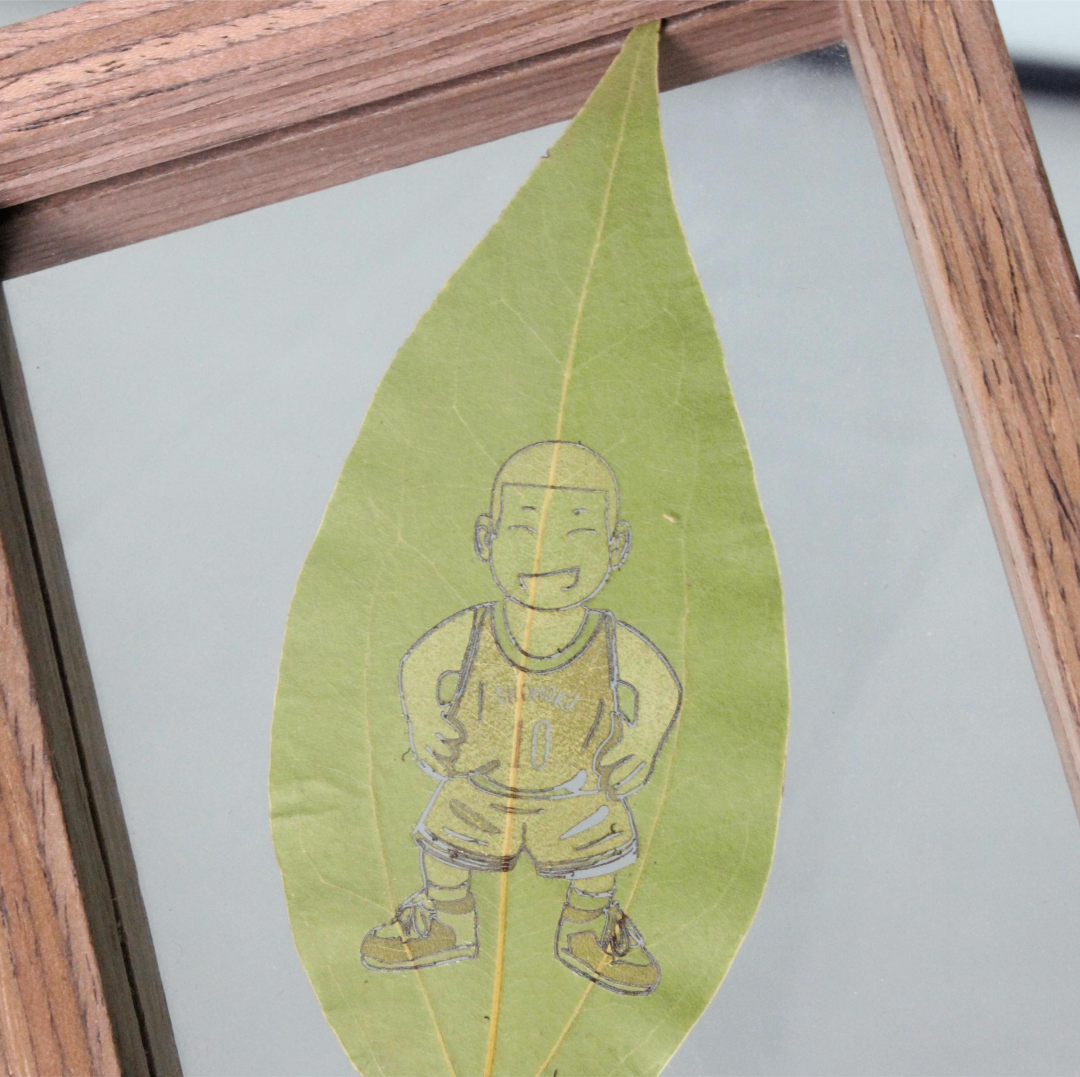
Leaf carving, as a unique art form, showcases the creativity and skills of artists, while also conveying reverence for nature and attention to detail. This miniature art form not only showcases the artist's skills, but also allows people to rediscover the ordinary natural object of leaves. One Leaf, One World "creates a story using leaves as a carrier, carving vivid paintings on pure and beautiful green leaves. This issue brings works of art Slum Dunk
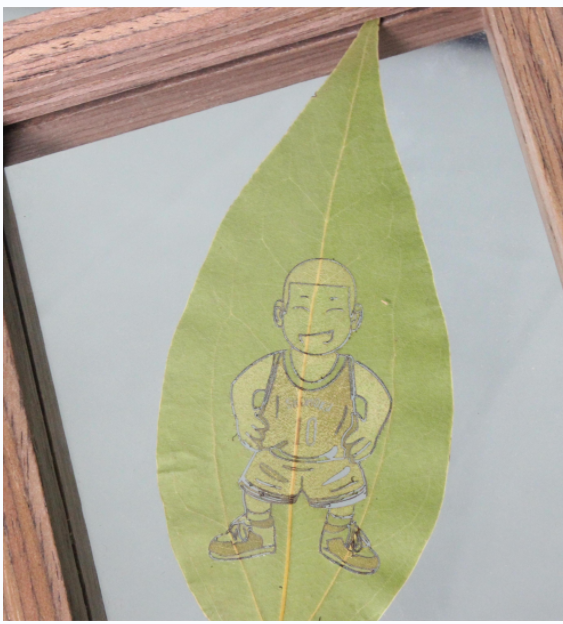
Slam Dunk Leaf Carving.png

drawing documents

Slam Dunk Leaf Carving
Drawing Cover - Slam Dunk Leaf Carving
Basic Parameters
0:3:46

Draw graphic elements

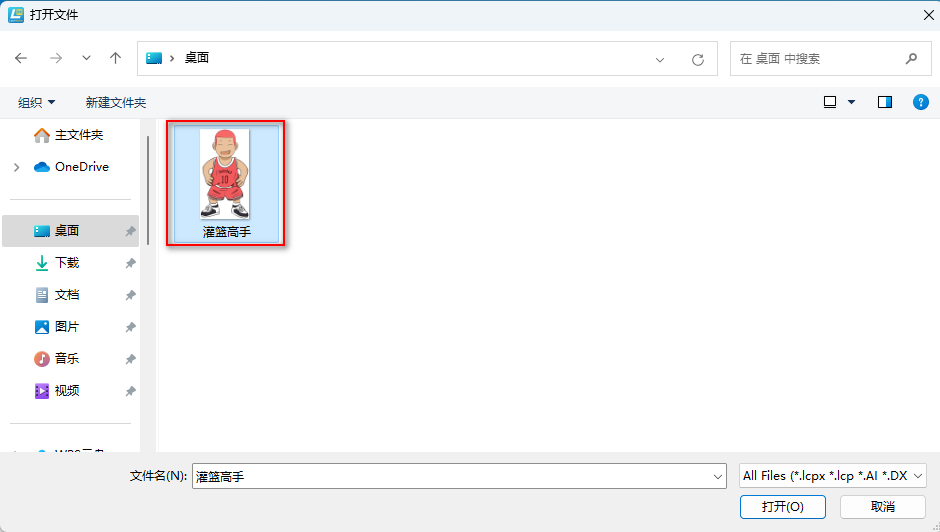
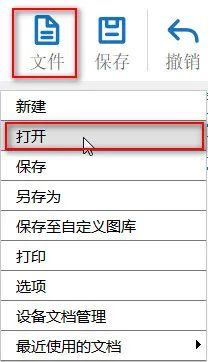
(1)  Click on 'File' in the upper 'Function Area', then click on 'Open', double-click to open the image that needs to be carved, as shown in the following figure:

9bfd3b7bd09ced7443e1b7f423459ef3.jpge8c79178c44d23f42950c215966b36c1.png

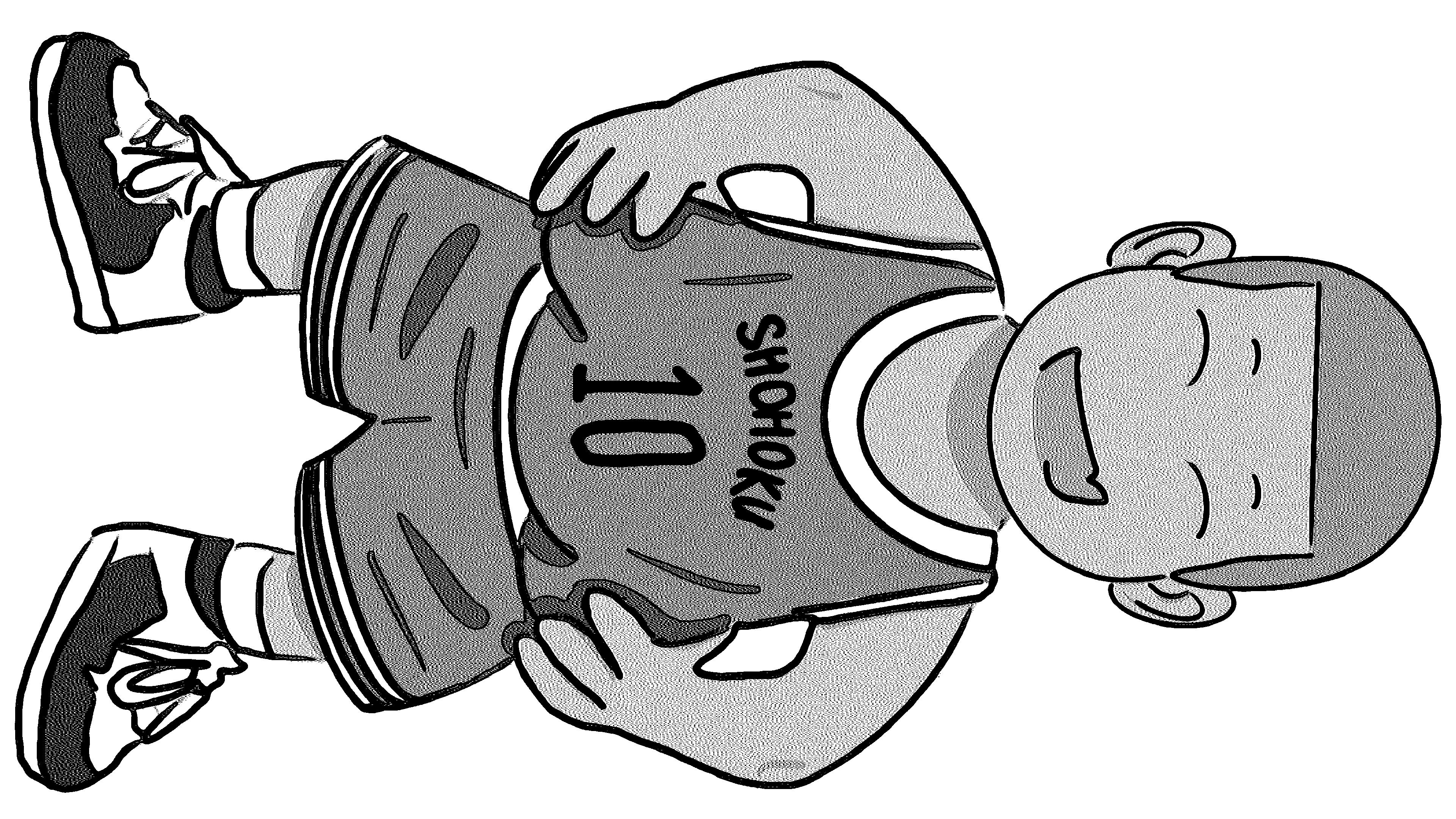
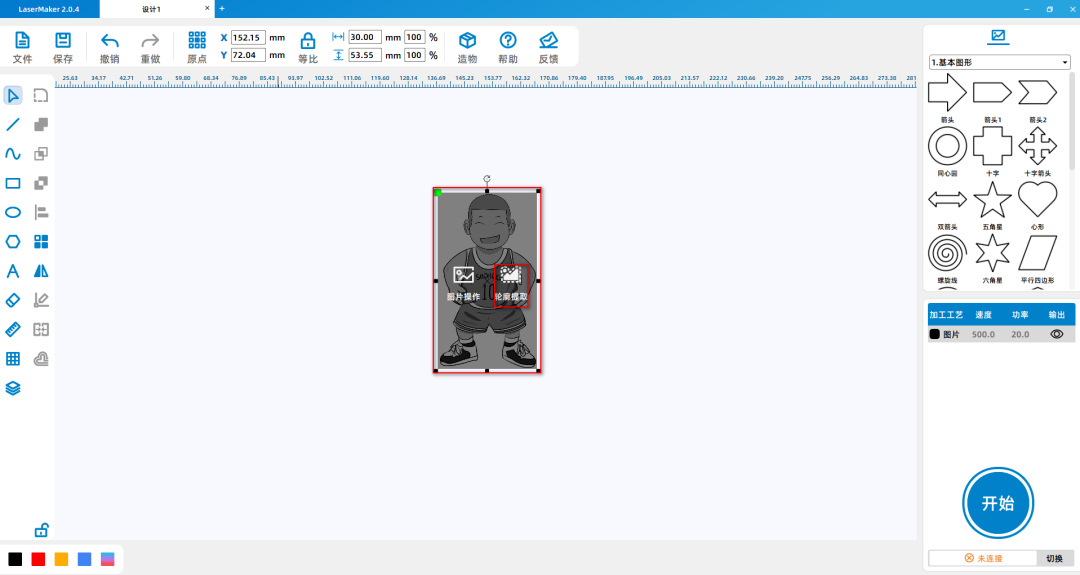
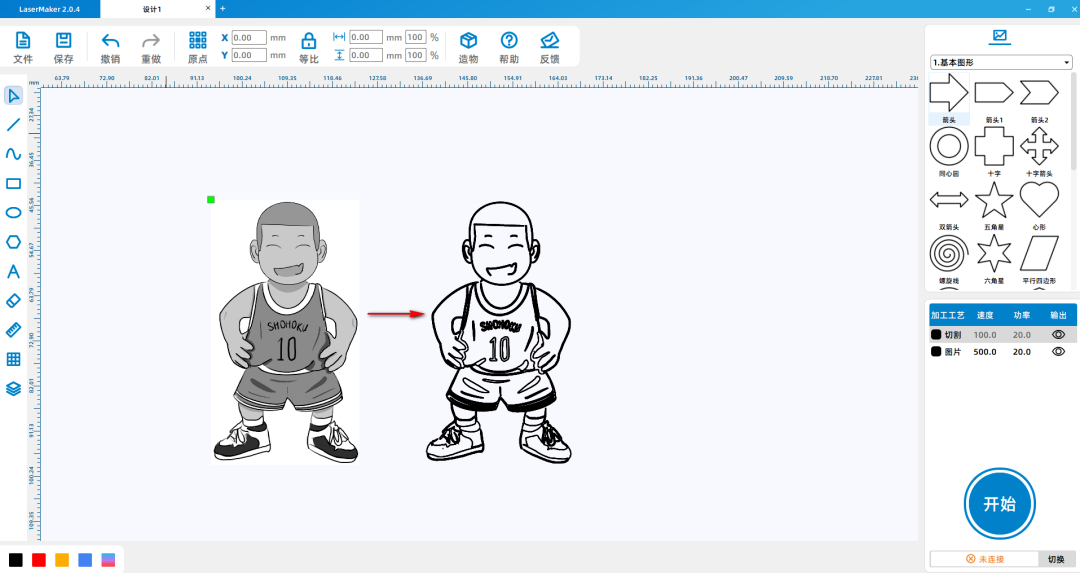
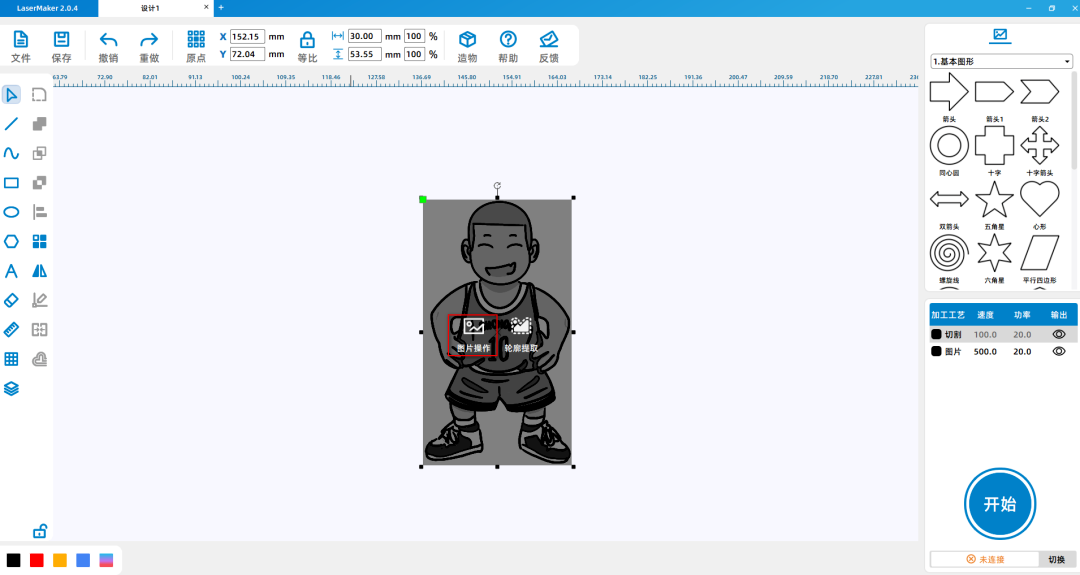
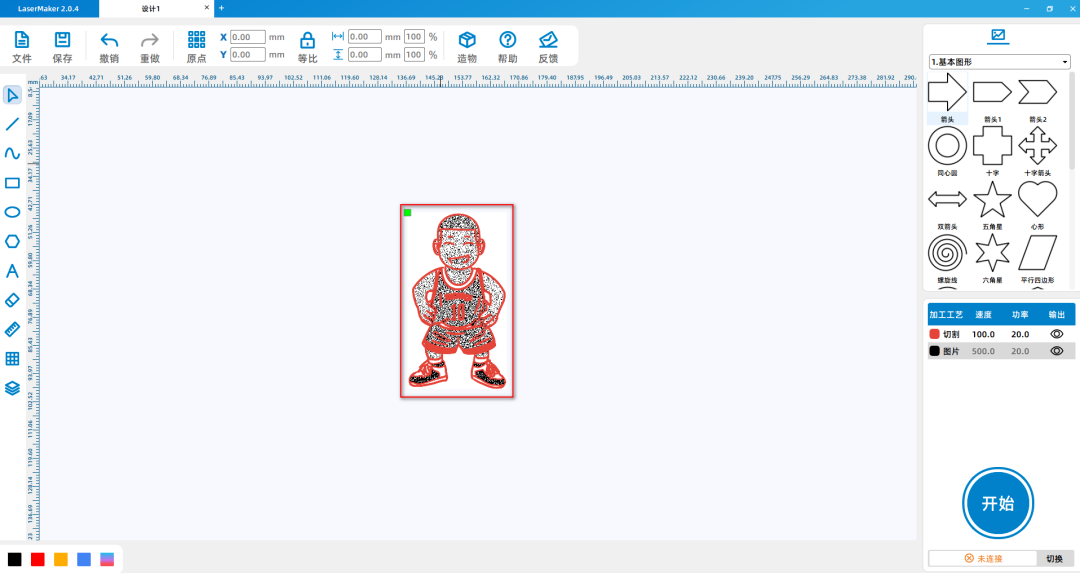
(2)Select the image 'Slam Dunk', left click on 'Contour Extraction' in the graphic, and delete the image and excess graphics to leave only the contour, as shown in the following figure:

d841f8b85fefeccd90f41a838d568bfa.png

b1211a81be9a0b02ef71d542463e50bb.png

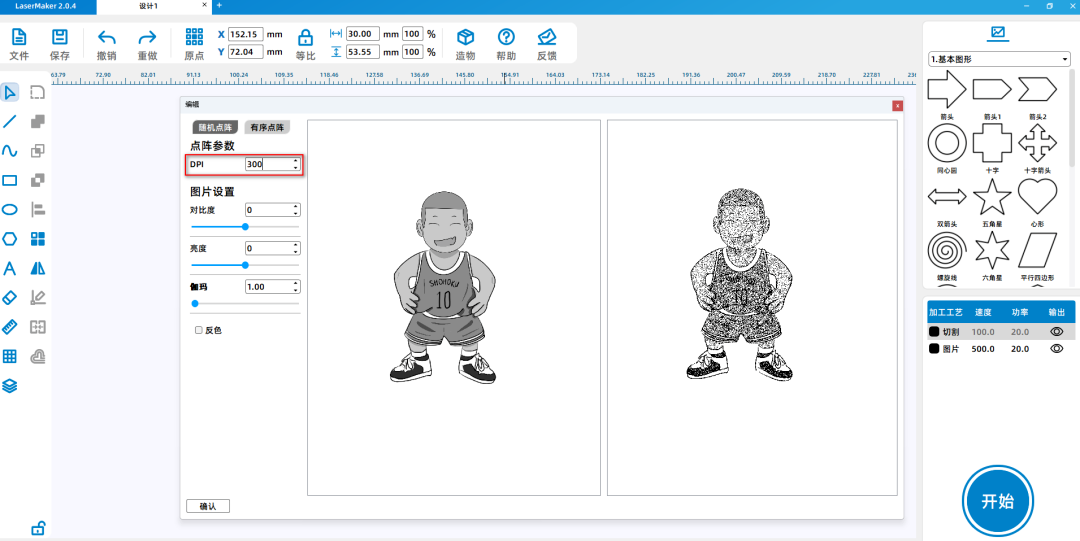
(3)Select the image 'Slam Dunk' and left click on 'Image Extraction' in the graphic to extract the imageDPIchange to300Make the image clearer, as shown in the following picture:

14fcc5ffc7aac2ff7eb8a40b150a2d55.png

d1002638017898d1b81b2206602062a2.png


Laser processing

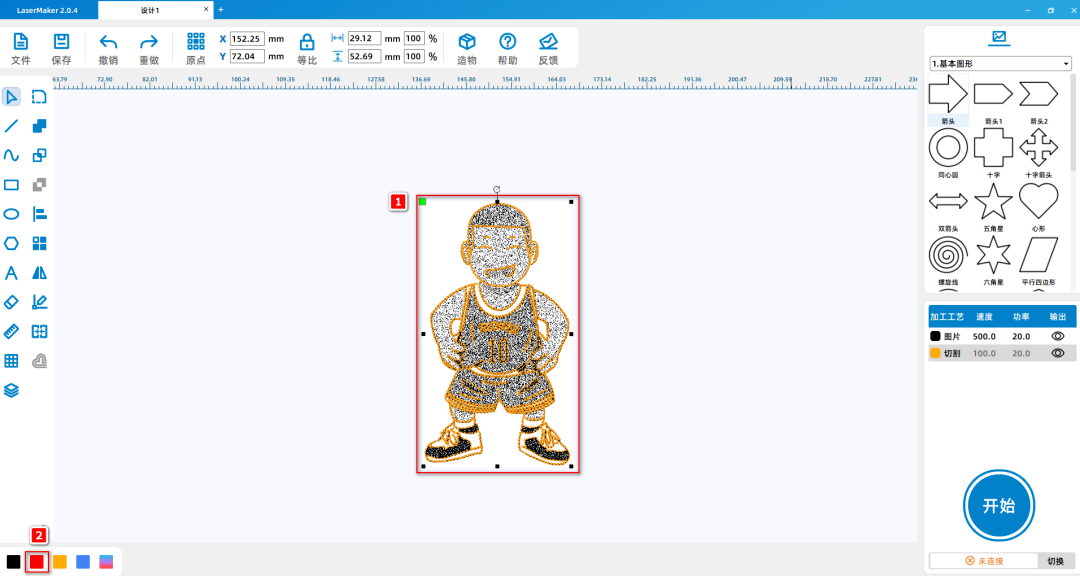
(1)Select the contour and left click on the layer panel in the lower left corner to change the contour layer to red, as shown in the following figure:

0c24ec7851ba24f3fcac6192f95ee3be.png

5905f88d68fd943839049f331132d2eb.png

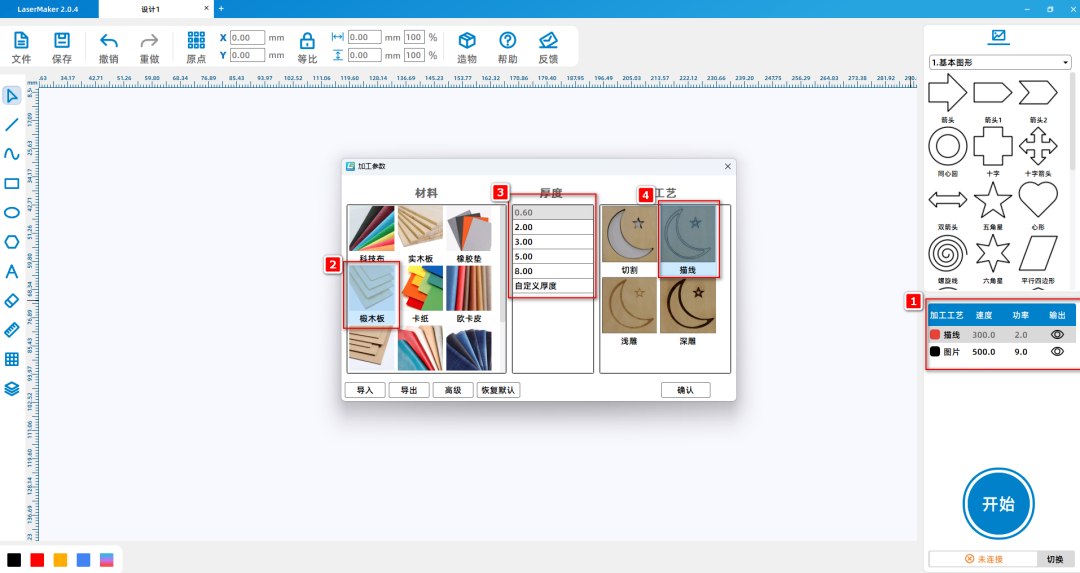
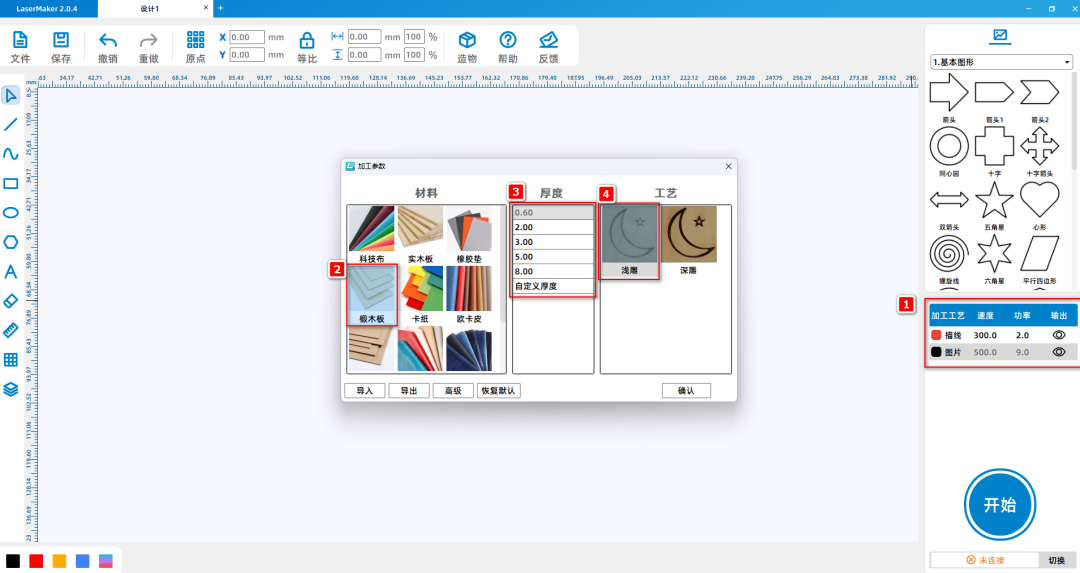
 (2)Double click the 'Processing Panel' in the bottom right corner with the mouseRed image layerSet the material, thickness, and process to oak board0.6mmDraw lines; Double click the 'Processing Panel' in the bottom right corner with the mouseBlack Image LayerSet the material, thickness, and process to oak board0.6mmCut, as shown in the following figure:

9117bb467a5d66191502b8af6dc21f65.png

b4d96bb2ea92f2c0773cf0f4a50372db.png

Works Display:

687dfebdb96fd8981a77dd750b4a98c3.png

Summary:

During the process of creating this example, we learnedLaserMakerThe usage method of the software's image extraction drawing tool is not difficult for drawing and modeling. Everyone must try and practice more!

comment (0)
Support drag and drop upload · most 10 Zhang · single sheet ≤ 3MB
Drag the image here or click "Select Image" to upload (supports multiple images)
Laser Creation Beginner Course | Case 5: Leaf Carving
drawing ID: SUCAI-12 2024-4-2 17:52
2
0
0
6
0Contribution points
Purchase points
collection
like
Grade discount
Basic Information
Update time 2024-4-2 17:52
advertisement