 English
 简体中文
简体中文
 繁體中文
繁體中文
 Français
 Español
 عربي ،
 русский язык
 Português
 Deutsch

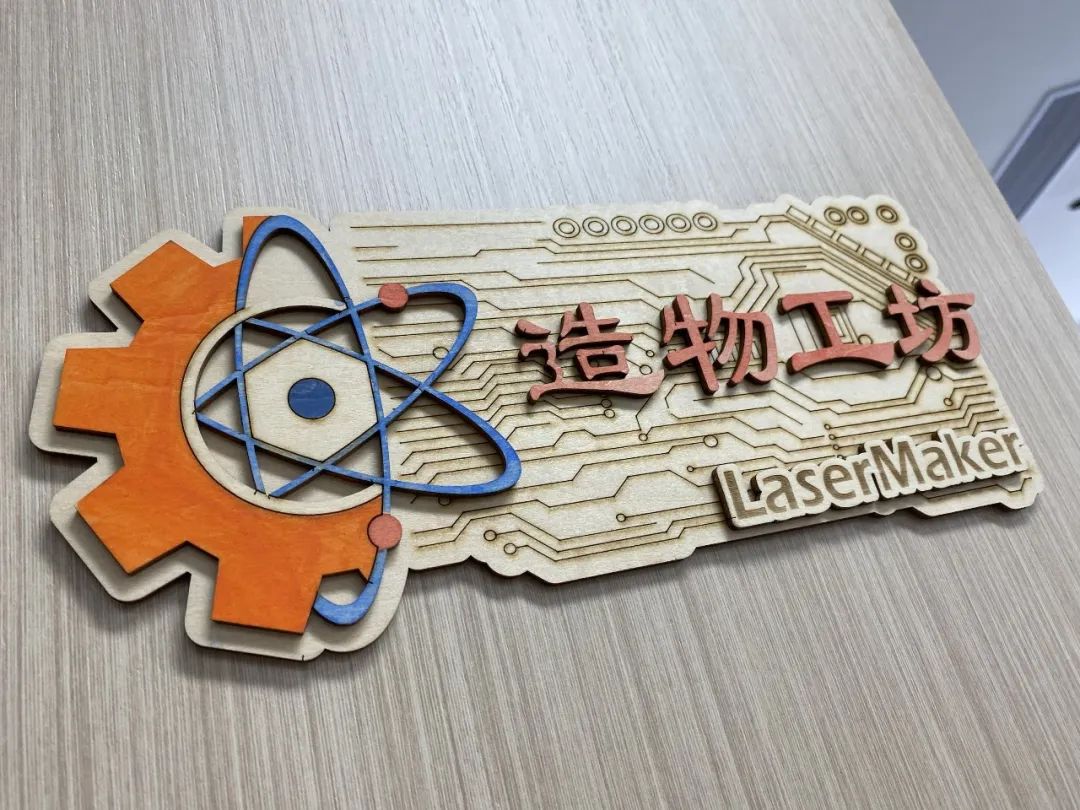
Door number refers to a sign nailed to the door to indicate room information, address, or street name. If you want to have a unique, stylish, and exclusive house number, please follow in the footsteps of a laser expert. Laser expert brings to you in this issue “DIYDoor number " The production method!
drawing
Laser Creation Beginner Course | Case 8:DIYhouse number design project
Drawing Information
lcpx
DIYhouse number
271.53 X 246.48
Drawing Description
drawing documents
DIYhouse number
Basic Parameters
0:29:12
material production
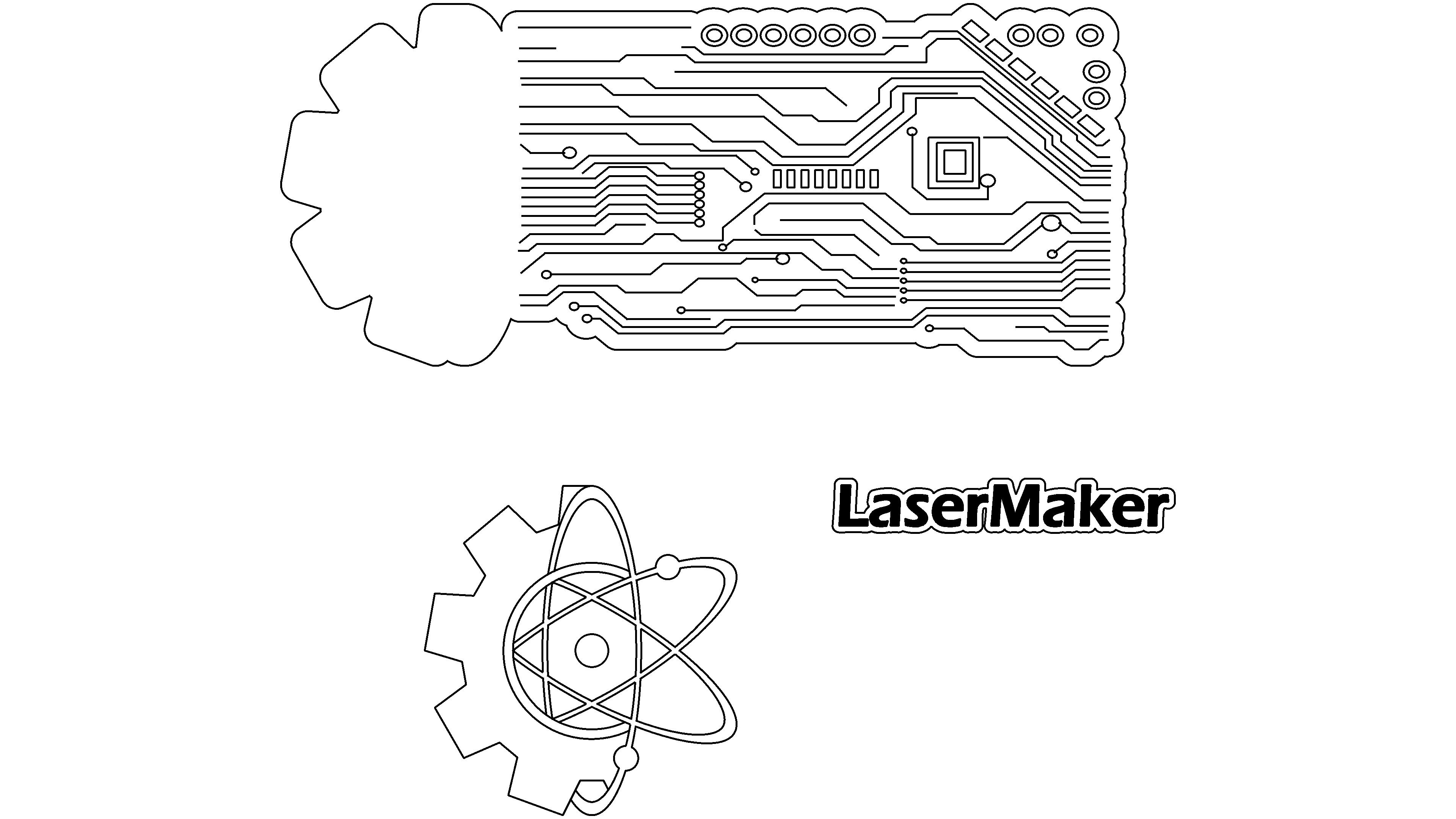
To complete this work, it is necessary to individually complete the elements of the house number and then assemble them. They are respectively making cards, gears and hexagrams, and text parts.
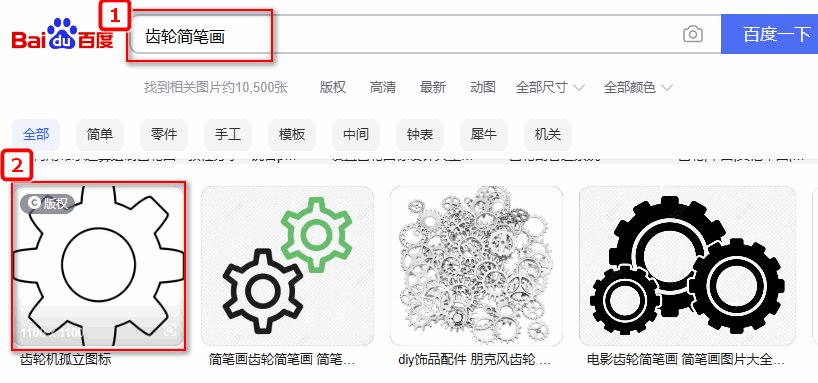
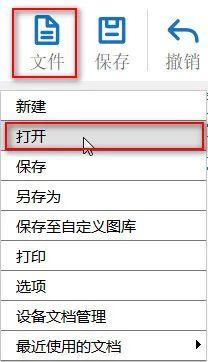
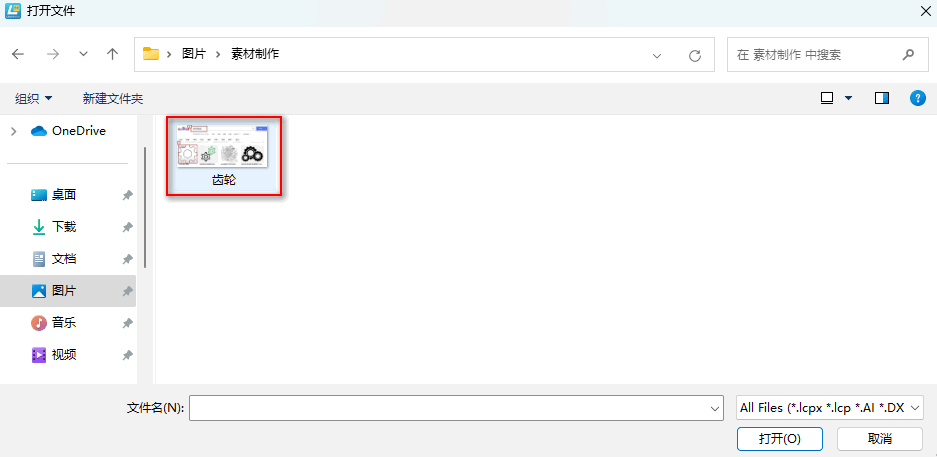
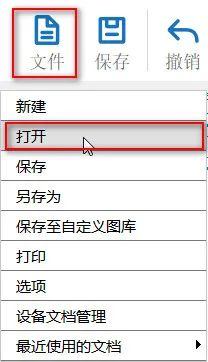
(1) Enter the keyword "Gear Sketches" in Baidu Baike and select your favorite image to save; Click on 'File' in the 'Function Area' above, and then click on 'Open'Double click to open the saved gear image, as shown in the following figure:
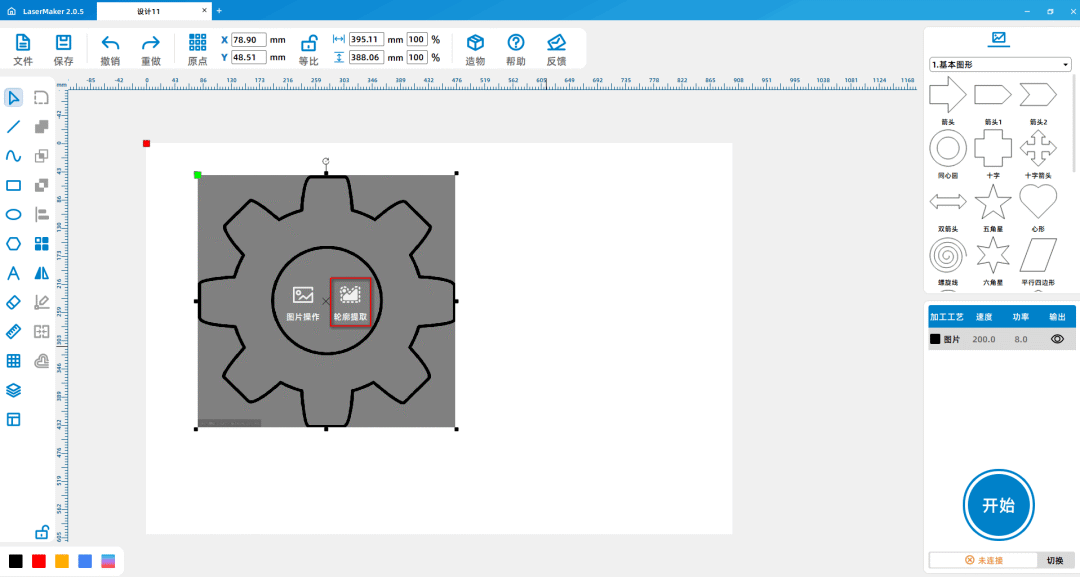
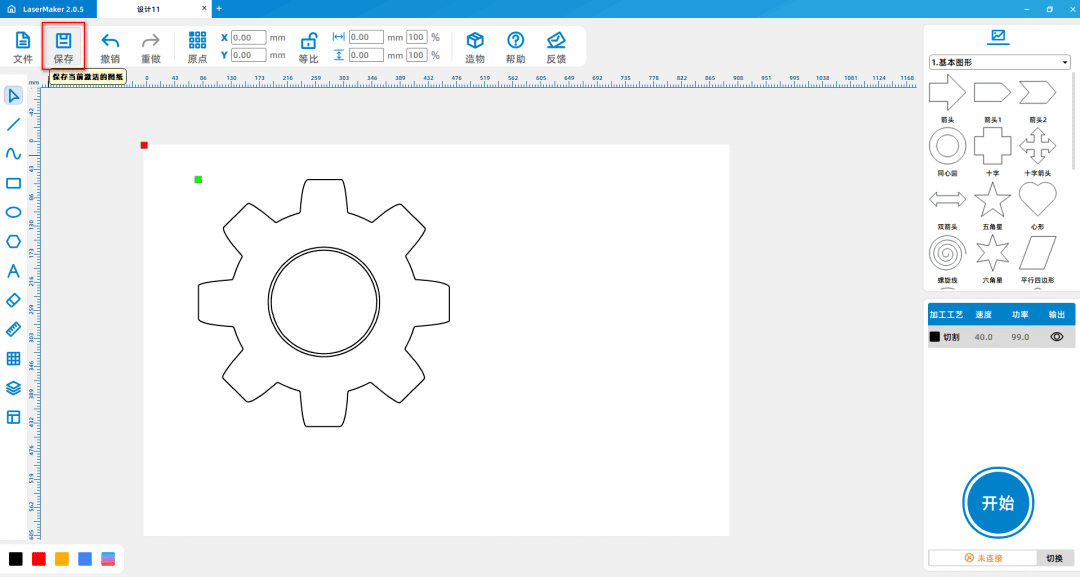
(2) Click on the image with the left mouse button, select 'Extract contours', delete excess lines, and obtain the gear material as shown in the following figure:
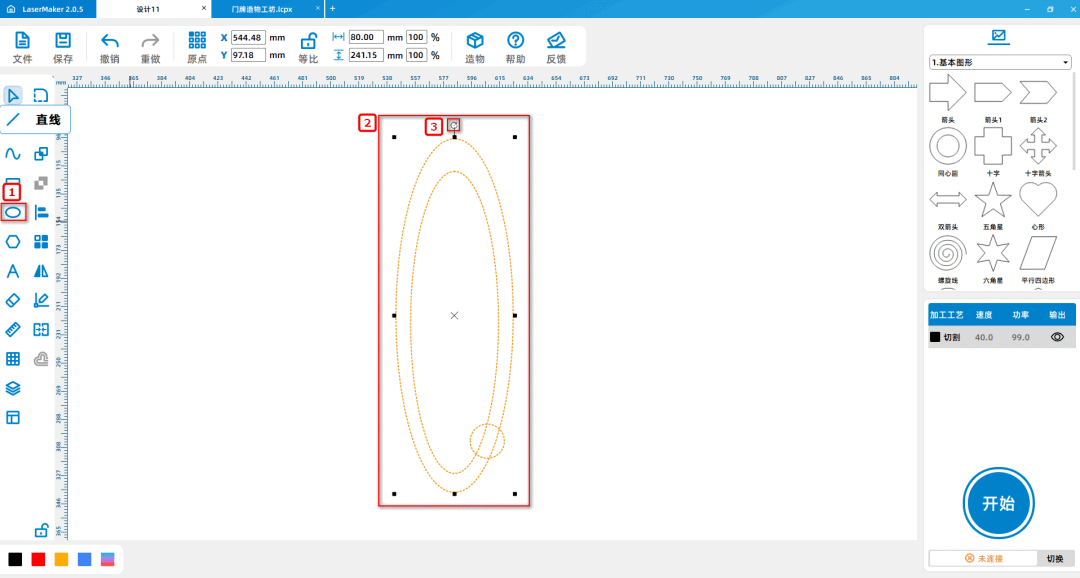
(3) From the left drawing toolbar, select the Ellipse tool and draw two large ellipses and a perfect circle in the drawing area; Combine them together and delete the excess
Lines; Rotate separately again“60° "and“180To obtain a hexagram, draw a perfect circle in the middle of the hexagram, as shown in the following figure:
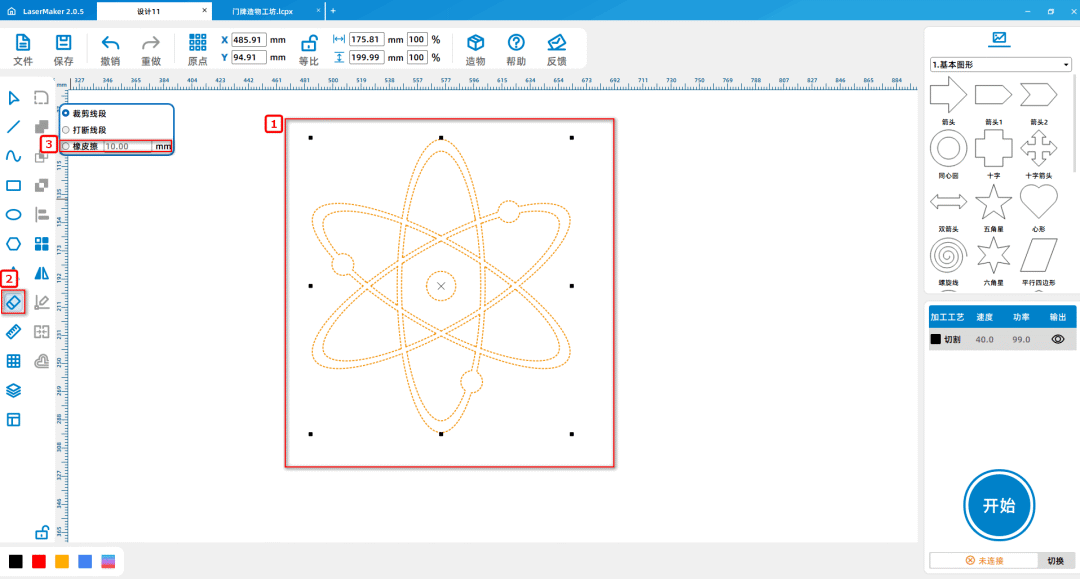
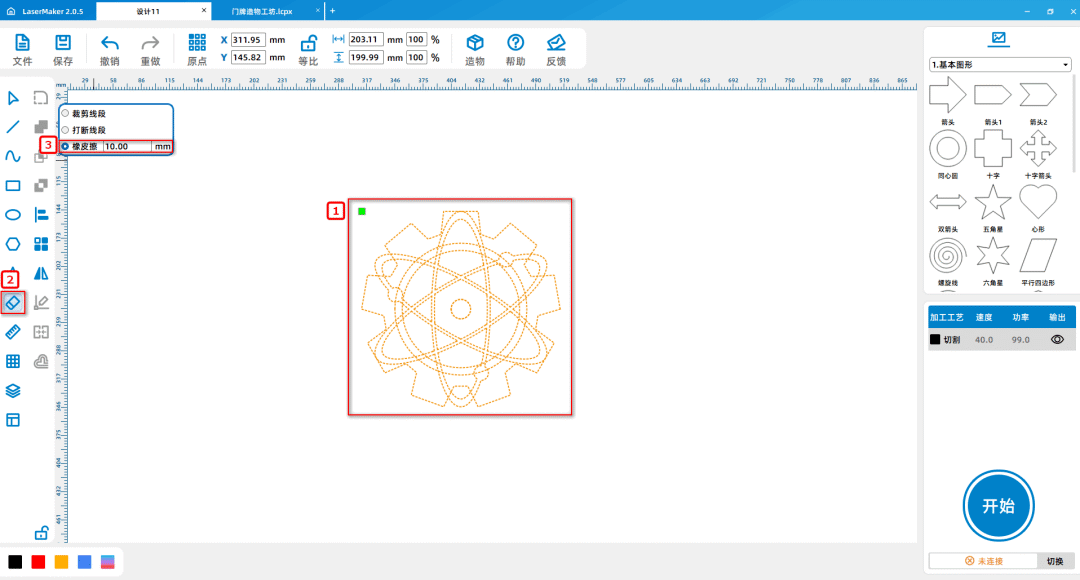
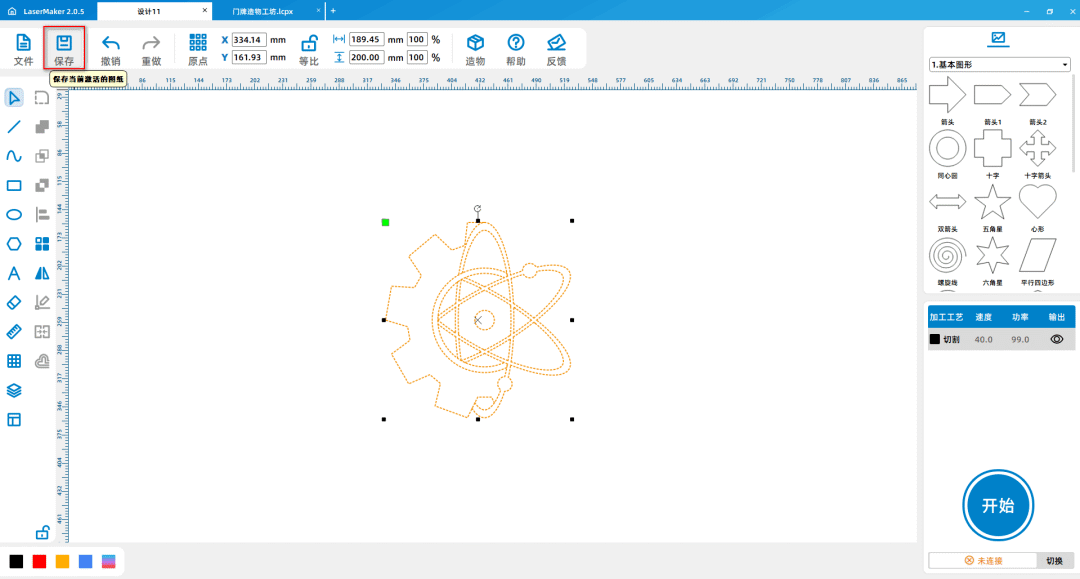
(4) Adjust the position of the gear and the hexagram to coincide with each other; Use the eraser tool to wipe off half of it, and obtain the combination of the gear and the hexagram; Save 'Material'
Two, as shown in the following figure:
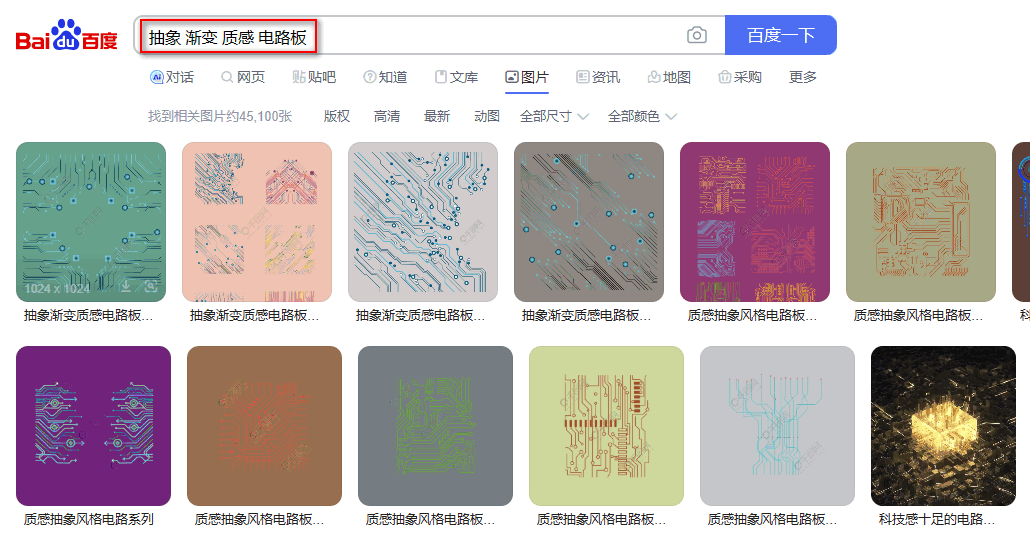
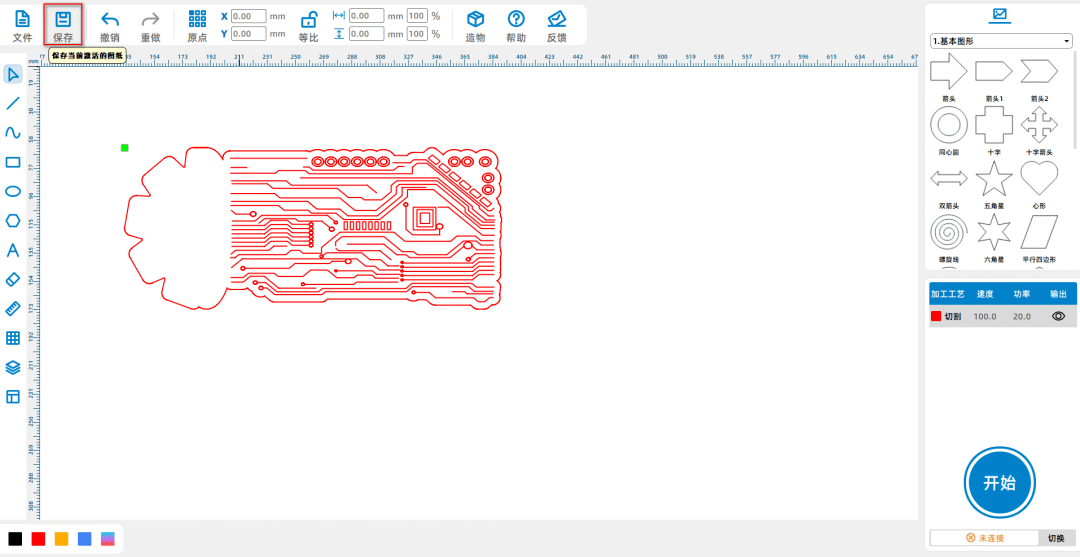
(5) As per the above steps(1)As shown, enter the keyword "Abstract" in Baidu Baike gradient texture Circuit board ", choose your favorite picture to save; Above [Skill]
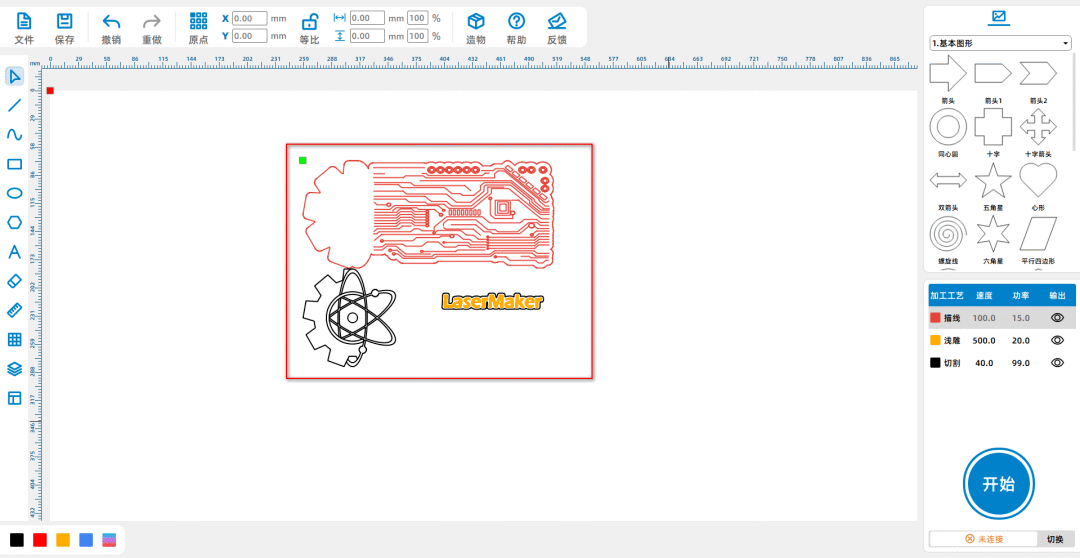
Click on 'File' in the 'Energy Zone', then click on 'Open', double-click to open the saved circuit diagram image; Click on the image with the left mouse button, select 'Extract contours', and delete excess lines
Obtain the circuit diagram material and save it as "Material 2", as shown in the following figure:
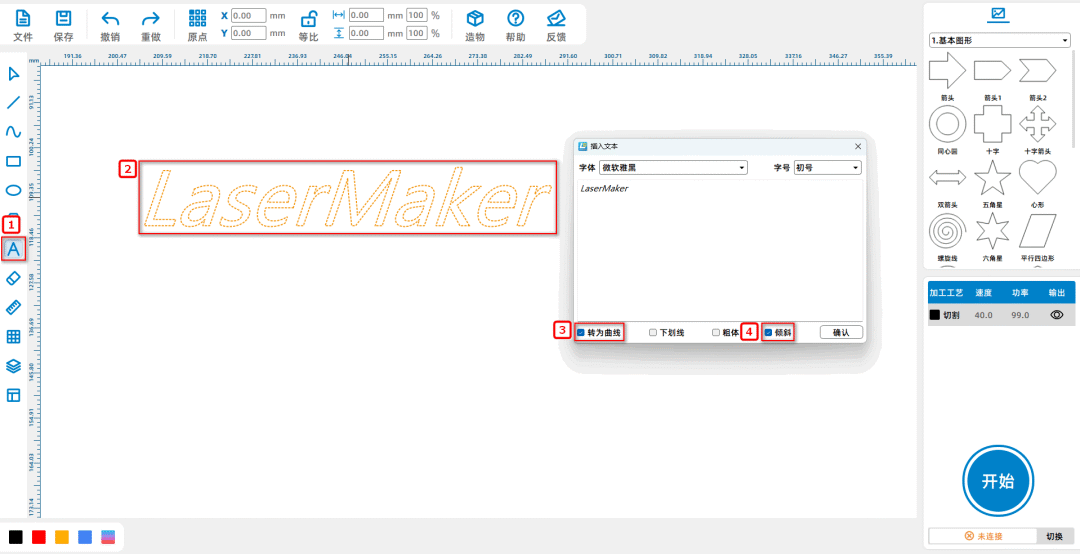
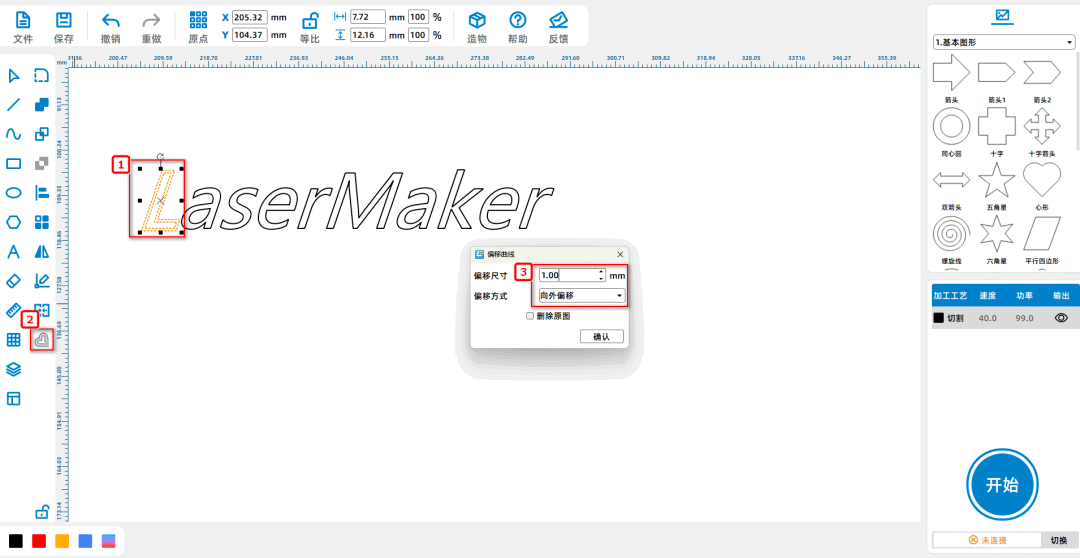
(6) Select the Font tool from the Drawing toolbar on the left and enter“LaserMaker”The wording is set to "Convert to Curve, Tilt",; Click on each word one by one
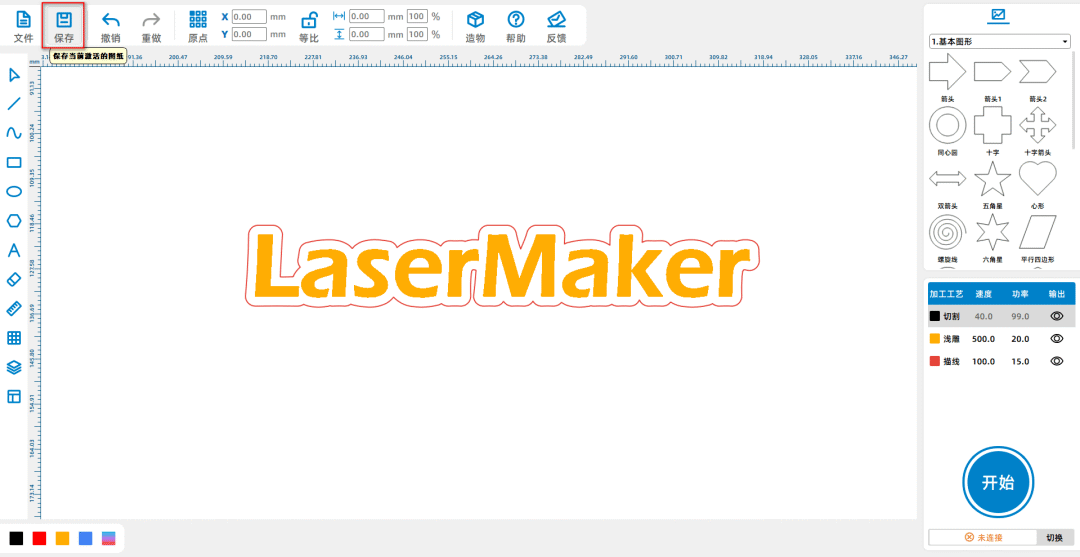
Mother, from the left drawing toolbar, select the offset curve tool and offset it outward1mmThen combine the curves obtained by offsetting each letter; Translate it into English
Save as' Material Three ', as shown in the following figure:
Material Summary
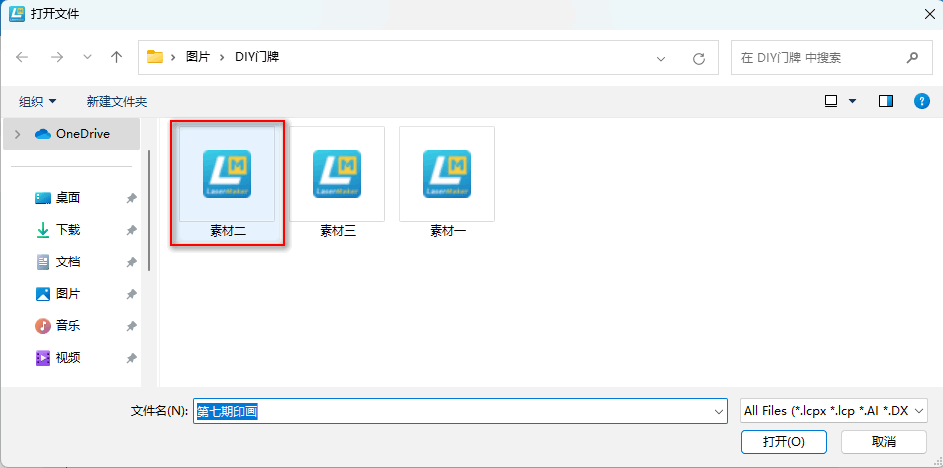
(1) Click on 'File' in the upper 'Function Area', then click on 'Open', double-click to open the required material images' Material 1 ',' Material 2 ', and' Material 3 'respectively, as follows
As shown in the picture:
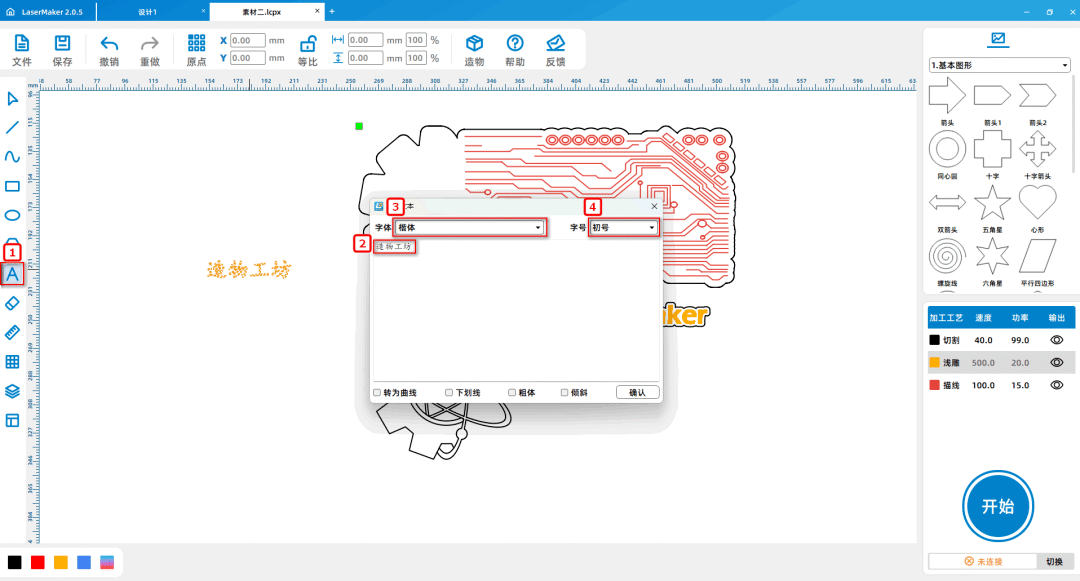
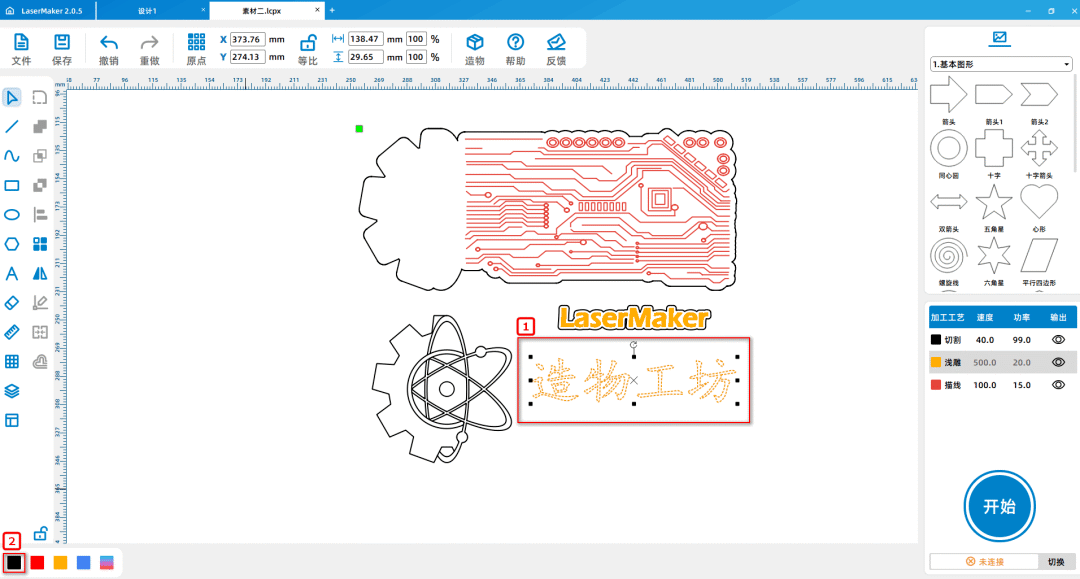
(2)Select the Font tool from the Drawing toolbar on the left, enter the words "Workshop", and set the font and font size to "Kai" and "Chu" respectively; Adjusting wordsBody sizeSmall, select the font, left click on the layer panel in the lower left corner of the mouse to change the contour layer to black, as shown in the following figure:
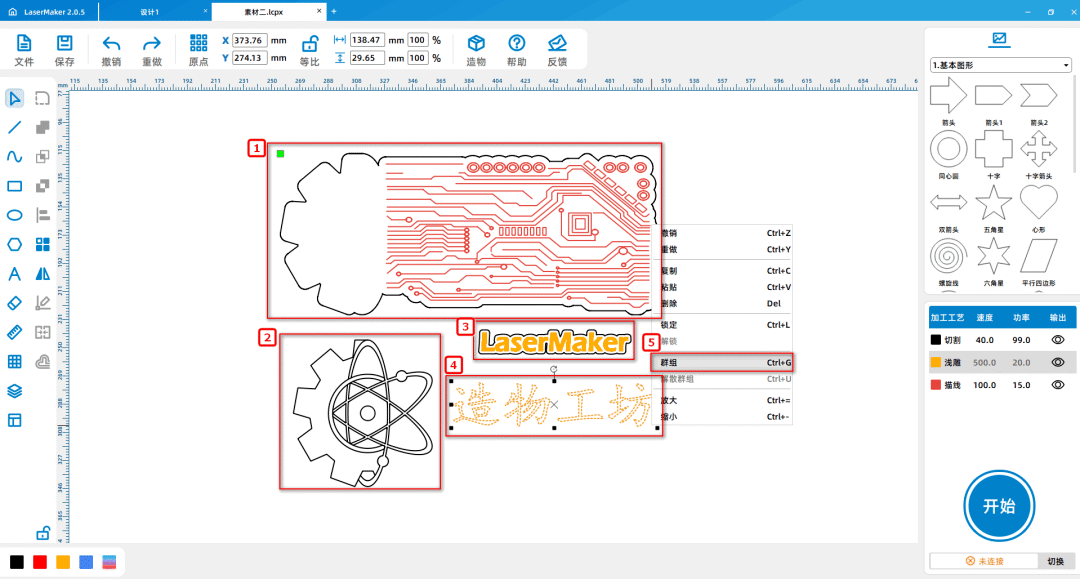
(3)Select "trump card", "gear and hexagram" in sequence, “ LaserMaker ” Create workshops, group them separately as shown in the following picture:
(4)Press and hold the left mouse button to select "Bottom Card" and "Gear and Hexagram Star", “ LaserMaker ” In the "Creation Workshop", select "Self" from the "Drawing Toolbar" on the left
Dynamic Sorting Tool, as shown in the following figure:
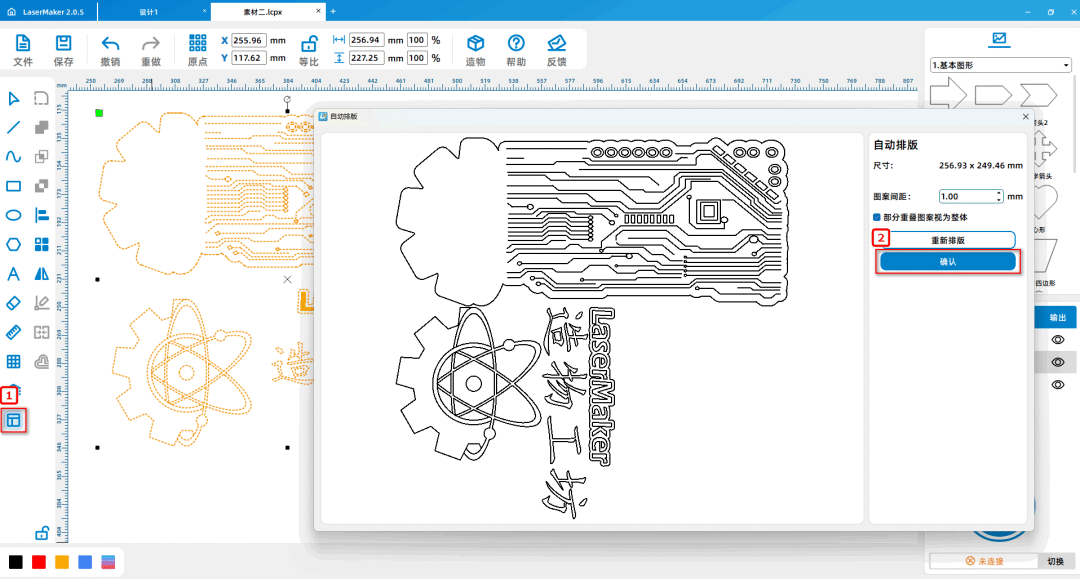
Tips:Before automatic sorting, individual materials need to be grouped together one by one. By using automatic sorting to tightly arrange the materials, more materials can be saved.
Laser processing
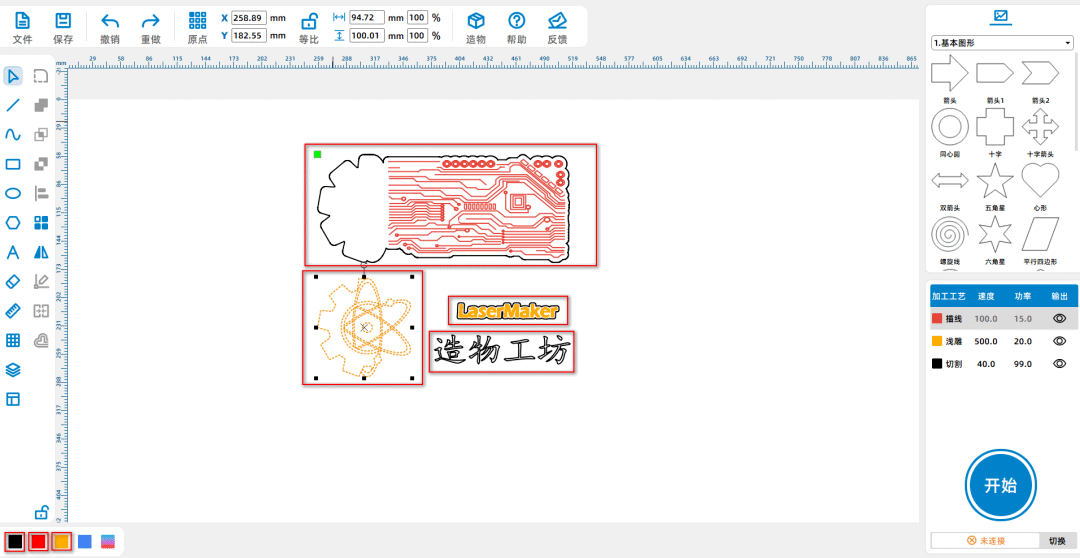
(1)Select "Bottom Card Outline", "Gear and Hexagram Star", "Workshop", left click on the layer panel in the lower left corner of the mouse to change the outline layer to black; Select 'Internal Original of the Bottom Card'
Substructure diagram and electronic circuit diagram ", left click on the layer panel in the lower left corner of the mouse to change the outline layer to red; Select“LaserMaker”Left click on the layer panel in the lower left corner with the mouse
Change the contour layer to yellow, as shown in the following figure:
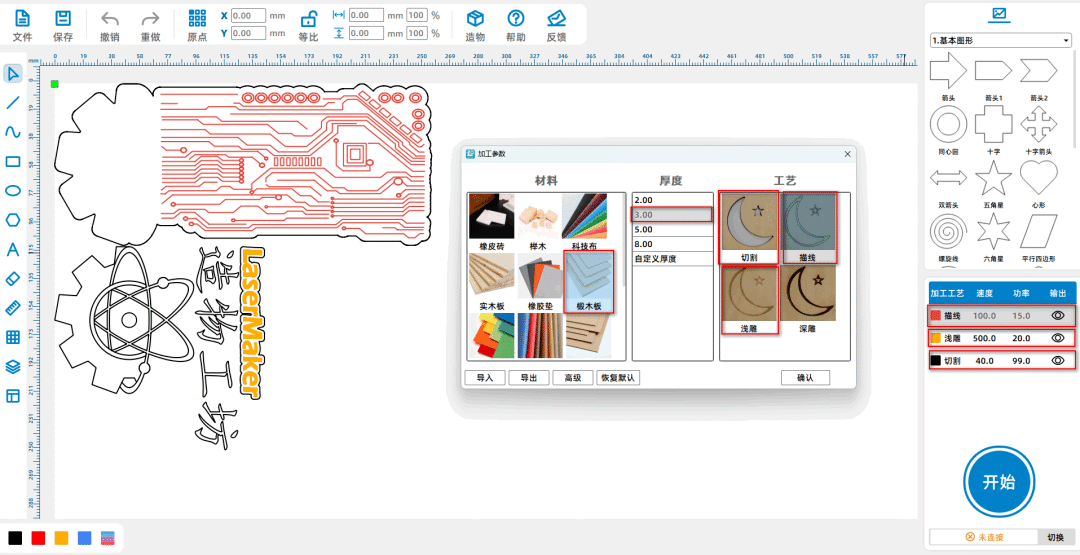
(2)Adjust the layer order in the bottom right corner, sort by "red, yellow, black" at once, double-click the red layer with the left mouse button, and set the material, thickness, and process to oak wood respectively
Materials3mmDraw lines; Double click the yellow layer with the left mouse button to set the material, thickness, and process to oak wood, respectively3mmShallow carving; Double click the black layer with the left mouse button,
Set the material, thickness, and process to oak wood3mmCutting, as shown in the following figure;
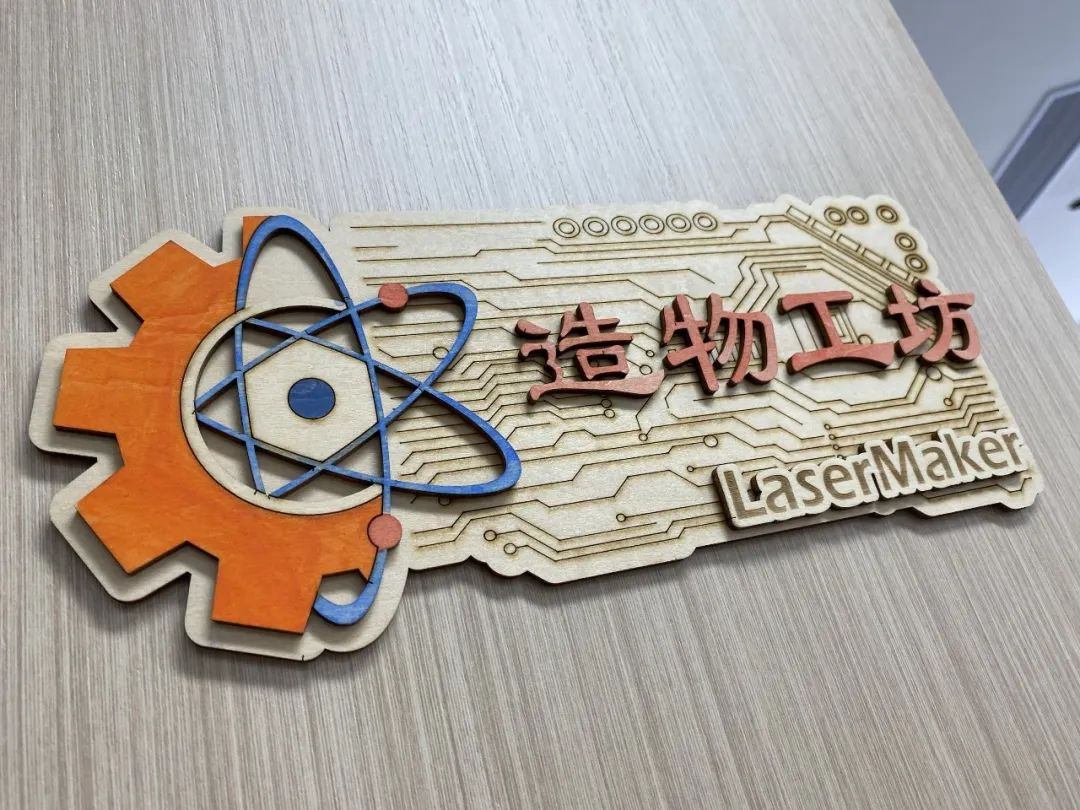
Finished product display:
Summary:
In the process of creating this example, we learnedLaserMakerThe usage method of the software's' automatic sorting '. In the process of making doorplates, we need to first analyze the artworkDesign, determine the elements you want, then complete them one by one, and finally assemble them. The "assembly" of this creation process is called "stacking carving", which means that the layers of wooden boards are gradually added layer by layercarve, Then bond the wooden boards with different carved patterns on each layer together, Three dimensional "stacked carving paintings" have emerged, such as the work in this issue“DIYDoor number. Science and technology innovation education, namelySTEAM,STEAMRepresenting science respectively(Science), Technology(Technology), Engineering(Engineering)Art(Arts), Mathematics(Mathematics)Selected by laser expertsAtomic structure is a scientific element in doorplate elements(Science)Electronic circuits are technology(echnology)Gears are engineering(Engineering)The hexagram is art(Arts),LaserMakerIt is a laser cutting design software developed by Leiyu Laser Company. Drawing and modeling are not difficult, everyone must try and practice more to become a better little designer!
comment (1)
Laser Creation Beginner Course | Case 8:DIYhouse number
drawing ID: SUCAI-16
2025-12-3 09:24
9
6
1
264
0Contribution points
Purchase points
collection
like
Grade discount

-
classification
ornament -
copyright
open source licenseCC-BY-NCProhibit commercial use; -
Business License
Further information
Update time
2025-12-3 09:24

How can I learn from you, Master