Laser Creation Beginner Course | Case 13:DIYrose design project

1
2
3

Drawing Description

As the Qixi Festival is approaching, in order to create a stronger festival atmosphere for traditional festivals, you can make various small works to celebrate the festival. Among them, roses have many different meanings depending on their color. The most popular meaning of roses is love. On the Qixi Festival, people can make roses to celebrate the festival. Today, the laser expert will lead everyone to learn how to make roses that symbolize love. In this issue, Laser Expert brings works to everyone“DIYRose!

rose.jpg


drawing documents

rose
Drawing Cover - rose
Basic Parameters
0:2:7
rose
Drawing Cover - rose
Basic Parameters
0:2:7

Style Design

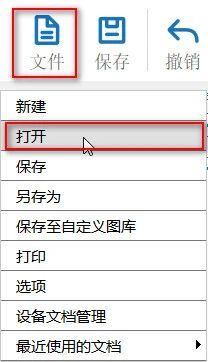
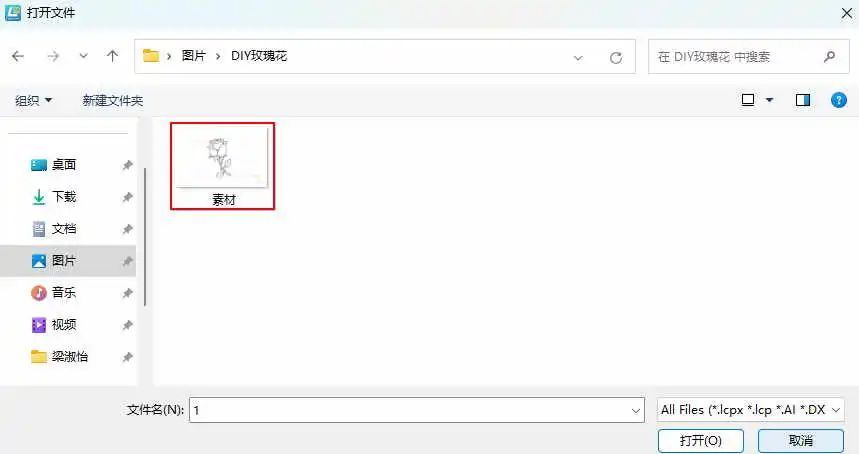
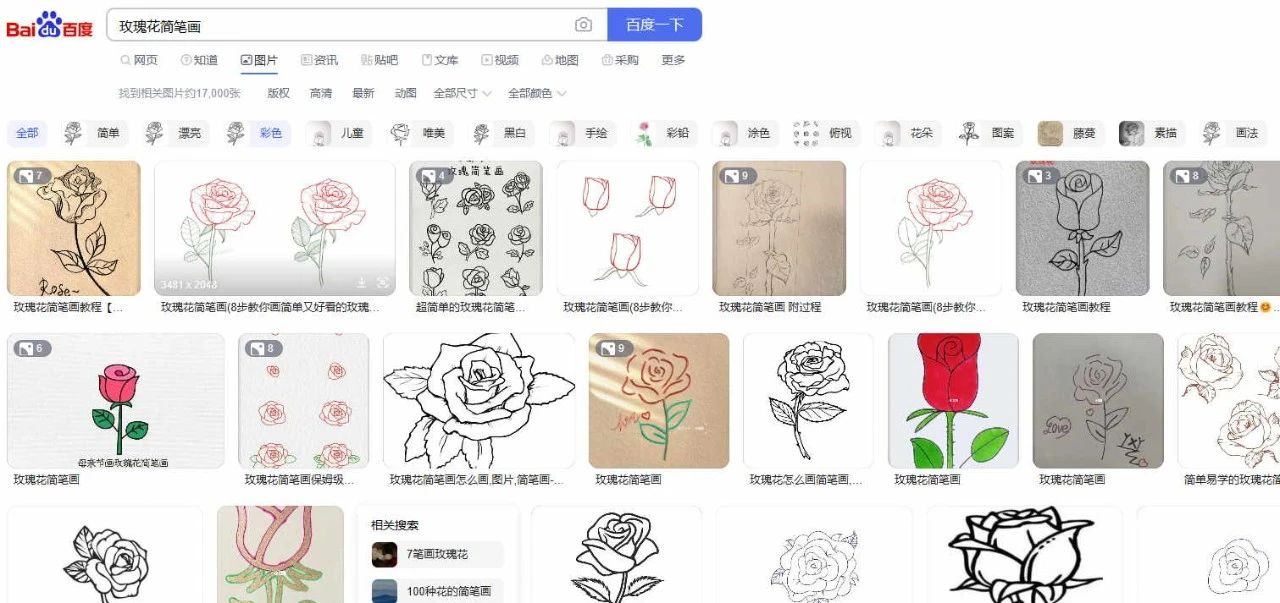
(1)Enter the keyword "Rose Sketches" in "Baidu Images" and select your favorite image to save; Click on 'File' in the 'Function Area' above, and then click on it

【 Open 】 Double click to open the saved Pikachu image, as shown in the following figure:
dd95bfe086f2654e52dc12d4d90c73ab.jpg

f28a00efa7d5a9d9fe06b6a43d5b08ae.jpg4f9893bdb28f12cb2e6b0520ab24737f.jpg

(2) Click the left mouse button on the image and select 'Extract Contour',Obtain a rough line diagram of the rose, as shown in the following figure:
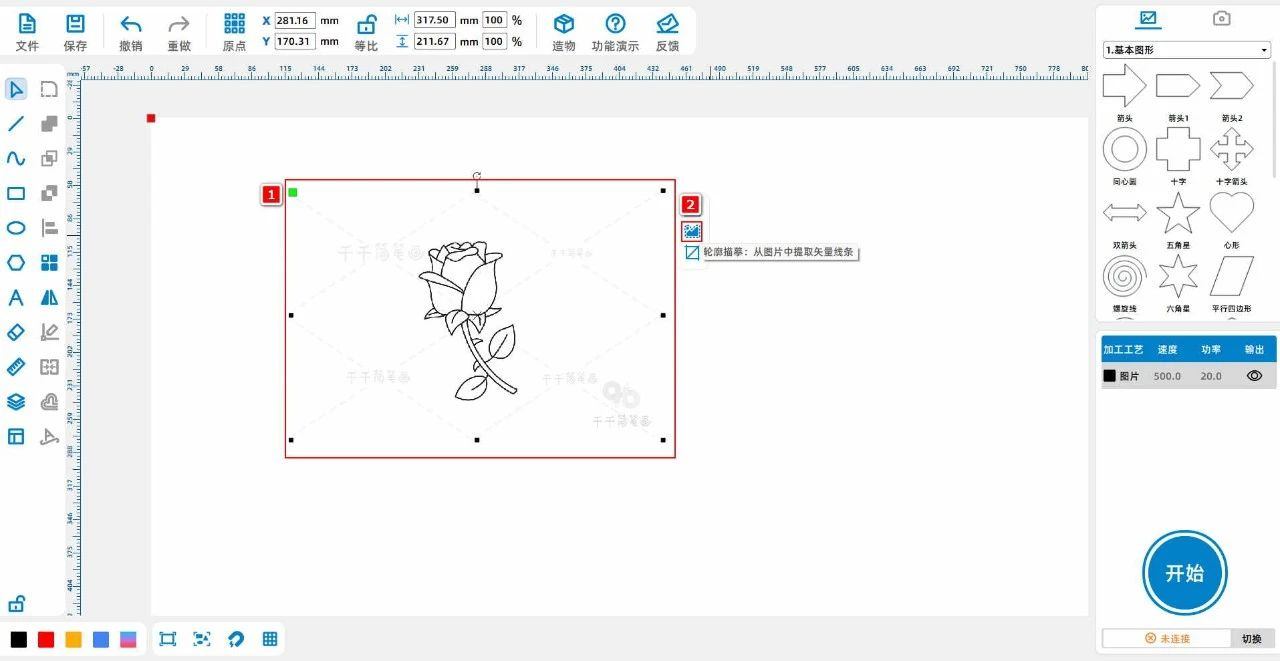
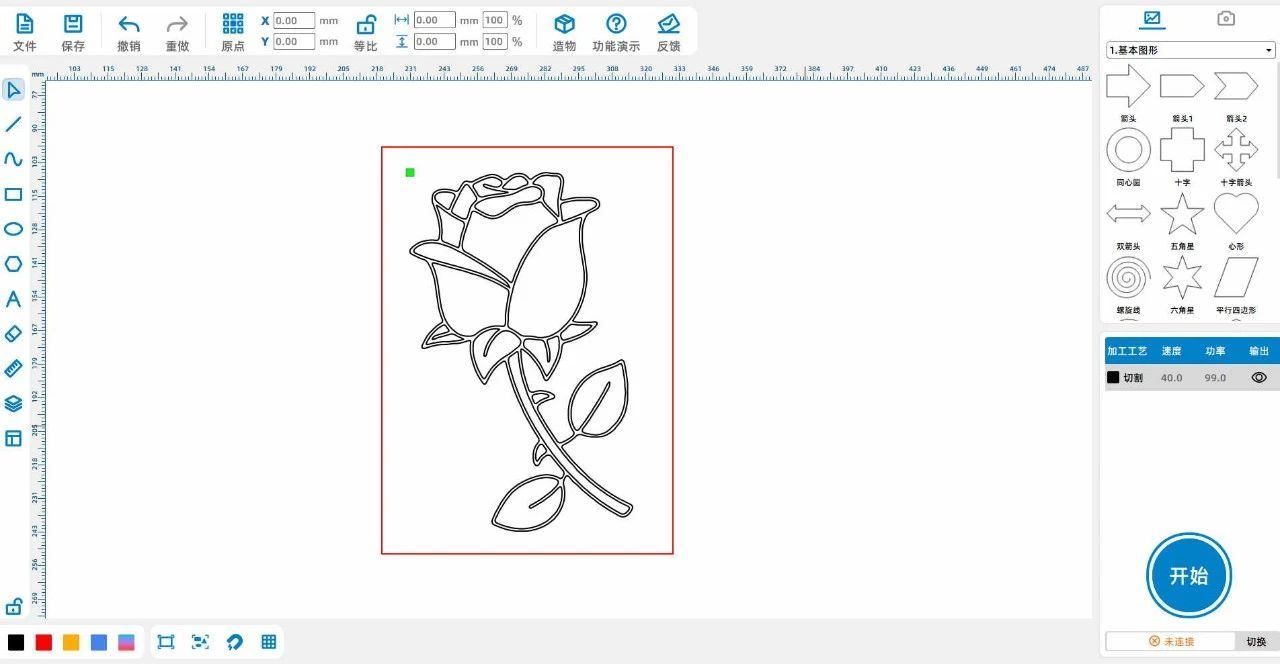
21fb5c2ff7cb5d1f17a2f21387da2ad3.jpg

74167a220a0fe665f987e73f828dc3b8.jpg

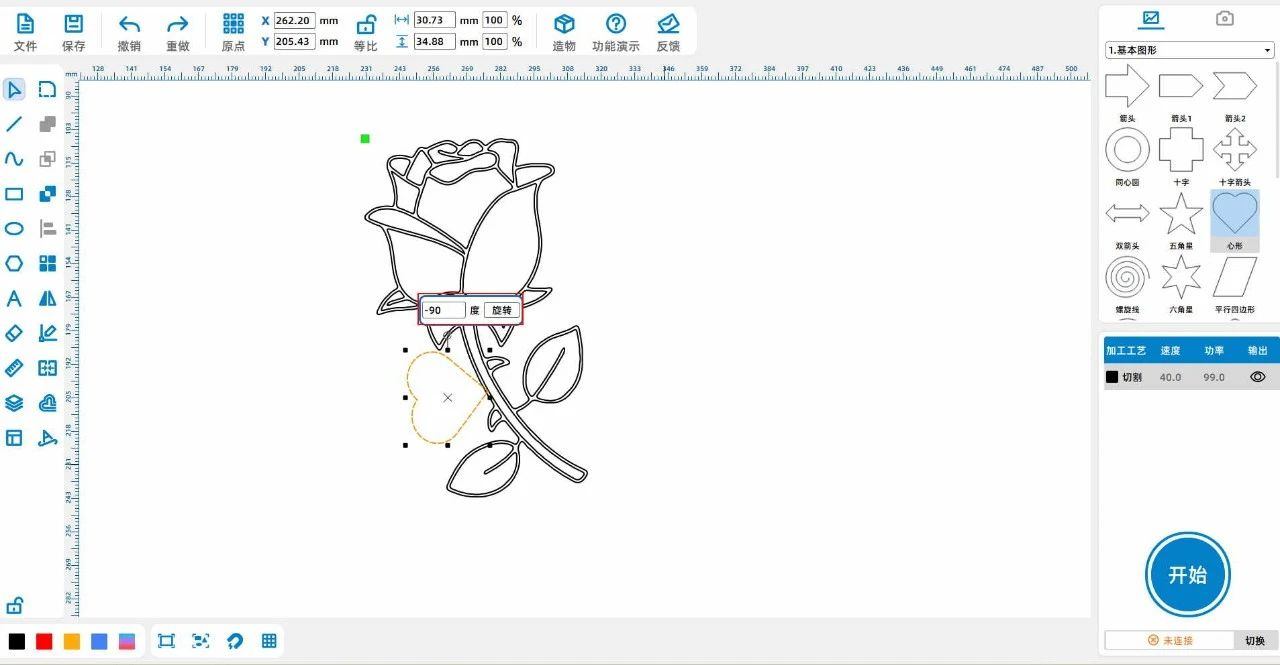
(3) Select the "Love" graphic from the "Basic Graphics" gallery in the upper left corner and drag it onto the canvas; Adjust its size to 'high'30The width is35”; Rotate it again

“-90Move to the appropriate position, as shown in the following figure:
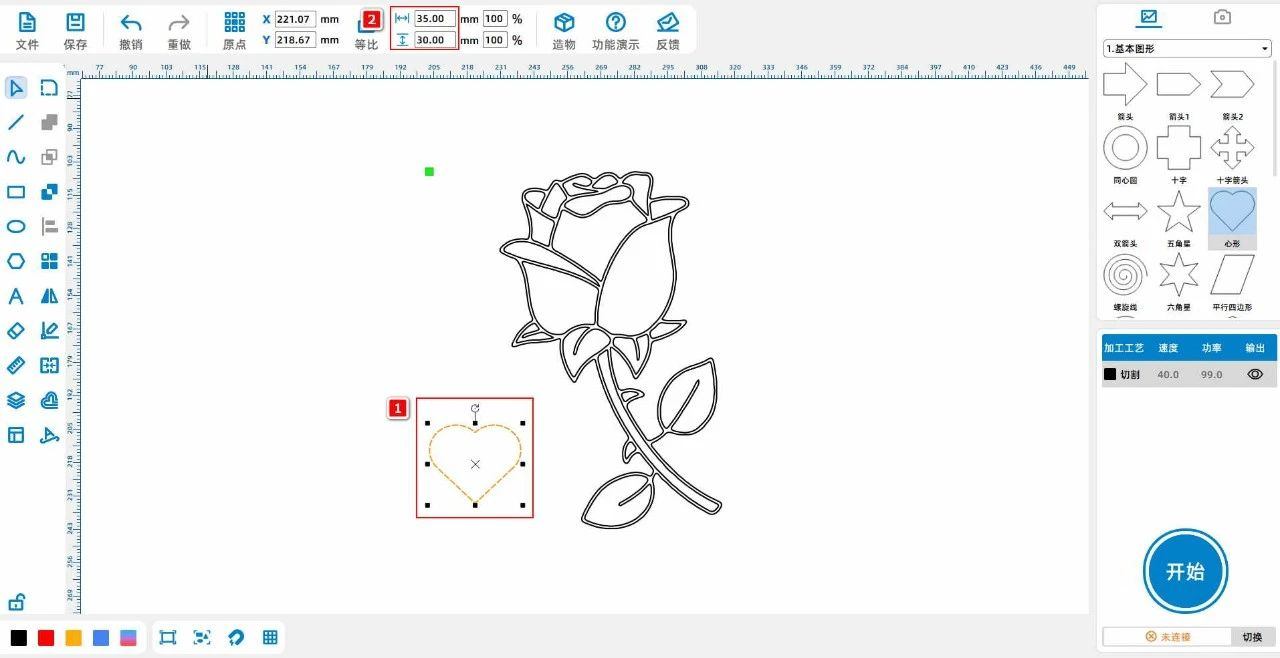
f1708e3253d3788289ec3fea4f435578.jpg

4b14c8c21a60d0bb74e6fff2492bf362.jpg

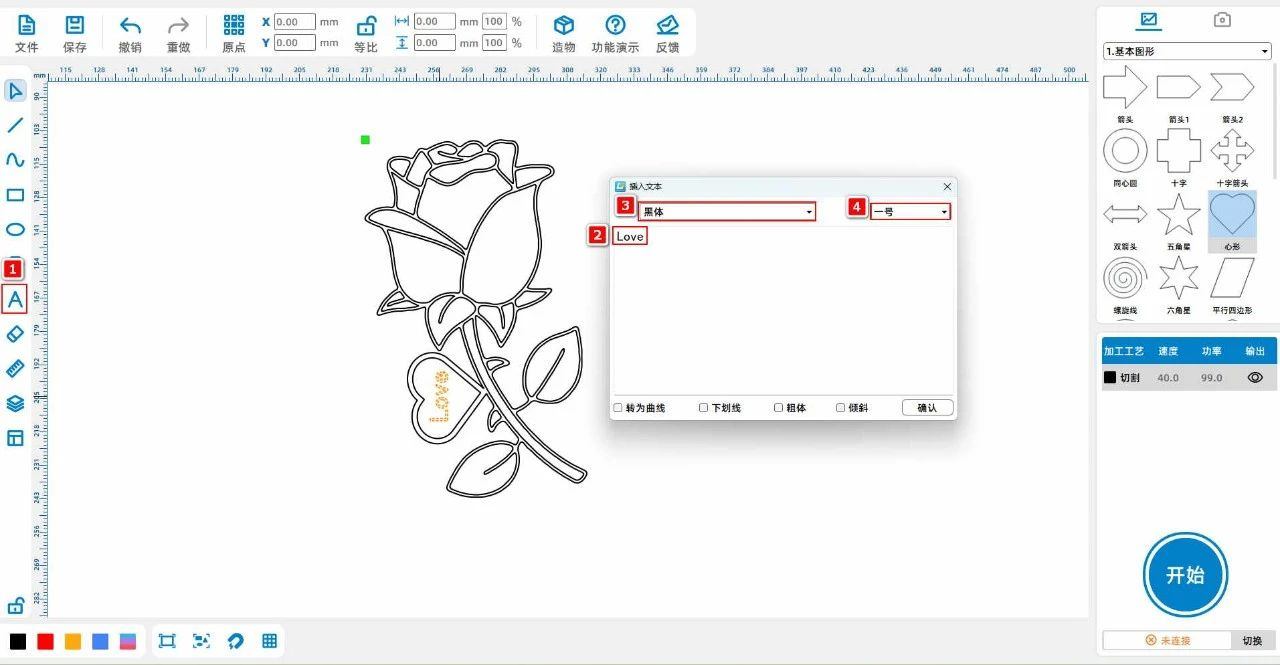
(4) Left click to select "Heart Outline and Rose Outline", and click on the "Merge" tool from the left side of the drawing toolbar; Left click on "Love" with the mouse and select from the left side

Click on the 'Offset Curve' tool in the 'Drawing toolbar' and set it to“4mm,Inward offset "; Click on the Font tool from the Drawing toolbar on the left and enter text

“Love”Rotate and adjust the position and place it in the "heart" as shown in the following figure:
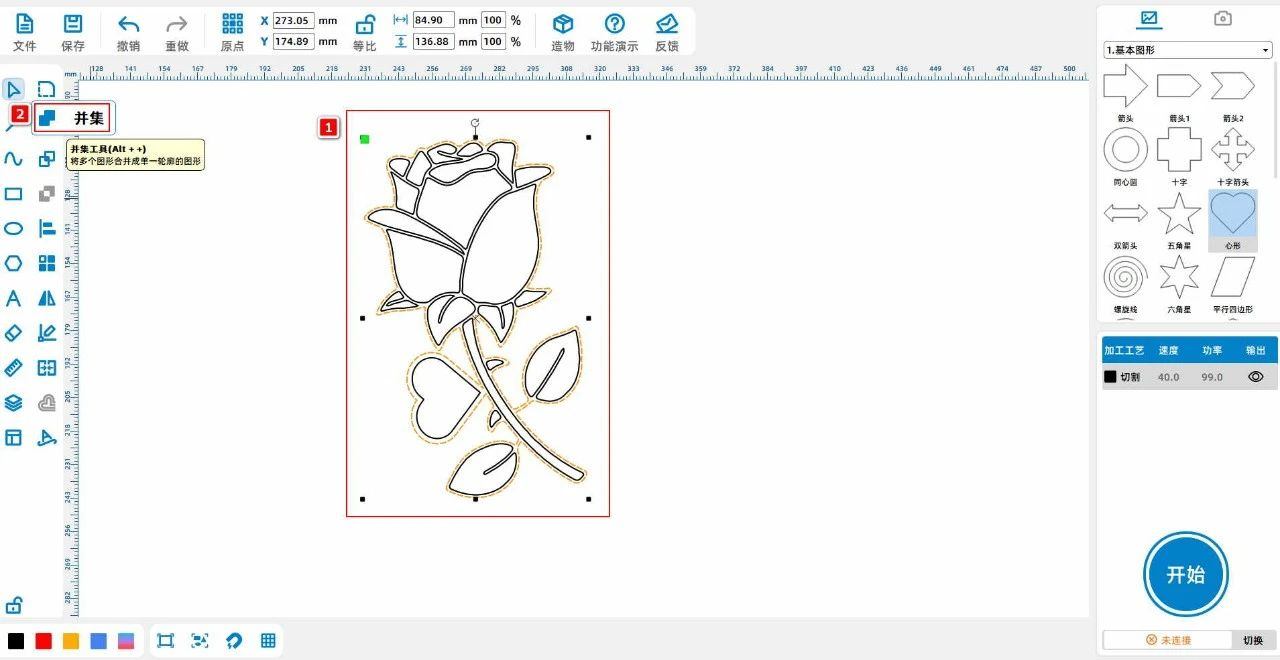
cd5bf37aff3d1801548e22b9b95631de.jpg

a7f4d306520a497d1dca8d6ec544102b.jpg

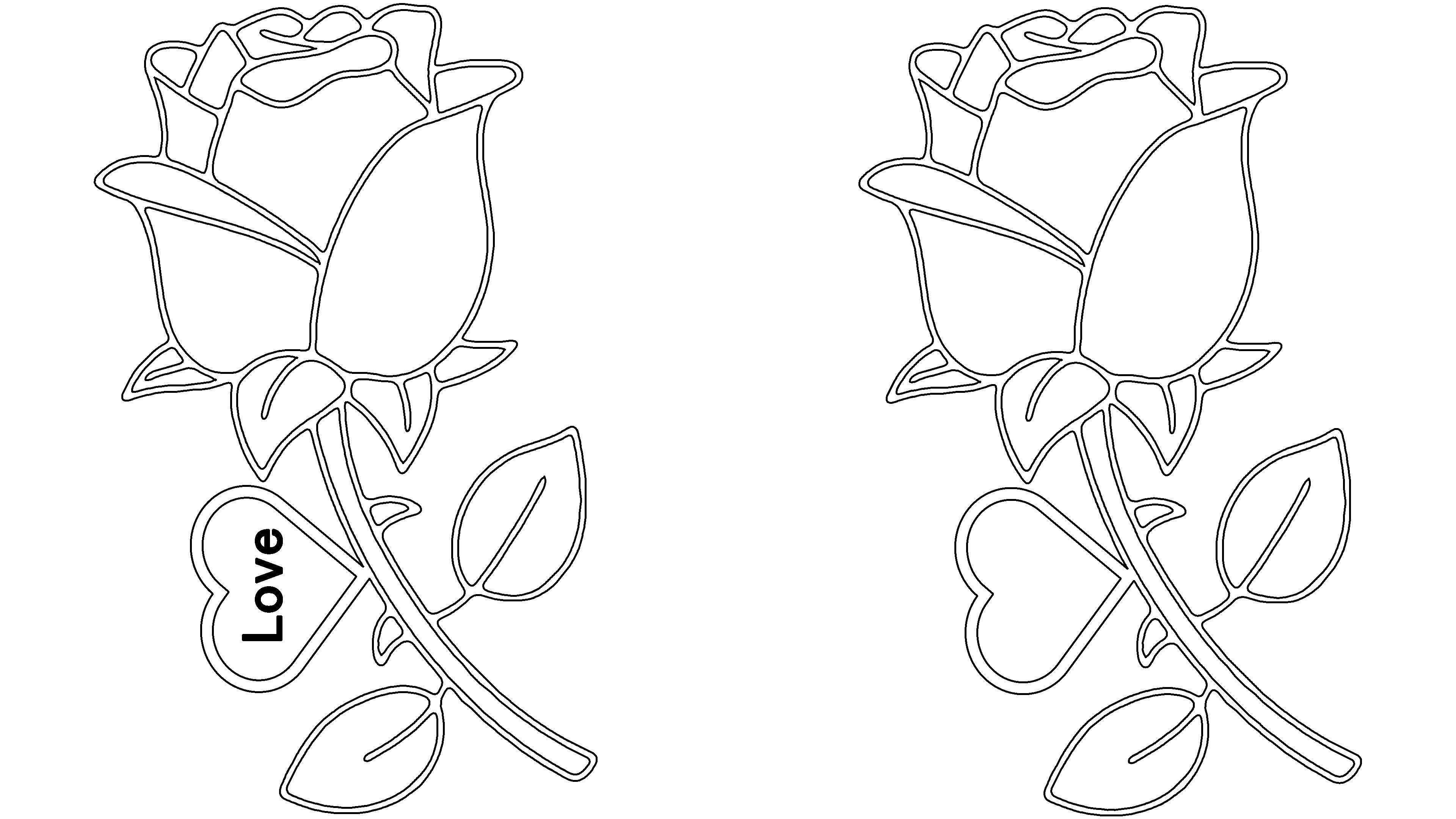
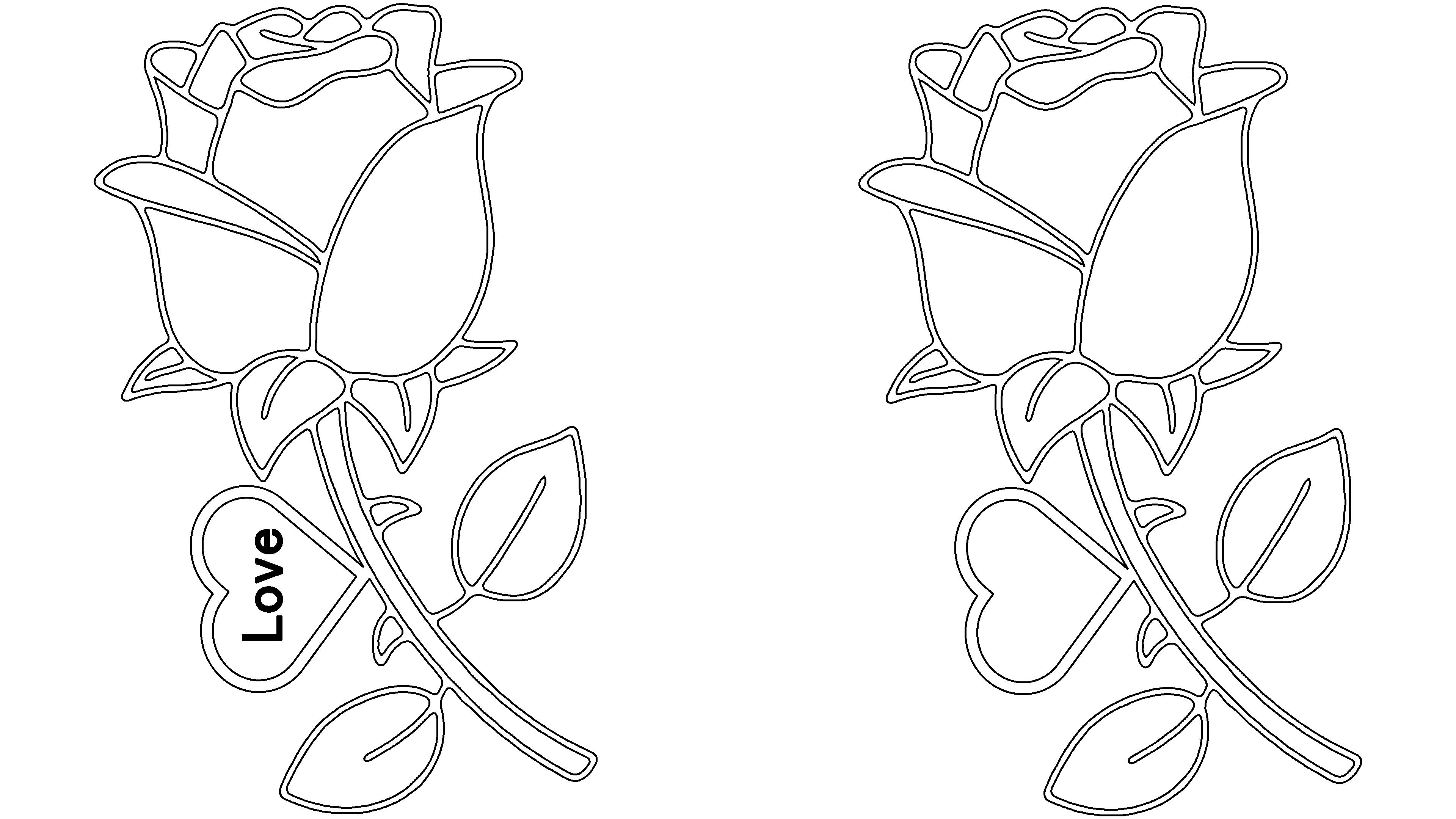
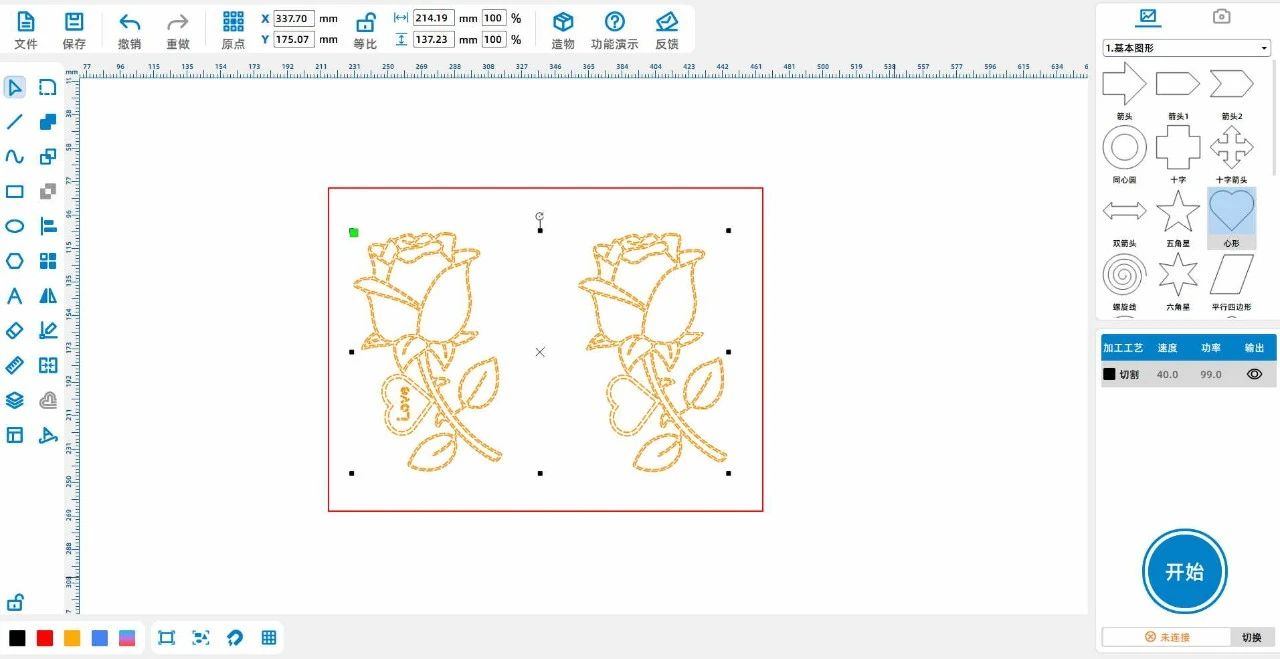
(5) Select all patterns with the mouse,ctrl+cCopy the pattern,ctrl+vPaste the pattern to obtain two identical patterns, and delete the text part of the pattern on the right, as shown in the following figure:
0c9d2cf153bbc21efa09467eb9684fe2.jpg

Tips:Two roses sticking together can make the finished product more layered. The first layer of roses features a hollow design, while the second layer of roses has a bottom design for the style

Laser processing

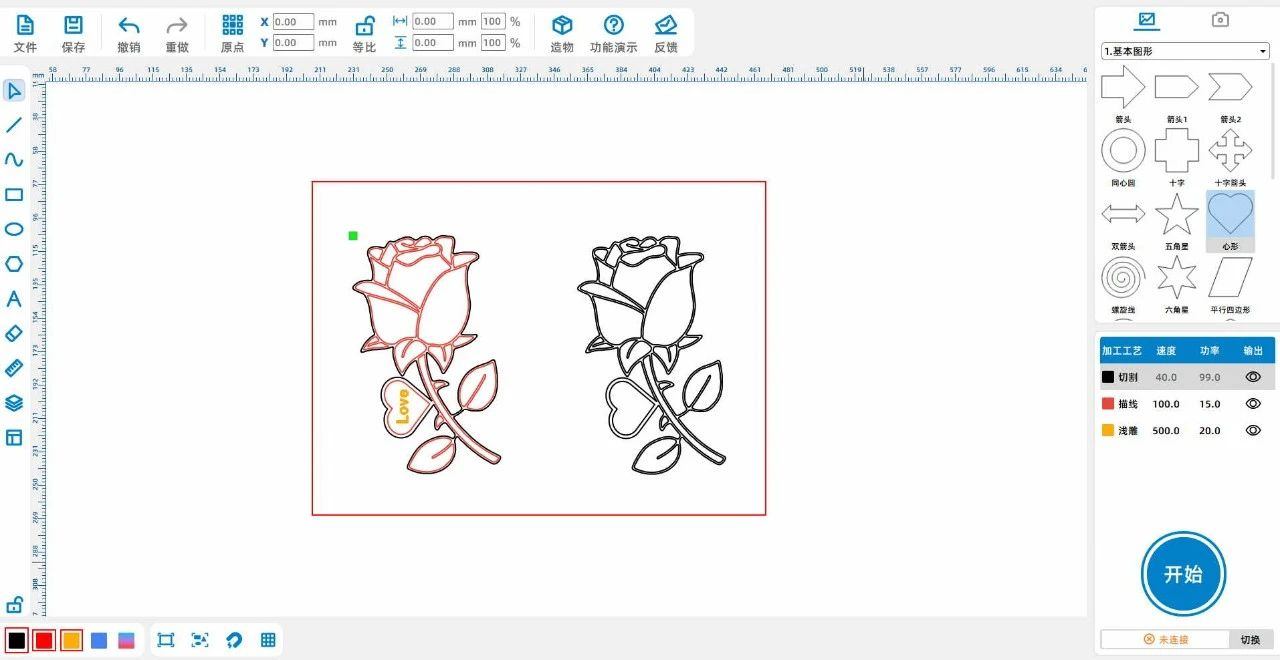
(1)Select 'All lines except for the contour on the left', left click on the layer panel in the lower left corner to change the layer to red; Select the 'left font section' and left click on the image in the lower left corner with the mouse

Change the layer to yellow on the layer panel; Select "Outline of the pattern on the right and left", left click on the layer panel in the lower left corner to change the layer to black, as shown in the following figure:

ba30674bef4ab24a97aadcaeac7c7fa7.jpg

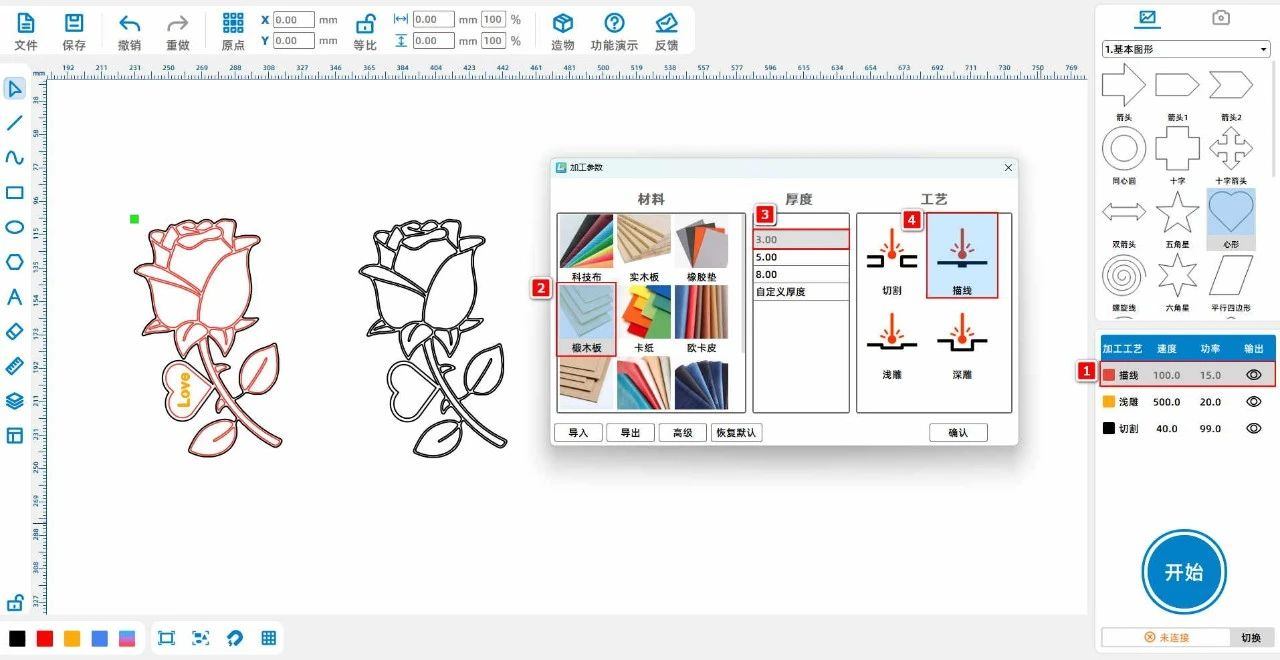
(2)Double click the red layer with the left mouse button to set the material, thickness, and process to oak board3mmCutting; Double click the yellow layer with the left mouse button to separate the material, thickness, and process

Don't set it as oak board3mmShallow carving; Double click the black layer with the left mouse button to set the material, thickness, and process to oak board3mmCut, as shown in the following figure:

2641d29533d4bcdb7ca4e193b34a1d0d.jpg


Coloring processing

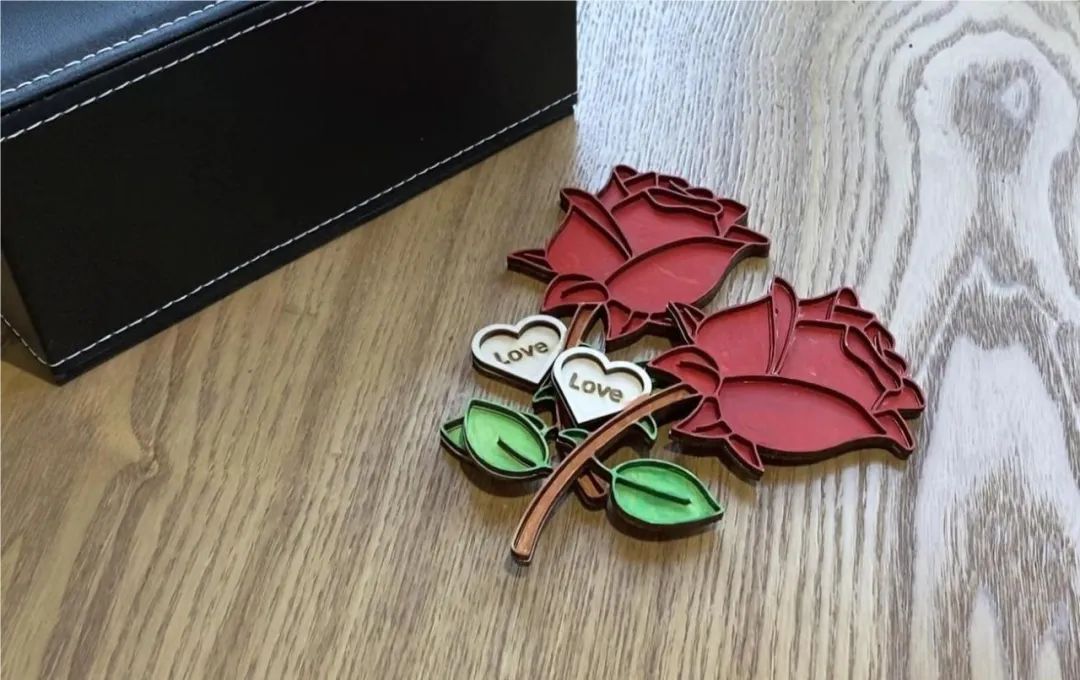
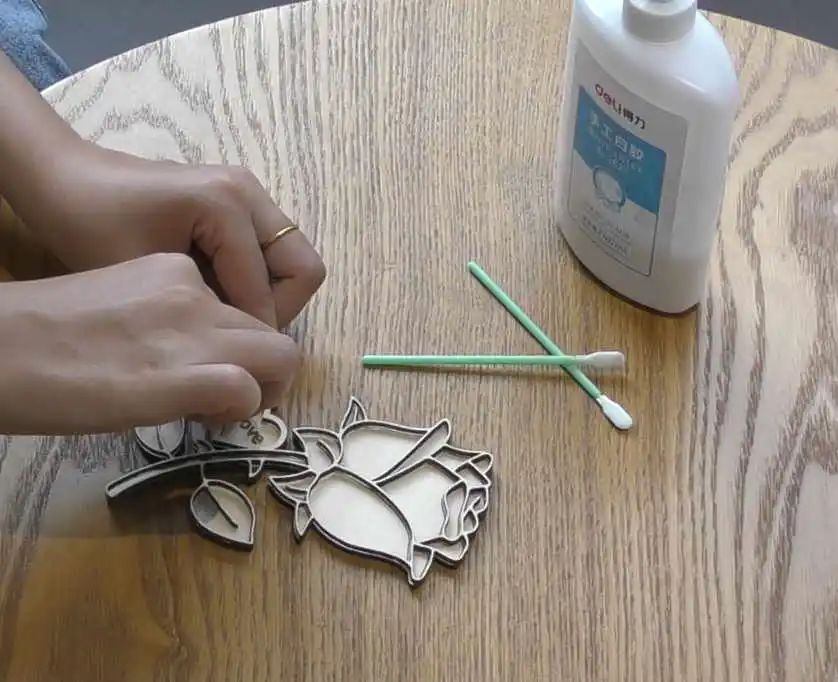
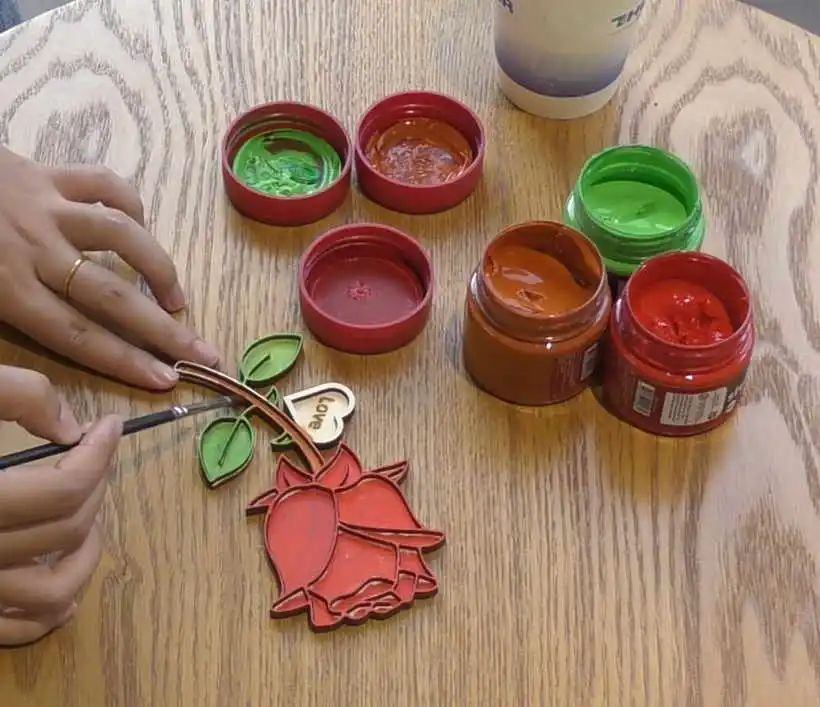
First, use glue to stick two roses together, with the font free rose on top and the font free rose on the bottom. Use a paintbrush and paint to color the rose again.

537d857a1a3af2a569707a26065ceda8.jpg9955ce28a5b66ca7a38fefc4ef1d663b.jpg

Summary:

    In the production process of this example, we considered how to make the rose more three-dimensional? In response, laser experts made double-layer roses and glued them together

Connect to make it more three-dimensional and layered, and look better than ordinary graphic design!

comment (0)
Most pictures available 10 Zhang · Attachment support dxf/plt/lcp/lcpxAt most 3 a
将图片拖拽到这里或点击“选择图片”上传(支持多张)
Laser Creation Beginner Course | Case 13:DIYrose
drawing ID: SUCAI-21 2024-4-7 18:01
4
3
0
76
20Contribution points
Purchase points
collection
like
Grade discount
Basic Information
Update time 2024-4-7 18:01