1、 Activity Registration Guide
(1) Registration address
To register for the event, please be sure to add the official customer service "Laser Expert" WeChat for sending registration channels and receiving event notifications.
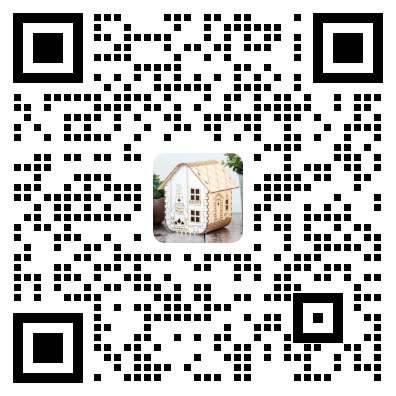
![]()
(2) Registration review
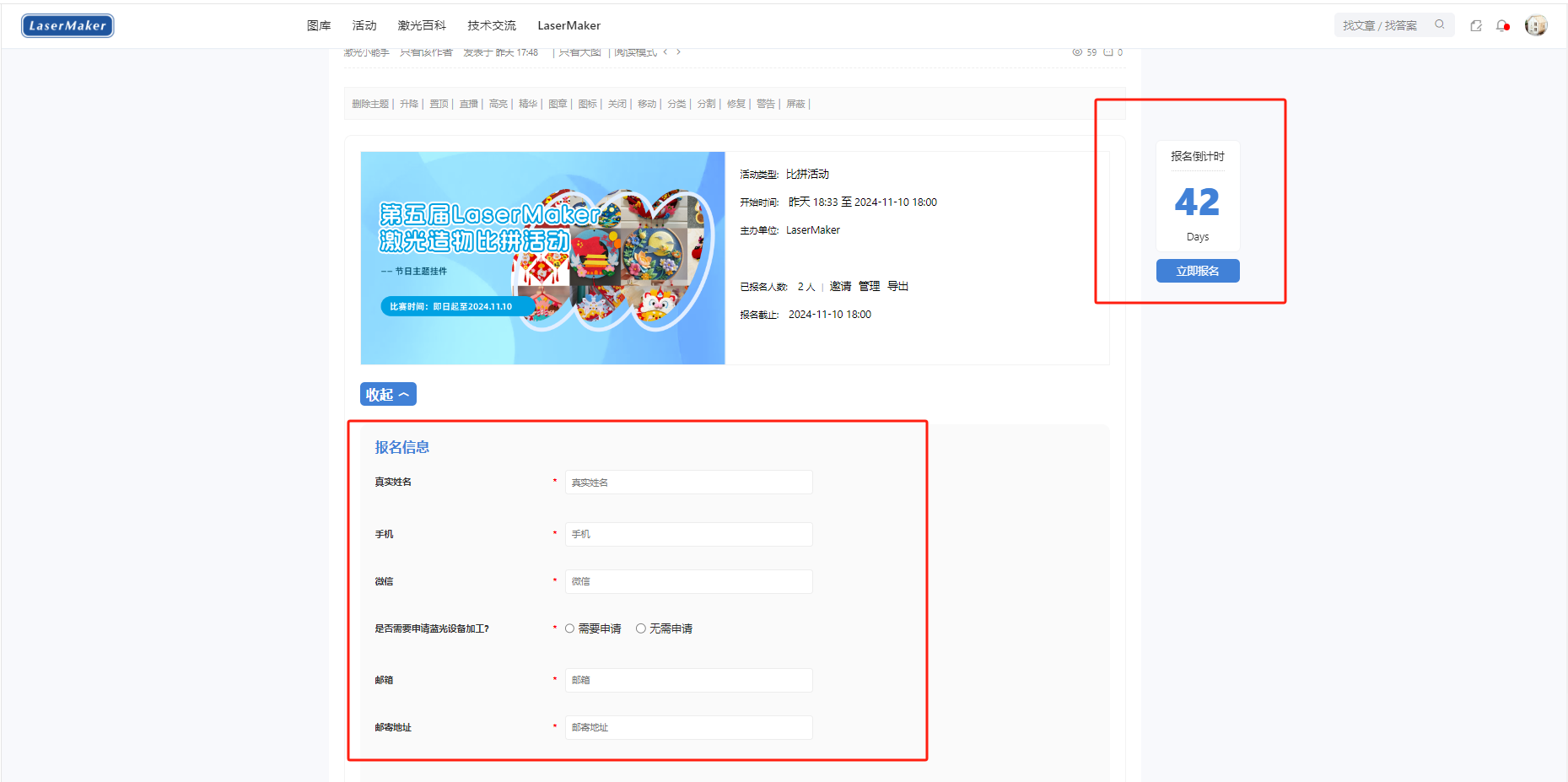
After entering the registration page, follow the prompts on the page to fill in the registration information and bring it along*The number is a required field, the more complete the registration information, the better. After submitting the registration information, we need to wait for the review, which is expected to take some time1-2One working day.
2、 Software Download Guide
(1) Download link
Software Download Official Website:lasermaker.com.cn
(2) Software Download
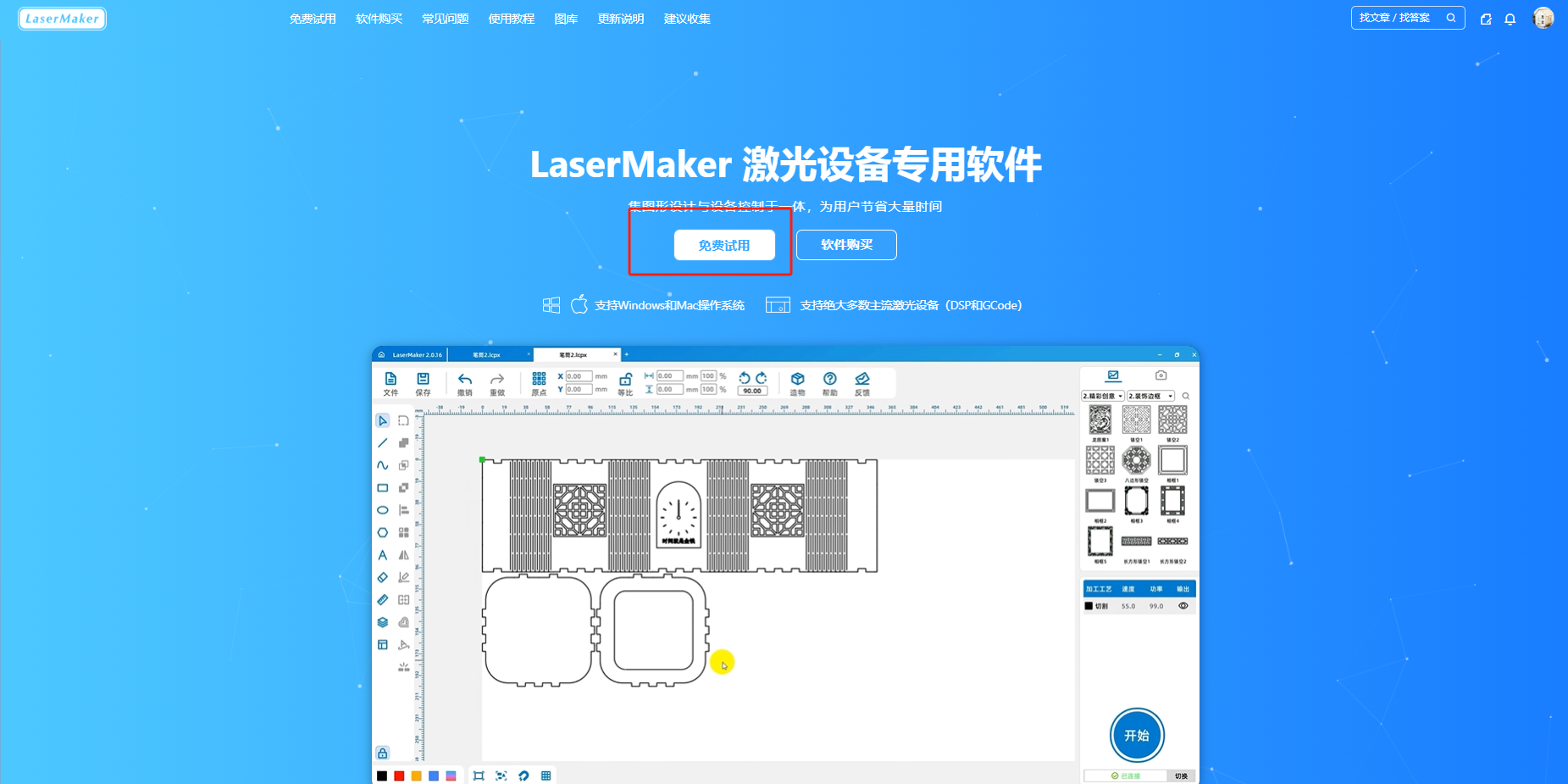
Go to the homepage of the official website and click the free trial button to download and install the latest version of the software.
![]()
(3) Software Update
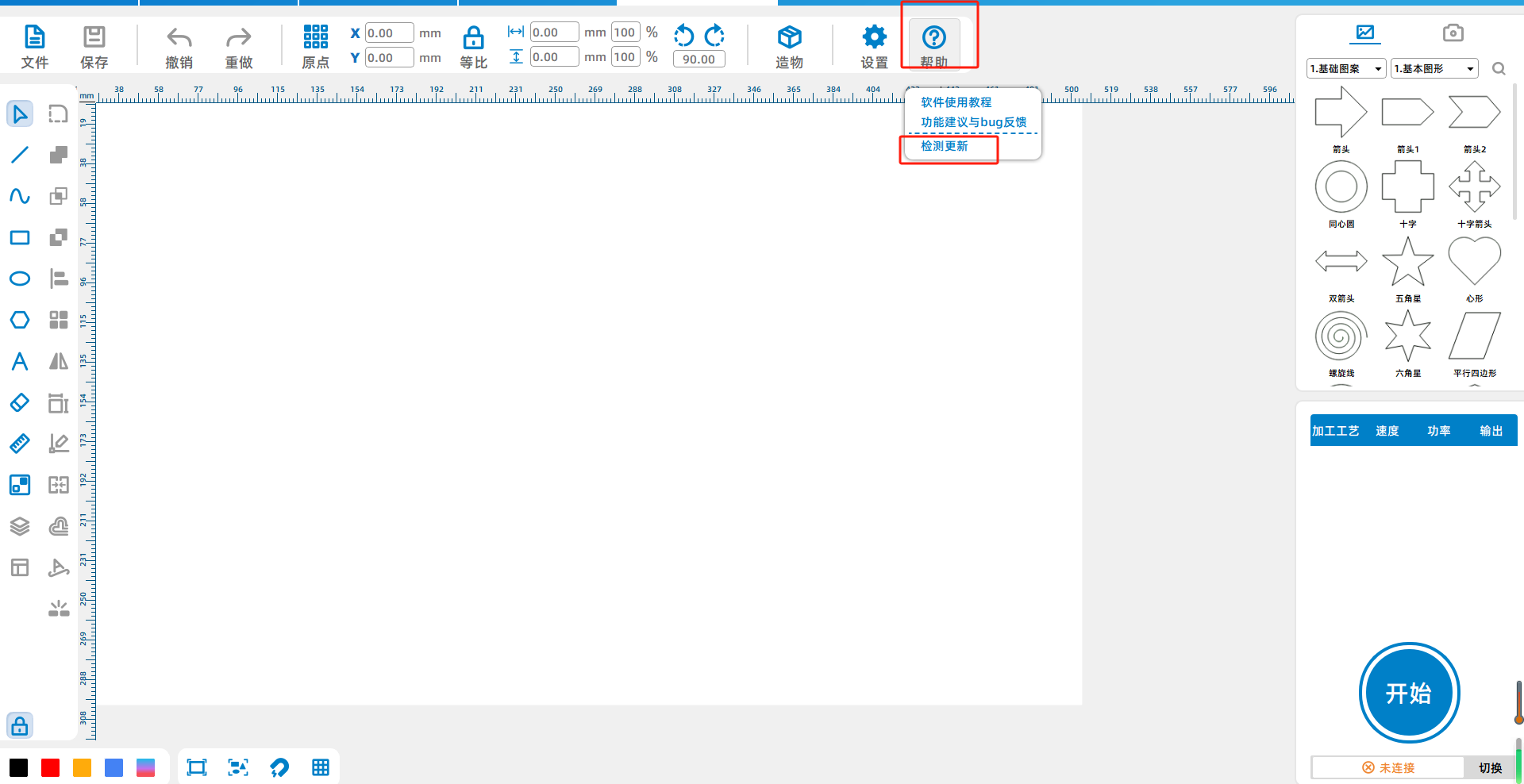
If an old version of the software is already installed, you need to open the software and click on Help-Check for updates to update the latest version of the software.
3、 Drawing Design Guidelines
(1) Layer Settings
1.Layer inLaserMakerIn the lower right part of the drawing interface, please pay attention to the layer order. Any cut layers must be placed last, with carving and drawing lines before cutting.
2.Different depths of carving, drawing lines, and cutting must be represented by different color layers.
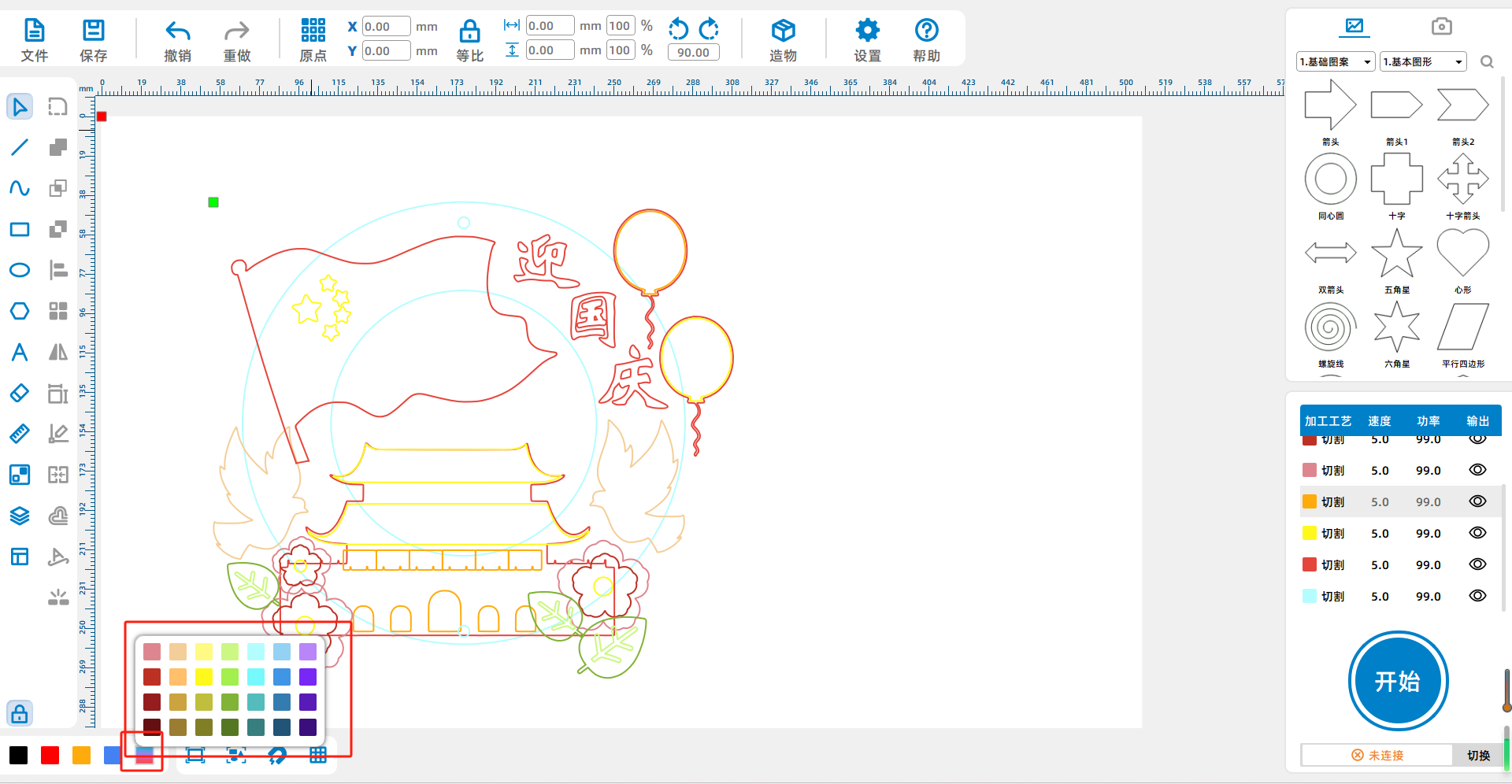
3.LaserMakerThe default layer colors are located in the bottom left corner of the drawing interface (indicated by the red box in the bottom left corner of the image below). Black ① defaults to using cutting techniques, red ② defaults to using tracing techniques, yellow ③ defaults to using light carving techniques, and blue ④ defaults to using deep carving techniques.

![]()
4.If you need to add a color layer other than the default four color layers, please create a new layer in the bottom left corner of the drawing interface (indicated by the red box in the bottom left corner of the figure below).
![]()
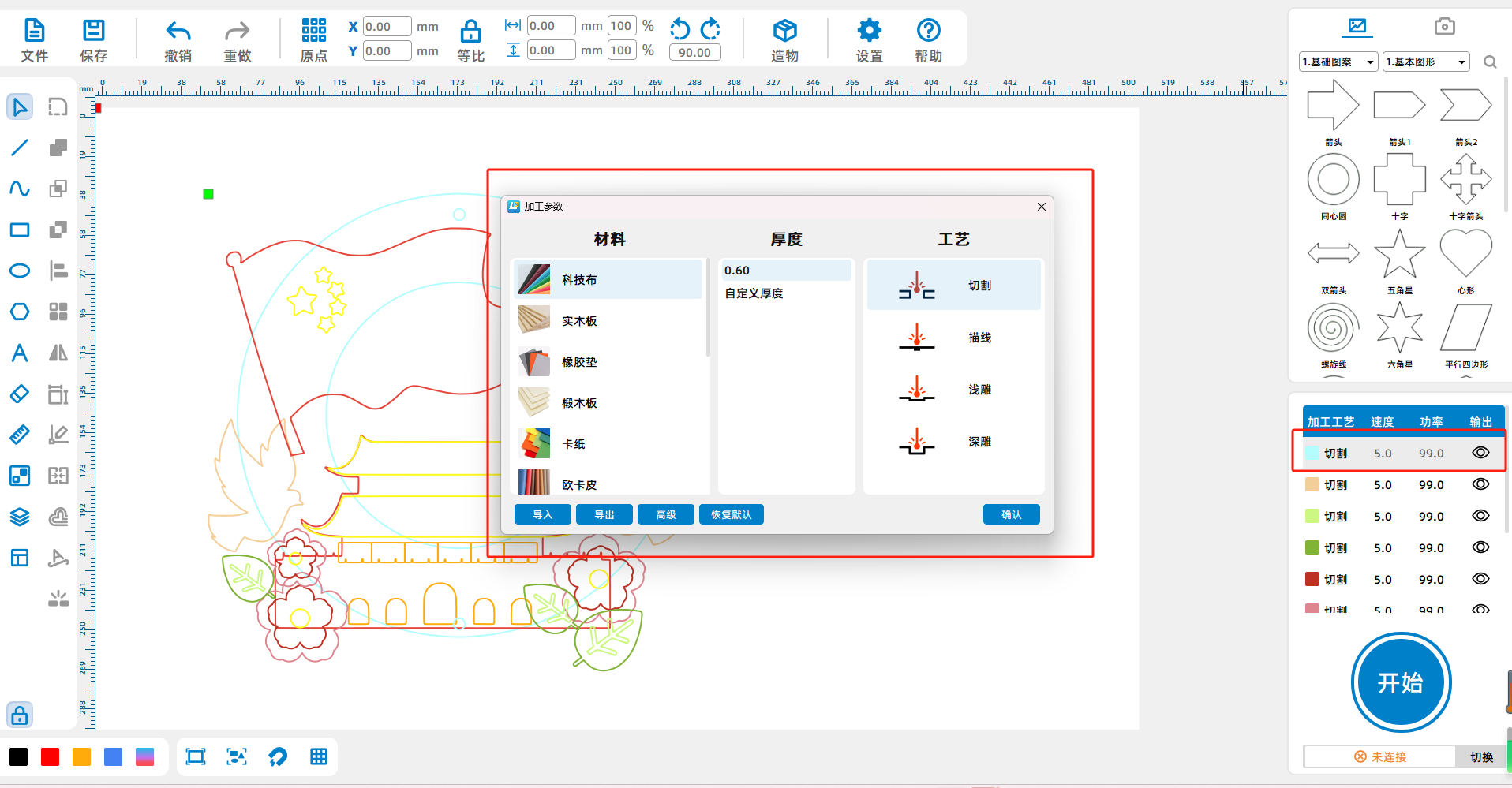
5.After creating a new layer, you can double-click on it and select the desired process in the "Process" column on the right side of the pop-up window.
(2) Materials and dimensions
1.Participants can use laser cutting machines to cut and process their works, assemble them into final products, and the processing size is not limited. If the participant does not have the equipment for processing, they can contact the "Laser Expert" to apply for a machine trial. The main material used for processing is non-woven fabric, and the thickness and color of non-woven fabric are not limited.
2.Unrestricted processing size
4、 Guidelines for Submission of Works
(1) Publish new drawings
enterlasermaker.com.cnCommunity, click on publish new drawings to enter the drawing publication page.

(2) Fill in the basic information of the work
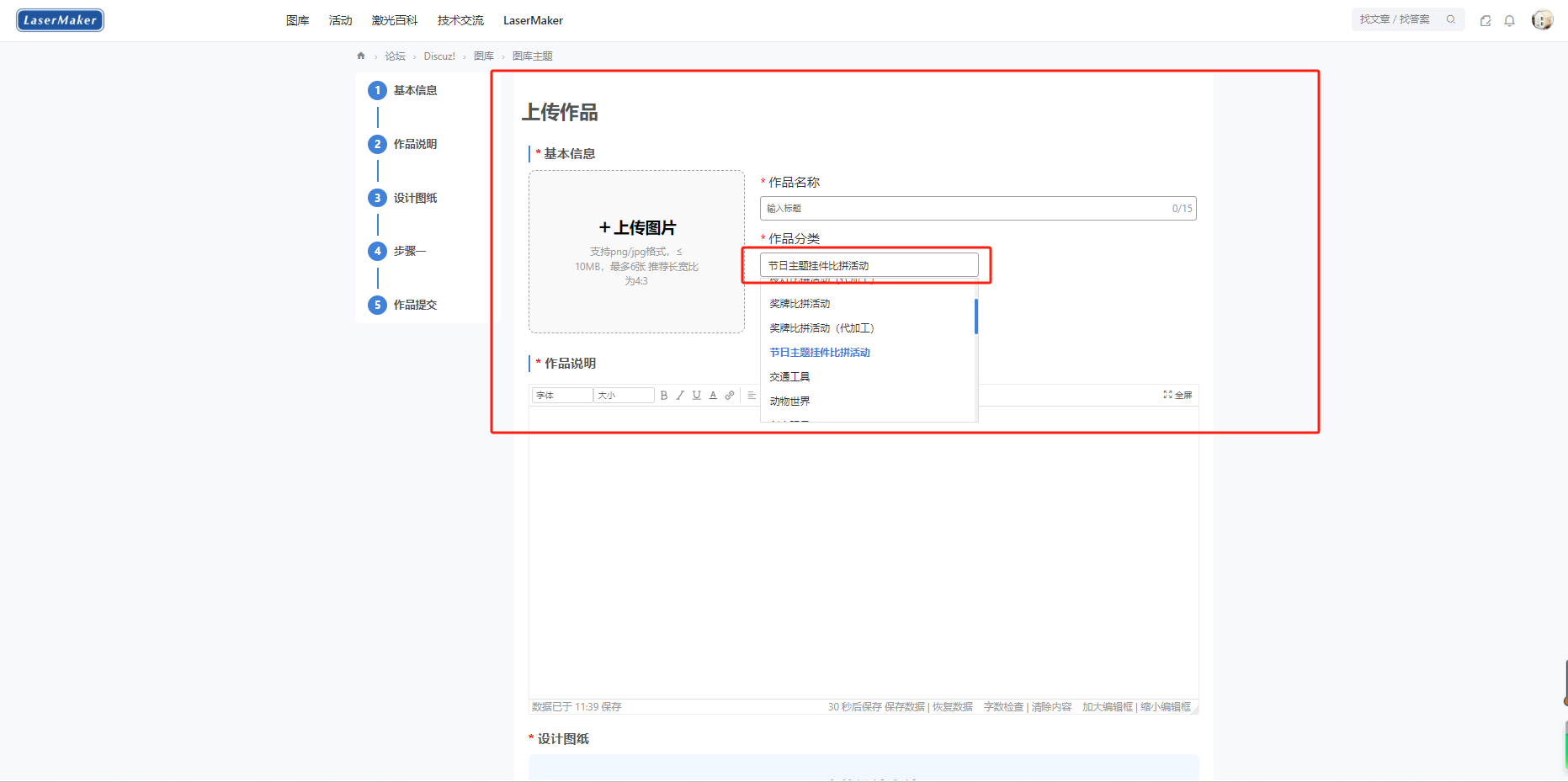
1Upload a work image with a size of10MWithin, it is recommended to have an aspect ratio of4:3.
2Fill in the name of the work
3Choose the category of the selected works for this competitionFestival themed pendant competition activityPlease make sure to choose correctly.
(3) Fill in the work description
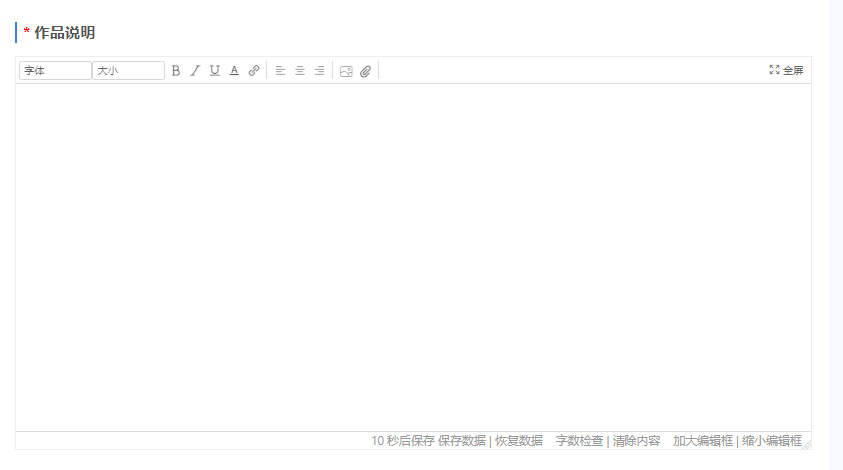
The work description should include the design concept, inspiration source, and work images(Upload at least one image)Waiting for content, with rigorous logic and clear organization.
(Four))Upload drawings
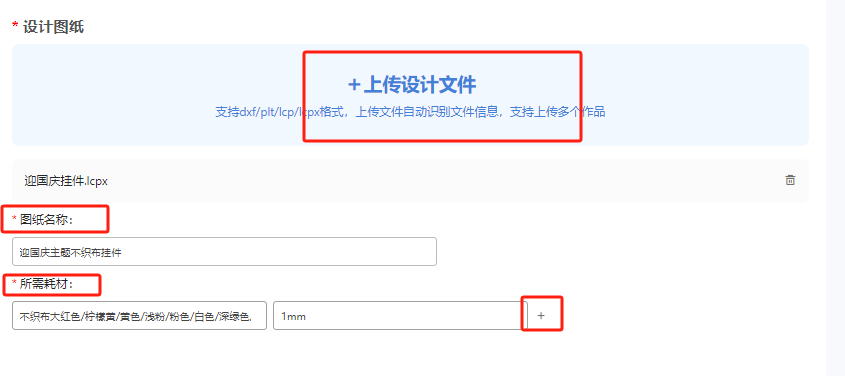
1Click on 'Upload Design File' to upload the drawings. Please upload the design source file(.lcpx)Format.
2After the drawing is successfully uploaded, fill in the drawing name and required consumables, and list the color scheme used for the non-woven fabric. If there are non-woven fabrics of different colors and thicknesses, you can click+Number key, add edit box.
(5) Add creative steps
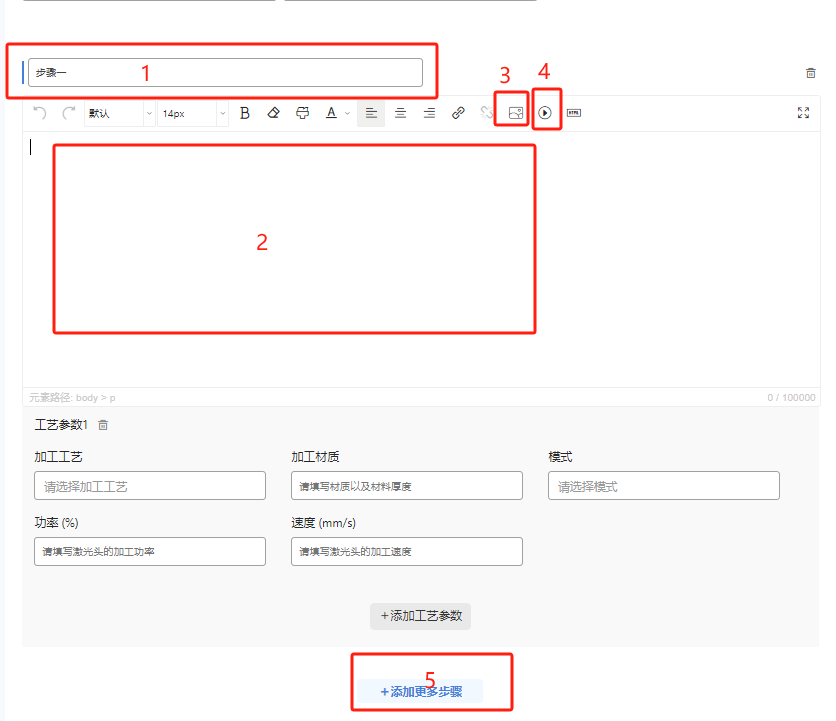
1Click on the red box below【1】, editable step names; Click [2】Can provide detailed operational instructions; Click [3】, can upload images; Click [4】You can upload videos.
2If you need to add more steps, you can click on the red box below【5】New addition
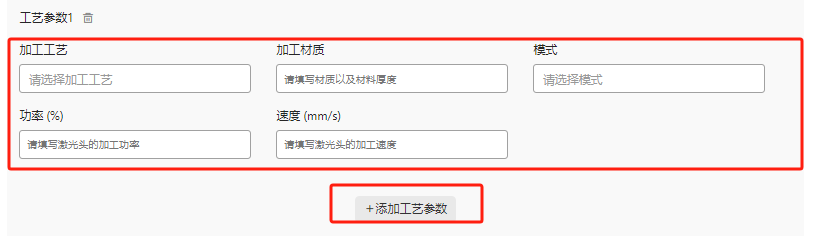
3Fill in the process parameters. If there are multiple process parameters, you can click [Add Process Parameters] to upload multiple process parameters.
(6) Publish drawings
1After editing, you can click on 'Publish Gallery Theme' below to successfully publish it; If you don't want to publish it temporarily, you can click to save the draft.
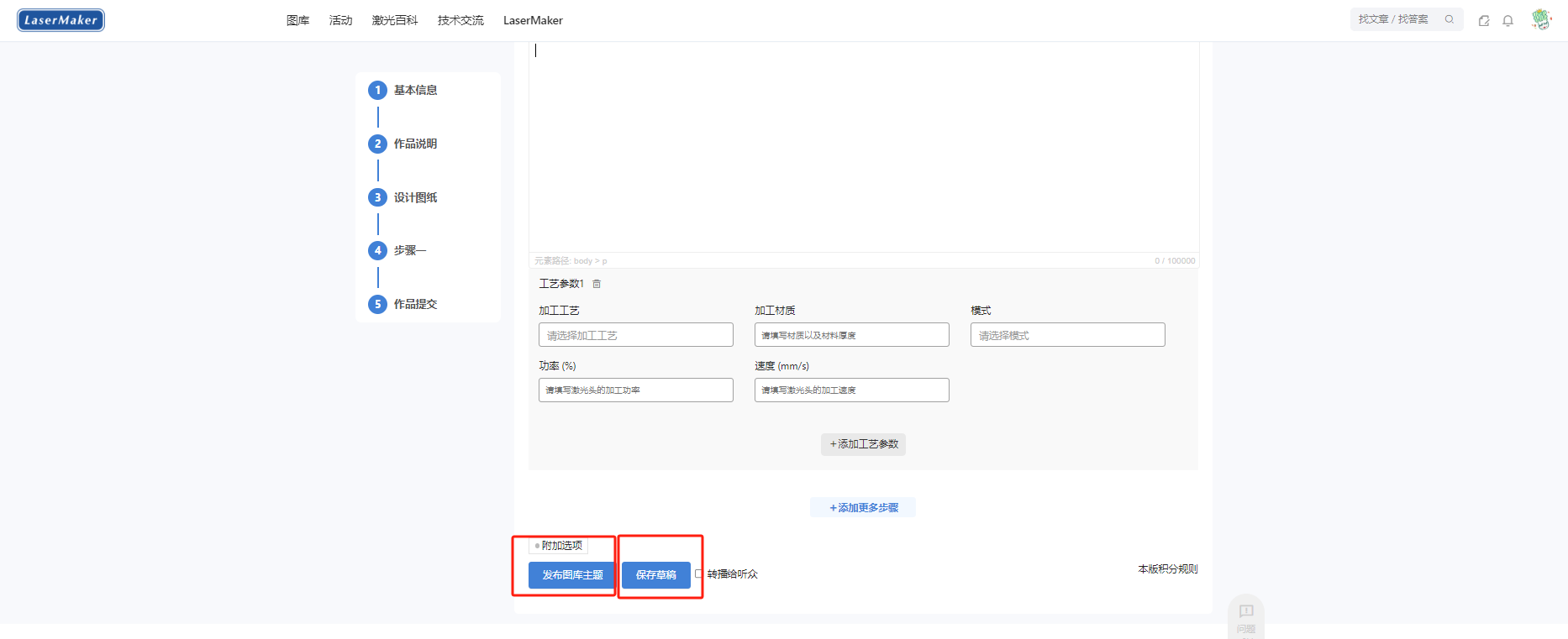
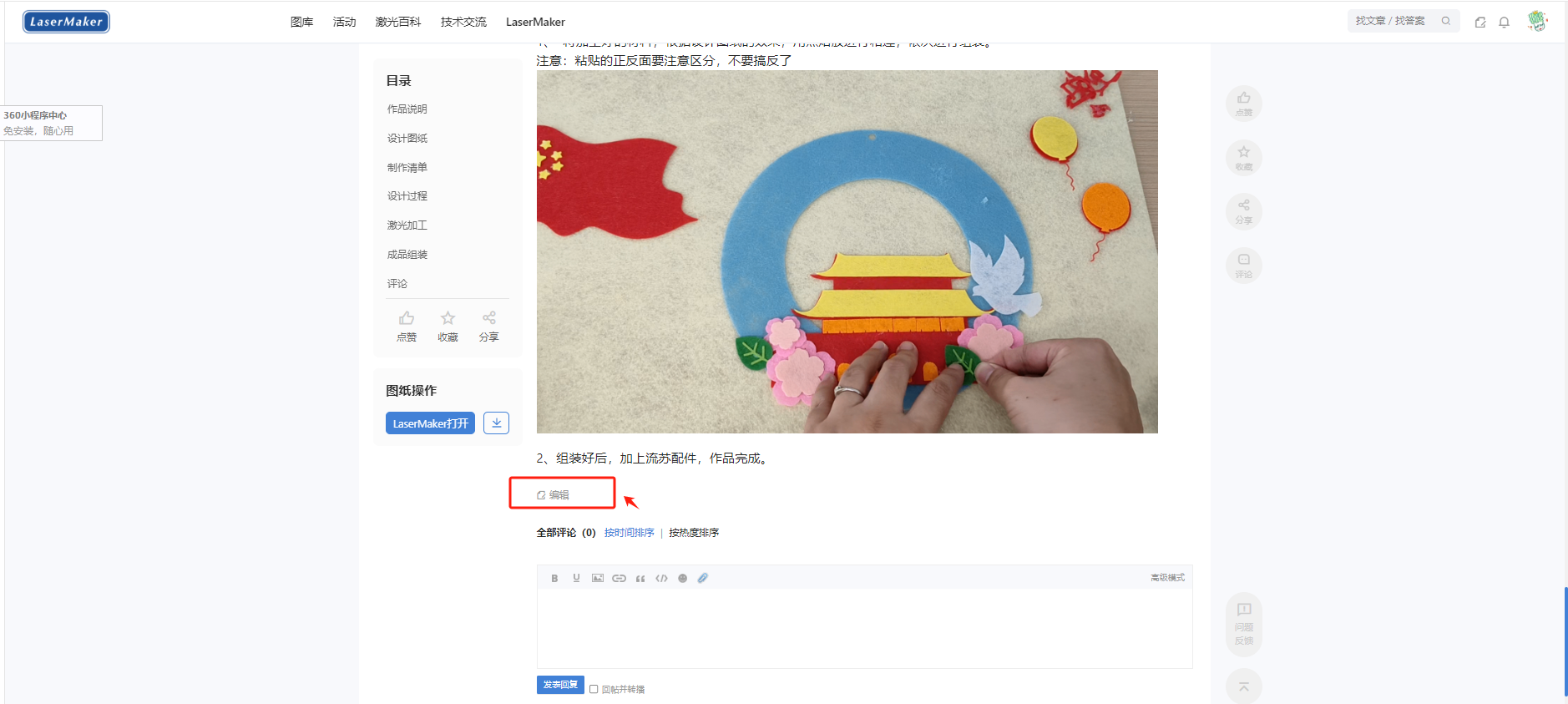
2To continue editing the draft, click on the avatar-Theme, click on the theme content to be edited, click on the bottom to enter editing.
 English
 简体中文
简体中文
 繁體中文
繁體中文
 Français
 Español
 عربي ،
 русский язык
 Português
 Deutsch

 design project







 Guangdong Public Security Backup44196202000110number)


 Register Now
 login
login
 QQlogin
  WeChat login
  Mobile Login